
Free Color Blindness Simulator
Upload an image and see how it looks to people with color blindness. Pick from 8 vision types, adjust the severity, and download the simulated image. Everything runs in your browser.
How to use the color blindness simulator
Upload your image
Drag a JPG, PNG, or WebP into the box or click to choose one. It loads in your browser, not on a server.
Pick a vision type and severity
Choose a color vision type from the rail and drag the severity slider. The canvas updates instantly to match.
Download the simulated image
When the preview looks right, click Download Simulated to save the result as PNG, JPG, or WebP.
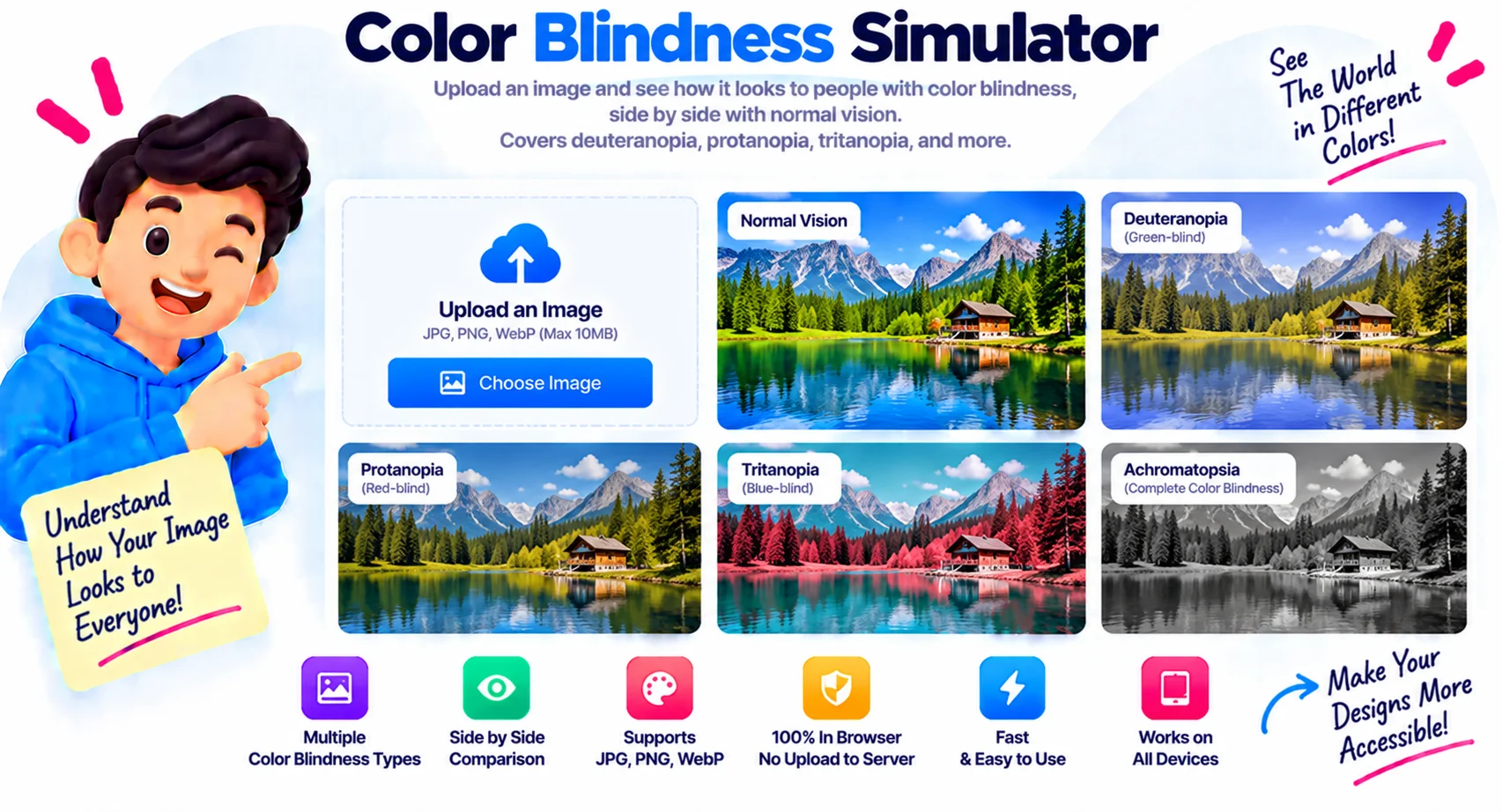
A free color blindness simulator for designers and creators
This free color blindness simulator shows how any image looks to someone with color vision deficiency. Upload a picture, choose one of 8 vision types, and the tool redraws it on a canvas so you can spot problems your own eyes miss. You can adjust the severity and download the simulated image. There is no signup, and the picture never leaves your browser.
About 1 in 12 men and 1 in 200 women have some form of color blindness, according to the charity Colour Blind Awareness. That is a large slice of any audience. If a chart, a button, or a status label relies on color alone, a big group of people may miss it. Simulating the image is the fastest way to catch that before you ship.
How to use the color blindness simulator
Upload your image, pick a vision type from the rail like deuteranopia or protanopia, and the canvas updates instantly. Drag the severity slider to preview a mild deficiency or a full one. When it looks right, download the simulated version to share with your team or attach to a bug report.
Who this tool is for
Designers use it to test UI mockups, charts, and infographics for accessibility. Developers check dashboards and status colors. Teachers and content creators confirm that slides and diagrams read clearly for every student. Because the color blindness simulator works on any JPG, PNG, or WebP, it fits any of these without extra software.
Keep in mind that a simulation is an approximation. It is a strong guide for design decisions, not a medical diagnosis. Pair it with a simple rule: never rely on color alone, add labels, patterns, or icons so the meaning survives any kind of vision.
Why Use Our Color Blindness Simulator?
8 color vision types
Simulate protanopia, deuteranopia, tritanopia and their milder anomaly forms, plus achromatopsia and achromatomaly for total and partial color blindness.
Adjustable severity
Slide from a mild deficiency to a full one, so you can see how your image reads across the whole range, not just the extreme case.
Private, in-browser
The simulation runs on your device using the canvas. Your image is never uploaded to a server, so it is safe for unreleased work.
Works on any image
Drop in a JPG, PNG, or WebP: a UI mockup, a chart, a photo, or a poster. No format conversion or resizing needed first.
Download the result
Save the simulated image as PNG, JPG, or WebP to drop into a bug report, a design review, or an accessibility audit.
Free, no signup
No account, no email, and no watermark. Open the page, upload an image, and start testing in seconds.
Similar Tools
More Image tools you might find useful.
Frequently Asked Questions
Common questions about simulating color blindness.
What is a color blindness simulator?
A color blindness simulator shows how an image looks to someone with color vision deficiency. It applies a color transform for each type, like protanopia or deuteranopia, so designers and creators can check whether their work relies too heavily on color. Pixellize does this in your browser on any JPG, PNG, or WebP.
How accurate is the simulation?
The simulation is a close approximation, not a medical diagnosis. It uses standard color-transform matrices for each vision type, which is the same approach used by many accessibility tools. It is accurate enough to guide real design decisions, but individual color vision varies, so treat it as a strong guide rather than an exact result.
What types of color blindness can I simulate?
You can simulate 8 types: protanopia, deuteranopia, and tritanopia (the full red, green, and blue-blind forms), their milder anomaly versions, and achromatopsia and achromatomaly for total and partial color blindness. Deuteranopia and protanopia are the most common, so start there.
Is the color blindness simulator free?
Yes, it is completely free with no signup, no email, and no watermark. You can test as many images as you like. Everything runs in your browser, so there are no upload limits and your images stay private.
Are my images uploaded to a server?
No. The simulation runs entirely in your browser using the HTML canvas, so your image never leaves your device. That makes it safe to test unreleased designs, client work, or anything confidential without it touching a server.
Why should I test my design for color blindness?
Because about 1 in 12 men has some color vision deficiency, so a real share of your audience may miss color-coded information. Testing catches charts, buttons, and labels that rely on color alone, so you can add labels or patterns and make the design work for everyone.