
Email Extractor from URL: Free Website Email Finder
A free Email Extractor from URL that crawls every public page of a website and returns all visible contact emails. Paste any link, the tool scans the home page plus common contact, about, team, imprint, and privacy paths, decodes (at) / [at] / [dot] obfuscation patterns, filters out Sentry endpoints and placeholder addresses, and gives you a clean list you can copy or export as CSV. Built for sales prospecting, recruiter outreach, founder cold outreach, journalist sourcing, and B2B lead research.
How to Find Emails on a Website
Paste the Website URL
Paste the website URL you want to extract emails from.
Click Find Emails
Click Find and the tool crawls every page looking for email addresses.
Copy or Download
Copy the list of emails or download as a CSV file.
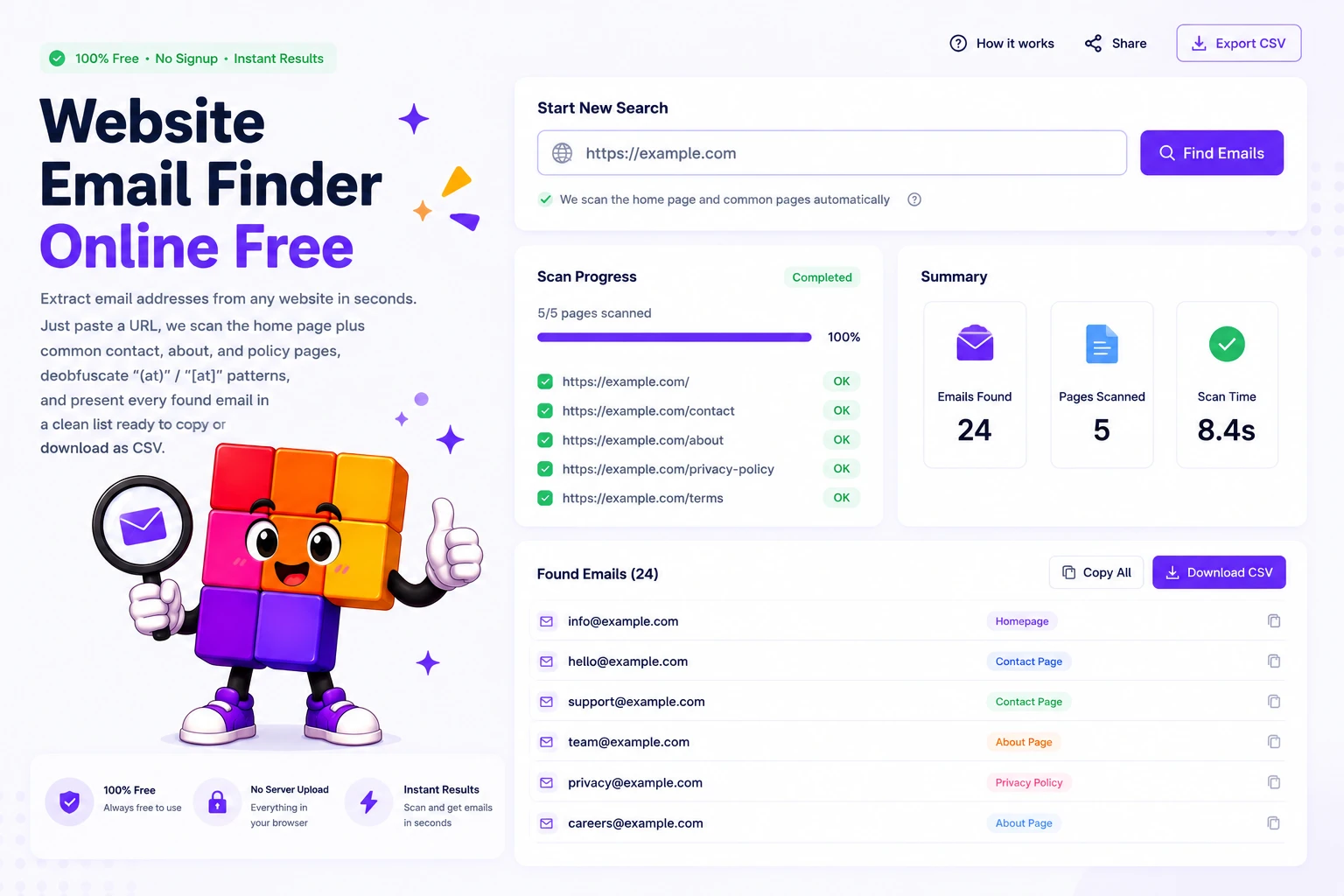
How the Email Extractor finds every public email on a website
Sales teams, recruiters, journalists, and founders all need contact emails from websites every week. Doing it manually means opening five tabs per company, hitting Ctrl+F for “@”, scrolling contact pages, and copying addresses one by one. This Email Extractor from URL collapses that into a single paste. The crawler scans the home page plus the most common email-bearing paths (/contact, /contact-us, /about, /about-us, /team, /imprint, /privacy-policy), pulls every visible email, decodes the obfuscation tricks site owners use against basic spambots, and outputs a clean list.
The extractor handles the patterns that defeat lazy scrapers. Plain-text emails are picked up directly. The common anti-spam tricks (replacing @ with “(at)” or “[at]”, replacing . with “(dot)” or “[dot]”) are reversed before matching. The output is filtered against a known-junk list (Sentry error endpoints, Wix-internal addresses, sample placeholders like [email protected], image asset filenames that look like emails), so the CSV you download contains real contact emails, not noise.
Everything runs server-side for the crawl (to fetch JavaScript-free HTML from the target site) but nothing is stored. The submitted URL, the result, and your IP are not persisted. Use it for legitimate B2B outreach, recruiter contact, partnership inquiries, or journalistic research. It is a tool for finding publicly displayed information faster, not a replacement for proper consent and CAN-SPAM compliance when you actually send mail.
Why this Email Extractor from URL works better
Multi-page crawl, not just the home page
Most contact emails do not live on the home page. The extractor automatically scans /contact, /contact-us, /about, /about-us, /team, /imprint, and /privacy-policy on the same domain, covering the spots where 90 percent of public emails sit. Each page is fetched once with a normal browser user agent.
Decodes (at) / [at] / [dot] obfuscation
Many websites obfuscate emails to slow down basic spambots, writing addresses as "name (at) example (dot) com" or with bracket variants. The Email Extractor reverses these substitutions before pattern-matching, so obfuscated contact emails appear in the final CSV alongside plain-text ones.
Copy or CSV export, ready for any CRM
Each found email has its own copy button. The action bar adds Copy All (newline-separated) and Download CSV (with header row) so you can drop the list straight into a CRM, Mailchimp, Apollo, or a Google Sheet. The CSV format matches what most outreach tools import without remapping.
Junk filter + GDPR-aware crawl
The extractor skips obvious false positives (Sentry error endpoints, Wix-internal addresses, generic placeholders like [email protected], image asset filenames that look like emails). The crawl respects robots.txt for the target site and never persists the submitted URL or the result on the server.
Similar Tools
More SEO tools you might find useful.
Frequently Asked Questions
Common questions about extracting emails from a URL, legal use, and the tool's scan behavior.
Is it legal to extract emails from a website?
Extracting emails that are already publicly displayed on a website is legal in most jurisdictions, the same as a human reading the page and copying an address. The legal question is what you do next. GDPR (EU/UK), CAN-SPAM (US), CASL (Canada) all regulate sending unsolicited email. Use extracted addresses only for legitimate B2B outreach with a clear opt-out, never for mass spam or to bypass consent requirements.
How does the Email Extractor handle (at) / [at] obfuscated emails?
Many sites obfuscate emails to fool basic spambots, writing "name (at) example (dot) com" or "name [at] example [dot] com" instead of literal @ and dot characters. Before pattern-matching, the extractor reverses these substitutions (also handles plain text variants like "at" surrounded by spaces, and "dot" between words) so obfuscated addresses appear in the final list.
Which pages does the tool actually visit?
The home page (the URL you submit) plus a fixed list of the most common email-bearing paths: /contact, /contact-us, /about, /about-us, /team, /imprint, and /privacy-policy. Pages that 404 or redirect off-domain are skipped. The tool does not follow arbitrary internal links, this keeps the crawl fast and predictable.
Why are no emails found on some websites?
Many sites avoid posting plain-text emails to fight spam. Common alternatives the extractor cannot reach: contact forms, JavaScript-rendered emails (loaded after page load via XHR or React state), images of email addresses (only OCR could decode those), Cloudflare email protection, and PDFs linked from the page. If the contact email lives behind any of these, the site needs to be reached through its contact form.
Can I export the extracted emails to CSV or Excel?
Yes. Each result page has Copy All (newline-separated list) and Download CSV (with header row "email") buttons in the top action bar. The CSV format imports cleanly into Mailchimp, Apollo, HubSpot, Lemlist, Google Sheets, Excel, and any outreach tool that accepts a CSV with email column.
Are my searches logged?
No. The server fetches the URLs you submit, extracts emails, and returns them to your browser. The submitted URL, the result, and your IP are not persisted. The tool is free and does not require login or an API key.
What is the difference between an email finder and an email verifier?
An email finder (this tool) pulls publicly displayed email addresses from a website you submit. An email verifier checks whether a specific address can receive mail (SMTP handshake, MX lookup, catch-all detection) without sending a real email. They are complementary: extract first with this Email Extractor from URL, then run the list through a verifier before adding to an outreach sequence to keep bounce rates low.
Does the tool work for any website or only specific ones?
It works for any publicly accessible website. Sites that require login, sites behind aggressive bot protection (Cloudflare challenge, CAPTCHA on every page), and sites that render all content via JavaScript will produce zero results. For most marketing sites, agency portfolios, SaaS company pages, and small business websites, the extractor pulls all visible contact emails in under 5 seconds.