
DOCX Image Extractor: Extract Images from a Word Document Online
A free DOCX image extractor online. Extract images from a Word document, preview every picture, then save one or download them all as a ZIP. Nothing uploaded, no signup.
How to extract images from a Word document online
Open Your Word Document
Drag and drop a .docx file or click to choose one. The tool reads it in your browser and finds every image inside.
Review the Extracted Images
See each picture as a thumbnail with its name, type, size, and dimensions laid out in a grid.
Download One or All
Save a single image, or download all of them at once as a ZIP file. Nothing is uploaded at any point.
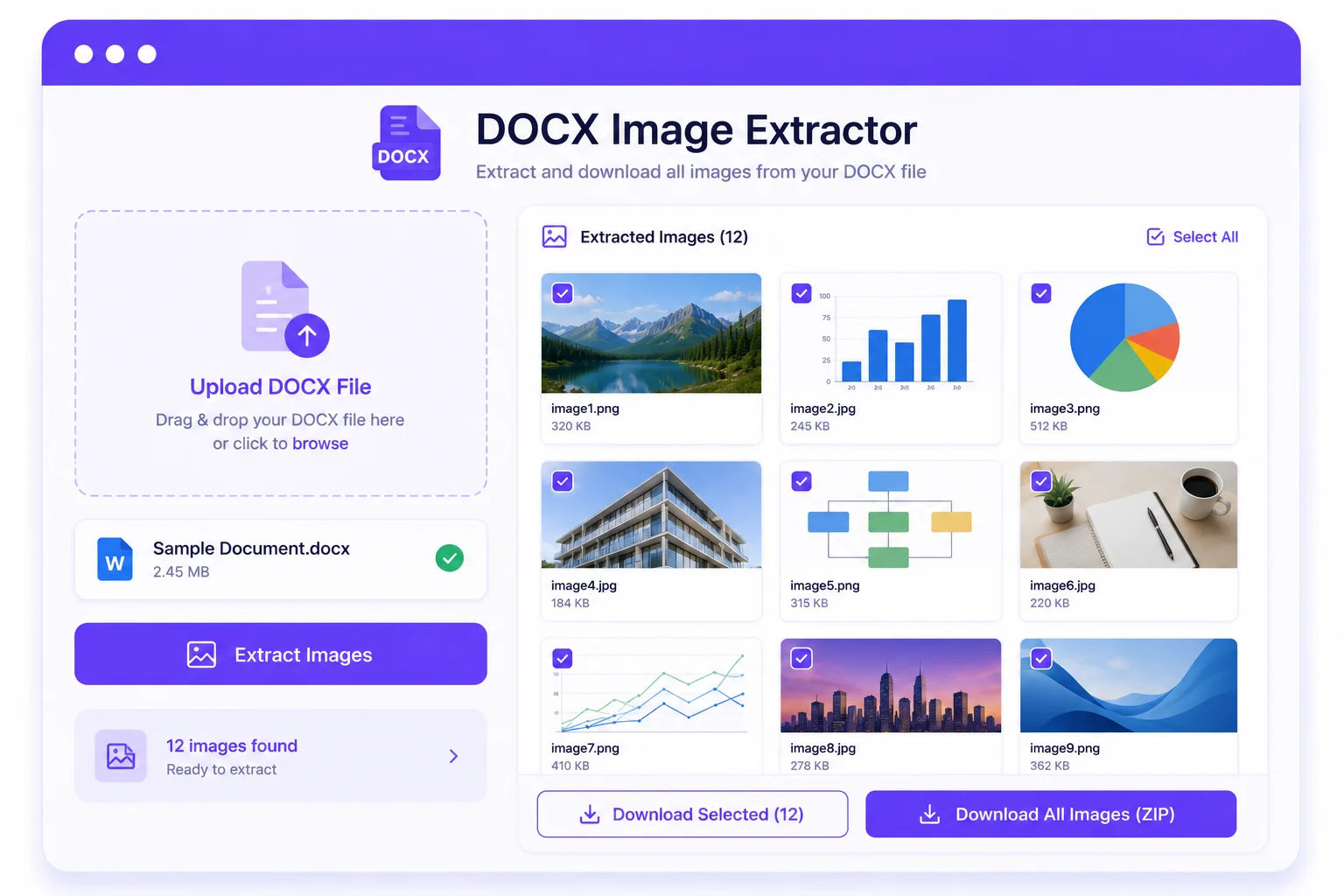
Extract Word Document Images Online, Free and Private
A Word document stores every picture you paste inside the file, out of easy reach. Saving them by hand means right-clicking each one, or renaming the file and digging through a folder most people never open. This free online DOCX image extractor does the whole job in one step, right in your browser.
How the DOCX image extractor works
A .docx file is really a ZIP archive, and every embedded picture sits inside it at full quality. The tool reads that archive on your device, finds each image wherever it lives (the body, headers, footers, and embedded parts), and lays them out as a thumbnail grid with the name, format, size, and dimensions. From there you save one picture or download all of them at once as a ZIP, with no recompression.
Which image formats it extracts
It pulls out PNG, JPG, GIF, BMP, WebP, and SVG, which preview instantly, plus less common types like EMF, WMF, TIFF, and ICO that still download cleanly. Whatever Word stored, this word document image extractor gets back out at the original quality, not a re-saved copy.
Extract images from Google Docs, LibreOffice, and more
Only .docx files open directly here. For a Google Docs file, choose File, Download, Microsoft Word (.docx), then open it here and it works as a Google Docs image extractor. LibreOffice Writer and WPS export to .docx the same way, and an older .doc file just needs a save-as to .docx first.
Nothing uploaded, nothing to install
Everything runs in your browser, so the document never leaves your computer and nothing is logged or stored. There is no app to download or install and no signup. That makes it a safe way to pull logos, charts, screenshots, and photos out of a confidential report or a resume.
The manual way: rename to .zip
Prefer to do it by hand? Make a copy of the .docx, change its extension to .zip, open the archive, and look in the word/media folder. It works, but the pictures get generic names like image1.png in storage order, not page order, so the extractor is faster once a file holds more than a couple of images.
Why use this free DOCX image extractor?
Extract Every Image at Once
Pull all the pictures out of a Word document in one pass, however many it holds, from the body, headers, and footers.
Preview Before You Download
See each image as a thumbnail with its name, format, size, and dimensions before you save a thing.
Download All as a ZIP
Save every picture in one click, bundled into a single ZIP with their original names, or grab them one at a time.
Original Quality, No Recompression
Images come out exactly as they were stored in the .docx, with no quality loss and no resizing.
Works With Many Image Formats
Handles PNG, JPG, GIF, BMP, WebP, SVG, and less common types like EMF, WMF, and TIFF.
Online and Private, Nothing Uploaded
This online DOCX image extractor runs on your device. Nothing is uploaded, logged, or stored, and there is no app to install.
Similar Tools
More File tools you might find useful.
Frequently Asked Questions
Common questions about the DOCX image extractor and pulling images from Word files.
How do I extract images from a Word document?
Open your .docx file in this online DOCX image extractor and it finds every embedded picture, shown as thumbnails. Then download a single image, or save all of them at once as a ZIP. The whole thing runs in your browser.
Is this DOCX image extractor free?
Yes, this DOCX image extractor online is free, with no signup and no limits. There is nothing to pay for and no account to create. Every extraction runs on your own device.
Is there a DOCX image extractor download or app to install?
No. There is nothing to download or install. The tool runs online in your browser, and it downloads the extracted images to your device, one by one or as a single ZIP file.
Can I use this as a Google Docs image extractor?
Not directly, since Google Docs files are not .docx. In Google Docs, choose File, then Download, then Microsoft Word (.docx). Open that downloaded file here and it works as a Google Docs image extractor, pulling out every picture the same way.
Does it work with old .doc files?
It works with the modern .docx format. Older .doc files use a different structure, so open one in Word or Google Docs and save it as .docx first, then extract.
Will the extracted images lose quality?
No. Each image is saved exactly as it was stored in the document, with no recompression and no resizing, so the quality matches the original file.
Which image formats can it extract?
Common ones like PNG, JPG, GIF, BMP, WebP, and SVG preview right away. Less common types such as EMF, WMF, and TIFF are still extracted and can be downloaded.
Is my Word document uploaded to a server?
No. The file is read entirely in your browser by this word document image extractor. Nothing is uploaded, logged, or stored anywhere, so even confidential documents stay private.