
How to Design for Color Blindness: A Practical Guide
A practical guide to design for color blindness: the rules that matter and how to test your work with a free simulator.
Read articleLearn how to make an invoice step by step: the parts every invoice needs, and a free way to build one and download a clean PDF.

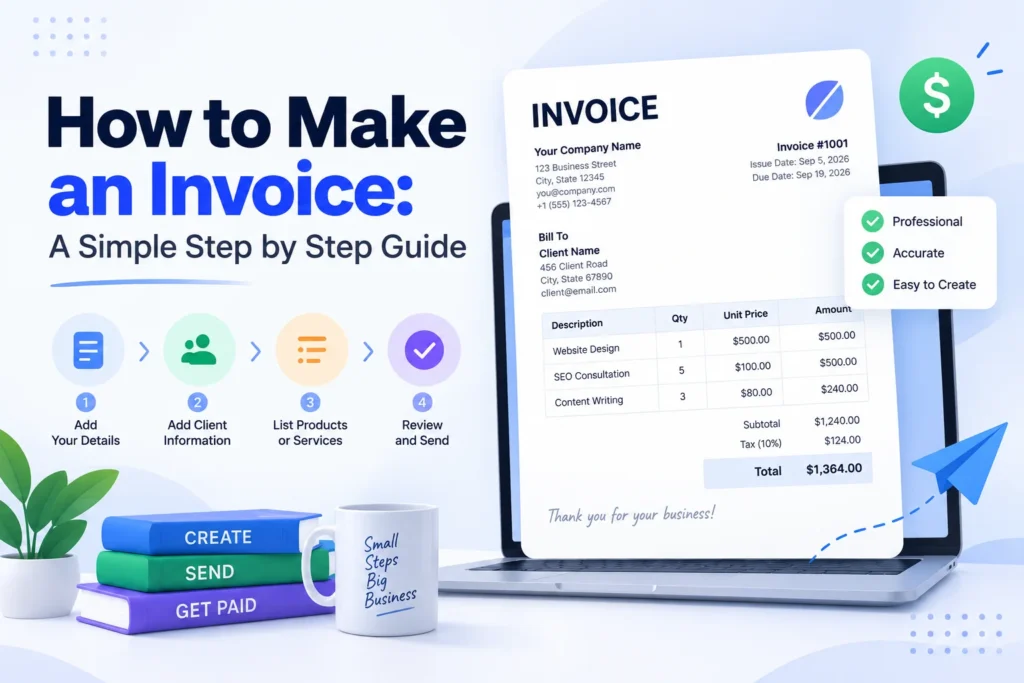
The first time you have to send a client a bill, it feels bigger than it is. You stare at a blank document and wonder what goes where. Learning how to make an invoice takes about ten minutes, and once you have the pattern down you can reuse it forever. This guide walks through exactly what an invoice needs, the steps to build one, and the fastest way to get a clean PDF using the free Pixellize Invoice Generator.
Every professional invoice carries the same building blocks. Miss one and the client either cannot pay you or pays late. Here is the full checklist, with what each part is for.
| Part | What it is |
|---|---|
| Your details | Business name, address, email or phone, and a logo if you have one. |
| Bill to | The client name and address the invoice is going to. |
| Invoice number | A unique ID like INV-0001 so both sides can reference it. |
| Dates | The issue date and a due date that sets the payment deadline. |
| Line items | Each product or service with a quantity and a rate. |
| Subtotal | The sum of every line before tax or discount. |
| Tax and discount | Sales tax, VAT, or GST added, and any discount subtracted. |
| Total due | The final amount, shown big and bold so it is impossible to miss. |
Payment platforms like Stripe and Square list the same core fields, so this checklist works whether you invoice a one-time client or a monthly retainer.
Here is the process from blank page to finished file. It is the same whether you use a document, a template, or a generator. Pixellize keeps it to four steps.
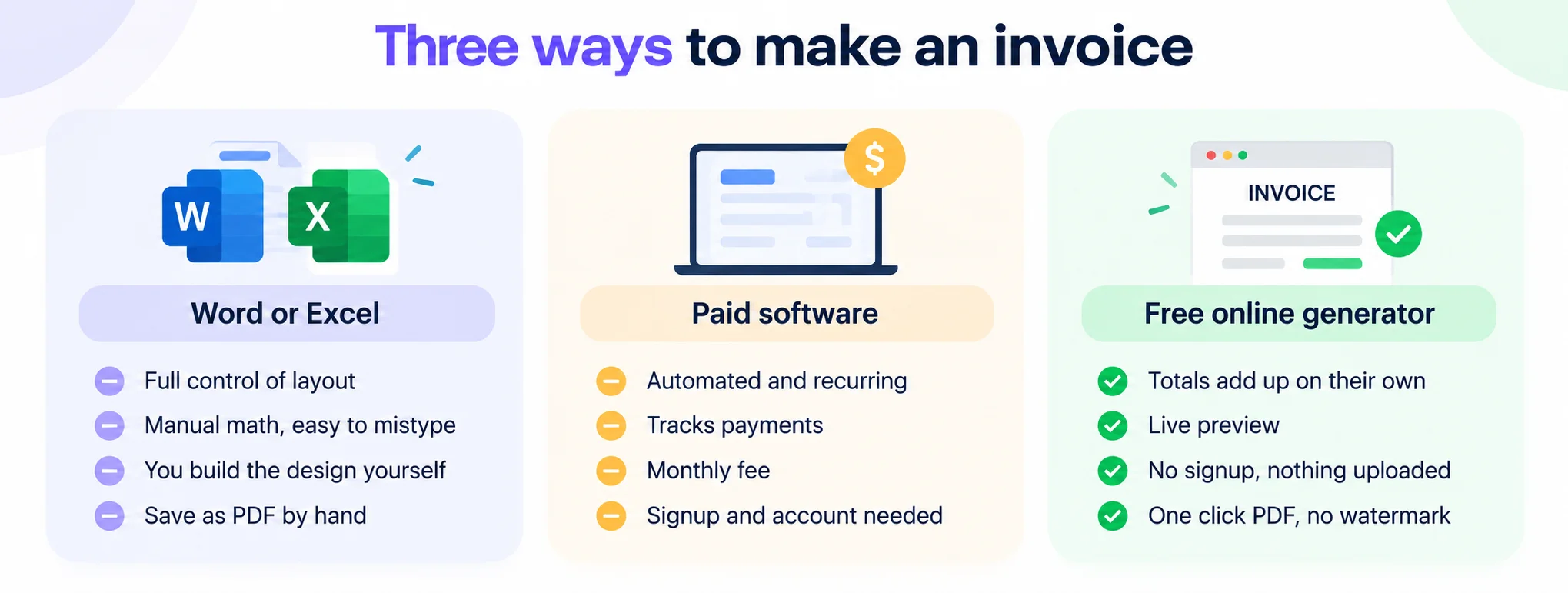
The easiest way to make an invoice is a free online generator, which fills in a template, does the math, and exports a PDF in about 2 minutes. You type your details into a form, the totals add up on their own, and one click gives you a clean file. There is no formula to write and no layout to design.
Word and Excel give you full control, and that is exactly the problem when you are busy. You format the layout yourself, and in a spreadsheet one wrong formula quietly changes the total. Adobe recommends starting from a template for this reason. A generator removes the manual math and the design work, so the invoice comes out consistent every time. If you send more than a couple of invoices a month, the time saved adds up fast.
One thing to keep in mind: paid invoicing software is worth it once you need recurring bills, payment tracking, and reminders. For a freelancer or a small shop sending a handful of invoices, a free tool covers it without a monthly fee. Pixellize sits in that free lane and keeps your data on your device.
The Pixellize Invoice Generator shows a live preview next to the form, so you see the finished invoice as you type. Add your logo, pick from 8 currencies, set tax and a discount, and the totals recalculate instantly. When it looks right, Download PDF gives you a print-ready file with real, selectable text and no watermark.
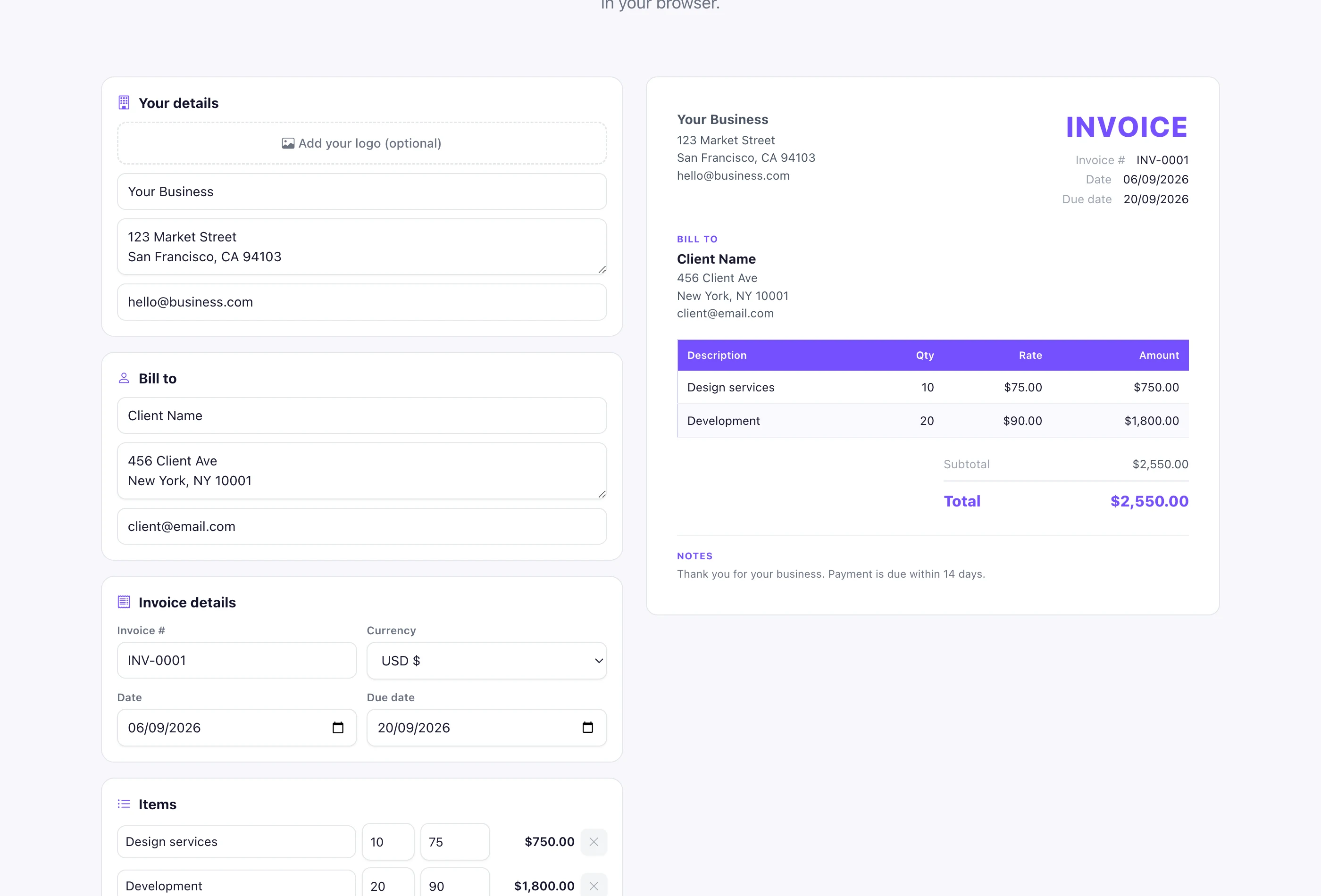
Because everything runs in your browser, your business details, client list, and logo are never uploaded to a server. That matters when an invoice includes rates or contact details you would rather keep private. Close the tab and nothing is left behind, and you can make as many invoices as you want.
Number invoices in a simple running sequence, starting at INV-0001 and going up by 1 for each new invoice. Keep the format consistent so both you and your client can find any bill later. Some businesses add the year, like 2026-001, which makes tax time easier. The one rule: never reuse a number.
Send the invoice the day the work is done, while it is fresh for the client. Set clear terms, net 14 is a common default, and put the total and due date where the eye lands first. A polite one-line note at the bottom helps too. If a payment is late, a short reminder that references the invoice number usually does the trick.
Need a signature on the invoice or a related document? You can sign one with the Pixellize Sign PDF tool or make a signature image with the signature generator. If you build the invoice in a document first, the Word to PDF converter turns it into a locked file, and the GST calculator helps if you need to work out tax before you bill.
Fill a short form, watch the live preview, and download a clean PDF. No signup, nothing uploaded.
Open the Invoice GeneratorOne habit that saves headaches later: keep a copy of every invoice you send, even the ones you build in Pixellize, so you have a clean record at tax time. Since Pixellize does not store anything for you, the PDF saved on your own drive is your record, so name it clearly like INV-0007-clientname and file it the day you send it.
Once you know how to make an invoice, billing stops being a chore. Keep the 8 core parts, number each one in order, and save it as a PDF. Do it by hand in Word if you like full control, or let the free Pixellize Invoice Generator handle the layout and the math so you can send the bill and get back to work.
You can make an invoice for free with an online generator. Enter your business and client details, add a line for each item with its quantity and rate, set the currency and any tax, then download the PDF. No signup or software is required, and there is no watermark on the file.
An invoice should include your business details, the client you are billing, a unique invoice number, the issue and due dates, an itemized list of products or services with quantities and rates, a subtotal, any tax or discount, and the final total due shown clearly at the bottom.
PDF is the best format to send an invoice. It locks the layout and the numbers so nothing shifts on the client side, it opens on any device, and it looks professional. Avoid sending an editable Word file, since the amounts and details can be changed.
Number invoices in a running sequence, starting at INV-0001 and going up by one each time. Keep the format consistent and never reuse a number. Adding the year, like 2026-001, makes it easier to find invoices at tax time and keeps your records in order.
Add tax to your invoice only if you are registered to collect it, such as sales tax, VAT, or GST. Show it as its own line after the subtotal so the client can see the breakdown. If you are not registered to charge tax, leave it off and bill the subtotal.
With the Pixellize Invoice Generator, yes. Everything runs in your browser, so your business details, client information, and logo are never uploaded to a server. The tool builds the PDF on your device, and nothing is stored once you close the tab.
Founder of Pixellize. I build free, browser-first online tools that solve everyday digital problems without the friction of accounts, watermarks, or paid tiers. Reach me at [email protected] with feedback or tool ideas.