
How to Download an Instagram Profile Picture in Full Size
Tap someone's Instagram profile picture and Instagram gives you a tiny circle, sometimes not even a full view. There is no built-in…
Read articleMake a passport photo at home for free with the exact US 2x2 size, a step-by-step method, and a way to print four copies on one sheet.

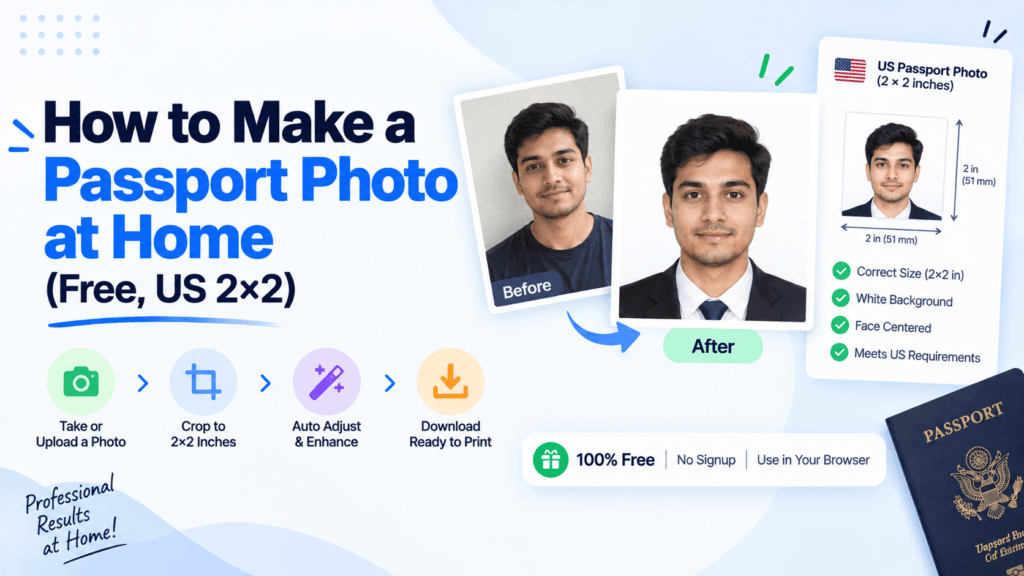
The US State Department rejects passport photos for the smallest reasons: a shadow behind your head, a smile instead of a neutral expression, glasses that catch a glare. You do not need a photo studio to avoid any of that. This guide covers how to make a passport photo at home using nothing but your phone, a plain wall, and a free browser tool, then how to crop it to the exact 2×2 inch size and print four copies on one sheet. Pixellize’s image resize tool handles the exact sizing step for free, no signup and no upload.
The exact rules come straight from the U.S. Department of State’s photo requirements page, and it pays to check them before you take a single shot. Missing one small measurement is the fastest way to get your application bounced back weeks later. Every measurement below is what Pixellize’s own resize tool needs to match before your photo is print ready.
| Requirement | Exact spec |
|---|---|
| Photo size | 2 x 2 inches (51 x 51 mm) |
| Head size | 1 to 1-3/8 inches, chin to crown |
| Background | Plain white or off-white, no shadows or texture |
| Expression | Neutral, both eyes open, mouth closed |
| Age of photo | Taken within the last 6 months |
| Color | Full color, no filters or retouching |
Yes. The State Department accepts photos you take yourself, as long as they meet the exact size and background rules. All you need is a phone camera of 5 megapixels or better, a plain wall, and daylight. A second person to hold the phone steady helps, but a stack of books works as a stand if you are alone.
The photo itself is the hardest part of how to make a passport photo at home. Here is the setup that avoids the mistakes that get photos rejected.
I redid mine three times the first try. The wall in my hallway looked white to my eye and came out pale gray with a warm lamp glow once I zoomed in, which is an easy thing to miss until you are cropping the photo later.
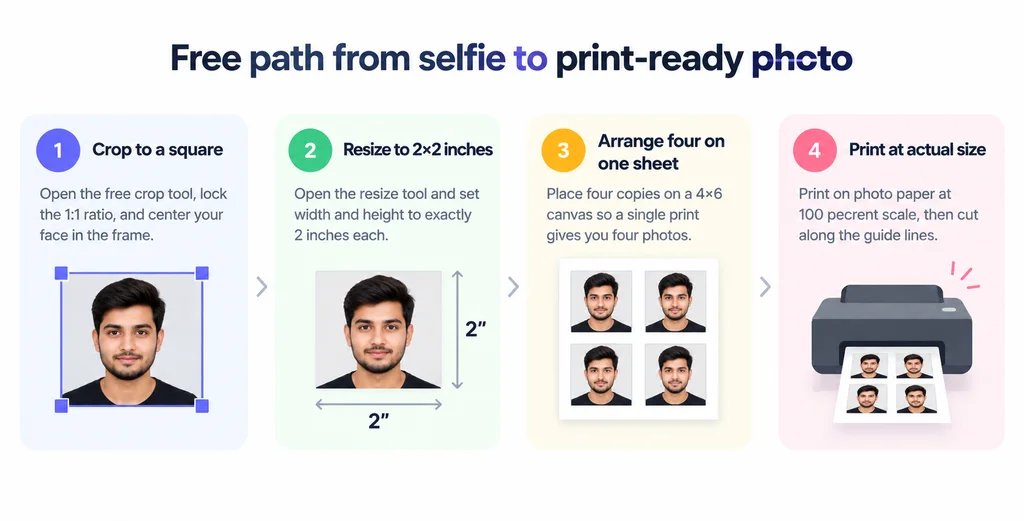
This is the step every paid passport photo app automates with face detection, and the one part most free guides skip over. You can do it by hand in about two minutes with two free Pixellize tools, no account and nothing uploaded to a server.
The tradeoff against a paid app is honest: nothing here auto-detects your face or auto-cleans your background. You are eyeballing the crop yourself. For a two-minute manual step that costs nothing, that is a fair trade.
Resize your cropped photo to exactly 2 inches by 2 inches with Pixellize, free and with nothing uploaded.
Open the Resize ToolA standard 4×6 photo print fits four 2×2 photos with a little room to spare, which is exactly what a pharmacy print counter charges you for anyway. Pixellize does not have a dedicated 4-up layout tool, so this part uses whatever document or photo editor you already have.
If you would rather skip printing entirely, most passport acceptance facilities and some post offices will print from a file on a USB drive or emailed to them for a small fee, which is worth checking before you buy a ream of photo paper for one document. USPS-run passport acceptance facilities often offer this printing service on site.
Babies cannot hold a neutral expression on command, and the State Department knows it. The eyes-open, mouth-closed rule is relaxed for infants under a year old. Lay the baby on a plain white sheet or blanket and photograph from directly above so the background reads as solid white, since a car seat or a parent’s hand in frame is a common reason these get sent back. No other person may appear in the shot, including a hand holding the baby’s head steady, so keep supporting hands just out of frame.
Nothing, beyond photo paper, if you already own a smartphone. A pharmacy print costs $17 to $18 for two photos at CVS, and about $17 at Walgreens including a digital copy. Making your own with a free browser tool costs whatever a sheet of photo paper runs, typically under a dollar for four photos.
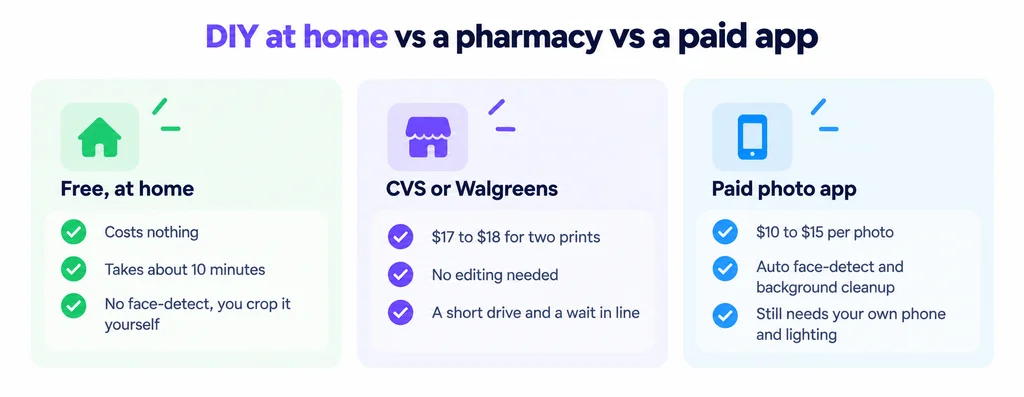
A paid passport photo app runs $10 to $15 per photo and adds automatic face detection and background cleanup, which is worth it if your first few attempts at cropping keep coming out slightly off. For most people willing to spend two minutes lining up a crop box, the free method gets the same result.
How to make a passport photo at home comes down to three things most people get wrong on the first try: a shadowed background, a selfie-mode distortion, and a crop that is a hair off from 2×2 inches. Fix the setup, and the sizing takes two free Pixellize tools and two minutes. Once your photo is cropped to a square and resized to exactly 2 inches by 2 inches, print four on one sheet at actual size and you have a passport-ready photo for the cost of paper. If you need to compress the file afterward for an online application, Pixellize’s image size reducer handles that in the same browser tab.
Need a specific pixel size for the upload? The image resizer sets exact dimensions and a KB target right in your browser.
Yes. The U.S. Department of State accepts photos you take yourself as long as they meet the exact rules: 2x2 inches, plain white or off-white background, neutral expression, and taken within the last 6 months. Any phone camera with 5 megapixels or more is good enough.
A US passport photo must print at exactly 2 x 2 inches (51 x 51 mm), with your head measuring 1 to 1-3/8 inches from the bottom of your chin to the top of your head. Anything outside that range risks rejection.
Crop the photo to a square with a 1:1 ratio locked, centering your face, then open a free resize tool and set both width and height to 2 inches. Pixellize's resize and crop tools do both steps in your browser with no signup.
Yes, as long as it has at least a 5 megapixel camera, which almost every phone made in the last decade has. Use the main rear camera rather than the selfie camera, since the selfie lens is wider and distorts facial features up close.
Nothing beyond photo paper if you already own a smartphone, typically under a dollar for four printed copies. A pharmacy like CVS charges $17 to $18 for two prints, and Walgreens charges around $17 including a digital copy.
Yes. Lay the baby on a plain white sheet and photograph from directly above so the background looks solid white. The eyes-open, neutral-expression rule is relaxed for infants under a year old, but no other person may appear in the frame, including a supporting hand.
Most home printers default to "fit to page" scaling, which shrinks or stretches your carefully sized 2x2 inch image. Set the print dialog to 100 percent or "actual size" before printing, and check the printed result with a ruler.
Founder and CEO of Pixellize.io, building AI-powered web tools and digital products with a focus on user experience and automation. M.Sc. Zoology, working at the intersection of technology, data analytics, and life sciences.