
How to Download TikTok Videos Without Watermark (HD)
You save a TikTok you love, open it later, and there it is: a bouncing logo and the creator's username stamped right…
Read articleLearn how to download TikTok sounds as a clean MP3 in your browser, free with no app, plus the honest limits around music rights.

You hear a sound on TikTok that would be perfect for your own clip, and then you hit a wall. TikTok lets you favorite a sound, but it does not hand you an actual audio file you can drop into a video editor. So the trick is getting that sound out as a real MP3. This guide shows you how to download TikTok sounds as a clean MP3, step by step, using the free Pixellize TikTok downloader, plus the honest limits around music rights.
No. TikTok has no option to export a sound as an audio file. Tapping the spinning disc and choosing Add to Favorites only saves the sound inside your account for later use with Use this sound. To get an actual MP3 on your phone or computer, you need a link-based downloader.
This is the gap that trips most people up. Favoriting and downloading feel like the same thing, but they are not. A favorite lives in TikTok and vanishes if you lose access to the account or the sound gets pulled. An MP3 is a file you own, so you can edit it, back it up, and use it offline.
The reliable way is to grab the whole video’s link and pull the audio from it. With Pixellize you do not have to download the video first and convert it, because the MP3 is offered right on the result. Here are the three steps. In our test, a public clip returned both the video and a ready MP3 in about four seconds.
Open the video that uses the sound you want. Tap Share, then Copy link. On the TikTok website, copy the full URL from the address bar. Short vm.tiktok.com and vt.tiktok.com links work too.
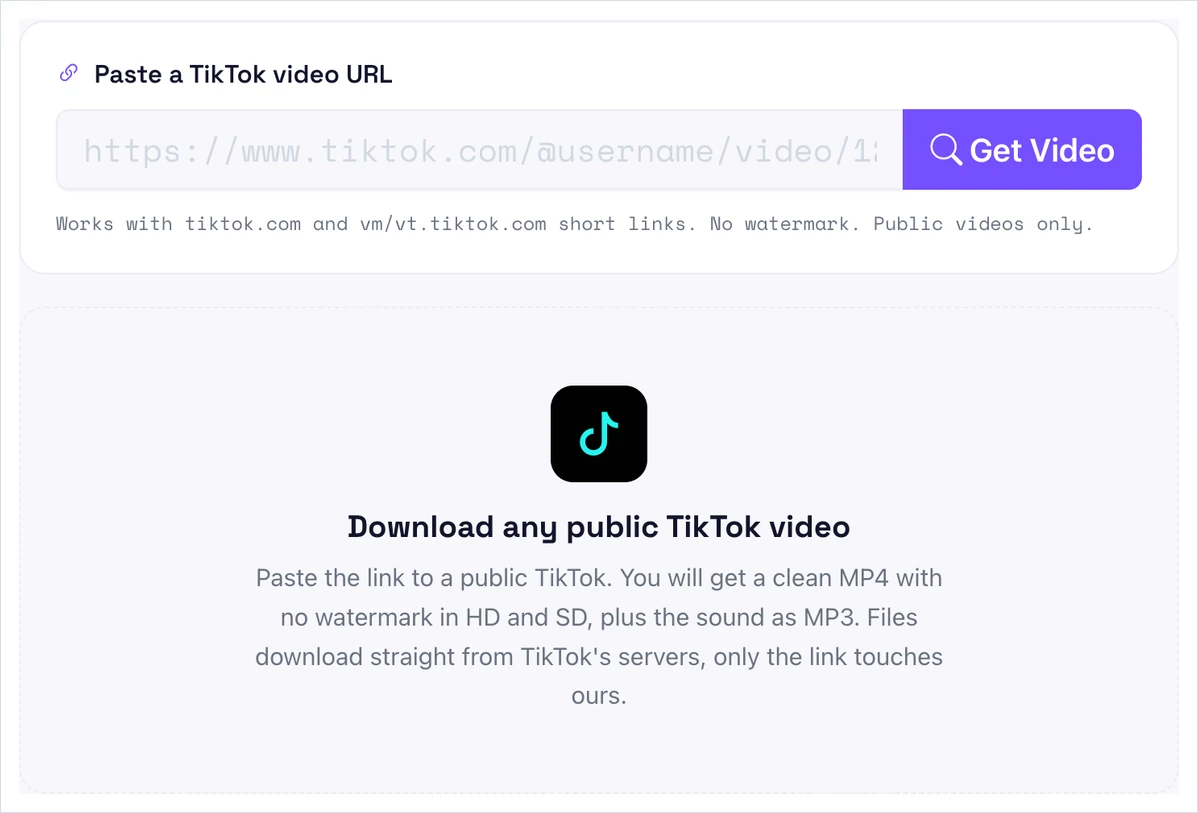
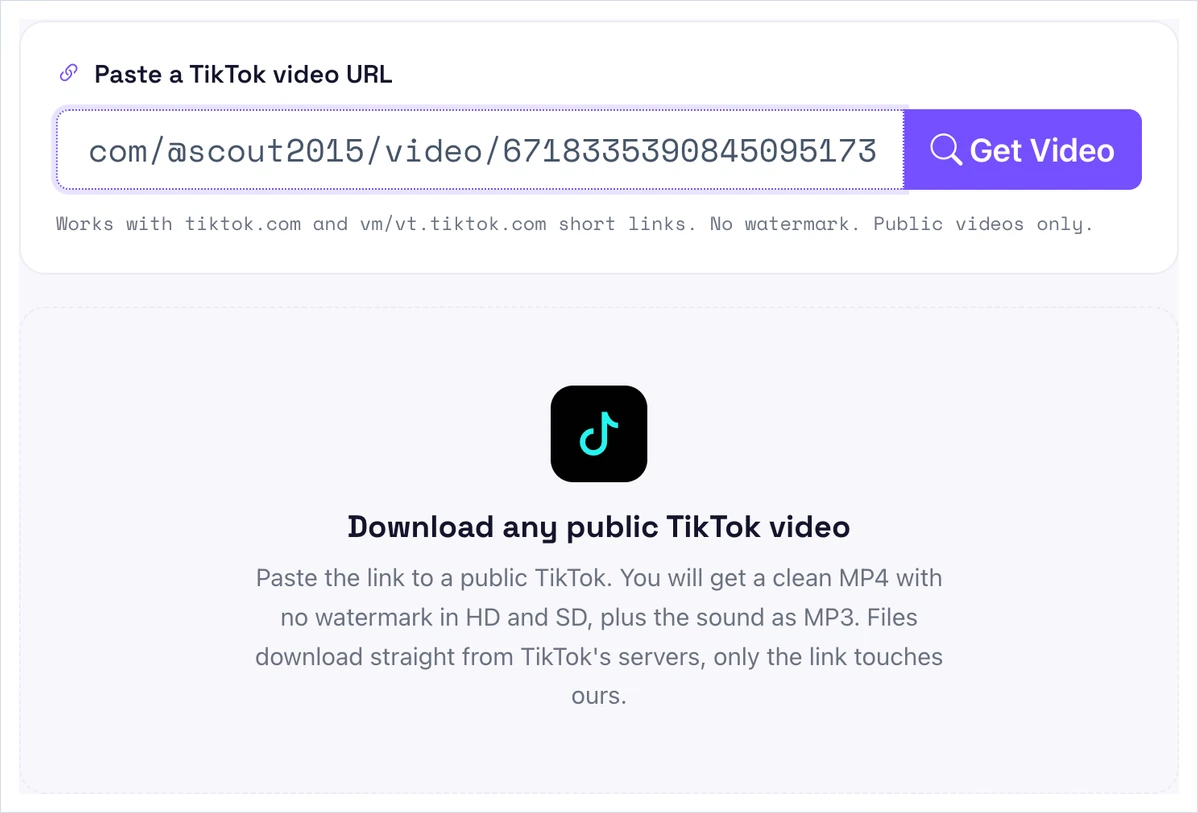
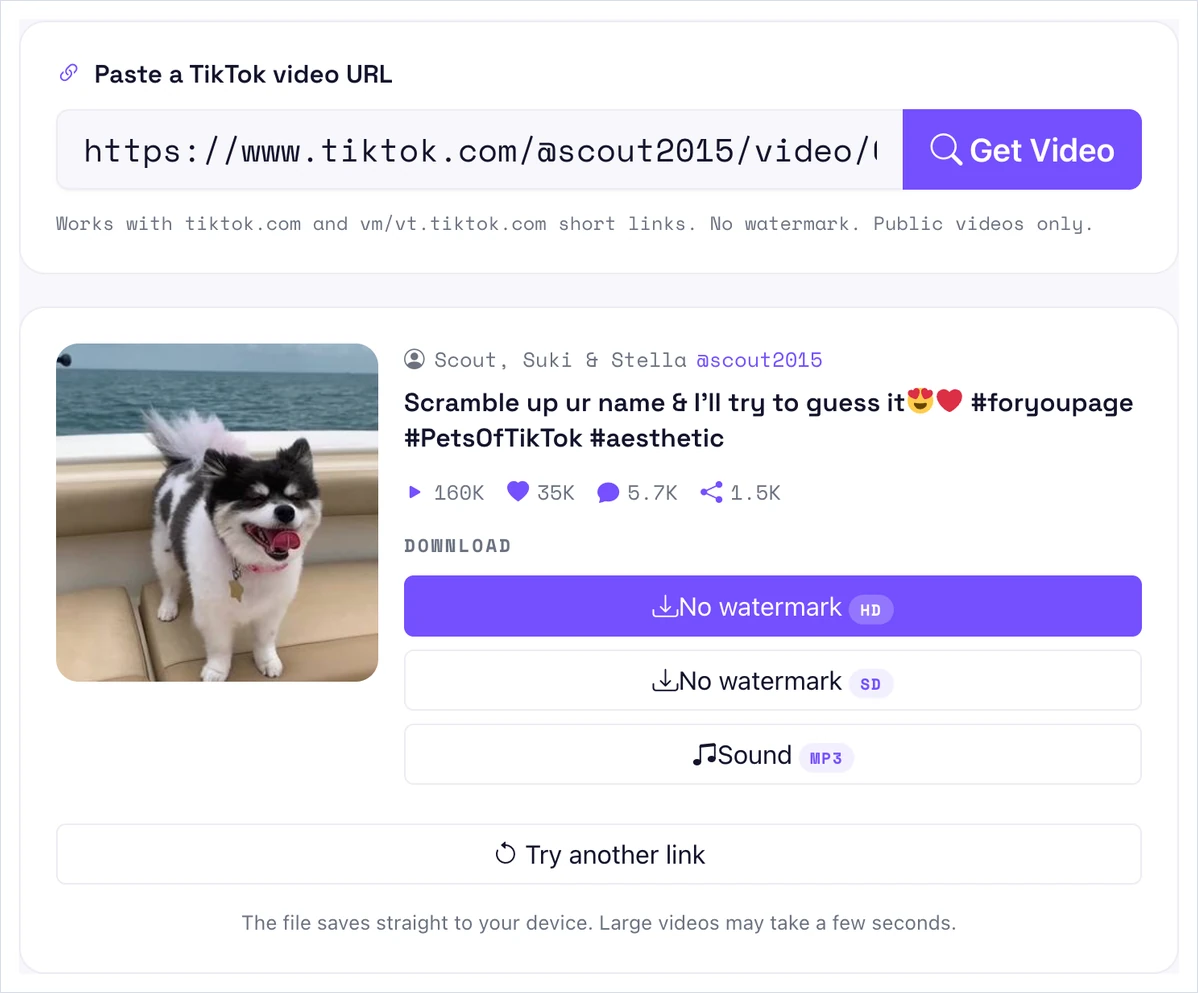
Paste the link into the Pixellize downloader and click Get Video. It reads the clip and shows the thumbnail, the creator, and the stats, so you know you have the right sound.
On the result, click the Sound button. The audio saves as an MP3 straight to your device, ready for any editor. If you also want the clip, the No watermark HD and SD buttons sit right above it.
It helps to know what each option actually gives you before you pick one. Here is the plain comparison.
| Option | Gives you a file? | Works offline | Use in a video editor | Best for |
|---|---|---|---|---|
| Add to Favorites (in app) | No | No | No | Reusing a sound inside TikTok |
| Use this sound (in app) | No | No | No | Recording a new TikTok |
| Download as MP3 (Pixellize) | Yes, MP3 | Yes | Yes | Edits, podcasts, offline use |
I learned this the slow way. I favorited a sound for a montage, then opened my editor and found nothing to import, because the favorite never left TikTok. An MP3 would have dropped straight onto the timeline.
If the goal is your own edit, save the MP3 with the three steps above, then import it into your editor like any track. This gives you trim, fade, and volume control that the in-app Use this sound option does not. It also lets you build the audio into a video for YouTube, Reels, or a podcast, not just another TikTok.
One honest caveat. Reusing a trending song in a video you publish can run into music licensing, which the in-app library handles for you but a raw MP3 does not. For original voiceovers, skits, and sound effects, a saved MP3 is the cleaner path.
If you want the clip as well as the sound, the same Pixellize tool saves the video too, so you can line the audio up against the original footage in your editor. Our companion guide on how to download TikTok videos without watermark covers the HD and SD options in detail. Grabbing both in one pass saves a step when you are rebuilding a trend from scratch.
A quick word on quality. The MP3 matches the audio TikTok actually stored, which is good enough for most edits but is not studio master quality. TikTok compresses uploads, so the sound you pull is a copy of a copy. If you need the original track at full fidelity, buy or stream it from the artist instead, and keep the TikTok MP3 for reference and rough cuts.
Paste a public link, click Get Video, then click Sound. Free, no app, no sign up.
Open the TikTok DownloaderDownloading a TikTok sound for personal use is generally fine, but you do not own it. Most TikTok sounds use licensed music, and copyright in the US runs for the author’s life plus 70 years, so the artist and label keep those rights. Publishing a video that reuses that track can break TikTok’s terms and copyright law.
The safe path is simple. Use saved MP3s for private edits and practice, lean on original or royalty-free audio for anything you publish, and credit the creator when you share. That life-plus-70-years term comes straight from the US Copyright Office. TikTok itself passed 1 billion monthly active users in September 2021, so popular sounds reach huge audiences and get watched closely by rights holders.
A TikTok sound usually fails to download for one of four reasons: the video is private or deleted, the share link has expired, the post is a photo slideshow rather than a video, or the clip is region-locked. Only public video posts return a sound, so check the post and copy a fresh link.
Now you know how to download TikTok sounds as an MP3, why a favorite is not a file, and where music rights come in. Copy the video link, paste it into the Pixellize TikTok downloader, click Get Video, then click Sound. No app, no sign up, and a real MP3 you can edit. Keep it for personal use, mind the licensing, and credit the creator when you share.
Yes. Open the video in your mobile browser, copy its link from the Share menu, paste it into a link-based downloader, and tap Sound to save the MP3 to your phone. No app is needed.
No. TikTok only lets you favorite a sound or use it to record, which keeps it inside the app. To get an MP3 file on your device, you need a link-based downloader.
Paste the video link into the downloader, click Get Video, then click the Sound button. It saves the audio on its own as an MP3, so you do not have to download the full video.
Downloading for personal use is generally fine, but many TikTok sounds are copyrighted music. Publishing a video that reuses a copyrighted track can break copyright law, so check the rights first.
Yes. The Pixellize TikTok downloader saves the sound as an MP3 free, with no sign up, no limit, and no watermark. It runs in your browser on any device.
TikTok has no export option by design. Favoriting keeps the sound in your account, not on your device, so a third-party downloader is the only way to get an actual MP3 file.
No. Only public videos work. Private, friends-only, and deleted posts cannot be downloaded, because the file is not publicly accessible.
Founder and CEO of Pixellize.io, building AI-powered web tools and digital products with a focus on user experience and automation. M.Sc. Zoology, working at the intersection of technology, data analytics, and life sciences.