
How to Compress PDF Without Losing Quality, Step by Step
Shrink any PDF without making it blurry. Plain-language guide to lossy vs lossless, the right quality setting for every use case, and…
Read articleMake a cartoon avatar of yourself for free with an AI tool that runs in your browser, plus a no-photo option and tips for a result that looks like you.

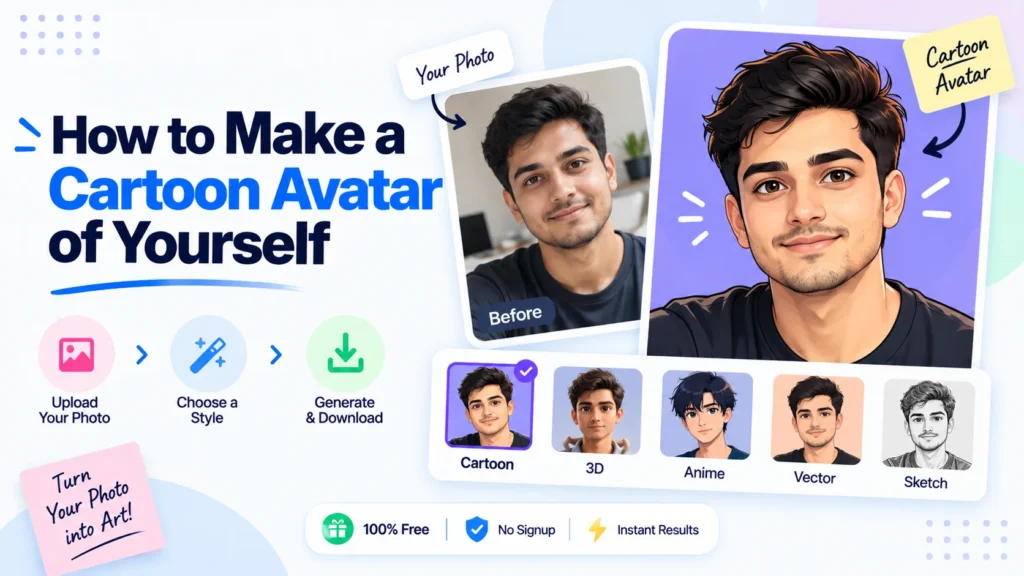
Your profile picture says something before anyone reads a word you write. A cartoon avatar of yourself is one of the fastest ways to look more approachable online without hiring an illustrator or spending an afternoon in Photoshop. You have two real options: build one from a library of cartoon parts, or let an AI redraw your actual photo. This guide walks through both, with the exact steps for Pixellize’s free photo to cartoon converter, which runs the AI model in your browser instead of sending your face to a server somewhere.
Here’s the thing: research from the Association for Psychological Science found that people judge trustworthiness and competence from a face in about a tenth of a second, long before anyone reads your bio. Your avatar is doing more work than you probably give it credit for.
| Method | Do you upload a photo? | How personal is the result? | Time | Best for |
|---|---|---|---|---|
| Build from parts | No photo needed | Generic character, not your face | 1 to 2 minutes | A quick placeholder icon |
| AI from your photo (Pixellize) | Processed in your browser, never uploaded | Keeps your real face and expression | Under a minute | An avatar people recognize as you |
Both methods are free, and both take less than a couple of minutes, but they solve different problems. A build-from-parts maker hands you a library of noses, hairstyles, and outfits to click together, the way an old character creator works. Nothing about the final image is tied to your actual face, which is fine for a throwaway forum avatar but obvious to anyone who has seen a photo of you. An AI cartoon avatar of yourself starts from a real photo and repaints it, keeping your jawline, your eye color, and your expression. That is the version people actually recognize as you at a glance, and it is the method most people mean when they search for how to make a cartoon avatar of yourself in the first place.
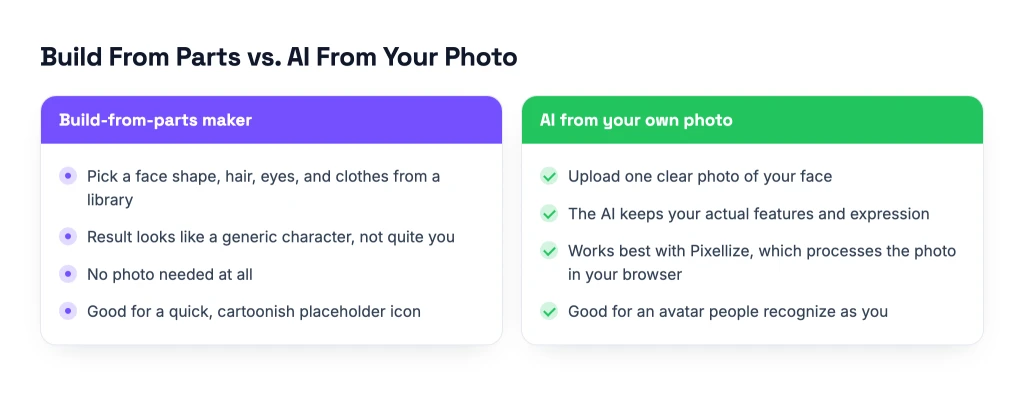
This is the method that produces an avatar people actually recognize, and it takes about as long as it takes to read this sentence twice. Pixellize’s photo to cartoon converter handles the face detection and the AI styling automatically, so there is nothing to configure.
The first time I tried this, I uploaded a photo taken under bad kitchen lighting and the eyes came out muddy and hard to make out. Swapping in a photo taken near a window on the next attempt fixed it completely, same face, better light.
Free, no signup, and your photo never leaves your browser.
Open the Photo to Cartoon ConverterThe best photo for a cartoon avatar of yourself is a single, front-facing shot with even light and no sunglasses covering your eyes. A close-up crop under 5 megabytes gives the AI more real pixels of your face to interpret than a full-body shot, so the finished avatar keeps more of your actual features.
If you would rather skip photos entirely, a build-from-parts avatar maker is the other free route. These tools work more like an old character creator than a photo editor.
This method is faster if you already know exactly what look you want, and it sidesteps any question about photo privacy since there is no photo in the process at all. The tradeoff is obvious the moment someone who knows you looks at the result: it reads as a generic character, not a cartoon version of your actual face.
No, not with every tool, and it is worth checking before you use one. Some cartoon avatar makers skip photos completely and build a character from parts instead. If you want an AI version of your real face, Pixellize’s converter processes the image inside your own browser and never sends it to a server, so there is nothing sitting on someone else’s storage to worry about later.
A lot of AI photo tools work the opposite way: you upload your photo, it travels to their server for processing, and you are trusting a privacy policy to say what happens to it after that. That is not a knock on every one of them, plenty delete files quickly, but “processed in your browser” and “deleted from our servers within a few hours” are two very different privacy models, and only one of them means your photo genuinely never left your device. It is the same no-upload approach behind most of Pixellize’s other tools, not just this one.
A cartoon avatar of yourself works anywhere a normal profile picture does. A few places it tends to fit especially well:
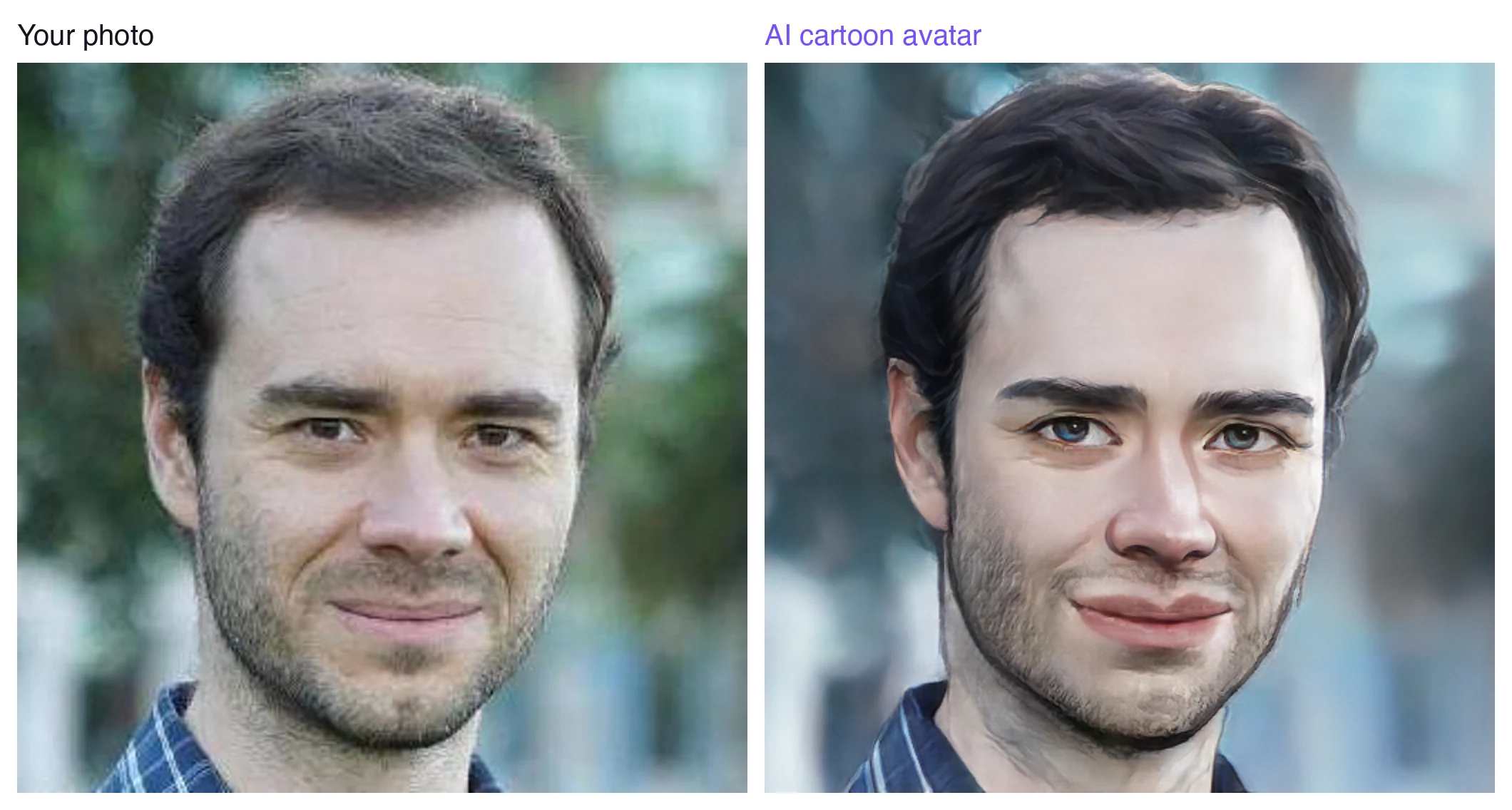
Because the AI reinterprets your photo instead of tracing it. The model behind a tool like this is a generative network, a type of system AWS describes as two neural networks working against each other, one generating an image and one grading how convincing it is. That competition is what produces the painterly, stylized look, and it is also why proportions and shading shift a little from the source photo rather than copying it pixel for pixel.
A sharper, better-lit, front-facing photo keeps the likeness closest to how you actually look. If a result feels off, it is almost always worth blaming the source photo before the tool itself, small changes in lighting or angle can noticeably change what the model does with your face.
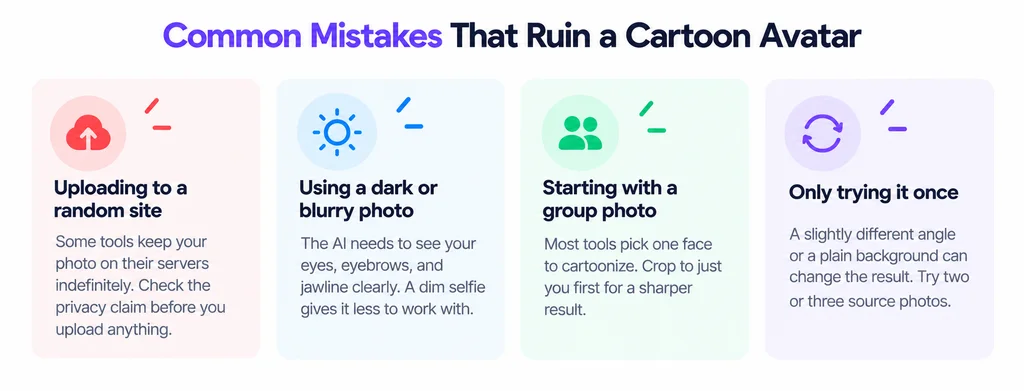
A cartoon avatar of yourself does not need a design budget or a Photoshop tutorial. Pick a clear photo, run it through Pixellize’s photo to cartoon converter, and you have a usable profile picture before your coffee gets cold. If the first result looks a little off, swap in a different photo and try again, it costs nothing but a few seconds. And if you want to crop a group shot down to just your own face first, Pixellize’s image cropper handles that in the same browser tab.
Yes. Pixellize's photo to cartoon converter is completely free, with no signup and no limit on how many times you use it. Build-from-parts makers are typically free too, though some gate extra hairstyles or outfits behind a paid tier.
Not with every tool. Pixellize processes your photo inside your own browser using an AI model that loads once and then runs locally, so the image is never sent to a server. Many other cartoon avatar generators do require an upload, so check the tool's privacy claim first.
A clear, front-facing photo in even light with your whole face visible gives the sharpest result. Group photos, sunglasses, heavy shadows, and side angles all reduce the detail the AI has to work with.
Yes. The download is a standard PNG file, so it works as a profile picture on Discord, Twitch, Instagram, LinkedIn, Slack, and any other platform that accepts a normal image upload.
The AI reinterprets your photo rather than tracing it, so proportions and shading get stylized in the process. A sharper, better-lit, front-facing photo keeps the result closest to how you actually look.
Yes, if you use a build-from-parts avatar maker instead of an AI tool. You pick a face shape, hairstyle, and outfit from a preset library, so no photo is involved, though the result will not be personalized to your actual face.
Most tools, including Pixellize's, cartoonize one face at a time and pick out the main person in the frame. For a specific person in a group shot, crop the photo down to just their face before uploading it.
Founder and CEO of Pixellize.io, building AI-powered web tools and digital products with a focus on user experience and automation. M.Sc. Zoology, working at the intersection of technology, data analytics, and life sciences.