
How to Design for Color Blindness: A Practical Guide
A practical guide to design for color blindness: the rules that matter and how to test your work with a free simulator.
Read articleLearn how to read binary code step by step, decoding bytes into letters with place values, a full ASCII alphabet table, and clear worked examples.

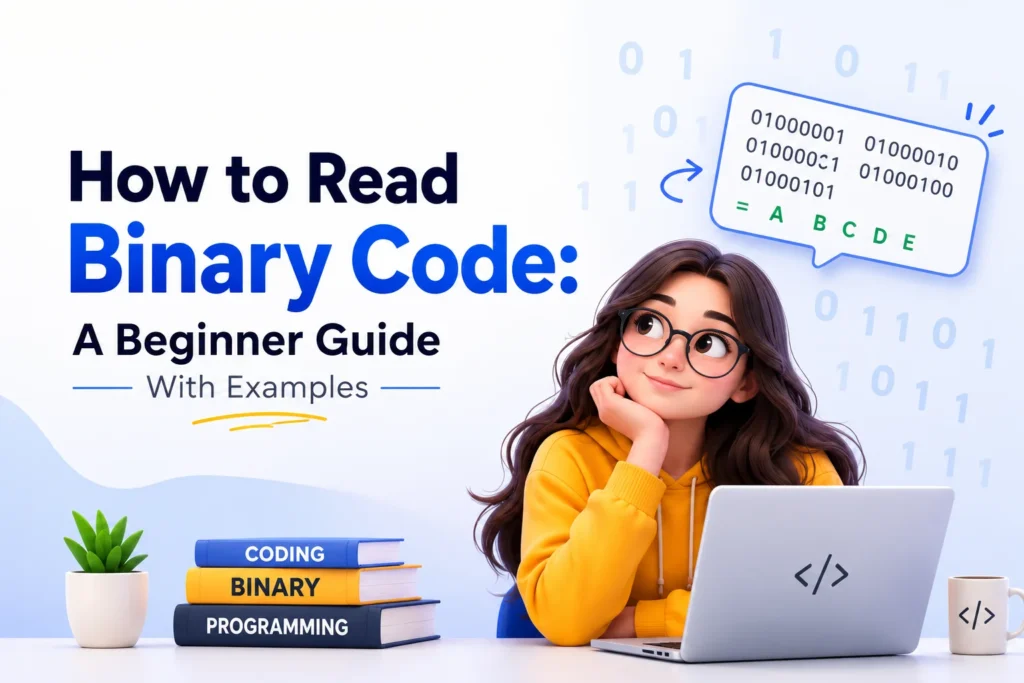
A string like 01001000 01101001 looks like noise until you know the trick, and then it reads as plainly as this sentence. Learning how to read binary code is not about memorizing a wall of zeros and ones. It is about one small pattern that computers have used since the 1960s. Once you see it, you can decode a byte in your head, spell your name in bits, or check what the Pixellize text to binary translator spits out. This guide walks through it slowly, with worked examples and a full reference table you can keep.
Binary code is a way of writing numbers and text using only two digits, 0 and 1. Each digit is called a bit. Computers use base-2 instead of the base-10 you count with, because a circuit has two easy states, off and on, which map cleanly to 0 and 1. Eight bits together form one byte.
Think of a bit like a light switch. It is either off or on, nothing in between. String eight switches in a row and you get 256 possible combinations, which is enough to cover every letter, digit, and common symbol on your keyboard. That is the whole foundation, and every file on your device is built from it.
Computers use binary because hardware is built from billions of tiny switches called transistors, and a switch has two reliable states, off and on. Representing data as 0 and 1 keeps those states easy to store and error-resistant. A ten-state system would need finer voltage levels that are far harder to build and keep accurate.
Here is the thing: this two-state design is why binary shows up everywhere, from memory chips to network cables. Every photo, song, and web page on Pixellize eventually becomes a long run of these on and off signals before your screen turns them back into something you recognize.
Reading a single byte is just addition. In base-10, the number 72 means seven tens plus two ones. Binary works the same way, but each position doubles instead of multiplying by ten. From right to left the eight positions are worth 1, 2, 4, 8, 16, 32, 64, and 128.
Take the byte 01001000. Line it up under those place values, then add every value that sits above a 1. Only the 64 and the 8 positions hold a 1, so 64 plus 8 gives 72. That total, 72, is the number this byte stores.
| Place value | 128 | 64 | 32 | 16 | 8 | 4 | 2 | 1 |
|---|---|---|---|---|---|---|---|---|
| Bit in 01001000 | 0 | 1 | 0 | 0 | 1 | 0 | 0 | 0 |
| Counts? | – | 64 | – | – | 8 | – | – | – |
Binary represents text through a lookup table called ASCII, which assigns every character a number from 0 to 127. The computer stores that number as one 8-bit byte. The letter A is 65, written 01000001. Lowercase a is 97, written 01100001. So reading text binary means decoding each byte to a number, then finding its character.
There is a handy pattern in ASCII. Uppercase letters run from 65 to 90 and their bytes start with 010. Lowercase letters run from 97 to 122 and start with 011. The difference between an uppercase and lowercase version of the same letter is always 32. Once you notice that, the alphabet table below starts to feel predictable. This is according to the ASCII standard.
| Letter | ASCII (decimal) | Binary (8 bits) |
|---|---|---|
| A | 65 | 01000001 |
| B | 66 | 01000010 |
| C | 67 | 01000011 |
| D | 68 | 01000100 |
| E | 69 | 01000101 |
| F | 70 | 01000110 |
| G | 71 | 01000111 |
| H | 72 | 01001000 |
| I | 73 | 01001001 |
| J | 74 | 01001010 |
| K | 75 | 01001011 |
| L | 76 | 01001100 |
| M | 77 | 01001101 |
| N | 78 | 01001110 |
| O | 79 | 01001111 |
| P | 80 | 01010000 |
| Q | 81 | 01010001 |
| R | 82 | 01010010 |
| S | 83 | 01010011 |
| T | 84 | 01010100 |
| U | 85 | 01010101 |
| V | 86 | 01010110 |
| W | 87 | 01010111 |
| X | 88 | 01011000 |
| Y | 89 | 01011001 |
| Z | 90 | 01011010 |
Put the pieces together and reading a full binary string becomes a short routine. Keep in mind that text binary always comes in groups of eight, so the first move is always to split it up.
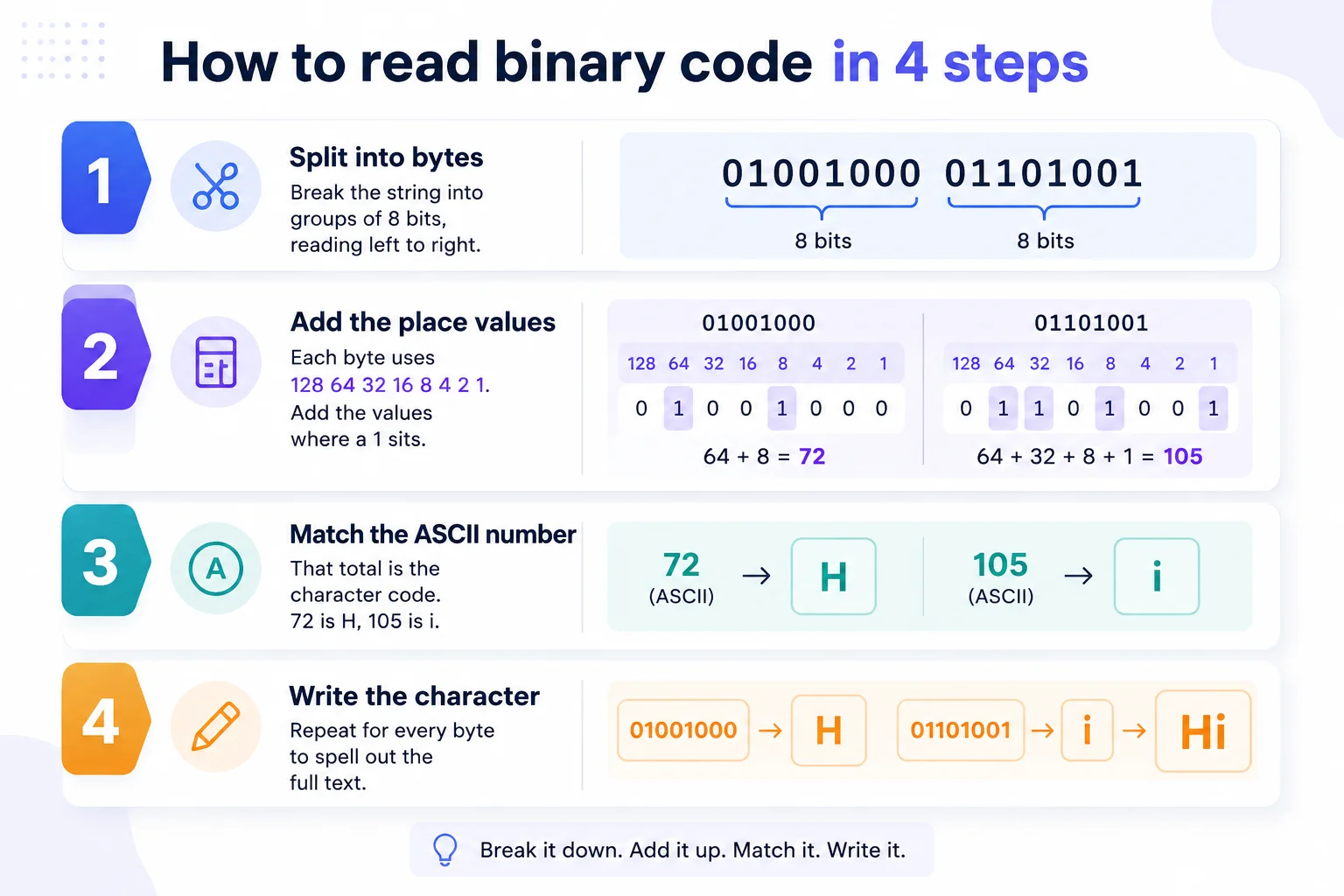
0100100001101001 becomes 01001000 and 01101001.01001000 is 64 plus 8, which is 72.01101001 is 64 plus 32 plus 8 plus 1, which is 105, the letter i.That is all there is to how to read binary code by hand. The method never changes, no matter how long the message gets. You just repeat the same byte-by-byte decode until you run out of groups, and the Pixellize translator will confirm your answer in a second.
Plain ASCII only covers 128 characters, which leaves out accents, other alphabets, and emoji. Modern text uses UTF-8, which keeps the same one-byte codes for A to Z and common symbols, then uses two, three, or four bytes for everything else. An accented letter like é is two bytes, and an emoji like a rocket is four.
Did you know that is why a short tweet full of emoji can hold more bytes than a longer plain sentence? For everyday English, though, one character equals one byte, so the eight-bit method you just learned covers the vast majority of what you will meet, and Pixellize handles the multi-byte cases for you. The UTF-8 encoding handles the rest automatically.
Most decoding errors come from a handful of slips, and they are easy to avoid once you know them. Beginners tend to trip on the same three.
Decoding by hand is the best way to actually understand what is happening, and it is worth doing a few times. For anything longer than a word or two, though, a converter saves the arithmetic. The free Pixellize Text to Binary Translator converts in both directions as you type, handles full UTF-8, and runs entirely in your browser so nothing you paste is uploaded.
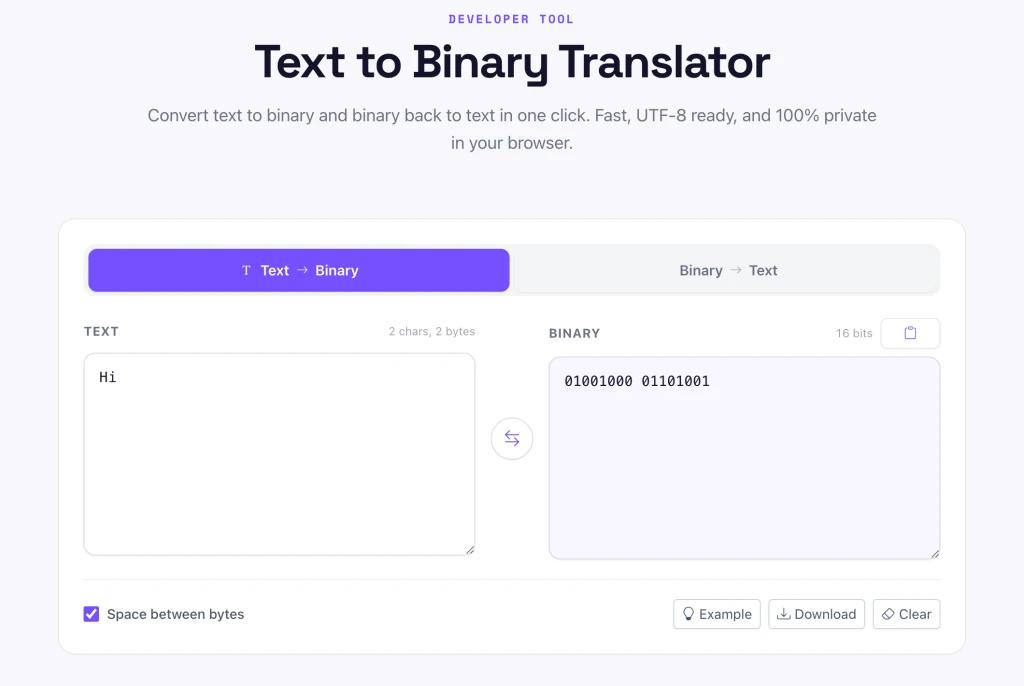
Switch it to Binary to Text, paste your bits, and it spells out the message. It pairs well with the Pixellize Number Base Converter when you also need hex or decimal, and it sits alongside the rest of the free developer tools Pixellize keeps online. If you work with data formats a lot, the guide on converting JSON to TypeScript is a useful companion.
Paste your 0s and 1s and read the message instantly, or turn any text into binary. Free, private, and UTF-8 ready.
Open the Text to Binary TranslatorNow that you know how to read binary code, the pattern is hard to unsee. Split into bytes, add the place values, match the ASCII number, and write the character. Practice on a few short words, keep the alphabet table handy, and let the Pixellize translator check your work. Binary stops looking like noise and starts looking like language, because that is exactly what it is.
Split the binary into 8-bit groups, then decode each byte using the place values 128, 64, 32, 16, 8, 4, 2, and 1. Add the values above each 1 to get a number, then match that number to its ASCII character. For example, 01001000 is 72, which is the letter H.
The byte 01001000 equals 72 in decimal. Adding the place values under each 1 gives 64 plus 8, which is 72. In ASCII, the number 72 is the uppercase letter H, so 01001000 reads as H.
Look up each letter in an ASCII table, then write its 8-bit binary code. The letter A is 01000001 and lowercase a is 01100001. Convert each letter of your name to its byte and place the bytes side by side to spell the whole name in binary.
Yes, binary is a base-2 number system. It uses only two digits, 0 and 1, where each position is worth double the position to its right. The decimal system you count with is base-10 and uses ten digits, from 0 through 9.
A byte is 8 bits. Eight bits give 256 possible combinations, from 00000000 to 11111111, which is enough to cover every character in the ASCII set. In text, one ASCII character is stored in exactly one byte.
Break the binary into 8-bit bytes, convert each byte to its decimal number, then look up that number in an ASCII table to find the character. You can do this by hand for short strings, or paste the binary into the Pixellize Text to Binary Translator to decode it instantly.
Founder and CEO of Pixellize.io, building AI-powered web tools and digital products with a focus on user experience and automation. M.Sc. Zoology, working at the intersection of technology, data analytics, and life sciences.