
Robots.txt Checker
Fetch and analyze any website robots.txt file. See parsed user-agent groups, Allow and Disallow rules, declared sitemaps, and the raw file with syntax highlighting. Free, no signup.
How to Check a robots.txt File
Enter a Website
Type any domain or URL and click Check robots.txt. The tool finds the file at the root.
Review the Stats
See the count of user-agents, allow rules, disallow rules, and declared sitemaps.
Read the Rules
Open Parsed Rules for a grouped breakdown, or Raw Content for the original highlighted file.
Check the Sitemaps
Confirm the file declares your sitemap, and follow the link to make sure it loads.
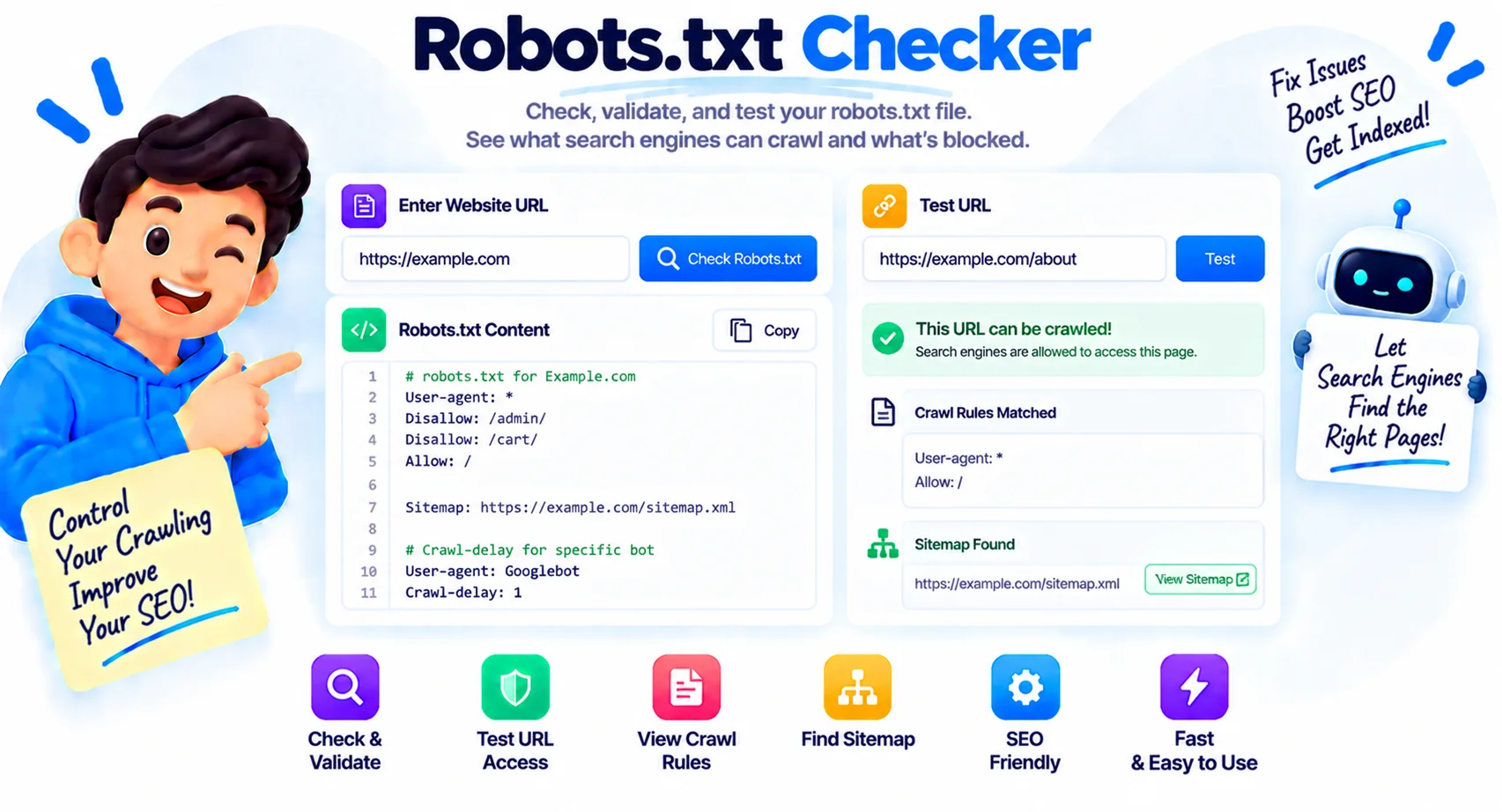
Read Robots.txt the Way Crawlers Do
A robots.txt mistake can quietly stop search engines from crawling a site, and a single misplaced character changes the meaning of the whole file. This robots.txt checker fetches the file from any domain, parses every rule, lists the sitemaps it declares, and shows the raw content with syntax highlighting, so you can confirm crawlers see what you expect.
What a robots.txt checker does
You enter a domain and the tool looks for its robots.txt at the root, over HTTPS first and then HTTP. It reads the file the way a crawler does, groups the rules by user-agent, counts the Allow and Disallow directives, pulls out any declared sitemaps, and shows both a parsed breakdown and the highlighted raw file. It works on any public site, including a competitor’s, so you can see exactly how they guide crawlers.
The robots.txt directives, explained
A robots.txt file is a short list of directives grouped under one or more user-agents. These are the ones you will see.
| Directive | What it does |
|---|---|
| User-agent | Names the crawler the rules below apply to; * means all crawlers |
| Disallow | A path the crawler should not fetch; an empty value allows everything |
| Allow | An exception that permits a path inside a disallowed folder |
| Sitemap | The full URL of an XML sitemap, so crawlers can find your pages |
| Crawl-delay | Seconds a crawler should wait between requests; some engines ignore it |
Common robots.txt mistakes
The costliest error is a stray Disallow: /, which blocks the entire site, something that often ships by accident after a migration when a staging file goes live. Blocking your CSS and JavaScript folders is another, because it stops Google from rendering pages properly. Others include forgetting to list your sitemap, using the wrong path or a relative sitemap URL, and putting robots.txt anywhere other than the domain root, where crawlers will not look for it.
What robots.txt does not do
It is worth being clear about the limits. Robots.txt is a request, not a lock: well-behaved crawlers obey it, but bad bots can ignore it entirely, so it is not a security measure. It also does not remove a page from Google, a page blocked in robots.txt can still be indexed if other pages link to it, and to keep something out of search you need a noindex tag or password protection instead. This tool checks and parses the file itself; to test whether one specific URL is blocked, use Google Search Console’s robots.txt report.
Why Use Our Robots.txt Checker?
Check Any Domain
Enter a site and the tool fetches its robots.txt from the root, trying HTTPS first, then HTTP.
User-Agent Groups
Rules are grouped by the crawler they apply to, so you can see who is allowed or blocked.
Allow and Disallow
Every Allow and Disallow directive is parsed and counted, with the exact paths shown.
Sitemaps Extracted
Any sitemap declared in the file is pulled out and listed as a clickable link.
Syntax-Highlighted Raw
See the raw robots.txt with directives color coded, and copy it in one click.
At-a-Glance Stats
A summary shows how many user-agents, allow rules, disallow rules, and sitemaps the file has.
Parsed and Raw Views
Switch between a clean parsed breakdown and the original file, whichever you need.
Free, No Signup
Check as many sites as you like, with no account and no limits.
Similar Tools
More SEO tools you might find useful.
Frequently Asked Questions
Everything you need to know about robots.txt files and how to use this checker.
What is a robots.txt checker?
A robots.txt checker fetches a website robots.txt file and breaks it down so you can read it easily. This one shows the user-agent groups, Allow and Disallow rules, declared sitemaps, and the raw file with syntax highlighting.
Where is the robots.txt file located?
Always at the root of the domain, such as https://example.com/robots.txt. Crawlers only look there, so a robots.txt in a subfolder is ignored. This tool checks the root automatically.
What directives can a robots.txt file have?
The main ones are User-agent (which crawler the rules apply to), Disallow (paths to block), Allow (exceptions), Sitemap (your XML sitemap URL), and Crawl-delay (a pause between requests that some crawlers honor).
Does Disallow make a page private or secure?
No. Disallow only asks well-behaved crawlers not to fetch a path. It is not security, bad bots can ignore it, and a disallowed page can still be indexed if other sites link to it. Use noindex or a password to truly hide content.
What is the most common robots.txt mistake?
A stray Disallow: / that blocks the whole site, often shipped by accident after a migration. Blocking CSS or JavaScript folders is another, since it stops Google from rendering pages correctly.
Can this tool test if a specific URL is blocked?
This checker parses and displays the robots.txt file and its rules. To test whether one exact URL is allowed or blocked for a given crawler, use the robots.txt report in Google Search Console for your own site.
Can crawlers ignore robots.txt?
Yes. Major search engines like Google respect it, but robots.txt is a voluntary standard, so malicious or poorly written bots can crawl blocked paths anyway. Treat it as guidance for good crawlers, not a barrier.
Is this robots.txt checker free?
Yes, it is completely free with no signup and no limits. Enter any public domain and get the parsed rules, sitemaps, and raw file in seconds.