
CSV to JSON Converter
Convert CSV to a clean JSON array of objects in your browser. It auto-detects the delimiter, reads quoted fields correctly, and can parse numbers and booleans into real types. Free, no signup, nothing uploaded.
How to convert CSV to JSON
Paste or Upload Your CSV
Drop in your CSV text, or upload a .csv file. The JSON and a table preview appear right away.
Set Your Options
Leave the delimiter on auto or pick it yourself, say whether the first row is a header, and choose whether to parse numbers and booleans.
Check the Preview
Switch to the table view to confirm the columns and values line up the way you expect.
Copy or Download
Copy the JSON to your clipboard or download it as a .json file. Nothing is ever uploaded.
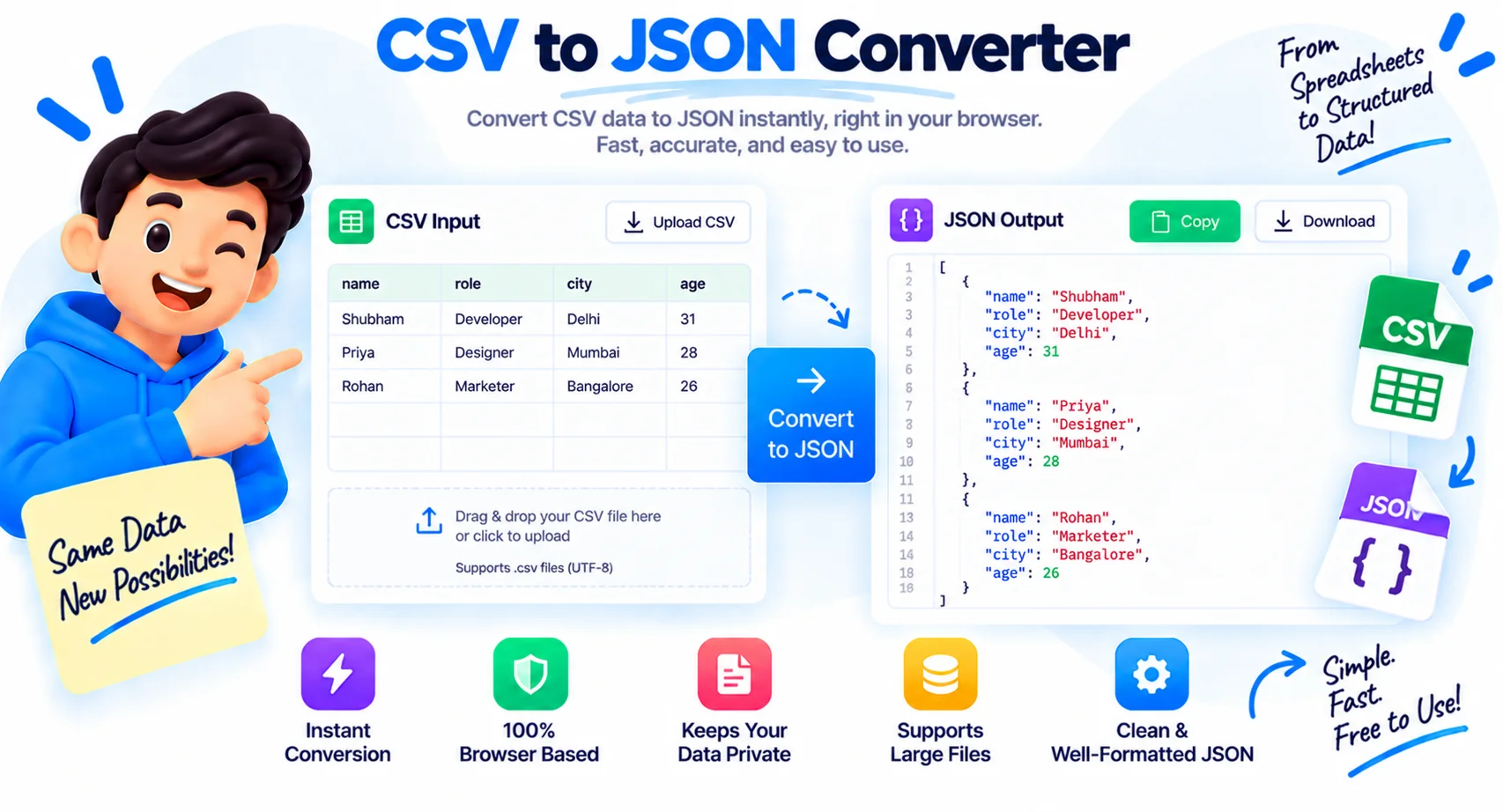
From a Spreadsheet Export to a Usable JSON Array
CSV is what spreadsheets, databases, and analytics tools hand you when you export. Most code and most APIs want JSON. Converting by hand means splitting on commas and hoping no value contains a comma of its own, which they often do. One address field with a comma inside, and a naive split breaks every row after it. This CSV to JSON converter reads the file the correct way, so you get a clean array of objects instead of a guess.
How the CSV to JSON conversion works
Each row in your CSV becomes one JSON object. The header row supplies the keys, and every cell becomes a value on that object. The result is a JSON array of objects, the shape almost every API and JavaScript function expects. Paste your CSV on the left and the JSON appears on the right as you type, with a table view next to it so you can check the data lines up before you copy anything.
Automatic type detection for numbers, booleans, and null
CSV has no types. Everything in a raw file is text, so 42, true, and an empty cell all look the same to a plain parser. Turn on parsing and 42 becomes a real number, true and false become booleans, and null becomes an actual null. Turn it off and every value stays a string, which is what you want for zip codes, phone numbers, and IDs with leading zeros. You pick, per file.
The tricky CSV cases it gets right
Real exports are messy, so the parser handles the three things that trip up quick scripts. Quoted fields keep their commas, quotes, and line breaks, so a value like "Portland, OR" stays one field. If your file has no header, switch that option off and columns are named column1, column2, and so on. And when a file uses semicolons, tabs, or pipes instead of commas, the tool auto-detects it, or you set the delimiter yourself in one click.
When you need CSV turned into JSON
The usual reasons are loading an API that only accepts JSON, seeding a database from a spreadsheet, building config or fixture files for tests, and moving data through an ETL step. I reach for it most when a client sends a CSV export and the app on the other end speaks JSON only. Because the whole conversion runs on your device, private exports with customer or financial data never leave your browser.
Why Use Our CSV to JSON Converter?
Auto-Detects the Delimiter
It reads comma, semicolon, tab, or pipe files automatically, and you can override it in one click.
Array of Objects Output
Each row becomes one JSON object keyed by the header, the exact shape APIs and JavaScript expect.
Parses Numbers and Booleans
Turn plain text into real numbers, true, false, and null, or keep everything as strings.
Handles Quoted Fields
Values with commas, quotes, or line breaks inside quotes are read as one field, not split apart.
Header or No Header
Use the first row as keys, or switch it off and get column1, column2 names for headerless files.
JSON and Table Views
See the result as formatted JSON or as a table, and switch between them in one click.
Paste, Upload, or Drop
Type CSV in, paste it, or drop a .csv file straight from your computer.
Runs in Your Browser
Your data is converted on your device. Nothing is uploaded, logged, or stored.
Similar Tools
More Developer tools you might find useful.
Frequently Asked Questions
Common questions about converting CSV to JSON.
What does the CSV to JSON output look like?
You get a JSON array of objects. Each CSV row becomes one object, and the header row becomes the keys on every object. This is the shape most APIs and JavaScript functions expect, so it drops straight into your code.
Does it handle commas inside values?
Yes. Fields wrapped in double quotes can contain commas, quotes, and line breaks, and the parser keeps them as a single value. A cell like "Portland, OR" stays one field instead of splitting into two.
What does parsing numbers and booleans do?
With it on, a value like 42 becomes a real JSON number, true and false become booleans, and null becomes an actual null. Turn it off to keep everything as text, which is safer for zip codes and IDs with leading zeros.
What if my CSV has no header row?
Turn off the header option and the columns are named column1, column2, and so on. Every row, including the first, is then treated as data instead of keys.
Can I use a different delimiter?
Yes. The tool auto-detects comma, semicolon, tab, and pipe files, and you can set the delimiter yourself if you prefer. This covers exports from most spreadsheets and databases.
Does it create nested JSON?
No. It produces a flat array of objects, one level deep, because CSV itself is flat. If you need nested structures, convert to a flat array here first, then reshape it in your code.
How large a CSV can I convert?
It handles files with thousands of rows comfortably since it runs in your browser. Very large files, tens of megabytes or more, may feel slow because your device does all the work, but nothing is uploaded.
Is this CSV to JSON converter free?
Yes, it is completely free with no signup and no limits. Everything runs in your browser, so your data stays on your device and is never sent to a server.