
Add Watermark to Image Online Free
Add a text or logo watermark to any image online, free, right in your browser. Type your text and style it with the toolbar, font, size, color, opacity, bold, italic, underline, and a soft shadow, or drop in a transparent logo. Drag the watermark anywhere, resize it from the corners, and rotate it, then save a full-resolution PNG. No upload, no sign-up, and your photo never leaves your device.
How to Add a Watermark to an Image
Upload Your Image
Drag and drop your photo or click to choose one. It opens in the full-screen editor right away.
Add and Style the Watermark
Add a text watermark or upload your logo. Pick the font, size, color, and opacity from the toolbar, then drag it into place, resize it, or rotate it.
Download Your Image
Click Download Image to save the watermarked photo as a full-resolution PNG.
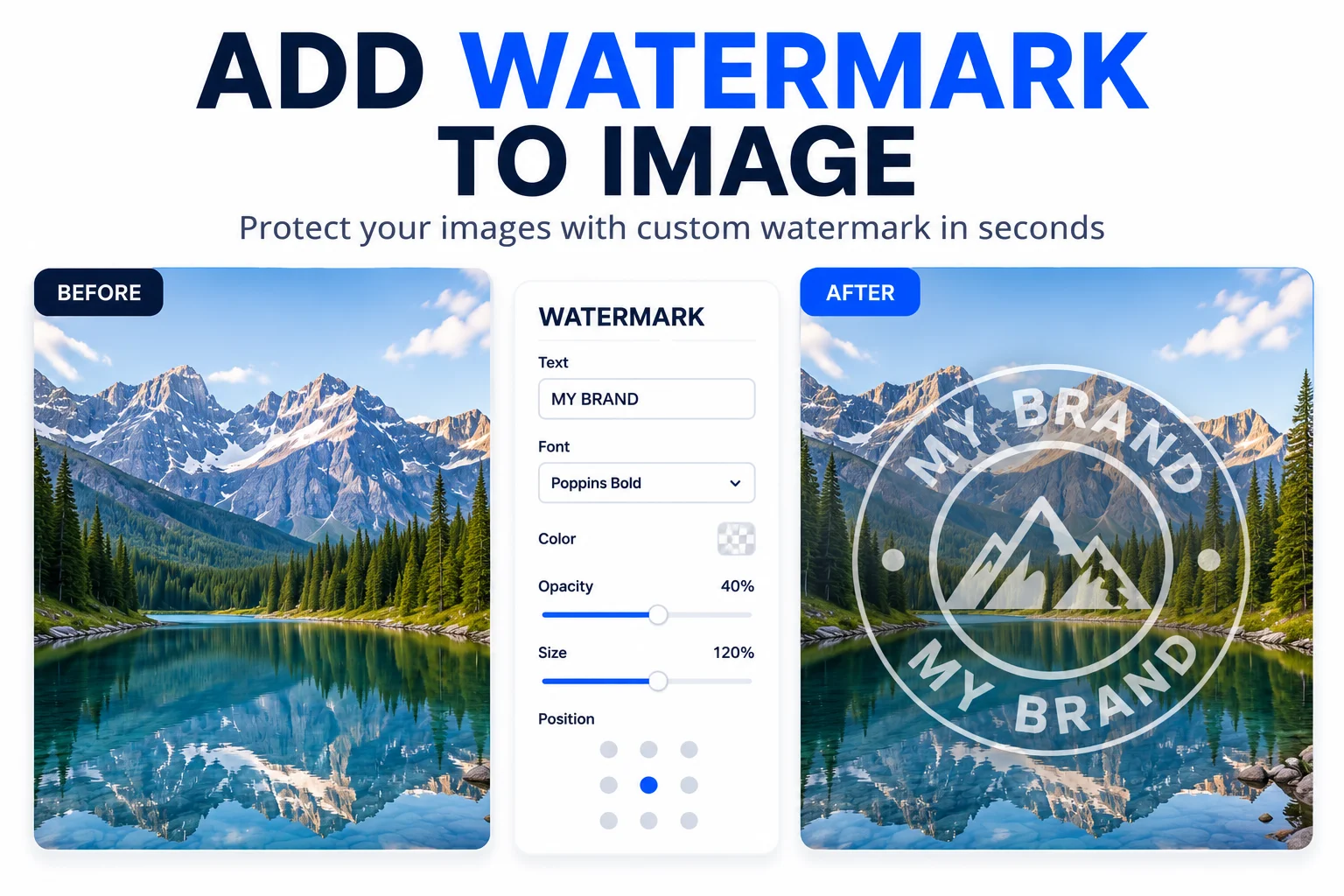
Add a Watermark to Protect Every Photo
The moment a photo leaves your phone it can be saved, cropped, and reposted with no credit to you. Adding a watermark, your name, logo, or website, keeps that credit attached wherever the image ends up.
Photographers, designers, and small business owners across India add a watermark to product shots, portfolios, and price lists before sharing them on Instagram, WhatsApp, and Facebook. A text watermark works for a quick copyright line, and a logo watermark puts your brand mark on every image.
You decide the font, color, size, opacity, and exactly where the mark sits. Lower the opacity for a subtle stamp, resize and rotate it to fit the frame, then download a full-resolution PNG. Nothing is uploaded, so your photos stay on your device.
Why Use Our Image Watermark Tool?
Text or Logo Watermark
Add a text watermark in any font and color, or upload a transparent PNG logo. Style text with bold, italic, underline, and a shadow so it reads on any background.
Drag, Resize, Rotate
Move the watermark anywhere on the image, drag the corners to resize, and use the top handle to rotate it to any angle.
Opacity and Color
Set the opacity for a subtle or bold mark, and choose any color to match your photo or stand out from it.
Works on Any Device
The editor runs in any modern browser on desktop and mobile, so you can add a watermark to photos from your phone too.
Full-Resolution PNG
Download the result at your image original resolution, with the watermark baked in and the quality kept sharp.
Private, No Upload
Your image and logo never leave your device. The whole tool runs in your browser, so nothing is sent to a server.
Similar Tools
More Image tools you might find useful.
Frequently Asked Questions
Common questions about adding a watermark to an image online.
How do I add a watermark to an image for free?
Upload your photo, then add a text watermark or your logo. Position and style it, and click Download Image. It is free, runs in your browser, and needs no sign-up.
Should I use a text or logo watermark?
Use text for a name, copyright line, or website URL. It is quick and always readable. Use a logo when you want your brand mark on the image. You can add both and place each one on its own.
How do I make the watermark less visible?
Lower the opacity from the toolbar. A value around 30 to 50 percent lets the mark show enough to claim the image while keeping the photo easy to see.
Can I add a watermark to a photo on my phone?
Yes. The editor works in mobile browsers. Add your watermark, drag it with your finger, resize it from the corners, and download the PNG straight to your phone.
What file format is the download?
The watermarked image downloads as a PNG at your original image resolution, so the quality stays sharp and the watermark is part of the picture.
Does the tool upload my image to a server?
No. The whole tool runs in your browser and your image never leaves your device, so your photos stay private.