
CSS Gradient Generator
Build linear, radial, and conic CSS gradients with a live preview, then copy the code. Add color stops, set the angle, pick a preset, and paste the CSS into your project. Free, no signup.
How to use the CSS gradient generator
Pick A Type And Colors
Choose linear, radial, or conic, then set your color stops with the color pickers. Add as many stops as you need.
Adjust The Look
Drag the angle slider, change the radial shape and position, or hit Random for a quick idea. The preview updates live.
Copy The CSS
When it looks right, copy the generated CSS and paste it straight into your stylesheet.
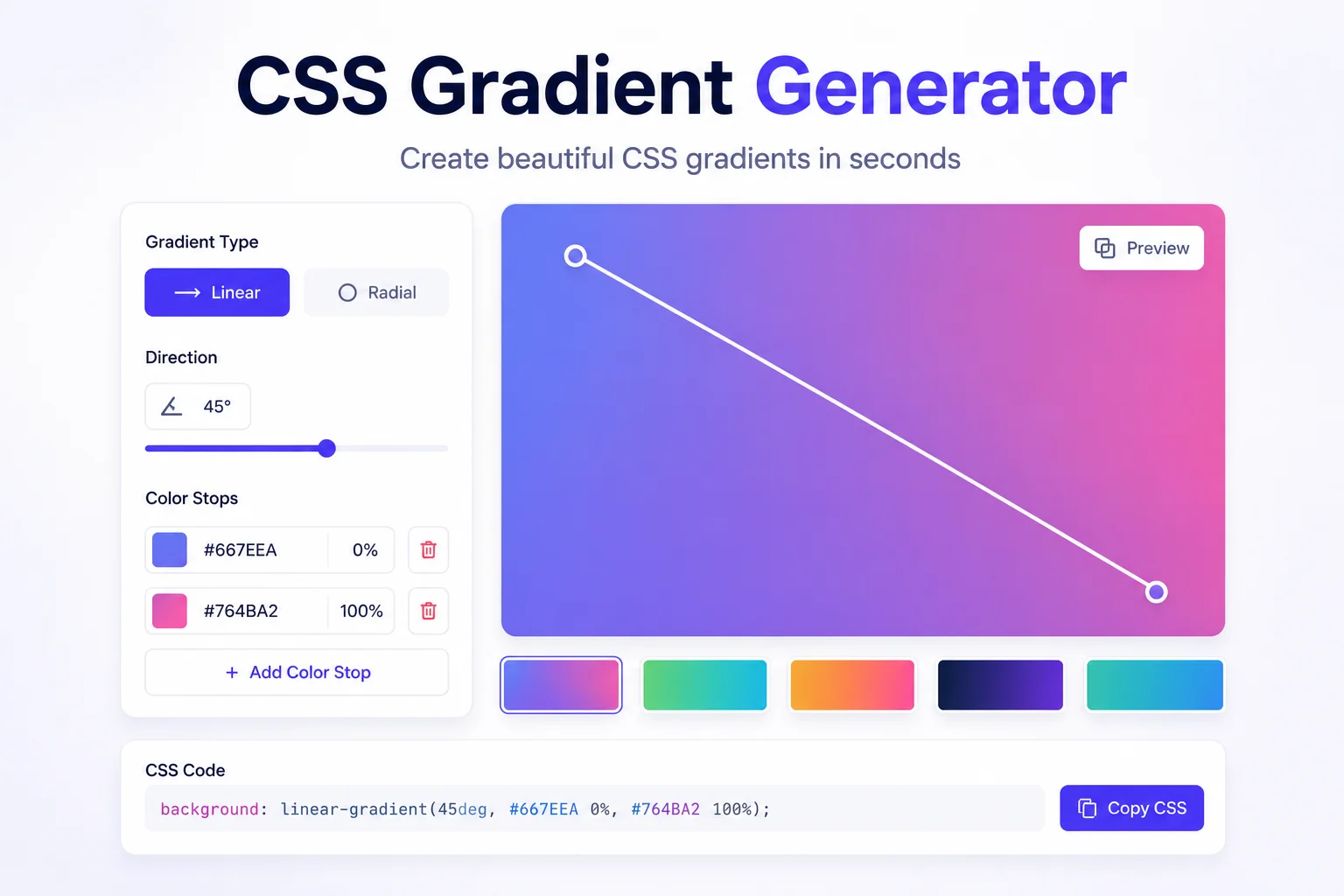
Stop Hand-Writing Gradient Syntax
CSS gradients look simple until you are typing them by hand. The angle runs in a direction you did not expect, the color stop percentages never land where you want, and switching from a linear to a radial gradient means rewriting the whole line. A visual builder turns that fiddly syntax into something you can just see.
This generator gives you a large live preview and simple controls. Pick the type, set your colors with a picker or a hex code, drag the angle, and add as many color stops as the design needs. Linear, radial, and conic are all one click apart, and each one outputs the exact CSS that matches the preview.
When the gradient is right, copy a single clean background line and drop it into your stylesheet. It is handy for buttons, hero sections, cards, and backgrounds. Everything runs in your browser, so there is nothing to install and nothing is sent anywhere.
Why Use Our CSS Gradient Generator?
Live Preview
See the gradient fill a large preview as you tweak colors, angle, and stops, so there is no guesswork.
Linear, Radial, Conic
Switch between all three gradient types with one click and get the correct CSS for each.
Unlimited Color Stops
Add, edit, position, and remove as many color stops as you want, with both a picker and a hex field.
Presets And Random
Start from a ready-made preset or hit Random to discover a color combo you would not have tried.
Copy Clean CSS
Get a single, ready to paste background line, no extra junk, that works in every modern browser.
Runs In Your Browser
Everything is generated on your device. Nothing is uploaded, and there is no signup.
Similar Tools
More Developer tools you might find useful.
Frequently Asked Questions
Common questions about CSS gradients.
What types of CSS gradients can I make?
You can build linear, radial, and conic gradients. Linear fades color along a straight line at any angle, radial spreads from a center point as a circle or ellipse, and conic sweeps colors around a center like a color wheel. Switch between them with one click and the CSS updates to match.
How do I add more colors to a gradient?
Click Add to create a new color stop, then set its color with the picker or a hex code and choose where it sits with the position percentage. You can add as many stops as you like and remove any of them, as long as at least two remain.
How does the angle work in a linear gradient?
The angle sets the direction the colors flow. In CSS, 0 degrees points up, 90 degrees points right, 180 down, and 270 left. Drag the slider and the preview rotates live, so you can find the exact direction without remembering the numbers.
Will the gradient CSS work in all browsers?
Yes. Linear, radial, and conic gradients are supported in all modern browsers. The generated code uses the standard syntax, so you can paste it straight into your stylesheet on the background property without vendor prefixes for current browsers.
Does this tool send my data anywhere?
No. The gradient and its CSS are generated entirely in your browser. Nothing is uploaded, logged, or stored on a server, and there is no signup required to use it.
Is the CSS gradient generator free?
Yes, it is completely free with no limits. Build as many gradients as you want and copy the CSS each time.