
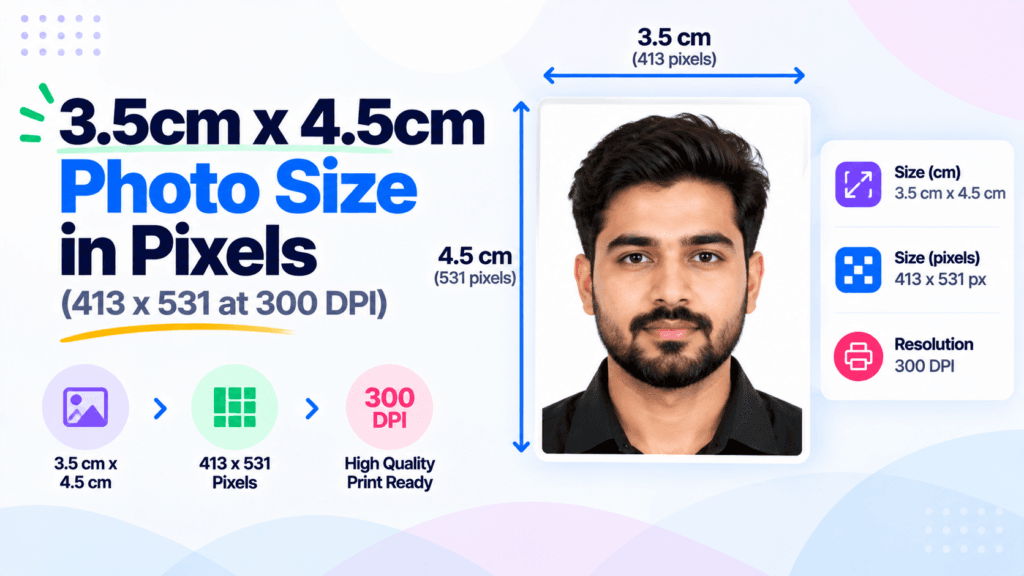
You are filling a passport or visa form, it asks for a 3.5cm x 4.5cm photo, and the upload box wants pixels, not centimeters. So what is the 3.5cm x 4.5cm photo size in pixels? At 300 DPI, the standard for printed and official photos, it is 413 x 531 pixels. That single number covers most passport, visa, and government form uploads. The rest of this guide gives you the full cm to pixel table, explains why 300 DPI matters, and shows how to resize any photo to the exact spec with the free Pixellize 3.5×4.5 cm resizer.
- 3.5cm x 4.5cm at 300 DPI is 413 x 531 pixels, the size for passport, visa, and most forms.
- 3.5 x 4.5 cm is the same as 35 x 45 mm, and about 1.38 x 1.77 inches.
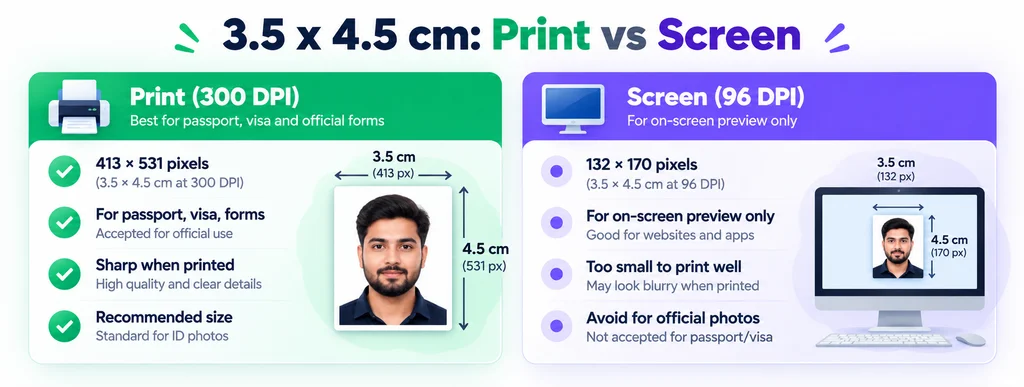
- Use 300 DPI for anything printed or official. 96 DPI (132 x 170 px) is screen-only and too small to print well.
- Pixel size depends on DPI, so always match the DPI your form asks for.
- Resize to the exact spec in your browser with Pixellize, nothing is uploaded.
What is the 3.5cm x 4.5cm photo size in pixels?
The 3.5cm x 4.5cm photo size in pixels is 413 x 531 pixels at 300 DPI. Pixels are not a fixed conversion from centimeters, they depend on DPI, which is how many dots print per inch. At the 300 DPI used for official photos, 3.5cm becomes 413 pixels wide and 4.5cm becomes 531 pixels tall. Lower the DPI and the pixel count drops.
The math is simple once you see it. One inch is 2.54 cm, so 3.5cm is 1.38 inches and 4.5cm is 1.77 inches. Multiply inches by the DPI: 1.38 x 300 rounds to 413, and 1.77 x 300 rounds to 531. I ran the same photo at 300 and at 96 DPI the first time I needed this, and the printed 96 DPI version looked soft, which is exactly why forms ask for 300.
3.5 x 4.5 cm size table: centimeters to pixels to inches
Here is every common version in one place. Pick the row that matches the DPI your form requires. When in doubt, use 300 DPI.
| DPI | Pixels (W x H) | Best for |
|---|---|---|
| 300 DPI | 413 x 531 px | Passport, visa, government forms, printing (recommended) |
| 200 DPI | 276 x 354 px | Lower-resolution printing |
| 96 DPI | 132 x 170 px | On-screen preview, web display |
| 72 DPI | 99 x 128 px | Legacy screen size, not for print |
For reference, 3.5 x 4.5 cm equals 35 x 45 mm and roughly 1.38 x 1.77 inches. If your form uses inches, the resize image in inches tool handles that side, and the resize in cm tool covers other centimeter sizes.
Why 300 DPI matters for passport and visa photos
DPI decides how sharp the photo looks when printed. Official photos are often printed on ID cards and admit cards, so authorities ask for 300 DPI to keep faces crisp. At 300 DPI a 3.5 x 4.5 cm photo holds 413 x 531 pixels, which is enough detail for both print and on-screen checks.
Keep in mind that a bigger pixel count is not always better. If you upload a 2000 x 2600 px image where 413 x 531 is expected, some portals reject it or squash it. Match the spec, do not exceed it. If you are unsure what DPI your file has, our guide on how to check the DPI of an image walks through it.
Print or screen: which pixel size do you need?
For print or any official upload, use 413 x 531 pixels at 300 DPI. For a photo that only ever shows on a screen, 132 x 170 pixels at 96 DPI is enough. The difference comes down to how the image is viewed: print needs far more pixels per inch than a monitor does, so the same 3.5 x 4.5 cm size needs more pixels for print.
Here is the thing, almost every time someone asks for this size, they need the print value. Passport Seva, visa applications, PAN cards, and exam forms all expect the 300 DPI, 413 x 531 px version. Use the screen size only if a website specifically says so.
How to resize a photo to 3.5 x 4.5 cm exactly
You do not need Photoshop. The free Pixellize 3.5×4.5 cm resizer outputs 413 x 531 px at 300 DPI, and it runs in your browser so your photo is never uploaded.
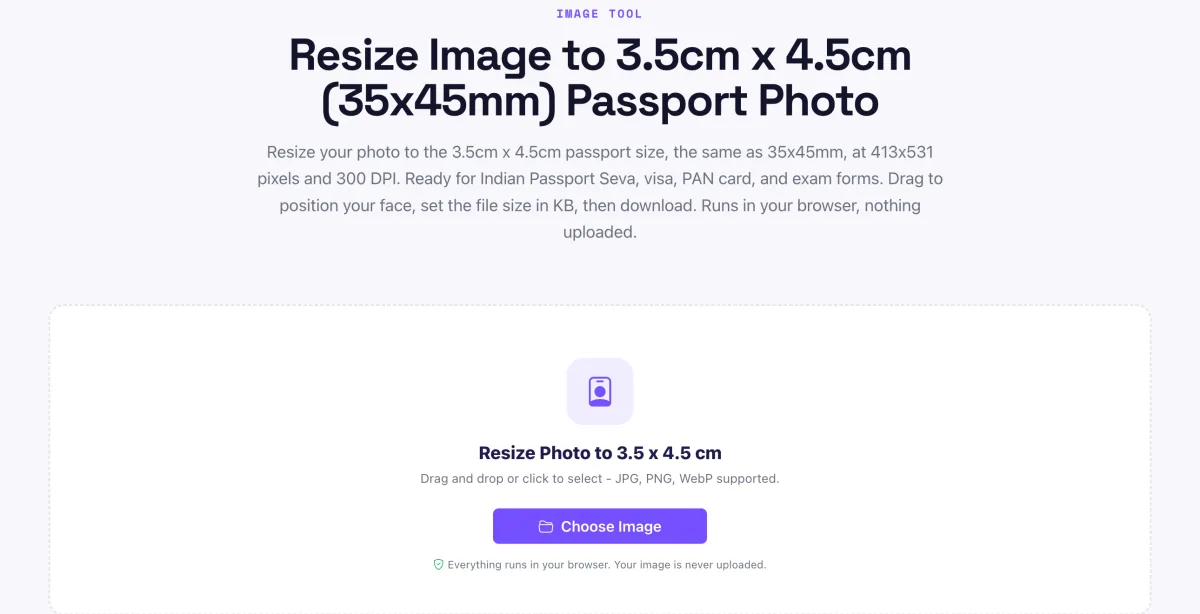
- Open the tool. Go to the free Pixellize 3.5×4.5 cm resizer. Nothing to install, no sign up.
- Upload your photo. Click Choose Image, or drag a photo onto the page. Use a clear, front-facing picture with a plain light background, as passport and visa forms require. The photo opens right in your browser and is never uploaded to a server.

- Confirm the size is correct. The Photo Size box already reads 3.5 x 4.5 cm, 413 x 531 px, 300 DPI. That is the exact spec, so you never type any dimensions yourself.
- Position your face. Keep Scaling mode on Fill and Crop, then drag the photo and use the Zoom slider so your face is centered with a little headroom. Skip Stretch to Fill, it distorts the face.
- Set the file size. In Target size, type the KB limit your form allows, often 20 to 50 KB. The download is saved at exactly that size, so it passes the upload check.
- Download. Click Download Photo. You get a 413 x 531 px, 300 DPI JPEG, ready to upload or print.
For the full list of per-form sizes beyond this one, see our guide to photo sizes for Indian government forms, and if you are shooting a fresh photo, how to make a passport photo at home.
Common mistakes to avoid
- Using screen DPI for print. A 132 x 170 px image looks fine on screen but blurry when printed. Use 413 x 531 px.
- Stretching to fit. Forcing a wide photo into 3.5 x 4.5 cm distorts the face. Crop or reposition instead of stretching.
- Ignoring the KB limit. Many portals cap the file at 20 to 50 KB. Set the exact size before you download.
- Wrong aspect ratio. 3.5 x 4.5 cm is a fixed 7:9 ratio. A square crop will be rejected.
For the official rules, check your authority directly, for example the Passport Seva portal for Indian passports, and the background on resolution at Dots per inch.
Where the 3.5 x 4.5 cm size is used
This size shows up across a lot of official documents, which is why so many people search for it. In India, 3.5 x 4.5 cm (413 x 531 px at 300 DPI) is the standard for the Passport Seva portal, most visa applications, PAN card forms, and many exam and recruitment uploads. Several European Schengen visa photos also use 35 x 45 mm, so the same pixel size often works there too. With Pixellize you can hit the exact dimensions once and reuse the file for every form.
Because the pixel size is tied to DPI, the safest habit is to export at 300 DPI and keep the original photo. If a portal later asks for a different file size in KB, you can re-export from the Pixellize resizer without starting over. Keeping one clean 413 x 531 px master saves you redoing the crop for each application, and it means every upload matches.
A quick note on quality: start from the highest-resolution photo you have. Pixellize scales down cleanly to 413 x 531 px, but it cannot add detail that was never captured, so a tiny source image looks soft even at the right pixel count. Shoot or scan large, then resize down to the 3.5 x 4.5 cm spec.
If a form lists the requirement only in centimeters or millimeters, remember that 3.5 x 4.5 cm, 35 x 45 mm, 1.38 x 1.77 inches, and 413 x 531 pixels at 300 DPI all describe the same photo. Match whichever unit the form uses, and the Pixellize tools cover cm, mm, inches, and pixels so you never do the math by hand.
Get the exact 3.5cm x 4.5cm photo size in pixels
To recap, the 3.5cm x 4.5cm photo size in pixels is 413 x 531 at 300 DPI, which is the same as 35 x 45 mm and about 1.38 x 1.77 inches. Use the print size for every official upload, and only drop to the 96 DPI screen size when a site asks for it. When you are ready, resize your photo to the exact spec with the free Pixellize 3.5×4.5 cm tool, straight in your browser.
Frequently Asked Questions
What is 3.5cm x 4.5cm in pixels?
At 300 DPI, 3.5cm x 4.5cm is 413 x 531 pixels, the size used for passport, visa, and most official forms. Pixels depend on DPI, so at 96 DPI the same size is 132 x 170 pixels.
Is 3.5 x 4.5 cm the same as 35 x 45 mm?
Yes. 3.5 x 4.5 cm and 35 x 45 mm are identical, just written in different units. Both equal about 1.38 x 1.77 inches, or 413 x 531 pixels at 300 DPI.
What DPI should a passport photo be?
Use 300 DPI for passport, visa, and government photos. It keeps the face sharp when printed on cards and admit cards. At 300 DPI a 3.5 x 4.5 cm photo is 413 x 531 pixels.
How many pixels is 3.5 x 4.5 cm for a screen?
For on-screen display at 96 DPI, 3.5 x 4.5 cm is 132 x 170 pixels. This is too small to print well, so use it only when a website specifically asks for the screen size.
How do I resize my photo to 3.5 x 4.5 cm?
Open the free Pixellize 3.5x4.5 cm resizer, upload your photo, drag to center your face in the frame, set the KB limit if needed, and download a 413 x 531 px, 300 DPI photo. It runs in your browser, nothing is uploaded.
What is 3.5 x 4.5 cm in inches?
3.5 x 4.5 cm is about 1.38 x 1.77 inches, since one inch is 2.54 cm. At 300 DPI that works out to 413 x 531 pixels.
Why was my 3.5x4.5 cm photo rejected?
Usually the DPI is too low, the file is over the KB limit, or the aspect ratio is wrong. Export at 300 DPI (413 x 531 px), keep the 7:9 ratio, and set the file under the stated KB limit.

Simranjit Kaur
Founder and CEO of Pixellize.io, building AI-powered web tools and digital products with a focus on user experience and automation. M.Sc. Zoology, working at the intersection of technology, data analytics, and life sciences.