
You found a site that will give you a backlink, or you are about to pay for a guest post. Before you commit, you want one number: how strong is that site? Domain Rating answers it on a 0 to 100 scale. The catch is that the metric comes from Ahrefs, and a full Ahrefs plan starts at 129 dollars a month. Here is how to check domain rating for any website in a few seconds, free, using the Pixellize Domain Rating Checker, plus the paid Ahrefs route and what the number actually means.
- Domain Rating (DR) is an Ahrefs score from 0 to 100 that rates a site’s backlink strength.
- To check it free, paste a domain into a hosted DR checker and read the score. No Ahrefs login needed.
- The Pixellize checker shows the real Ahrefs DR, one domain or up to five at once, with CSV export.
- Inside Ahrefs, DR shows under Site Explorer and the Referring domains report (paid).
- DR is not the same as Moz Domain Authority, and it is not a direct Google ranking factor.
What is domain rating?
Domain Rating, or DR, is an Ahrefs metric that scores the strength of a website’s backlink profile from 0 to 100. The scale is logarithmic. Moving from 20 to 30 is far easier than moving from 70 to 80, because each step up needs many more quality links than the last.
A higher DR means more and stronger referring domains point at the site. It is a quick proxy for authority, which is why SEOs glance at it before a link exchange, an outreach pitch, or a competitor review. Keep in mind it measures links only, not content quality or traffic.
The fastest ways to check a domain’s DR
There are three practical routes, ranked by speed for most people. The table sums them up, then the steps below walk through the free one.
| Method | Cost | Login | Best for |
|---|---|---|---|
| Hosted DR checker (Pixellize) | Free | None | A quick DR for one or a few sites |
| Ahrefs Site Explorer | Paid (from 129/mo) | Ahrefs account | DR plus full backlink data |
| Ahrefs free Website Authority Checker | Free | None | One domain at a time on ahrefs.com |
How to check domain rating in 3 steps
The free route takes about ten seconds. Open the Pixellize Domain Rating Checker and follow these three steps.
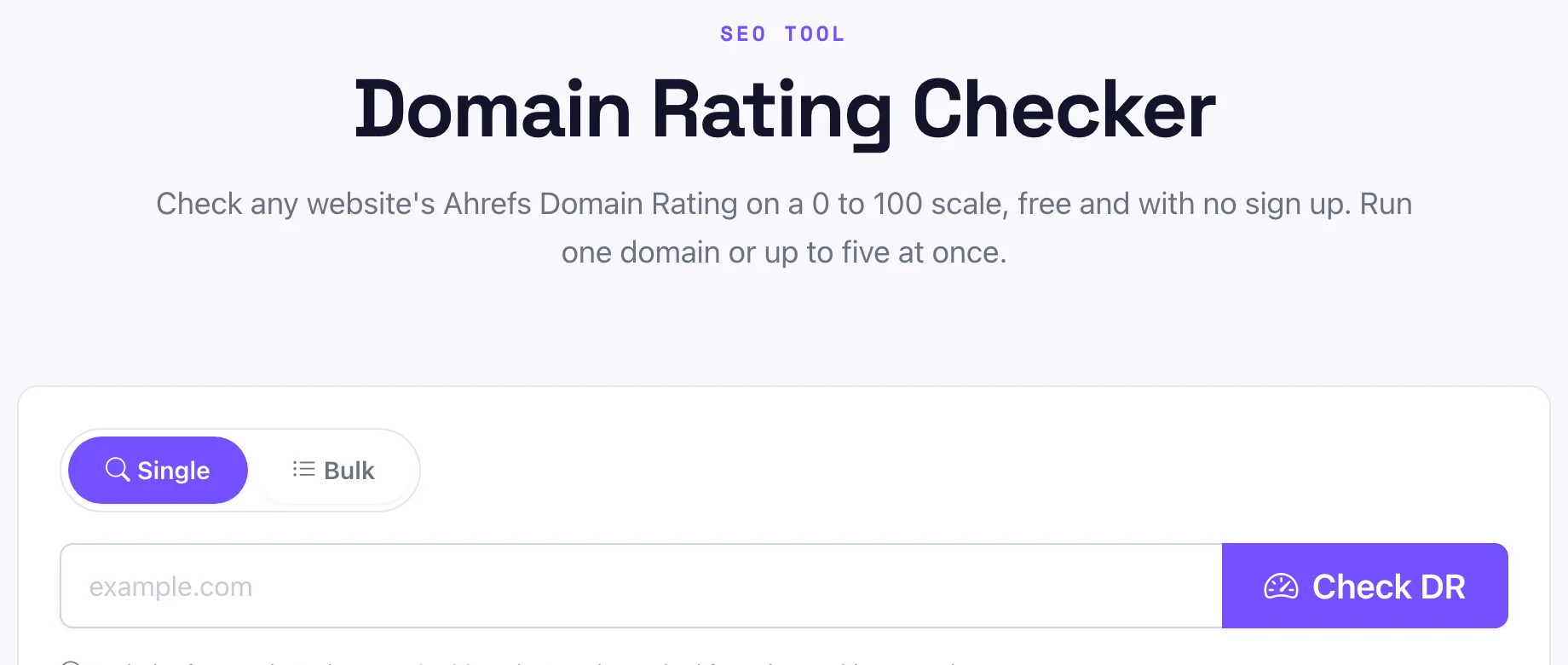
- Enter the domain. Type or paste the site, like
example.com. You can includehttps://or leave it off, the tool reads the host either way. - Click Check DR. The tool calls the live Ahrefs Domain Rating for that host. No sign up, no API key to paste on your end.
- Read the score. The DR shows on a 0 to 100 gauge with a strength label, from Low to Very strong, so you can judge it at a glance.
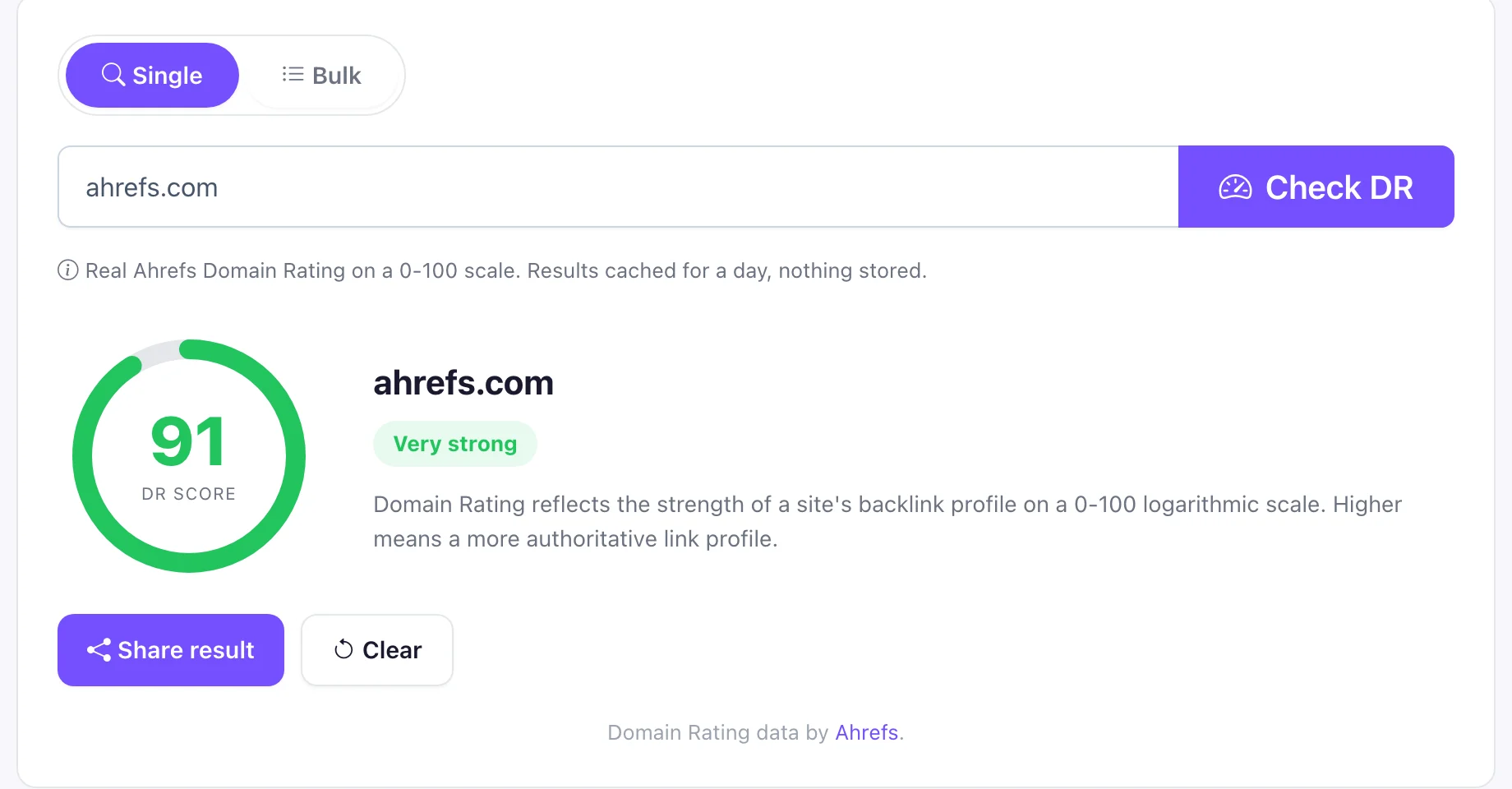
The first time I checked a backlink prospect this way, the site looked polished but came back at DR 4. That saved me an afternoon of outreach. You can also hit Share result to copy a link that reopens the exact score, handy when you send a prospect to a teammate. Pixellize caches each result for a day, so a repeat check is instant.
How to check domain rating for several sites at once
Checking one site is fine. Comparing a shortlist is better. Switch the Pixellize checker to Bulk, paste up to five domains (one per line), and click Check all domains. You get every DR in a sortable table with a strength label, and an Export CSV button for your outreach sheet.
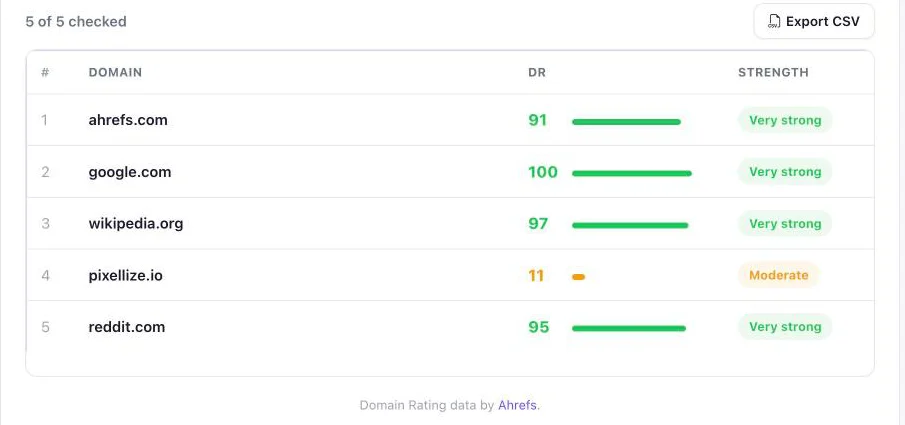
Five at a time keeps the tool free and fast. For a giant list, you would need a paid Ahrefs plan with API access, which is the honest tradeoff of a free checker.
What is a good domain rating?
A good domain rating depends on the niche, but the rough bands are clear. Under 20 is low and typical of new sites, 20 to 39 is developing, 40 to 59 is moderate authority, 60 to 79 is strong, and 80 to 100 is excellent, usually large brands. Judge a site against its competitors, not against google.com.
| DR range | What it means |
|---|---|
| 0 to 19 | Low, new or small site |
| 20 to 39 | Developing authority |
| 40 to 59 | Moderate, solid for many niches |
| 60 to 79 | Strong, hard to outrank |
| 80 to 100 | Excellent, major brands |
Here is the part people miss: DR is relative. A DR 35 blog can outrank a DR 70 site for a specific long-tail query if its page is more relevant and better linked for that exact topic. Use the score to size up a site fast, then look at the pages that already rank for your target keyword before you judge your own odds.
How to check domain rating inside Ahrefs
If you already pay for Ahrefs, the dashboard gives DR plus the backlinks behind it. Open Site Explorer, enter the domain, and the DR sits in the Overview at the top. Open the Referring domains report to see the DR of each site that links to your target, which is how you vet link quality, not just the headline score.
Ahrefs also runs a free Website Authority Checker that returns DR for one domain at a time without an account. It is reliable but single-domain, so for a quick side-by-side the Pixellize bulk mode is faster.
Is domain rating the same as domain authority?
No. Domain Rating is an Ahrefs metric and Domain Authority (DA) is a separate Moz metric. Both run 0 to 100 and both estimate backlink strength, but they use different link indexes and formulas, so the same site often scores differently on each. Pick one and track it over time rather than mixing the two.
Neither DR nor DA is a Google ranking factor. Google does not use third-party scores. DR is still useful because it correlates with the kind of link profile that tends to rank, so treat it as a signal, not a promise.
How to raise your own domain rating
DR moves when your backlink profile improves. The levers that actually work:
- Earn links from higher-DR sites. One link from a DR 70 site moves the needle more than ten from DR 5 blogs.
- Publish link-worthy pages. Original data, tools, and guides attract links on their own. Check targets first with a domain rating checker.
- Clean up broken and lost links. Fix dead pages that held backlinks so you keep the equity you already earned.
One habit beats every tactic: track DR monthly and watch the trend, not the single number. A site climbing from DR 18 to DR 26 over a quarter is winning, even if the score still looks small next to the giants. The Pixellize checker turns that monthly snapshot into a ten-second job you will actually keep doing.
Free, no sign up, single or bulk. Paste a domain and read the real Ahrefs Domain Rating on a 0 to 100 gauge.
Open the Domain Rating CheckerYour 10-second next step
Now you know how to check domain rating three ways: a free hosted checker, the paid Ahrefs dashboard, and Ahrefs’ free single-domain tool. For most link vetting, paste the domain into the Pixellize Domain Rating Checker, read the gauge, and move on. Pair it with the SEO Checker for on-page issues and the Broken Image Checker when you audit a site you are about to work with.
Frequently Asked Questions
How is domain rating calculated?
Ahrefs calculates DR from the number and quality of unique websites linking to a domain, placed on a 0 to 100 logarithmic scale. More high-quality referring domains raise it, and each step up is harder than the last. It ignores content and traffic, measuring only the backlink profile.
Is a free domain rating checker accurate?
Yes, when it pulls the real Ahrefs DR rather than a guess. The Pixellize checker calls Ahrefs own Domain Rating, so the number matches what Ahrefs reports. Free tools that invent their own authority score can differ, so confirm the tool says it uses Ahrefs DR.
Can I check domain rating without an Ahrefs account?
Yes. Hosted checkers like Pixellize, and Ahrefs own free Website Authority Checker, return DR with no login. You only need a paid Ahrefs account when you want the full backlink data behind the score, not just the DR number itself.
What is a DR 50 website?
A DR 50 site has moderate backlink authority, solidly mid-pack. It is strong enough to rank in many niches but not a heavyweight. For context, most established small-business and niche sites land somewhere between DR 20 and DR 50 once they have earned steady links.
Does domain rating affect Google rankings?
Not directly. Google does not use Ahrefs DR or any third-party score in its algorithm. DR correlates with ranking ability because strong backlink profiles tend to rank well, but treat it as a helpful signal, not a ranking factor you can rely on.
How often should I check domain rating?
Monthly is plenty for your own site, since DR moves slowly. Check a prospect DR right before any link deal or guest post, and re-check key competitors each quarter so you can spot who is gaining backlink authority in your niche.

Simranjit Kaur
Founder and CEO of Pixellize.io, building AI-powered web tools and digital products with a focus on user experience and automation. M.Sc. Zoology, working at the intersection of technology, data analytics, and life sciences.