
YouTube Thumbnail Size 2026: Every Video Type (Exact Dimensions)
The YouTube thumbnail size in 2026 is 1280 by 720 pixels at a 16:9 aspect ratio for every video type, including standard…
Read articleThe fastest way to do a YouTube Shorts thumbnail download: paste the Short link, pick a size, and save the HD 16:9 cover, free with no app or watermark.

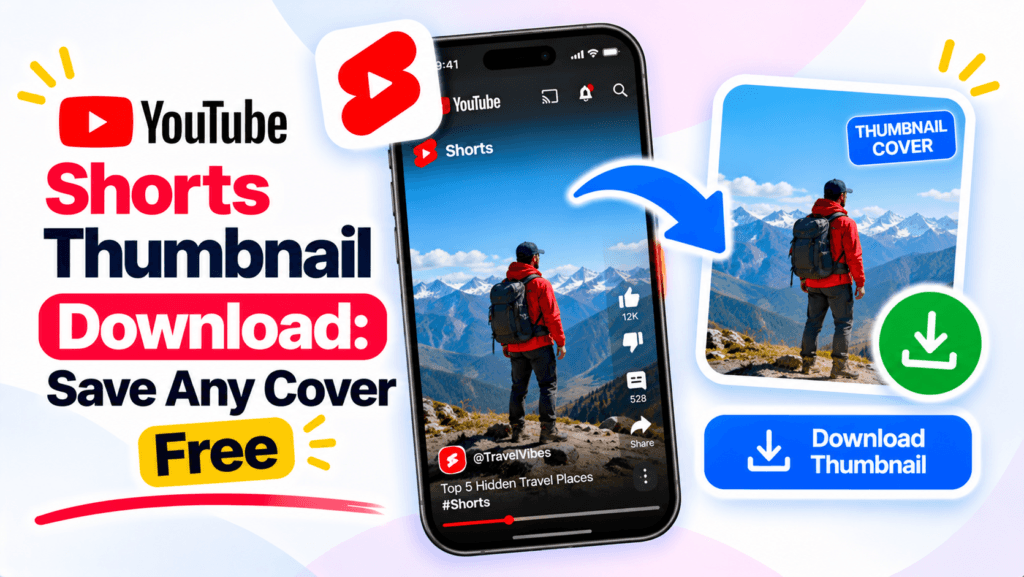
Right-click a YouTube Short and there is no save option, just a share sheet. So when you need the cover image, maybe for a swipe file, a reaction video, or a content audit, the obvious route is a dead end. A YouTube Shorts thumbnail download takes one link instead. Copy the Short’s URL, paste it into the free Pixellize YouTube thumbnail downloader, and save the image in a click, no app and no account.
There is one thing almost every guide gets wrong about Shorts, and it changes what you actually get. More on that below.
| Question | Short answer |
|---|---|
| What you get | A 16:9 JPG, up to 1280×720 (maxres) |
| Vertical 9:16 cover? | No, YouTube does not store the feed cover as a file |
| Private Shorts | No, public only |
| Watermark | None, it comes from YouTube’s servers |
| Cost | Free, no sign up |
Copy the Short’s link from the Share menu, paste it into a thumbnail downloader like Pixellize, and pick a size. In about 3 steps you get the image as a JPG saved to your device. YouTube stores Shorts thumbnails on the same servers as normal videos, so the tool reads the video ID and pulls every size, up to maxres at 1280×720.
Open the Short, tap Share, and choose Copy link. On desktop you can copy the URL from the address bar instead. A Shorts link looks like youtube.com/shorts/VIDEOID, and the tool reads that ID the same way it reads a normal watch link.
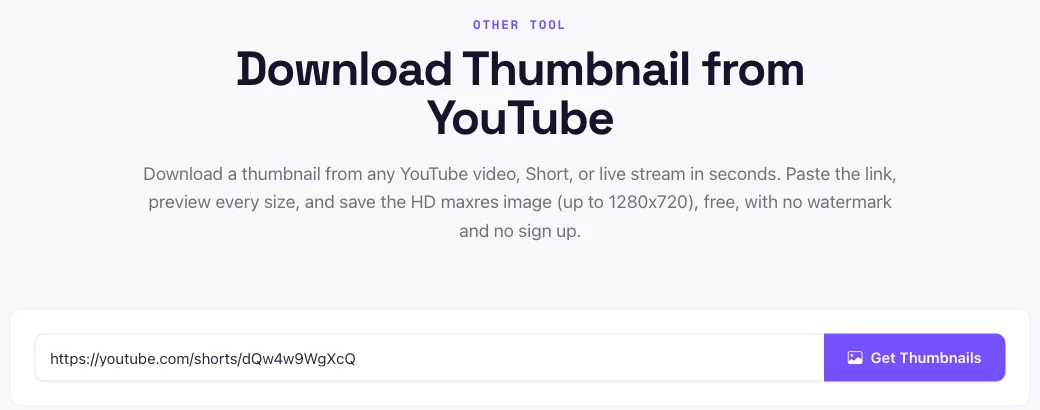
Drop the link in and press Get Thumbnails. Pixellize shows every size YouTube has for that Short, from the small default up to the maxres HD image, each with its own download button.
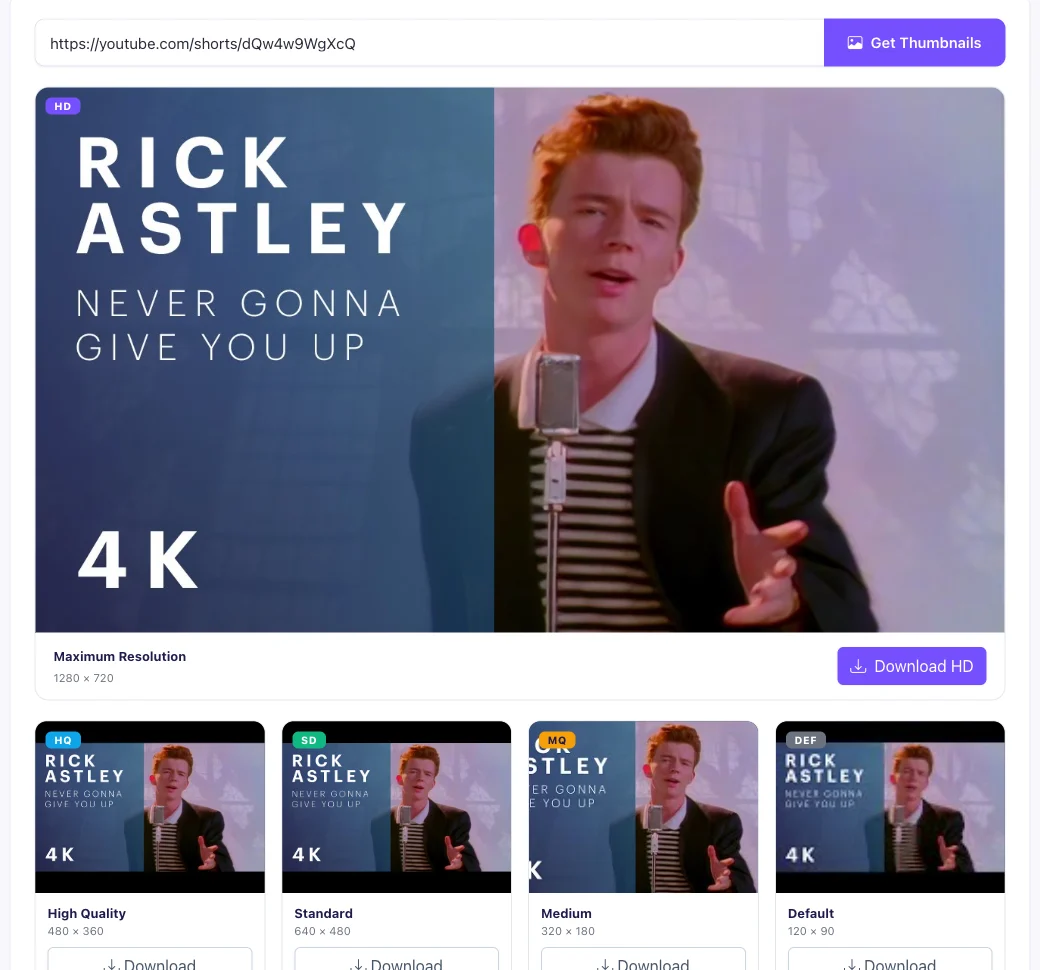
Click Download HD for the full 1280×720 image, or pick a smaller size if you need a lighter file. The JPG saves straight to your device. Nothing is uploaded to Pixellize, and the image has no watermark.
The first time I grabbed a Short’s cover this way, I expected the tall vertical image from the feed. What came back was a wide 16:9 frame, and it took me a minute to work out why. That gap is worth explaining.
Prefer to watch? Here is a short video walkthrough of grabbing a YouTube thumbnail.
A downloadable Shorts thumbnail is 16:9, up to 1280×720 pixels (maxres). YouTube stores every thumbnail, including Shorts, at the same 16:9 sizes it uses for regular videos. There is no true 4K version, and maxres is the largest you can save. Smaller fallbacks are 640×480, 480×360, 320×180, and 120×90.
Here is the part most guides skip. The tall 9:16 image you see in the Shorts feed is the video’s first frame rendered vertically by the app, not a separate file YouTube keeps. The thumbnail YouTube actually stores for every video, Short or not, is the 16:9 image at img.youtube.com (YouTube Data API, thumbnails). So the saved file is that 16:9 frame, which is why it looks wider than the cover in your feed.
If you need a true vertical 9:16 cover, you have to crop the 16:9 image yourself, or screenshot the Short and trim it. The tool gives you the highest-quality source to start from. For the exact pixel dimensions of every YouTube image type, the YouTube thumbnail size guide has the full table.
Not every Short has a maxres image. YouTube only builds the 1280×720 maxres file when the source is large enough, and many Shorts use an auto-generated frame rather than a custom upload. When maxres is missing, Pixellize falls back to the next size it finds, usually 640×480. That is normal for Shorts, not a tool error.
Keep in mind the thumbnail is only as sharp as the frame YouTube picked. A Short filmed in low light gives a soft thumbnail no matter which size you download. The same tool handles normal videos too, so if you also save covers from long-form clips, the YouTube thumbnail download guide walks through that flow with the Pixellize downloader.
Saving a Shorts thumbnail for personal use, such as research, a mockup, or a swipe file, is generally fine. Reusing it as your own cover or for commercial work can breach copyright and YouTube’s terms. The image belongs to the creator, so credit them or ask permission before you publish it anywhere.
YouTube’s own rules cover how its content can be used (YouTube Help). Downloading for reference is one thing, republishing someone else’s thumbnail is another.
A saved Shorts cover is useful well beyond a quick screenshot. Creators keep a swipe file of thumbnails that stopped their scroll, then study the framing, text size, and color before designing their own. Reaction and commentary channels pull the source cover for context. Marketers run a competitor sweep, saving the top Shorts in a niche to spot patterns in hooks and faces.
Because the download is the clean 16:9 image from YouTube’s servers, it drops straight into a slide, a moodboard, or a design doc without the play button or feed overlays getting in the way.
If the thumbnail does not load, one of these is usually why:
Fix the link or confirm the Short is public, and the thumbnail loads on the next try, in every size that video has.
Paste the Short’s link, pick a size, and save the HD thumbnail, free with no watermark or sign up.
Open the YouTube Thumbnail DownloaderOnce you know it returns a 16:9 image, a YouTube Shorts thumbnail download is a ten-second job: copy the link, paste it into Pixellize, and pick the size. Keep the thumbnail downloader handy for your next Short, and if you research titles and tags too, the YouTube tags extractor pulls those from any video.
Yes. Copy the Short's link, paste it into the Pixellize downloader, and pick a size to save the image as a JPG. Shorts use the same thumbnail system as normal videos, so the tool reads the video ID and pulls every size, up to maxres at 1280x720. It is free, with no sign up.
A Shorts thumbnail you can download is 16:9, up to 1280x720 pixels, which is the maxres size. YouTube does not store the tall 9:16 cover from the feed as a file, so the saved image is the wide 16:9 frame. Smaller fallback sizes are 640x480, 480x360, 320x180, and 120x90.
YouTube only creates the 1280x720 maxres image when the source frame is large enough, and many Shorts use an auto-generated frame instead of a custom thumbnail. When maxres is missing, the tool falls back to the next size it finds, usually 640x480. This is normal for Shorts.
No. The image comes straight from YouTube's own servers, so it is the original thumbnail with no added watermark, logo, or stamp. Nothing is uploaded to Pixellize during the download.
Yes. Copy the Short's link from the YouTube app Share menu, open your mobile browser, paste it into the tool, and tap the size you want. The image saves to your Photos or Downloads, depending on your device. The steps are the same on iPhone and Android.
Downloading for personal use such as research or a mockup is generally fine. Reusing another creator's thumbnail as your own or for commercial work can breach copyright and YouTube's terms, so credit the creator or get permission before publishing it.
Founder and CEO of Pixellize.io, building AI-powered web tools and digital products with a focus on user experience and automation. M.Sc. Zoology, working at the intersection of technology, data analytics, and life sciences.