
YouTube Tags Extractor: See Any Video's Tags Instantly
Paste a YouTube link and see every tag a video uses, a free YouTube tag checker and extractor. Get the tag list, count, the 500-character budget, and one-click copy. Check any video, no login.
How to Extract Tags from a YouTube Video
Paste the Video Link
Any YouTube URL works: normal videos, Shorts, or youtu.be short links.
Click Extract Tags
The tool pulls the video's tag list through the official YouTube API in a second or two.
Copy in the Format You Need
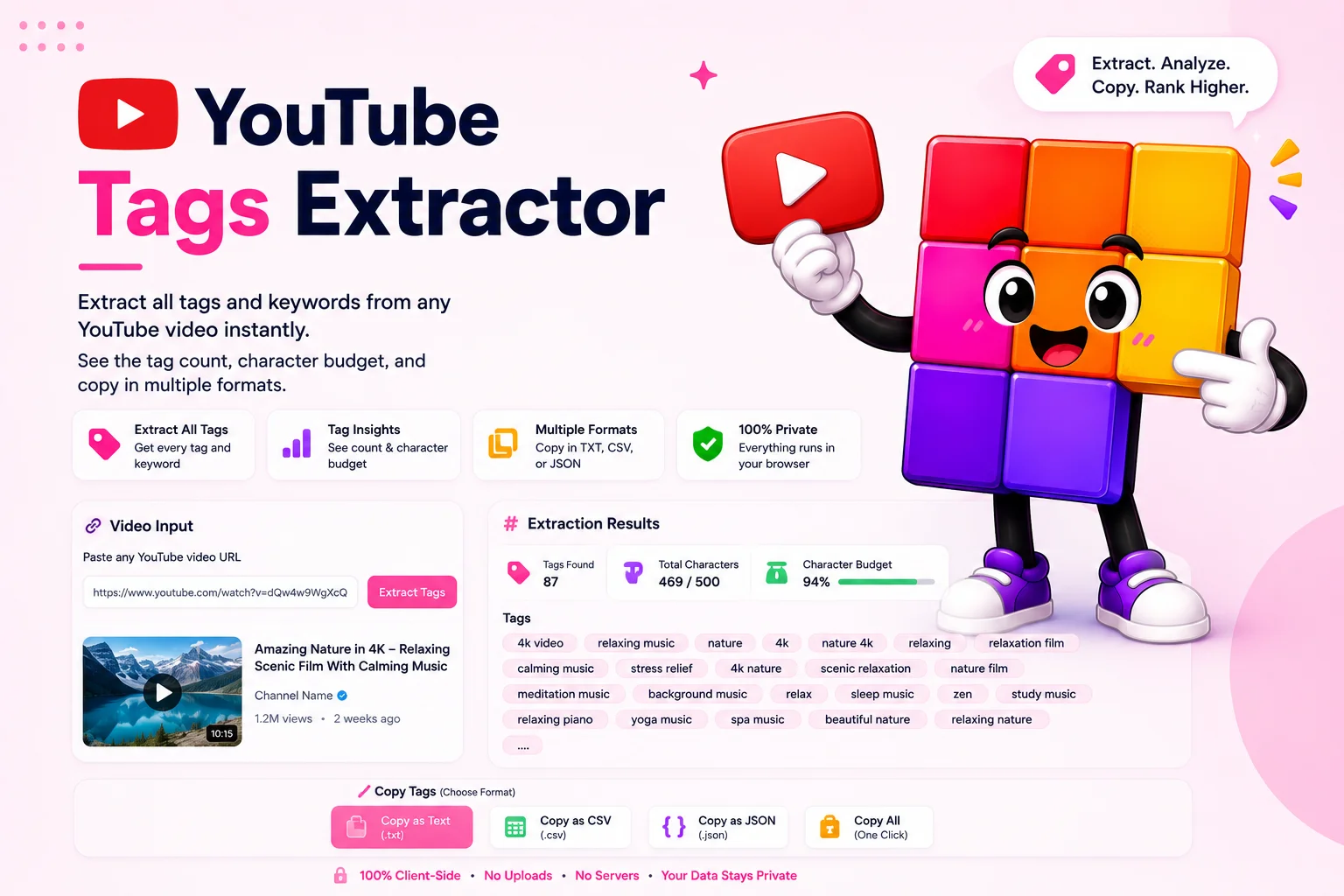
See the full tag list with count and character total, then copy everything comma-separated for YouTube Studio or one per line for a spreadsheet.
Learn From the Videos Already Winning Your Keyword
The fastest tag research is reading the tags of videos that already rank. Search your target topic on YouTube, open the top three results, and run each through the tags extractor. The overlap between their tag lists is your keyword map: the exact phrases working in your niche, spelled the way the algorithm already associates with that content.
Tags matter less than titles and thumbnails, YouTube says so itself, but they still help the algorithm connect your video to search terms with typos, spelling variants, and related phrasing. The 500-character budget is the constraint: the extractor shows how much of it each video spends, so you can tell a channel that tags deliberately from one that stuffs. Copy the useful tags comma-separated and they paste straight into YouTube Studio’s tag field.
YouTube tag checker: see and check any video’s tags
This works as a YouTube tag checker too. Paste any public video link and you instantly see and check the full list of tags it uses, so you can view what is already working before you write your own. YouTube removed tags from the public video page years ago, so a checker like this is the only way to view a video’s tags now.
How to get a YouTube channel’s tags
To research a whole channel, run its top few videos through the extractor one at a time. The tags that repeat across a channel’s best videos are the ones it leans on, which is the practical way to pull a channel’s tagging strategy. Channel-level keywords are set separately in YouTube Studio and are not public, so per-video tags are what you can actually see and copy.
Tag research is one step of the workflow. Grab competitor thumbnail designs with the YouTube thumbnail downloader, link viewers to exact moments with the timestamp link generator, and for the full channel playbook read the guide on YouTube channel optimization.
Why Use This YouTube Tags Extractor
Instant, Official Data
Tags come straight from the official YouTube API, not from scraping page source, so the list is exactly what the creator entered in YouTube Studio.
500-Character Budget Tracker
YouTube caps tags at 500 characters total. The extractor shows how much of that budget the video spends, useful for judging how seriously a channel tags.
Multiple Copy Formats
Copy tags comma-separated to paste straight into YouTube Studio, or one per line for spreadsheets and keyword research docs.
Works on Shorts Too
Regular videos, Shorts, and youtu.be links all extract the same way. If the video has tags, you see them.
Tag Count at a Glance
See how many tags a video carries alongside the character total, the fastest way to compare tagging strategies across competitors.
Free, No Login
No account, no API key of your own, no daily caps that matter. Paste, extract, copy.
Similar Tools
More SEO tools you might find useful.
Frequently Asked Questions
How do I see the tags of a YouTube video?
Paste the video's URL into the tags extractor and click Extract Tags. The tool fetches the tag list through the official YouTube API and shows every tag the creator entered, with the total count and character usage. Copy the list comma-separated or one per line.
Why can't I see tags for some videos?
The video simply has none. Tags are optional, and many creators skip them since YouTube weighs titles and descriptions much more. When the extractor shows zero tags, that is the real answer from the API, not a failure to read them.
Does this work for YouTube Shorts?
Yes. Shorts are regular videos under the hood, so any Shorts link extracts the same way. Paste the URL and the tags, count, and character budget appear as usual.
What is the YouTube tag character limit?
YouTube allows up to 500 characters of tags per video, including the commas between them. The extractor shows how much of that budget a video uses, which helps you plan your own list, most well-tagged videos land between 200 and 400 characters.
Do YouTube tags still matter for ranking?
They help, but modestly. YouTube states tags play a minimal role compared to titles, thumbnails, and descriptions, and mainly help with commonly misspelled search terms and close variants. Treat them as a five-minute polish, not a growth strategy.
Can I copy another video's tags to my own?
You can copy the text, but blind copying rarely helps. The smart use is research: extract tags from several top-ranking videos in your topic, keep the phrases that genuinely describe your video, and drop the rest. Irrelevant tags can hurt more than help.
Is this tool free?
Yes, fully free with no login, no API key setup, and no practical daily limit. It is part of the Pixellize YouTube toolkit alongside the thumbnail downloader and timestamp link generator.
How do I check the tags on a YouTube video?
Paste the video link into this YouTube tag checker and press Extract Tags. You instantly see the full tag list, the tag count, and how much of the 500-character budget the video uses. It works as both a tag checker and extractor, with no login.
How do I extract tags from a YouTube channel?
Run the channel's top few videos through the extractor one at a time. The tags that repeat across its best videos show the channel's real tagging strategy. YouTube keeps channel-level keywords private in Studio, so per-video tags are what you can actually see and copy.
How can I view tags on YouTube?
You cannot view tags on YouTube itself, as YouTube removed them from the public video page. This extractor is the way to view them: paste the video URL and it pulls the exact tags the creator set, ready to read, compare, or copy.