
YouTube Dislike Viewer & Checker: See Hidden Dislikes 2026
YouTube hid public dislike counts in 2021. A youtube dislike viewer brings them back as community estimates. Here is how to use…
Read article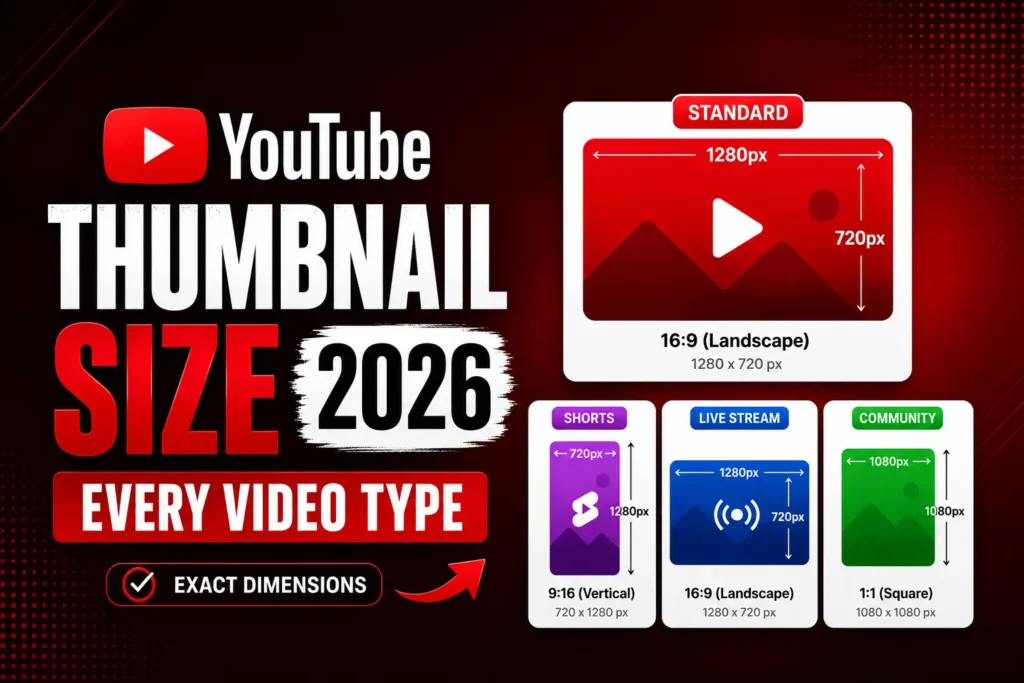
The YouTube thumbnail size in 2026 is 1280 by 720 pixels at a 16:9 aspect ratio for every video type, including standard videos, Shorts, live streams, premieres, and playlists. The Shorts video itself uses 9:16 (1080 by 1920), but the custom thumbnail you upload for a Short still uses 1280 by 720.
If you upload anything to YouTube, the thumbnail is the single biggest factor in whether someone clicks. Get the size wrong and YouTube either crops the file, downscales it badly, or rejects the upload entirely. This guide lists the exact thumbnail dimensions for every YouTube video type in 2026, plus the file size limit, supported formats, and the safe-zone area to avoid YouTube overlay clipping.
| Video type | Thumbnail size | Aspect ratio | Max file size |
|---|---|---|---|
| Standard video | 1280 × 720 px | 16:9 | 2 MB |
| YouTube Shorts (custom thumbnail) | 1280 × 720 px | 16:9 | 2 MB |
| Live stream | 1280 × 720 px | 16:9 | 2 MB |
| Premiere | 1280 × 720 px | 16:9 | 2 MB |
| Playlist cover | 1280 × 720 px | 16:9 | 2 MB |
| Shorts video itself | 1080 × 1920 px | 9:16 | n/a (video file) |
| Community post image | 1000 × 1000 px | 1:1 (square) | 16 MB |
| Channel banner (channel art) | 2560 × 1440 px | 16:9 | 6 MB |
| Channel icon (profile picture) | 800 × 800 px | 1:1 (rendered as circle) | 4 MB |
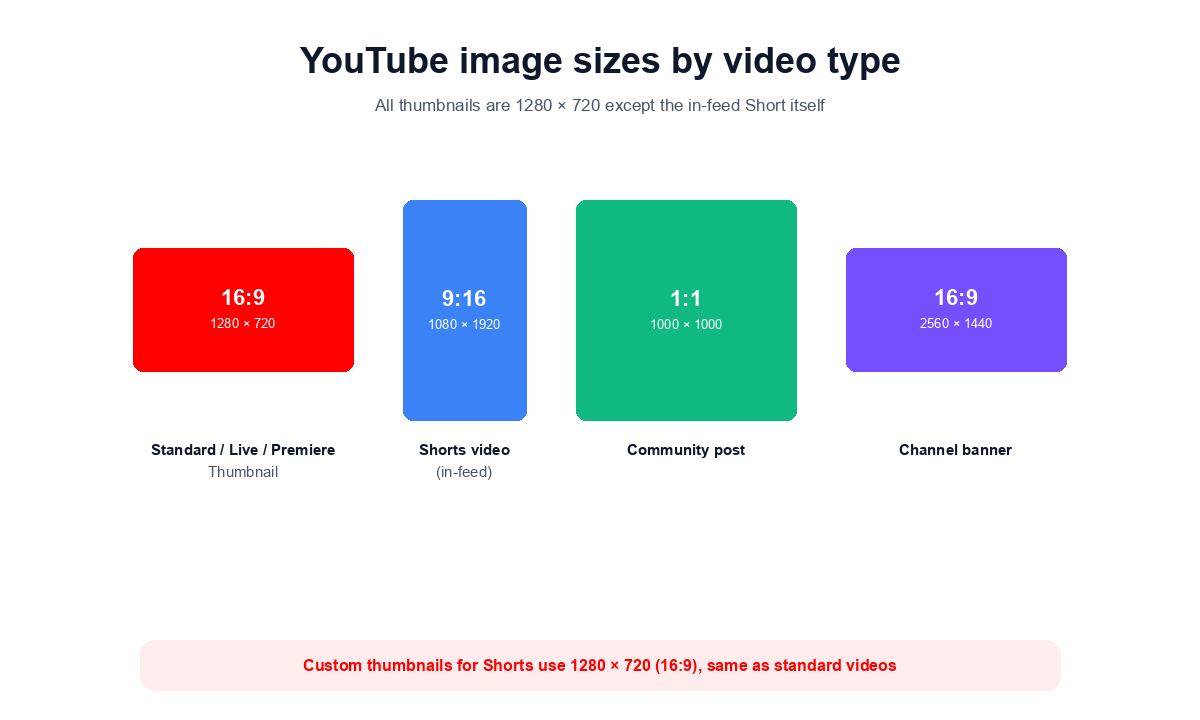
The best YouTube thumbnail size is 1280 by 720 pixels at a 16:9 aspect ratio, kept under the 2 MB file limit. YouTube accepts JPG, PNG, GIF (first frame only), and BMP. The same 1280 by 720 size works for standard videos, Shorts, live streams, premieres, and playlists.
YouTube accepts thumbnails down to 640 pixels wide, but always design and upload at the full 1280 by 720. The platform serves the bigger file on retina screens, embedded players, suggested-video carousels, and YouTube TV. Anything smaller looks soft on modern displays. The display size most viewers see is around 320 by 180 in feeds and search results, so test your design at that scale before uploading.
For 2026, YouTube also supports an optional higher-resolution upload of up to 3840 by 2160 (4K), so thumbnails stay sharp on TV and high-density screens. It is not required, since 1280 by 720 is what shows on almost every surface, but a crisp larger source future-proofs the image. Google lists the current rules on its official video thumbnails help page.
A YouTube Shorts custom thumbnail is 1280 by 720 pixels at 16:9, the same as a standard video. The Short’s video file itself is 1080 by 1920 (9:16 vertical), but the thumbnail image you upload for it stays at the horizontal 1280 by 720 dimension.
This catches many creators off guard. The reason: YouTube displays Shorts thumbnails in three different surfaces. On the Shorts shelf and the vertical feed, viewers see the actual video frame (9:16). But in search results, suggested videos, channel pages, and Subscriber feed cards, YouTube uses the same 16:9 container as every other video. The custom thumbnail you upload is what shows in those off-Shorts surfaces.
Design your Shorts thumbnail at 1280 by 720 and keep the most important content in the center, because the same image gets cropped to a 9:16 box on the in-app Shorts player.
Live stream and Premiere thumbnails use 1280 by 720 pixels at 16:9, exactly like standard videos, with the same 2 MB maximum file size.
The difference for live and premiere content is that you can upload the thumbnail before the stream starts. YouTube uses this image as the placeholder in everyone’s notifications, on the “Upcoming” shelf, and in subscription feeds. A clear, branded thumbnail set 24-48 hours before the stream typically lifts click-through 15-30 percent compared to letting YouTube auto-pick a frame after the stream goes live.
YouTube playlist covers also use 1280 by 720 pixels (16:9). YouTube picks the first video’s thumbnail by default, but you can override with a custom playlist cover from YouTube Studio.
Custom playlist covers work well for series content, tutorial collections, and music albums. Use a consistent design across all your playlists so your channel page has a unified look. Note that YouTube does not currently let you upload a different cover per device, so the 1280 by 720 file is what renders everywhere.
YouTube Community post images use 1000 by 1000 pixels (1:1 square) for best results, with a 16 MB file size limit. JPG and PNG are accepted.
Community posts let you share polls, text, GIFs, and images with your subscribers without uploading a full video. Square images render cleanly in the Community feed without cropping. Vertical and horizontal images work but YouTube center-crops them to fit the square card.
YouTube channel banner (channel art) size is 2560 by 1440 pixels with a 6 MB file size limit. The safe area for text and logo is 1546 by 423 pixels (centered).
YouTube serves your channel banner at three different sizes depending on the surface: 2560 by 423 on desktop, 1546 by 423 on tablet, and 1546 by 423 on mobile (with side-cropping). The TV surface uses the full 2560 by 1440 frame. To survive all three crops, keep your channel name, logo, and key text inside a centered 1546 by 423 box. Anything outside that area is decorative and may get cropped off on phones.
YouTube channel icon size is 800 by 800 pixels at 1:1 aspect ratio, with a 4 MB file size limit. The icon renders as a circle across the platform (watch pages, subscription list, channel page avatar).
Keep your face, logo, or wordmark centered with comfortable margins. The circular crop chops the corners, so anything in the four corners of your 800 by 800 source file gets hidden. Animated GIFs are not supported for the channel icon, only the first frame renders. For the same reason, design a high-contrast static icon that stays readable at the 48-pixel size used in suggested-video carousels. For a quick guide on social profile pictures across all platforms, see our profile picture size guide.
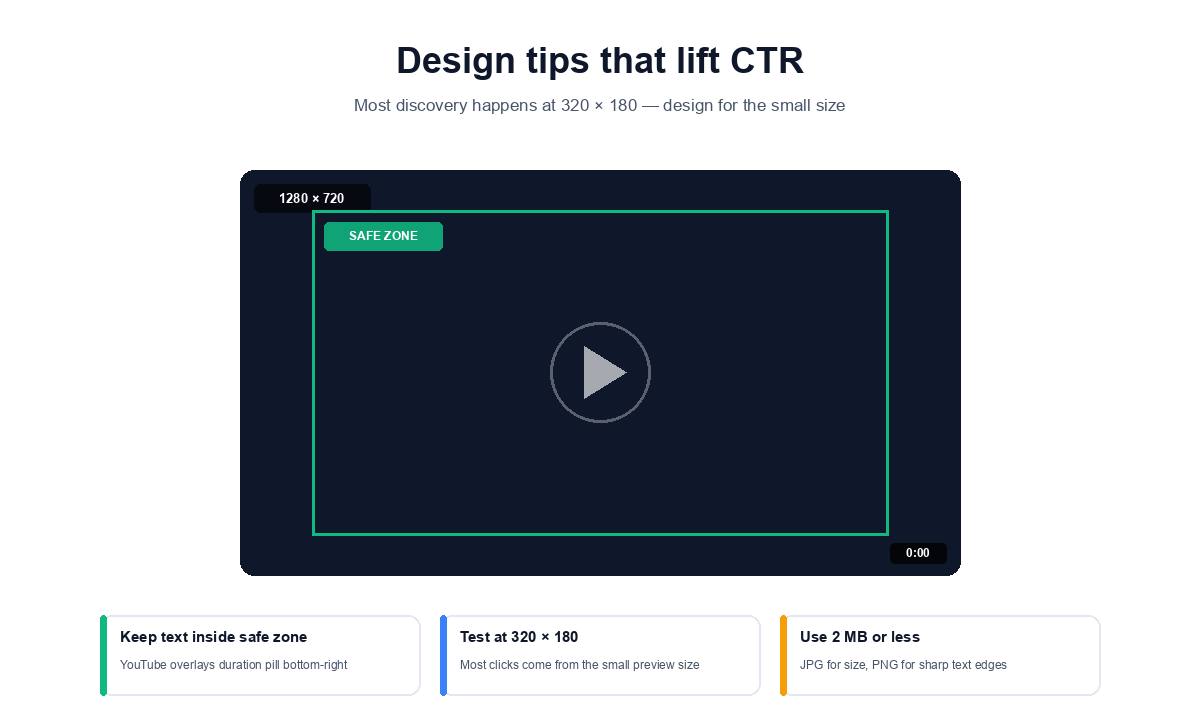
YouTube accepts JPG, PNG, GIF (first frame only), and BMP for thumbnails, with a 2 MB maximum file size. The 2 MB limit is rolling out to 50 MB for TV-focused surfaces but most accounts still hit the 2 MB cap.
JPG produces the smallest files and is the most common choice. PNG keeps text and edges sharper at the cost of file size. Animated GIFs are not supported as moving thumbnails, YouTube uses only the first frame. If you start designing in Photoshop or Figma, export at 1280 by 720 at JPG 90 percent quality, the file usually lands between 200 and 400 KB, well under the 2 MB cap.
Whether you want to study a competitor’s design, save your own thumbnail for backup, or use thumbnails as reference for your own designs, the fastest way is a free in-browser tool. The Pixellize YouTube Thumbnail Downloader pulls every available size from any YouTube URL (regular video, Short, live, or playlist) in one click, with no signup and no watermark.
You paste the video URL, the tool fetches each available thumbnail size (1280 by 720 Max Resolution, 640 by 480 standard definition, 480 by 360 high quality, 320 by 180 medium, 120 by 90 default), and you click to download the size you need. Works on watch URLs, youtu.be short links, Shorts URLs, and live-stream URLs.
For every YouTube video type in 2026, the thumbnail you upload is 1280 by 720 pixels (16:9) at 2 MB or less. The only exception is the in-feed Short itself, which is 1080 by 1920 (9:16) video, not a static thumbnail. Outside of thumbnails, the channel banner is 2560 by 1440, the channel icon is 800 by 800, and community post images are 1000 by 1000.
Design at the full size, test at 320 by 180, keep your key elements in the safe zone, and export under 2 MB. Get those four things right and you avoid 90 percent of the thumbnail problems creators ask about.
Once you have grabbed one, learn how to download a YouTube video thumbnail in any resolution.
The standard YouTube thumbnail size in 2026 is 1280 by 720 pixels at a 16:9 aspect ratio with a maximum file size of 2 MB. JPG, PNG, GIF (first frame only), and BMP formats are accepted. This applies to standard videos, Shorts (custom thumbnail), live streams, premieres, and playlists.
The custom thumbnail for a YouTube Short is 1280 by 720 pixels at 16:9, the same as standard videos. The Short video itself is 1080 by 1920 (9:16 vertical), but the thumbnail you upload stays at the horizontal 16:9 dimension because YouTube uses it in search results, suggested videos, and channel pages outside the Shorts shelf.
16:9. Every YouTube thumbnail (standard, Shorts, live, premiere, playlist) uses 16:9 even when the video itself is vertical. The 16:9 ratio matches the thumbnail containers YouTube uses across search, home feed, suggested videos, and embedded players.
2 MB maximum for most accounts. YouTube has begun rolling out a 50 MB limit for TV-focused surfaces, but the 2 MB cap still applies to standard creator uploads. Keep your JPG at 90 percent quality to land well under the limit.
YouTube channel banner (also called channel art) is 2560 by 1440 pixels with a 6 MB file size limit. Keep your key text and logo inside the centered 1546 by 423 safe area, which is the area that always renders on desktop, tablet, and mobile.
YouTube channel icon (profile picture) is 800 by 800 pixels at 1:1 ratio with a 4 MB limit. The icon is rendered as a circle on watch pages, in subscription lists, and as the channel page avatar.
YouTube displays thumbnails as small as 120 by 90 pixels in some legacy contexts (related videos sidebar), and most discovery happens at around 320 by 180 in the feed and search results. Always design at 1280 by 720 but test how your thumbnail reads at 320 by 180 before uploading.
The most common rejection reasons are file size over 2 MB, wrong aspect ratio (anything other than 16:9), unsupported format (only JPG, PNG, GIF, BMP work), or content policy violations (nudity, deceptive imagery, copyright). Resize to exactly 1280 by 720, export as JPG at 90 percent quality, and verify the file is under 2 MB.
For most videos 1280 by 720 is enough, since that is what YouTube serves on nearly every surface. YouTube 2026 guidance adds an optional larger upload up to 3840 by 2160 to future-proof against pixelation on 4K and TV screens. If you have a crisp source, uploading larger does not hurt.
A blurry thumbnail usually means you uploaded below 1280 by 720, or exported a heavily compressed JPG. YouTube upscales small images and it shows on retina and TV screens. Design at the full 1280 by 720 and export at JPG 90 percent quality, which stays well under the 2 MB limit.

Founder and CEO of Pixellize.io, building AI-powered web tools and digital products with a focus on user experience and automation. M.Sc. Zoology, working at the intersection of technology, data analytics, and life sciences.