
How to Change a Canonical URL (WordPress, HTML, and More)
A canonical URL tells Google which version of a page is the real one, so when you have duplicates or the wrong…
Read articleHow long should a meta description be? Target 120 to 155 characters, plus the title tag limits and how to check any page fast.

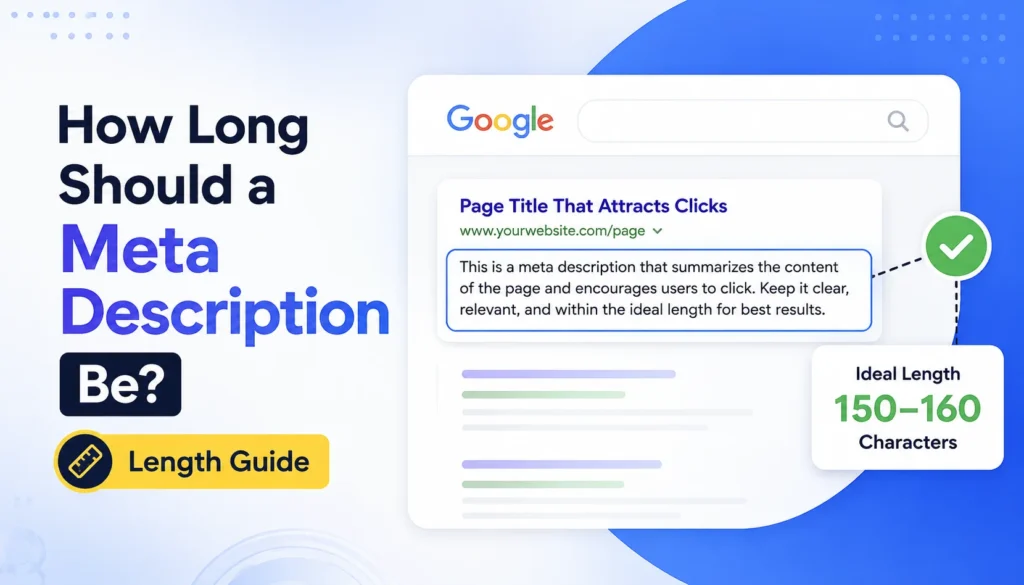
You spend an hour writing the perfect meta description, then Google shows the world a version cut off with an ellipsis right before your call to action. Or it ignores your description entirely and pulls a random sentence from the page. Both problems trace back to one thing most people guess at instead of checking: length.
So how long should a meta description be? Keep it between 120 and 155 characters. That range fits inside Google’s snippet on both desktop and mobile without getting truncated, and it gives you enough room to earn the click. Your title tag should sit around 50 to 60 characters. This guide covers the exact limits, why Google truncates, and how to check any page in seconds with the free Title and Meta Description Checker from Pixellize.
A meta description should be 120 to 155 characters. Google truncates descriptions at roughly 920 pixels of width, which averages out to about 155 to 160 characters, so staying under 155 keeps your full message visible. Shorter than 120 characters wastes space you could use to convince someone to click.
Here is the part that trips people up. Google does not count characters at all. It measures the rendered width in pixels, and different letters take different amounts of space. A line full of narrow letters like “i” and “l” fits more characters than a line full of wide ones like “m” and “w”. That is why two descriptions with the same character count can display differently. Characters are a reliable proxy, but the pixel width is the real rule.
A title tag should be 50 to 60 characters. Google truncates titles around 600 pixels, so 60 characters is a safe ceiling for most words. Put your primary keyword near the front, because a title that gets cut still shows its opening. Many sites also append their brand name at the end, which is fine as long as the important words come first.
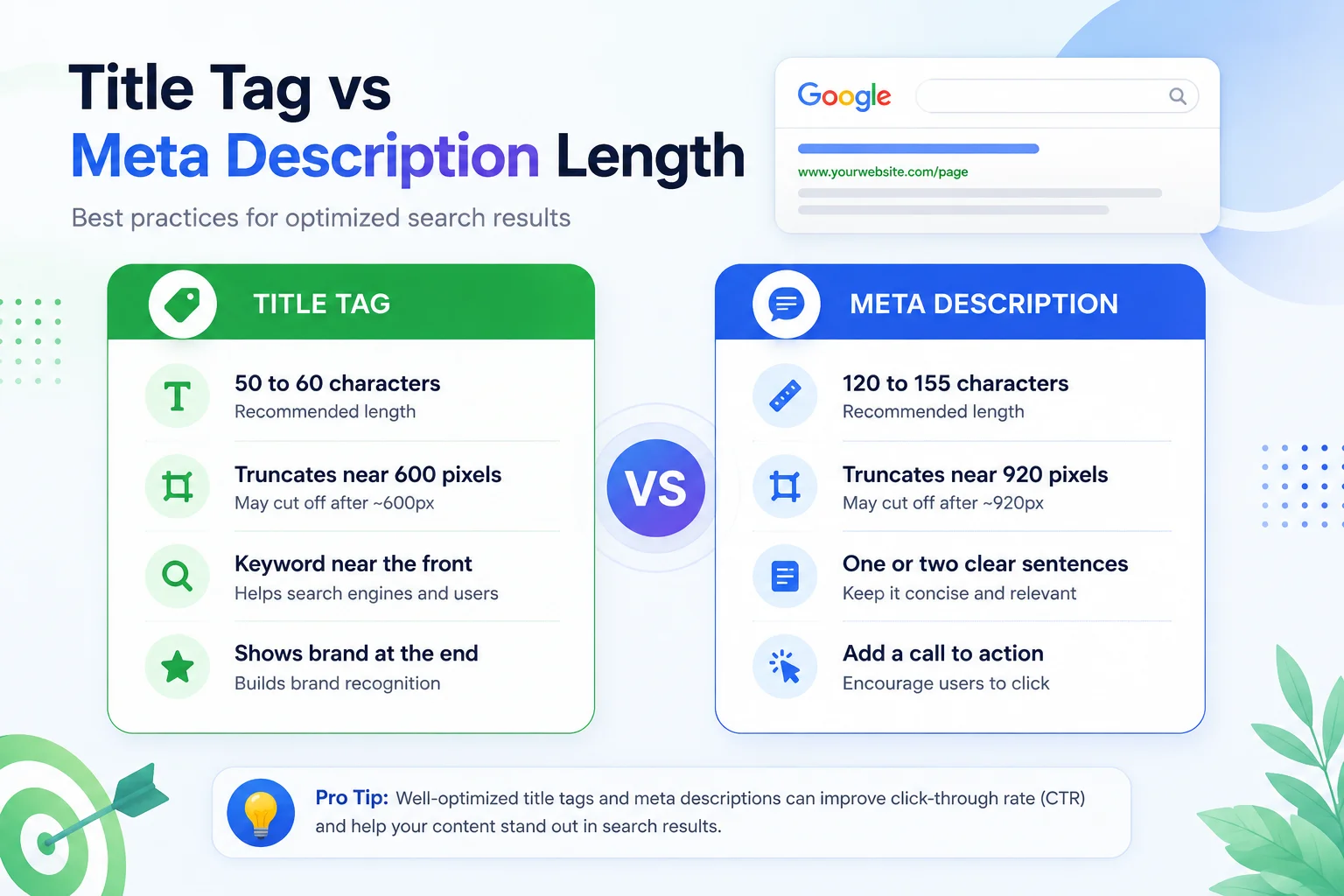
Keep this reference table handy when you write or edit your tags. The pixel figures are what Google actually enforces, and the character ranges are the practical target to hit.
| Element | Safe character range | Truncates around |
|---|---|---|
| Title tag | 50 to 60 characters | 600 pixels |
| Meta description | 120 to 155 characters | 920 pixels |
| Mobile description | Aim for 120 characters | Cuts sooner than desktop |
When a description runs too long, Google chops it at the nearest whole word and adds an ellipsis. If your call to action or key detail sat at the end, it vanishes. This is the most common meta description mistake, and it quietly costs clicks because the searcher never sees your best line. A quick pass through the Pixellize checker catches it before you publish.
Too short is a subtler problem. A 40-character description technically displays fine, but it leaves half the snippet empty and gives Google less reason to trust that your description covers the page. When Google decides your description is thin or off-topic, it often writes its own from the page content instead.
Here is the thing most length guides leave out. Google rewrites meta descriptions a lot, by many studies more than 60 percent of the time. In its own documentation on snippets, Google says it may replace your description when it believes text from the page matches the search query better.
That does not make your meta description pointless. A well-written one in the right length range is still the version Google shows most often for your main keyword, and it is the version you control. Think of it like a resume. The hiring manager might quote a different line in the interview, but you still write the strongest resume you can.
Guessing at length is how tags end up truncated. The fastest way to get it right is to paste your URL into the Pixellize Title and Meta Description Checker. It pulls the live title and description, counts the characters against Google’s ranges with color-coded bars, gives a quick score, and renders a live SERP snippet preview for desktop and mobile so you see exactly what searchers will see.
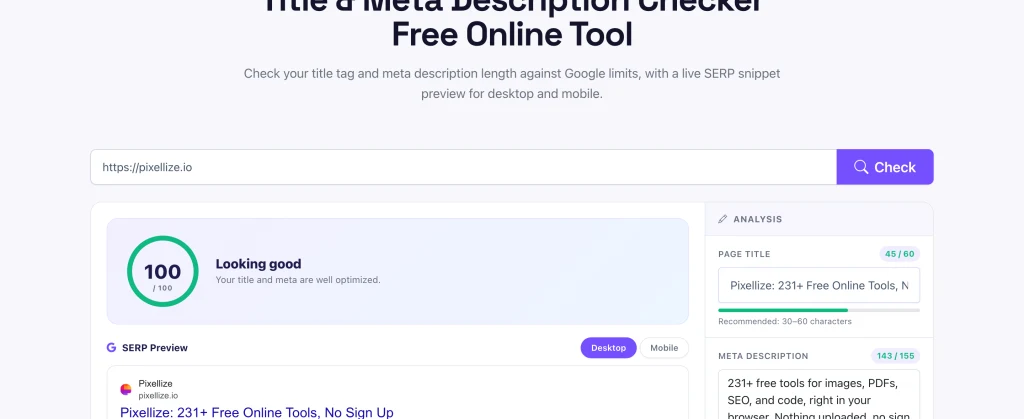
You can even edit the title and description inside the tool and watch the preview update, which is handy for testing a rewrite before you push it live. For a deeper on-page audit, pair it with the Meta Tags Analyzer or line up a snippet with the SERP Snippet Preview.
Paste any URL and see your title and meta description length, score, and live SERP preview in seconds.
Open the Title and Meta Description CheckerA meta description that looks perfect on a desktop result can still get cut on a phone. Mobile snippets are narrower, so Google truncates them sooner, often around 120 characters instead of 155. Since most searches now happen on mobile, front-load the important words and the keyword so they survive the tighter mobile cut.
This is exactly why previewing both views matters more than trusting a single character count. When people ask how long should a meta description be, the honest answer is that it depends on the device, and the only way to be sure is to look at the rendered snippet. The Pixellize checker shows a desktop and a mobile preview side by side, so you can spot a mobile clip before it costs you clicks. According to Yoast, a compelling, well-sized description is one of the simplest ways to lift your click-through rate from search.
Pixellize keeps this workflow free and in your browser, so you can test a rewrite, check the length, and confirm the snippet without installing anything or signing up.
Aim for a meta description length of 120 to 155 characters and a title tag of 50 to 60, keep the keyword near the front, and remember Google measures pixels so those numbers are guidelines rather than hard limits. Then preview the snippet instead of trusting the count alone. If you remember one thing about how long should a meta description be, make it this: fit the box, then preview the snippet. Run one of your live pages through the Pixellize Title and Meta Description Checker and fix anything that clips before Google does it for you. Pixellize keeps the tool free, so there is no reason to guess.
A meta description should be 120 to 155 characters. Google truncates around 920 pixels of width, which is roughly 155 to 160 characters, so staying under 155 keeps your full text visible on desktop and mobile.
Aim for 120 to 155 characters. Google does not enforce a strict character count, it measures pixel width near 920 pixels, but 155 characters is a safe practical ceiling that avoids the truncation ellipsis.
A title tag should be 50 to 60 characters. Google cuts titles around 600 pixels, so 60 characters is a safe limit. Keep your main keyword near the front so it survives if the title gets shortened.
A meta description is not a direct ranking factor, but it strongly affects click-through rate. A clear, well-sized description earns more clicks, and higher click-through can indirectly support your ranking over time.
Google rewrites descriptions more than half the time, usually when text from your page matches the search query better than your written description. Writing a strong, relevant description in the right length range makes Google more likely to keep it.
If your meta description is too long, Google chops it at the nearest whole word and adds an ellipsis. Anything after the cut, including a call to action, disappears from the snippet, which can lower your click-through rate.
Paste your URL into a free checker like the Pixellize Title and Meta Description Checker. It counts characters against Google limits, scores the page, and shows a live SERP preview for desktop and mobile so you see the real snippet.
Founder and CEO of Pixellize.io, building AI-powered web tools and digital products with a focus on user experience and automation. M.Sc. Zoology, working at the intersection of technology, data analytics, and life sciences.