
How to Convert a Twitter Thread to PDF (Free, No App)
A great Twitter thread can vanish overnight. The account gets suspended, the author deletes it, or X changes what you can see…
Read articleTurn typed notes into a realistic text to handwriting PDF or image in under a minute, free, no signup, right in your browser.

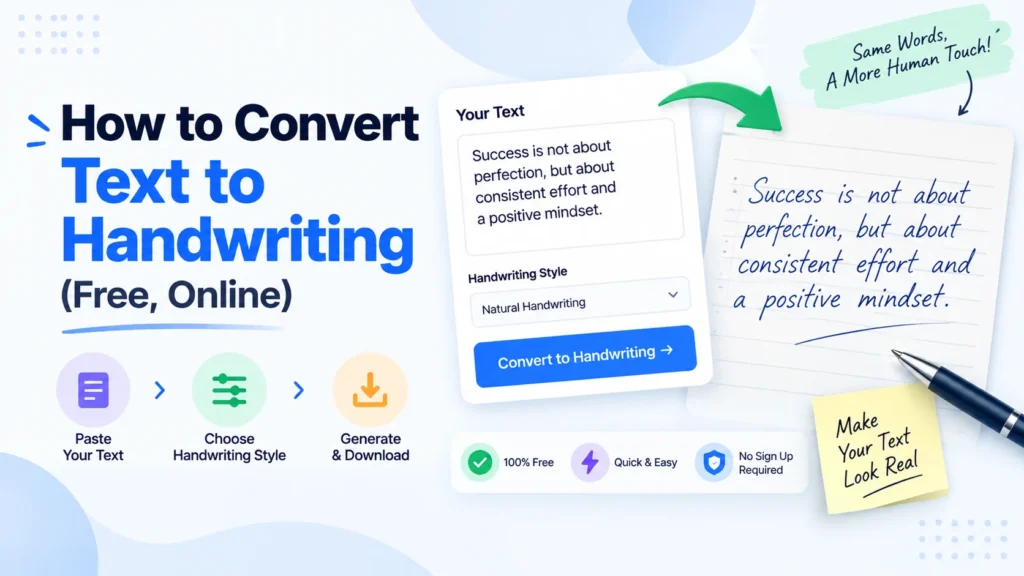
Copying a page of notes by hand takes a solid twenty minutes if your hand does not cramp halfway through. A text to handwriting converter skips that part: type your content once, pick a font that looks like real ink, and download a page that reads as handwritten in under a minute. Pixellize’s free text to handwriting tool runs entirely in your browser, no upload, no signup, nothing saved on a server. This guide covers the actual steps, which font and paper combination looks most convincing, and the small details that separate a page that passes for handwritten from one that looks obviously generated.
A text-to-handwriting converter is a browser tool that renders typed text in a handwriting-style font on a paper background, then exports it as an image or PDF. Pixellize’s version offers 8 font styles and 7 paper types, and the full conversion takes under 10 seconds once your text is typed in.
It isn’t OCR, and it isn’t AI drawing each letter stroke by stroke. Most converters, Pixellize included, swap in a font family designed to look hand-drawn, then let you adjust ink color, size, and spacing on top. That’s enough to fool a glance, and with the tweaks in the mistakes section below, it holds up to closer reading too.
Compare that to actually tracing letters by hand over a template, which is how some people faked handwriting before browser tools existed. A font-based converter is faster and more consistent, every letter uses the same base shape with small random variation, rather than whatever your hand does on a given line.
Here’s the actual process, using Pixellize’s tool as the example.
The first time I ran a thank-you note through one of these, I picked a font that looked great in the small preview and way too neat once it filled a whole page. Worth previewing near full size before you commit to the final version.
Open Pixellize’s text to handwriting tool and try it with your own text. It’s faster to see than to read about.
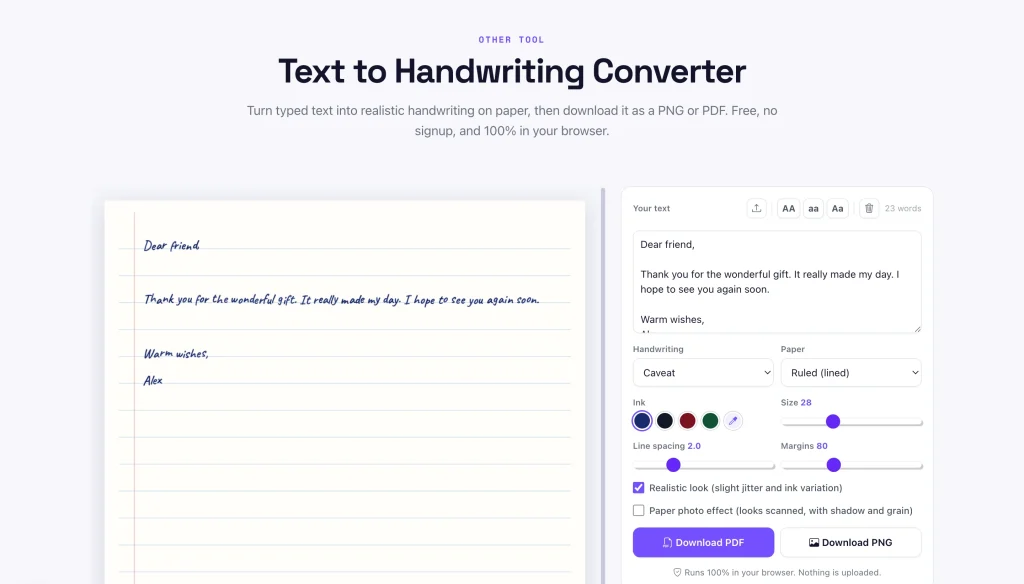
The right combination depends on the use case. A casual font like Patrick Hand on ruled paper reads as a student assignment, a cursive font like Dancing Script on plain or aged paper reads as a personal letter, and a bold font like Gochi Hand on plain white works for signs or posters.
| Use case | Font | Paper | Ink |
|---|---|---|---|
| School assignment | Patrick Hand or Caveat | Ruled | Blue or black |
| Personal letter | Dancing Script | Plain white or aged paper | Black |
| Study notes | Kalam | Grid or dotted | Black |
| Greeting card | Homemade Apple | Aged paper | Navy or red |
| Sign or poster | Gochi Hand | Plain white | Any |
Yes, through a separate step. A service like Calligraphr lets you print a template, fill in each letter by hand, scan it back, and generate a custom font file from your own handwriting in about 15 minutes. That font then works in any tool that accepts a font upload.
Pixellize’s text to handwriting tool doesn’t support uploading a custom font. It ships with 8 built-in styles chosen to look convincing without any setup. If you need your exact handwriting reproduced, say for matching an existing document, the Calligraphr route is worth the 15 minutes. For everything else, one of the 8 presets plus the paper and ink tweaks above gets you most of the way there without the extra steps. Pair it with a signature generator if the page also needs a signed name at the bottom.
Assignments and class notes are the most common reason people search for this: longhand copywork that eats an evening otherwise. Some teachers use the same tool in reverse, turning a typed worksheet into a handwritten-looking sample for young students who respond better to handwriting than to print.
Letters and cards are the second big use case. A birthday card or thank-you note in a handwriting font feels more personal than a printed one, especially once it’s photographed or mailed, the recipient can’t tell an actual pen never touched the page. If you’re sending several, combining the pages into one PDF keeps them together.
There’s also a real accessibility use. Some people with dysgraphia, or a motor condition that makes handwriting slow and painful, still need to submit handwritten-look work for school or a form. A converter is a legitimate accommodation there, not a shortcut.
Journaling and creative writing come up too, more often than you’d guess. Typing tends to break flow less than longhand for a first draft, so some people write digitally, then convert the finished page to a handwritten style for a physical journal or a scrapbook. The order is backward from the assignment use case, but the tool does the same job either way.
A converted page passes a quick glance, but repeated letter shapes, a dead-straight baseline, and uniform ink color are all detectable under close reading or a photocopier. Whether that matters depends entirely on your school or workplace’s policy on typed work submitted as handwritten, check that first.
If handwritten work is required specifically to verify it was done without a computer, running text through a converter to fake that goes against the point of the assignment, and increasingly against explicit policy. Where it’s genuinely fine, personal letters, notes to yourself, accessibility use, design mockups, none of that applies. Worth a quick check either way.
Most fake-looking output fails for the same handful of reasons. Fix these and even a picky reader has to look twice:
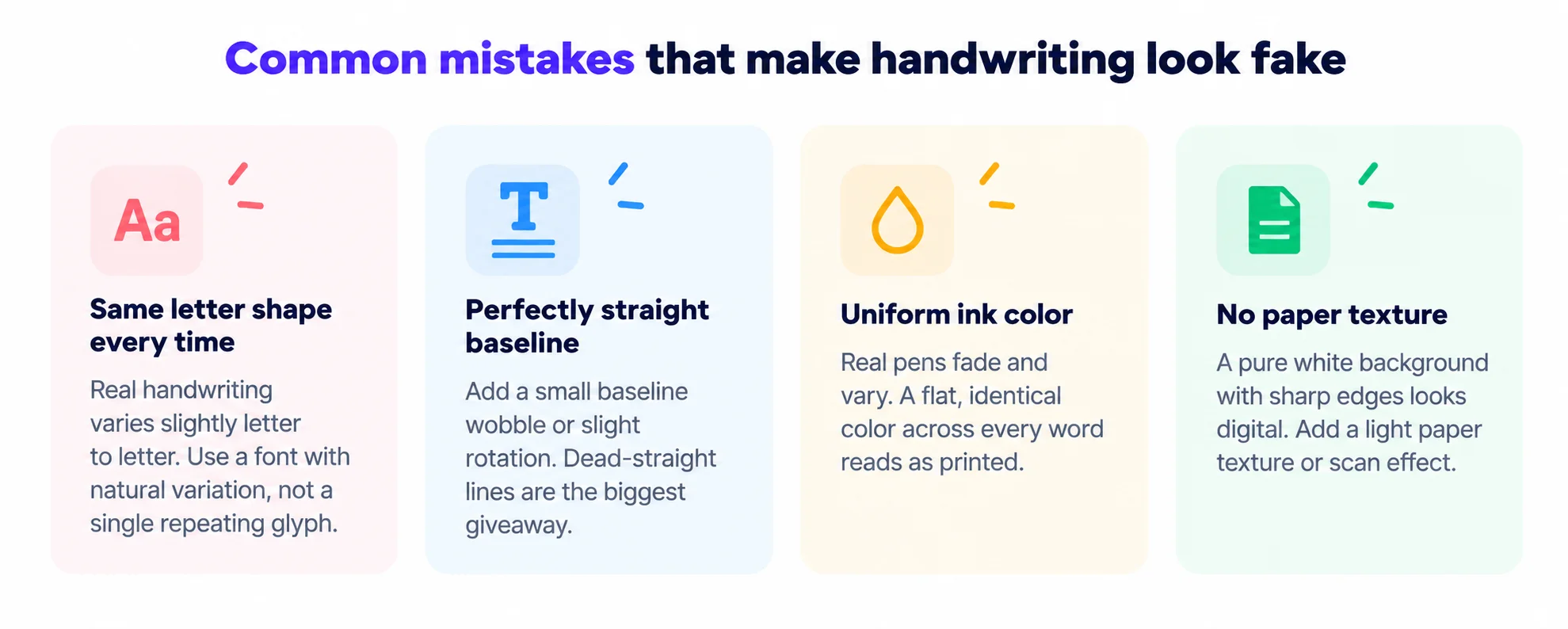
Pixellize’s tool already handles two of these by default: “Realistic look” adds the letter jitter and ink variation, and “Paper photo effect” adds the scan shadow and grain. Turn both on if your output still looks too clean after picking a font and paper style.
Converting text to handwriting takes under a minute once you’ve settled on a font and paper style. Paste in whatever you need handwritten, adjust ink and spacing, and download it as a PNG or a full text to handwriting PDF if it runs to multiple pages, Pixellize’s tool splits long text across pages automatically. No signup, no watermark, nothing saved anywhere since it all runs in your browser.
Pick a font, paper style, and ink color, then download as PNG or PDF. No signup, nothing uploaded.
Open the text to handwriting toolIf you end up doing this often, Kalam and Patrick Hand are the two fonts that hold up best at normal reading size. Everything else is personal preference.
Yes. Pixellize's text to handwriting tool is completely free, runs entirely in your browser, and doesn't require an account or add a watermark to your download. You can convert as much text as you want and export it as a PNG image or PDF.
Yes. If your text runs longer than one page, the tool automatically breaks it across multiple pages and lets you download the whole thing as a single PDF, so a 3-page assignment stays in one file instead of several separate images.
Yes, it works in any modern mobile browser since it's a web tool, not an app. The main limitation is screen size, previewing font and spacing changes is easier on a laptop, but the conversion itself works the same on a phone.
Pixellize's tool currently offers 8 built-in handwriting styles rather than custom font upload. If you need your exact handwriting reproduced, a separate service like Calligraphr can generate a custom font from a handwriting sample in about 15 minutes, which you can then use in tools that accept font uploads.
It depends on how closely they look. A converted page passes a quick glance, but repeated letter shapes and a perfectly straight baseline are detectable on close inspection or a photocopy. Check your school or workplace's policy before submitting converted text as handwritten work.
PNG and PDF. PNG suits a single page you want to insert into another document or post as an image, while PDF is better for multi-page assignments or anything you plan to print directly.
No hard limit. Longer text just spreads across more pages when you export as PDF. Very long documents of several thousand words may take a few seconds longer to render since everything happens in your browser rather than on a server.
Founder and CEO of Pixellize.io, building AI-powered web tools and digital products with a focus on user experience and automation. M.Sc. Zoology, working at the intersection of technology, data analytics, and life sciences.