
How to Split a PDF (Free, Online)
You have a 60-page scanned contract, but the other side only needs pages 3 to 10. Emailing the whole thing is slow,…
Read articleA simple, three-step way to save an X thread as a PDF, with every image and the right order kept, free and in your browser.

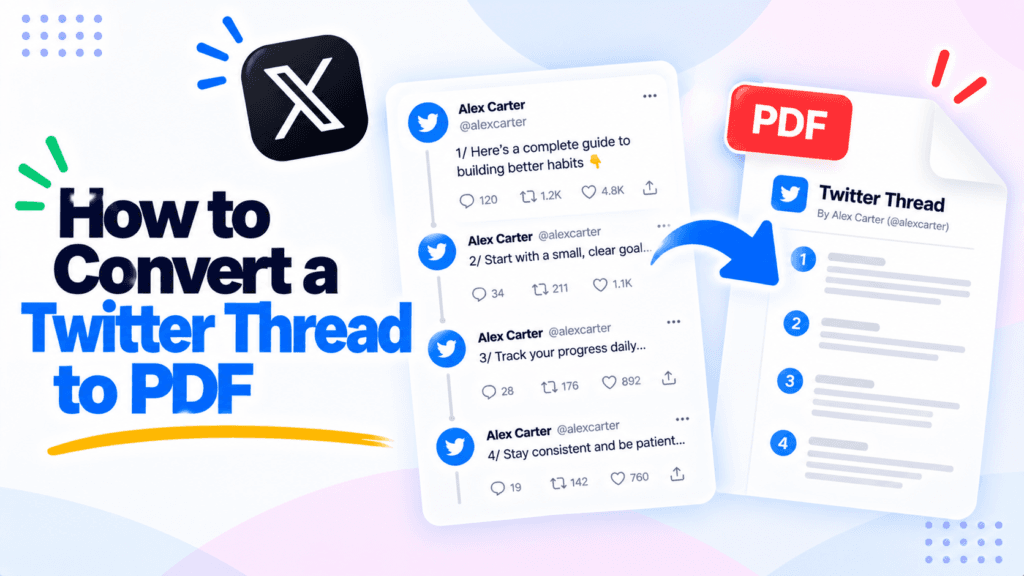
A great Twitter thread can vanish overnight. The account gets suspended, the author deletes it, or X changes what you can see without logging in, and the thread you wanted to keep is gone. Knowing how to convert a Twitter thread to PDF saves a permanent, offline copy you own, text and images together, in one file. This guide covers saving an X thread with the free Pixellize thread to PDF tool, how to keep the images and the right order, and why a PDF beats a screenshot for archiving.
Converting a Twitter thread to PDF turns the posts, their text, author, and images, into a single document saved on your device. Unlike a screenshot, the PDF keeps the text selectable and searchable, so you can copy a quote later. Unlike a bookmark, it holds the actual content, so it survives if the thread is deleted.
Think of it as pressing a thread into a book page. The words, the pictures, and the order all stay put in one file you control, not on a platform that can change or remove them. That is the difference between keeping a link and keeping the thing the link pointed to.
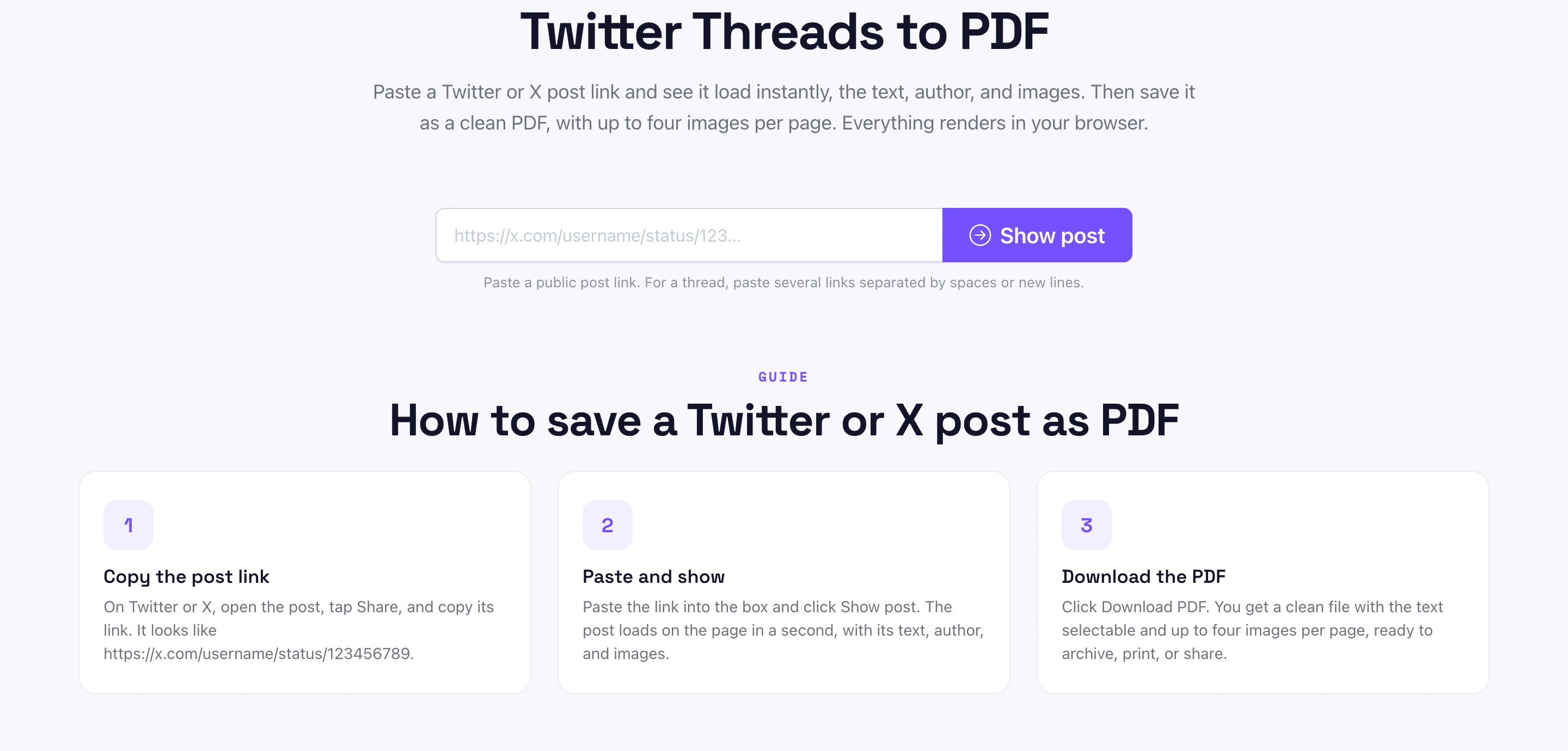
The whole process takes three moves in the Pixellize tool. No app, no login, no account.
Posts on X are not permanent. Accounts get suspended, authors delete threads, and whole archives go dark when someone leaves the platform. If a thread matters to your research, your work, or just your memory, the safe move is to save it the day you read it.
I learned this the hard way. I bookmarked a brilliant 30-post thread on a launch I was studying, came back two weeks later, and the account was gone, bookmark dead, nothing saved. Now I save anything worth keeping as a PDF the moment I find it. X does let you request your own data archive from account settings, but that only covers your own posts, see the X data archive help page (retrieved October 2026). For someone else’s public thread, a PDF is the simplest record, and the Wayback Machine is a good backup for the live URL.
Who needs this most? Journalists cite threads that later get deleted, and a dated PDF is cleaner proof than a dead link. Researchers and students keep source threads for papers. Anyone in a dispute may want a record of what was actually posted. And plenty of people simply want to keep a useful thread that the feed will bury by tomorrow. The reason barely matters. The fix is the same: save it with Pixellize now, read it whenever.
All three save something, but only one keeps everything. A PDF holds the text, the images, and the order in a single searchable file. A screenshot is a flat image that breaks a long thread into many files. A bookmark is only a link that dies with the post.
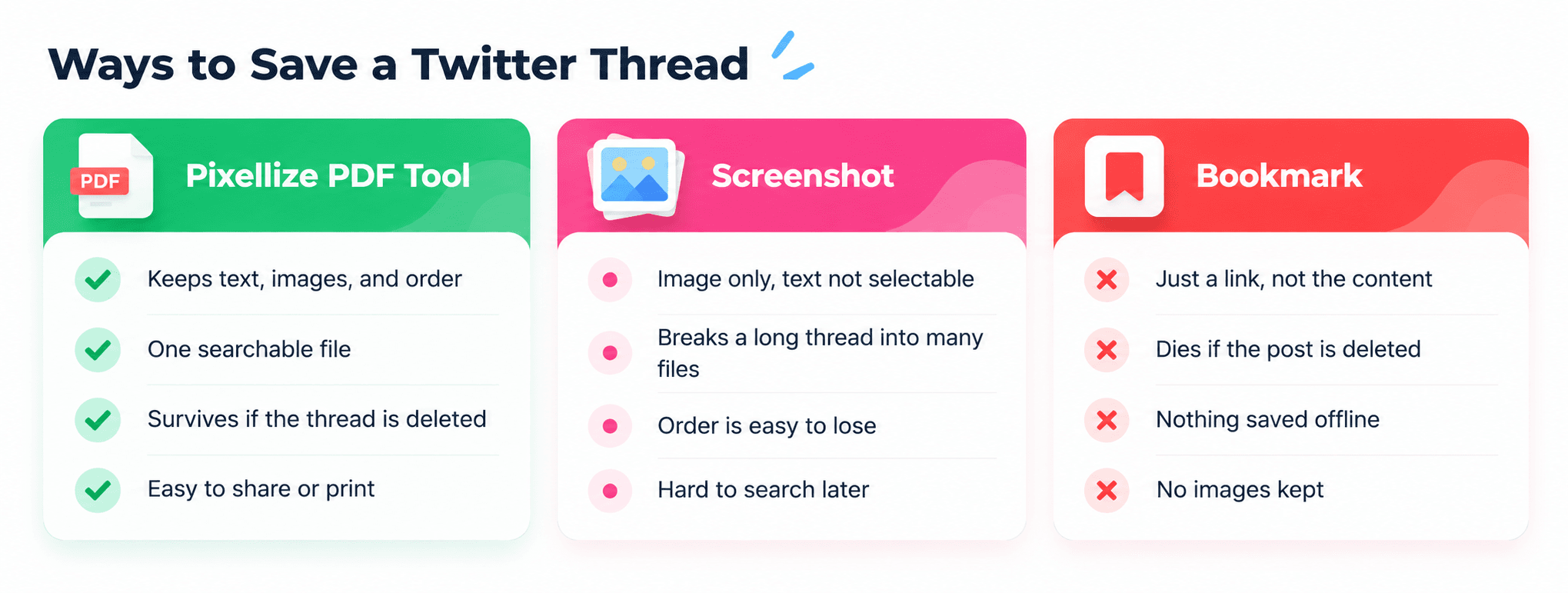
| Method | Keeps text | Keeps images | Survives deletion | Searchable |
|---|---|---|---|---|
| PDF (this tool) | Yes, selectable | Yes | Yes | Yes |
| Screenshot | No, image only | Yes | Yes | No |
| Browser print | Usually | Sometimes | Yes | Yes |
| Bookmark | No | No | No | No |
Here is the rule I use. If you want to read it again, a bookmark is fine. If you want to quote it, keep its images, or trust that it still exists in a year, a PDF is the only option that does all three. Screenshots look easy but fail the search and the long-thread test, which is exactly when you need them most.
Yes. The Pixellize tool pulls every image attached to each post, up to four per page, which matches the maximum a single X post can hold, so nothing is cut off. The order follows the links you paste, so paste the posts top to bottom and the PDF reads in the same sequence as the thread. The author name stays attached to each post too, so the context is not lost when you read it back weeks later.
Yes. The Pixellize tool runs in any mobile browser, so saving a thread works the same on a phone as on a desktop. Open the thread in the X app or browser, copy each post link through Share, paste the links into the tool, and tap Download PDF. The file lands in your downloads in a few seconds.
On iPhone the PDF saves to the Files app, and on Android it goes to your Downloads folder or whichever app you pick. One honest catch on mobile: copying several links in a row is fiddlier than on a computer, so for a very long thread it is faster to grab the links on a desktop. The finished PDF is identical either way, with the images and order kept.
A long thread is just many post links. Open the thread, copy the link of each post you want, and paste them all into the box separated by spaces or new lines. Pixellize loads them in order and builds one PDF from the set. For a 20 or 30 post thread, grab the links in sequence so the PDF matches the reading order without any reshuffling later. A quick tip: open the thread on the web, not the app, where each post has its own visible link that is easier to copy in sequence.
Archiving a whole account or site is a different job. For that, clone the pages with the website cloner or follow the guide on how to download an entire website, then keep the files together in a ZIP archive.
Saving a public post for your own records is generally fine, the same as saving a web page. The Pixellize tool only reads public posts, the ones anyone can see without logging in. What changes is what you do next: republishing someone’s thread as your own is a copyright matter, so keep the author’s name and link if you share it, and treat the PDF as a personal archive rather than content to repost. Saving for research, evidence, or private reference is the normal use, and it is the same reason libraries and the Wayback Machine keep copies of public pages. If in doubt about reposting, link back to the original author instead of lifting the whole thread.
Even once you know the basic flow, a few things trip people up.
Once the thread is a PDF, it behaves like any other document. Search it with Ctrl plus F to jump to a quote, since the text stays selectable rather than locked inside an image. Print it for a physical file, or attach it to an email for someone who is not on X. Drop it into a notes app or a cloud folder and it sits searchable alongside the rest of your research. Because the images live inside the same file, you never have to hunt down separate screenshots later, and the whole thread opens on any device without an account.
Paste the post links, preview it, and download a clean PDF with images and order kept. No login.
Open the thread to PDF toolLearning how to convert a Twitter thread to PDF comes down to three moves: copy the links, paste them, download. The PDF keeps the images, the order, and selectable text in one file that outlives the post. Next time you find a thread worth saving, archive it with the Pixellize thread to PDF tool before it has the chance to disappear.
Paste the post link into the Pixellize thread to PDF tool and click Show post, then Download PDF. For a full thread, paste every post link separated by spaces or new lines, and the tool builds one PDF with the text, images, and order kept.
Copy the link of each post in the thread and paste them all into the box, separated by spaces or new lines. The tool loads them in the order you pasted and combines them into a single PDF, so a 20 or 30 post thread becomes one file.
Yes. Every image attached to each post is included, up to four per page, which is the most a single X post can hold. Nothing is cropped or squeezed, and the images stay in the same order as the posts you pasted.
No. Only public posts that anyone can see without logging in will load. Protected accounts, deleted posts, and age-restricted content are hidden from logged-out visitors, so no tool can read them. Save threads while they are still public.
Saving a public post for your own records is generally fine, like saving a web page. Republishing it as your own is a copyright matter, so keep the author name and link if you share the PDF, and treat it as a personal archive.
Yes, completely. There is no account, no email, and no limit. The tool reads the public post through a small helper and builds the PDF in your browser, so you can save as many threads as you need without a paywall.
Founder and CEO of Pixellize.io, building AI-powered web tools and digital products with a focus on user experience and automation. M.Sc. Zoology, working at the intersection of technology, data analytics, and life sciences.