
How to Download Facebook Videos Without Watermark
Learn how to download Facebook videos free as an MP4 in HD or SD, on phone or desktop, no app and no…
Read articleLearn how to download TikTok videos without watermark in HD and save the sound as an MP3, free in any browser with no app or sign up.

You save a TikTok you love, open it later, and there it is: a bouncing logo and the creator’s username stamped right across the video. That watermark moves around the frame on purpose, so you cannot crop it out cleanly. If you want to reuse a clip in an edit, a class project, or your own content library, that mark gets in the way. This guide shows you how to download TikTok videos without watermark in full HD, and how to grab the sound on its own, using the free Pixellize TikTok downloader.
When you save a video straight from the TikTok app, TikTok adds its own mark to the file. That mark has two parts: the TikTok logo and the creator’s @username. It is there to credit the creator and to send the clip back to TikTok when it gets reshared on other platforms.
Here is the annoying part. The watermark does not sit in one corner. It jumps between the top and bottom of the frame every few seconds, which kills any plan to just crop it off. Trim the top and it reappears at the bottom a moment later.
The first time I tried to reuse a cooking clip for a slideshow, I spent ten minutes cropping, only to watch the username slide back into view on the next loop. A link-based downloader skips all of that, because it pulls the source file before TikTok stamps it.
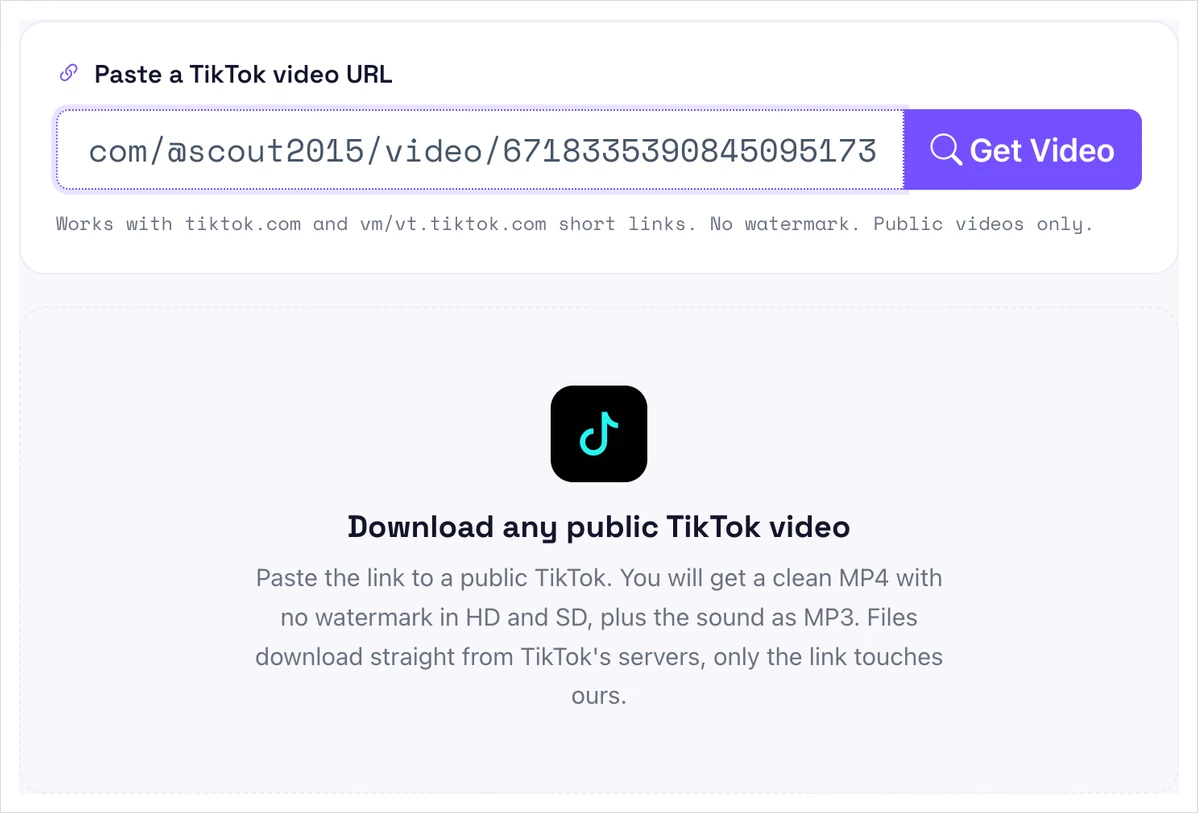
The fastest route is a link-based tool. You never install anything, and the clean file downloads straight from TikTok’s own servers. With Pixellize, the whole thing takes three steps. In our test, a public clip from the account @scout2015 came back as a clean 1080p MP4 in about four seconds.
In the TikTok app, tap Share on the video, then tap Copy link. On the TikTok website, copy the full URL from your browser’s address bar. Short vm.tiktok.com and vt.tiktok.com share links work too.
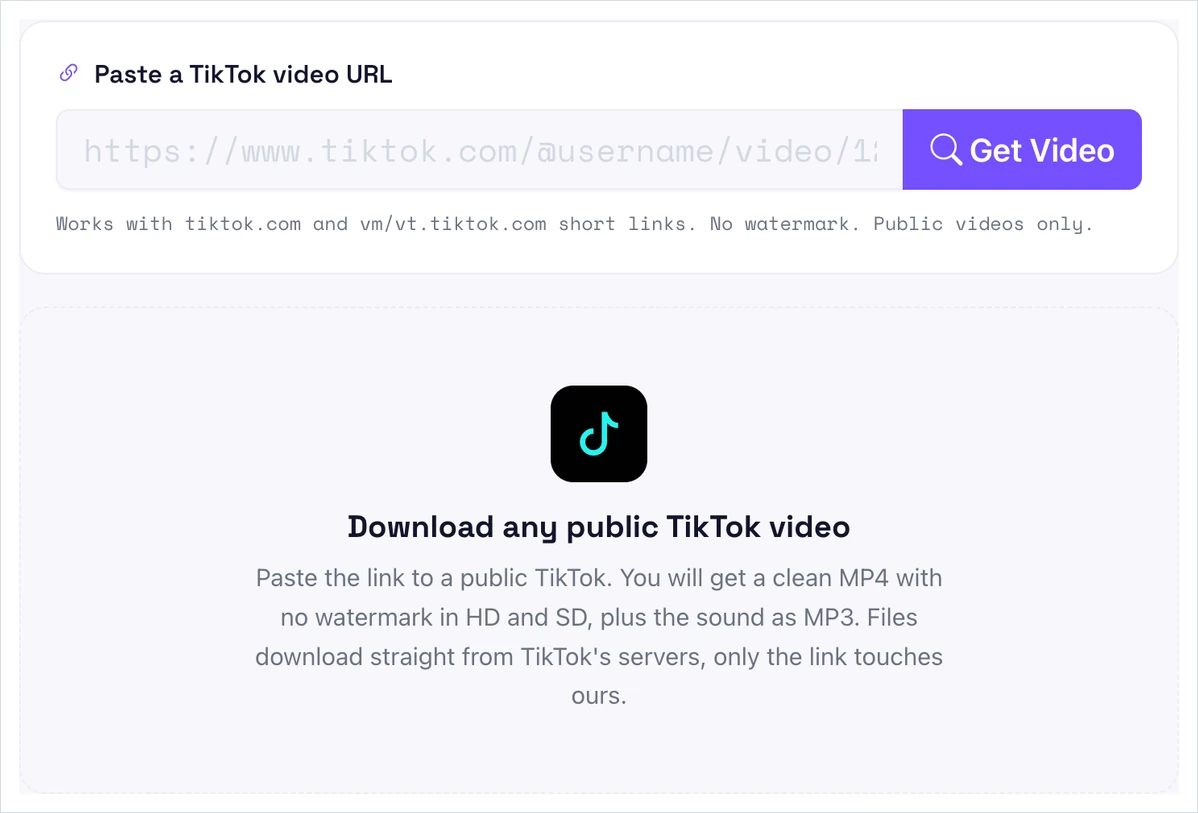
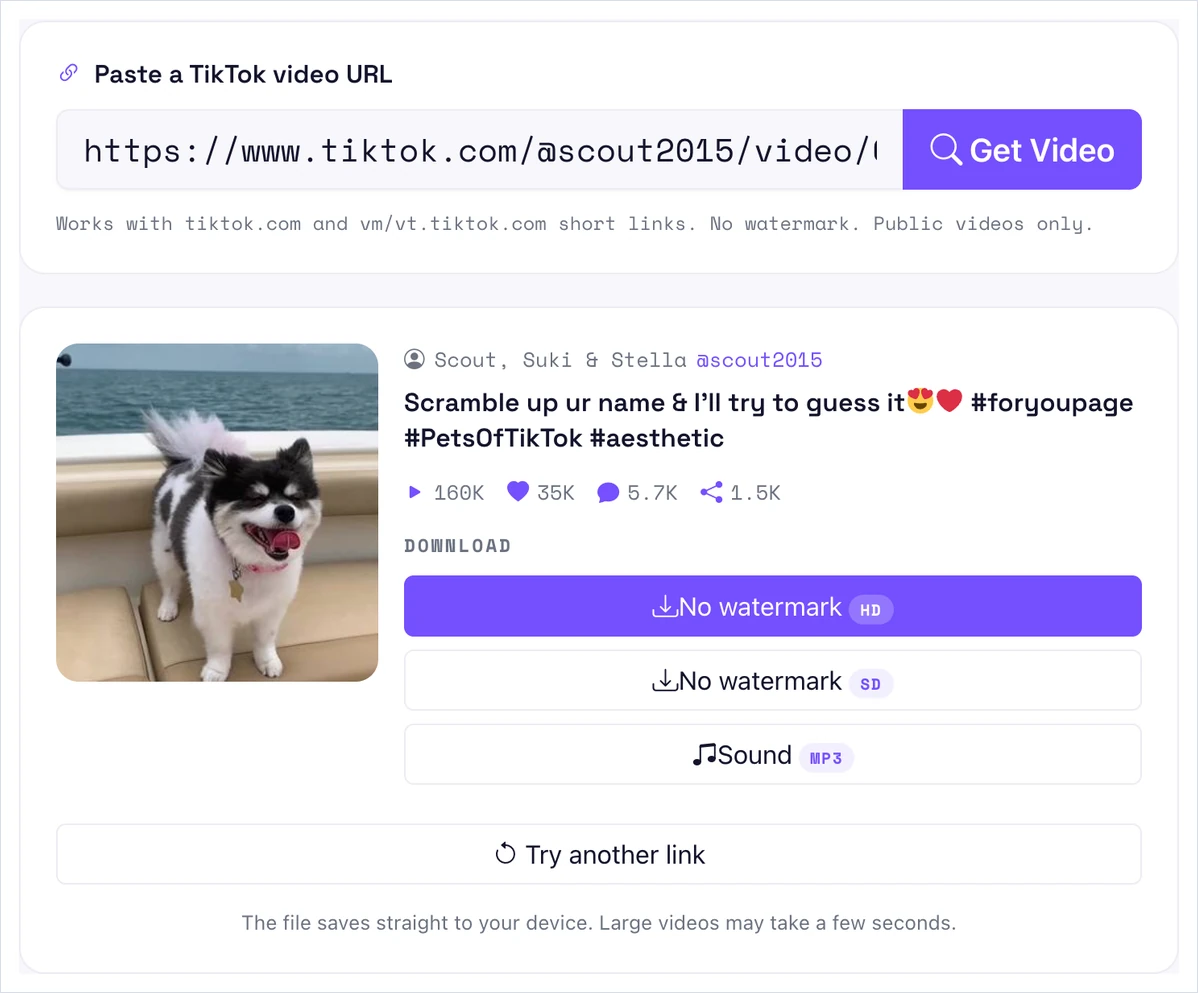
Open the Pixellize TikTok downloader, paste the link into the box, and click Get Video. It reads the clip and shows you the thumbnail, the creator, and the view and like counts, so you know you grabbed the right one.
Click the No watermark HD button for a sharp 1080p MP4 with no logo or username. Want a smaller file? Pick No watermark SD instead. The Sound button saves the audio as an MP3. Your file downloads straight to your device.
Yes. You can download TikTok videos in HD, which on TikTok means 1080p. TikTok caps almost every upload at 1080p, so a true 4K TikTok file does not exist to save. A good downloader gives you the best quality the creator actually uploaded, and the HD option returns that 1080p MP4.
This is the one claim to watch when you compare tools. Any site promising a “4K TikTok download” is overselling, because the source file is not 4K in the first place. Judge a downloader on whether it returns the full 1080p cleanly, not on a resolution TikTok never stored.
There are four common ways to save a TikTok. Each one trades speed for control in a different way. Here is how they stack up for a clean, watermark-free file.
| Method | No watermark? | HD? | Install needed | Best for |
|---|---|---|---|---|
| Link-based tool (Pixellize) | Yes | Yes, 1080p | None | A quick, clean file on any device |
| In-app Save video | No, stamped | Yes | None | Personal viewing only |
| Browser extension | Sometimes | Yes | Browser add-on | Batch saving on desktop |
| Screen recording | Captures overlays | Screen quality | None | Last resort when a link fails |
The in-app save is the fastest, but it always stamps the watermark. Extensions can batch-download, though TikTok changes its link structure now and then, which breaks older add-ons. Screen recording grabs whatever is on screen, overlays and all, so keep it as a backup. For most people, the Pixellize link method is the one that just works.
Sometimes you only want the audio, like a trending song or a voiceover for your own edit. With Pixellize, the sound is one click away. Paste the same video link, click Get Video, then click the Sound button on the result. The audio saves as an MP3 you can drop into any editor.
Keep in mind that music rights still apply. Saving a sound for private practice is one thing. Publishing a video that reuses a copyrighted track is another, so check the usage rules before you post.
Because the Pixellize downloader runs in your browser, the same three steps work everywhere. On an iPhone or Android phone, copy the link from the Share menu, paste it into the tool in Safari or Chrome, and the MP4 saves to your Files or Downloads. On a Mac or Windows PC, copy the URL from the address bar and do the same.
There is no app to install and no account to create. That matters on mobile, where saver apps often bury the download behind ads or ask for permissions they do not need. If you save clips from other platforms too, the Pixellize Facebook video downloader follows the same paste-and-save flow.
One small tip from daily use: check where your browser drops the file. On an iPhone, saved videos land in the Files app under Downloads, not your camera roll, so you may need to move them into Photos afterward. On Android, look in the Downloads folder in your gallery or file manager. On a desktop, the MP4 goes to your default Downloads folder with the clip’s own name. Rename it right away if you plan to save a batch, because a stack of similar TikTok filenames gets confusing fast.
Paste a public link and download the HD MP4 with no watermark, or grab the sound as an MP3. Free, no sign up.
Open the TikTok DownloaderDownloading a public TikTok for personal use is generally fine, but you do not own the content. The creator holds the rights to their video and the artist holds the rights to the sound. Reposting someone’s clip as your own, or without credit, can break TikTok’s terms and copyright law.
The safe rule is simple. Save clips for your own reference, get permission before you reuse someone’s work, and credit the creator when you share. TikTok itself reached 1 billion monthly active users in September 2021, so there is a real person behind almost every clip you save. For a step-by-step from a major outlet, TechRadar’s guide covers the same link method.
A TikTok link usually fails for one of four reasons: the video is private or deleted, the share link has expired, the post is region-locked, or it is a photo slideshow instead of a video. Only public video posts work, so check the post type and copy a fresh link before you try again.
Now you know how to download TikTok videos without watermark in HD, save the sound as an MP3, and tell an honest tool from an oversold one. Copy the link, paste it into the Pixellize TikTok downloader, and pick HD, SD, or MP3. No app, no sign up, and no bouncing logo across your clip. Keep it for reference, credit the creator, and you are set.
No. When you download through a link-based tool, the creator is not notified and your TikTok account is not involved at all. You only paste a public video URL, so nothing touches your profile.
Paste the video link into the downloader, click Get Video, then click the Sound button on the result. The audio saves as an MP3 you can reuse in an edit. Check music rights before you publish anything with it.
Yes. A link-based tool like Pixellize runs in your browser on any device, so there is no app, extension, or account. Paste the link and download the MP4 or MP3 straight to your phone or computer.
Saving from inside the TikTok app adds the logo and username, and that mark moves around the frame so you cannot crop it out. A link-based downloader pulls the source file before TikTok stamps it, so the MP4 stays clean.
No. Only public videos work. Private accounts, friends-only posts, and deleted videos cannot be downloaded through any link-based tool, because the file is not publicly accessible.
You can download in HD, which on TikTok means 1080p, or SD for a smaller file. TikTok caps most uploads at 1080p, so there is no true 4K version to save.
The Pixellize TikTok downloader is free with no sign up, no limit, and no watermark. It runs online in your browser, so you can save clips on any device at no cost.
Founder and CEO of Pixellize.io, building AI-powered web tools and digital products with a focus on user experience and automation. M.Sc. Zoology, working at the intersection of technology, data analytics, and life sciences.