
YouTube Thumbnail Size 2026: Every Video Type (Exact Dimensions)
The YouTube thumbnail size in 2026 is 1280 by 720 pixels at a 16:9 aspect ratio for every video type, including standard…
Read articleSee hidden YouTube dislikes with a free dislike viewer. Paste a video URL to get the estimated dislike count, like to dislike ratio, and star rating in seconds.

YouTube removed the public dislike count from every video in November 2021. The button still works, you can click it, but the running total of how many other people disliked a video has been hidden from public view ever since. A youtube dislike viewer is a small tool that gives that number back, at least as an estimate. This guide walks through the easiest way to use one in your browser, explains how the estimate is built, and covers what these tools can and cannot do. You may also see a youtube dislike viewer called a dislike checker, a dislike counter, or a dislike count viewer, they all do the same job.
YouTube announced the change in a November 10, 2021 blog post. The stated reason was protecting creators from coordinated dislike attacks, where a video gets hit by a large number of dislikes in a short window for reasons unrelated to its content. Small creators saw this as harassment that snowballed once a video went viral.
The dislike button is still there. Viewers can still click it, and YouTube still uses that signal internally to shape recommendations. The change is purely cosmetic on the public side. The viewer no longer sees the running total.
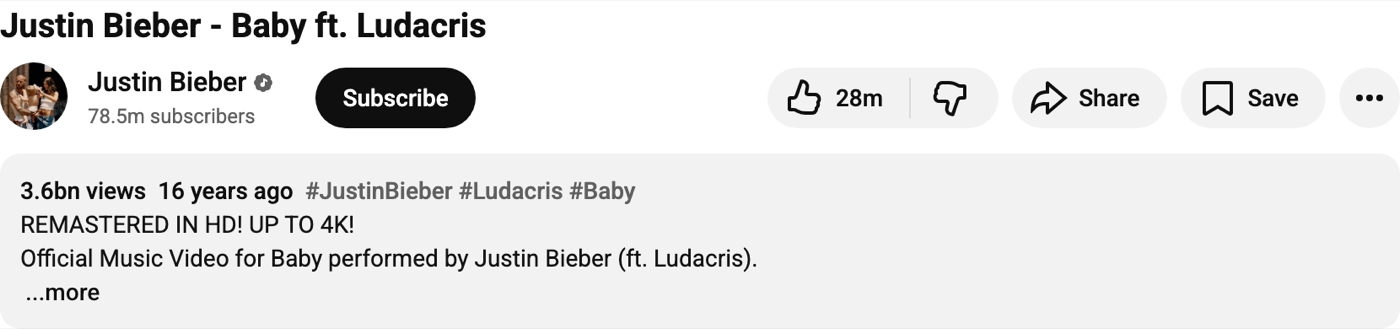
For most casual viewers this was a minor tweak. For people who relied on the like-to-dislike ratio as a quick signal of video quality (tutorials, reviews, news clips), the change removed a useful filter for spotting unreliable or misleading content. A youtube dislike viewer is the workaround that grew out of that gap.
Yes, you can still see YouTube dislikes in 2026, but only as an estimate. YouTube hid the public count in November 2021, so the exact number no longer appears on the video. A free dislike viewer rebuilds the count from community vote data and shows it the moment you paste the video URL.
A youtube dislike viewer is any tool, extension, or website that estimates the dislike count for a public YouTube video. There are two main flavors.
Both rely on the same underlying community data. When extension users click like or dislike on a video, the extension sends that vote to a central database anonymously. Aggregated across millions of opted-in voters, the dataset becomes large enough to estimate the real ratio for popular videos with reasonable accuracy. The estimate is not exact. YouTube knows the real number internally and does not share it. But the community number is usually close, and for very popular videos with thousands of opt-in voters, the gap is small.
The fastest way to check YouTube dislikes on a single video is a web-based dislike viewer, sometimes called a dislike checker. No install required. Here is the process using the Pixellize YouTube Dislike Viewer.
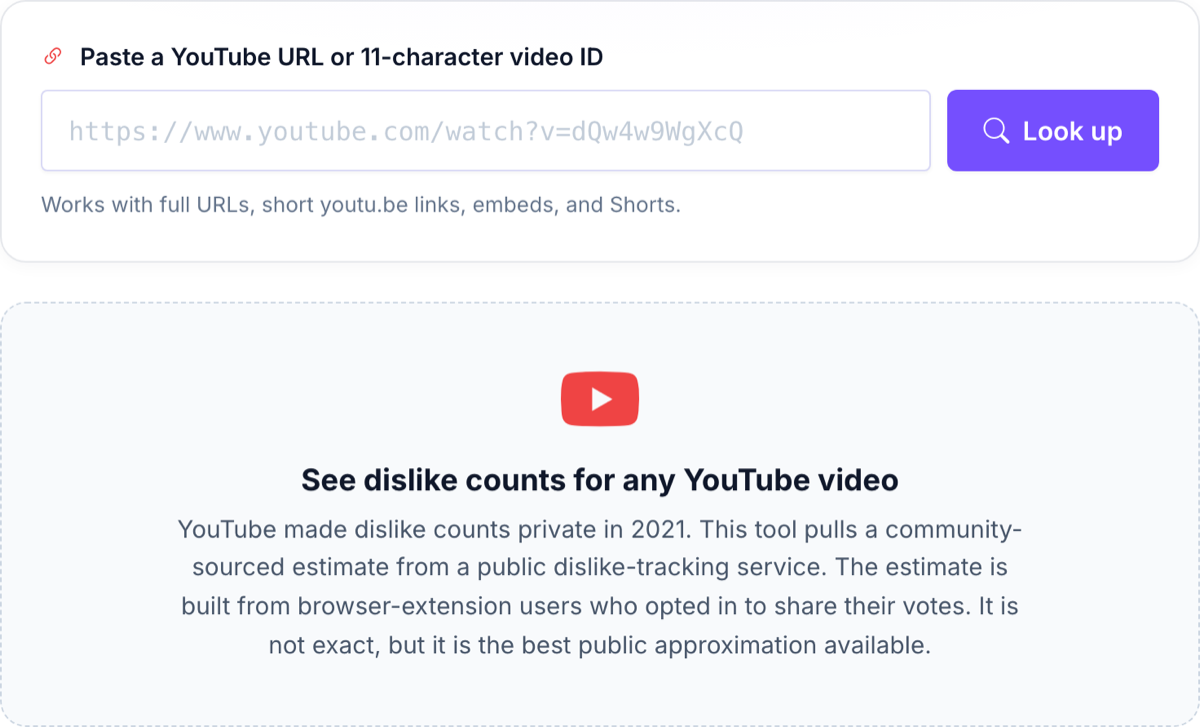
https://www.youtube.com/watch?v=dQw4w9WgXcQ or https://youtu.be/dQw4w9WgXcQ for shared short links.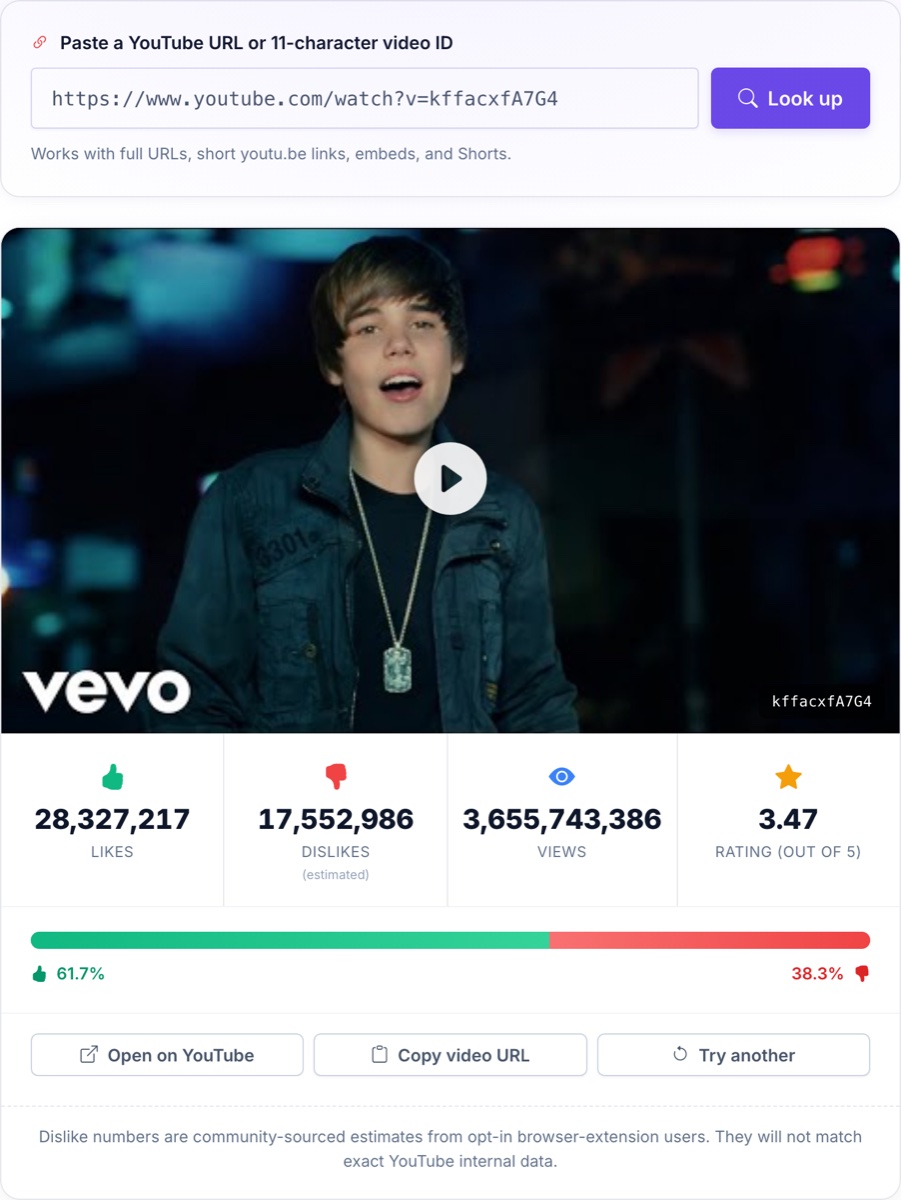
The entire lookup happens inside your browser tab. Your URL is sent to the public estimation API directly, not through a Pixellize server. Closing the tab ends the session.
The honest answer: it depends on the video.
For videos with millions of views, the estimate is usually within a few percent of the true number. The dataset behind the estimate includes votes from millions of browser-extension users, so the sample size is large.
For videos that just went up a few hours ago, the estimate is less reliable. There has not been time for enough opted-in voters to watch the video and click. The number will catch up over the following days as more people vote.
For videos with very few views (under a few thousand) the estimate can be noisy because the sample of opted-in voters who watched is small. In that case, the number you see may be off by a meaningful margin.
The community number is also frozen at the moment a video gets removed from YouTube. If a creator deletes a video, the last known dislike count stays in the dataset, but no new votes are added.
For practical purposes, a youtube dislike viewer is most useful when you want a rough quality signal for a popular video, or when you want to confirm that a video is widely disliked rather than just slightly underwater.
Both approaches have tradeoffs.
The browser extension shows the dislike count directly on the YouTube page as you watch, alongside the like count. It works in real time as you scroll, no extra steps. The downside is install friction: you have to add it to Chrome, Firefox, Edge, or Safari, give it permission to read YouTube pages, and trust the extension publisher.
The web tool requires no install. You paste a URL into a page and see the numbers. The downside is that it only works one video at a time. You cannot scroll through YouTube and see dislike counts at a glance.
The right choice depends on how often you check. For occasional curiosity (a friend sends you a video, you want a quick sense of how it was received), the web-based youtube dislike viewer is faster. For people who routinely browse YouTube and want the dislike count permanently visible, the extension is the better fit.
These limits are worth knowing before you start.
The hidden dislike count was useful in narrow but real situations.
For pure entertainment videos (music, comedy, cinematic shorts), the dislike ratio is less informative. People dislike for taste reasons more than quality reasons.
No, YouTube creators cannot see who disliked their video. YouTube Studio shows the channel owner the total dislike count, but never the individual accounts or usernames behind each dislike. Dislikes stay anonymous to everyone, including the creator. No dislike viewer or third-party checker can reveal who pressed the dislike button.
A few things to keep in mind when using any youtube dislike viewer.
The web-based tool runs in your browser. When you paste a URL, your browser makes a single HTTPS request to the public estimation service. The service sees the video ID and your IP address but nothing else. Pixellize does not see anything. The Pixellize page you load is purely a front-end shell that talks to the API on your behalf.
If you use a browser extension, that extension has permission to read YouTube pages. Look at the publisher and reviews before installing. Reputable extensions are open source, have transparent privacy policies, and avoid asking for permissions they do not need.
Avoid extensions that ask for permissions on “all sites” or “all your data” when the description only mentions YouTube. That is a red flag.
YouTube has shown no public intention to reverse the change. The November 2021 announcement framed it as a permanent move for creator safety, and no follow-up has hinted at restoring the old behavior.
Community tools exist precisely because there is no signal that YouTube will rebuild the feature itself. Browser extensions and web-based youtube dislike viewers are the workaround until something changes, and that workaround is stable. The public estimation API has been running continuously since 2021 with a growing voter base.
For the foreseeable future, if you want to see dislikes, you will need to use one of these tools.
YouTube hid the public dislike count to protect creators, but the signal still has value for spotting misleading tutorials, dishonest reviews, and low-quality clickbait. A youtube dislike viewer brings that signal back, with the honest caveat that the numbers are community estimates rather than YouTube’s internal data. The browser-based approach is the fastest if you only check occasionally: paste a URL, see the result. Try the Pixellize YouTube Dislike Viewer on any video you are curious about, and let the numbers help you separate the good from the noisy.
Working on your channel visuals too? Grab any video’s cover image in full quality with the free YouTube thumbnail downloader, it pulls every size YouTube stores, up to 4K max resolution.
No. YouTube made the real count private and does not share it. The numbers from any dislike viewer are community estimates built from opted-in browser-extension users who chose to share their like and dislike clicks. For popular videos the estimate is usually within a few percent of the true number. For new or low-view videos, the gap can be larger.
Yes. Shorts URLs and video IDs work the same way as regular YouTube videos. Paste the URL and the tool returns the estimate.
No. The community estimator only collects data from public videos that opted-in extension users have actually watched. Private videos are never visible, and unlisted videos are rarely in the dataset.
No. The tool does not interact with your YouTube account at all. It calls a public API that holds aggregated vote data. Nothing on your account changes, and YouTube has no way to see that you used the tool.
Two common reasons. First, some videos genuinely have a high dislike ratio but the bar has been hidden, so you only notice when you look it up. Second, the community estimator can over-represent dislikes during coordinated campaigns if the extension users happen to overlap with the campaign group.
Yes. Web-based viewers work in any mobile browser. Browser extensions, however, do not work in mobile YouTube apps. For phone use, the web tool is the only option.
There is no indication that they will. The 2021 change was framed as permanent. Community estimation tools have filled the gap for over four years and continue to operate. Expect the workaround to remain the only way to see the number.
Open a free YouTube dislike viewer, paste the video URL, and it shows the estimated dislike count right away. The public count was hidden in 2021, so the tool rebuilds it from community vote data. It works in any browser with no sign in and no extension.
A YouTube dislike checker is the same thing as a dislike viewer: a free tool that estimates how many dislikes a public video has. You paste the link and it returns the estimated dislikes, the like to dislike ratio, and a star rating, since YouTube no longer shows the number itself.
Founder and CEO of Pixellize.io, building AI-powered web tools and digital products with a focus on user experience and automation. M.Sc. Zoology, working at the intersection of technology, data analytics, and life sciences.