
SQL Formatter
A free online SQL formatter and beautifier. Format messy queries with clause-aware indentation and uppercase keywords, or minify them to one line, right in your browser. Live syntax highlighting, no signup, nothing uploaded.
How to use the SQL formatter
Paste or Upload SQL
Drop in your query, or upload a .sql file. The formatted result appears right away.
Pick Format or Minify
Choose Format to break the query across clauses with indentation, or Minify to collapse it to one line. Set the indent and keyword case.
Copy or Download
Copy the result or download it as a .sql file, ready to paste into your editor or migration.
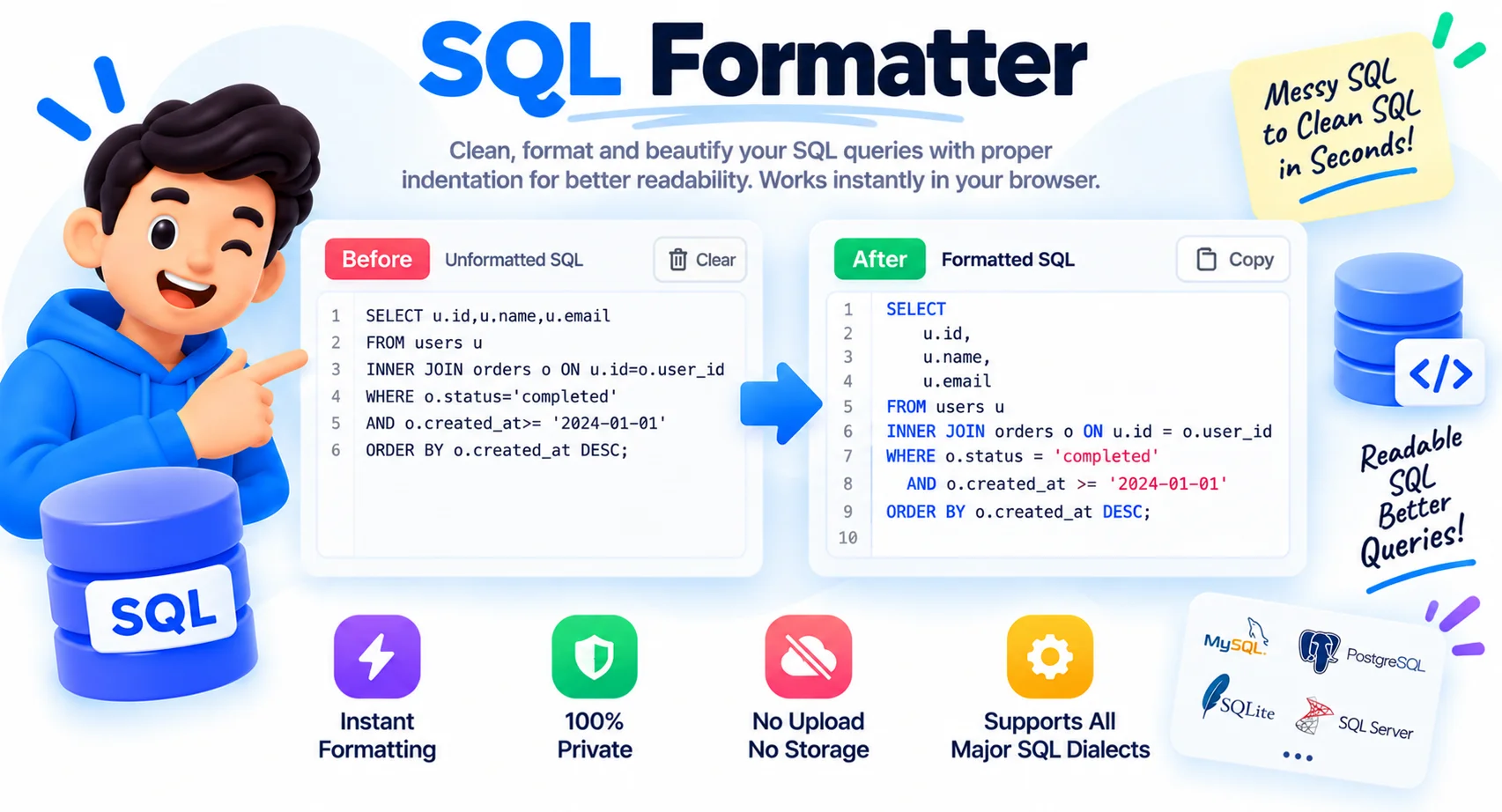
Format or Beautify SQL Online, Instantly
SQL has a habit of arriving as one dense line, copied from an ORM log, a stored procedure, or a teammate who never hits enter. Reading a query like that, or spotting why a join is wrong, means scanning a wall of text for the keywords that mark each clause.
This formatter rebuilds the query so the structure is obvious. Each clause starts on its own line, conditions under WHERE are indented, and subqueries are nested so you can see exactly where one query sits inside another. Quoted strings and comments are left exactly as they are.
You control the style. Uppercase the keywords for the classic look or keep them lowercase, choose your indent size, and switch to minify when you need a single-line version for a script. It all runs in the browser, so queries with real table and column names stay on your machine.
Why Use This SQL Formatter
Beautify or Minify SQL
Each clause, SELECT, FROM, WHERE, JOIN, GROUP BY, starts on its own line, with conditions and subqueries indented.
Uppercase Keywords
Turn SQL keywords into uppercase for a clean, consistent style, or keep them as they are.
Format or Minify
Beautify a tangled query, or minify it to a single compact line for logs and scripts.
Keeps Strings Intact
Quoted values and comments are preserved exactly, so your data and notes are never altered.
Syntax Highlighting
Keywords, strings, numbers, and comments are colored so the query is easy to read.
Runs in Your Browser
Your SQL is formatted on your device. Nothing is uploaded, logged, or stored.
Similar Tools
More Developer tools you might find useful.
Frequently Asked Questions
Common questions about formatting SQL.
How do I format SQL online?
Paste your SQL into the box and it formats automatically with clause-aware indentation and uppercase keywords. Pick 2 spaces, 4 spaces, or tabs, then copy or download the result. It runs in your browser with nothing to install.
How do I beautify or minify SQL?
Choose Format to beautify a query into a clean, indented layout, or Minify to strip it to one compact line. Both keep your SQL logic and strings exactly as written, only the whitespace changes.
Does it work with my database?
Yes. The formatter handles standard SQL used by MySQL, PostgreSQL, SQL Server, SQLite, Oracle, and more, including joins, subqueries, CASE expressions, and common clauses. It formats the text, so it is not tied to one engine.
Will it change my strings or comments?
No. Quoted strings and comments are preserved exactly. Only the layout around them, indentation, line breaks, and keyword casing, is changed, so your query still runs the same.
Can I keep keywords lowercase?
Yes. Turn off "Uppercase keywords" and the tool keeps SELECT, FROM, WHERE, and other keywords in lowercase to match your house style.
Does it validate my SQL?
No. This is a formatter and beautifier, not a validator. It cleans up layout and casing but does not check whether the query is correct or will execute. Test it in your database before running.
Is this SQL formatter free?
Yes, it is completely free with no sign-up, no limits, and no watermark. Everything runs on your device, so your queries stay private.