
How to Audit Your WordPress Site for SEO, Broken Links, and Image Issues
Most WordPress sites carry dozens of small SEO and accessibility issues their owners never see. A few missing meta titles here, a…
Read articleFind every link on a website with a free link finder online, run a link search or extract links from a single URL, no install and no code.

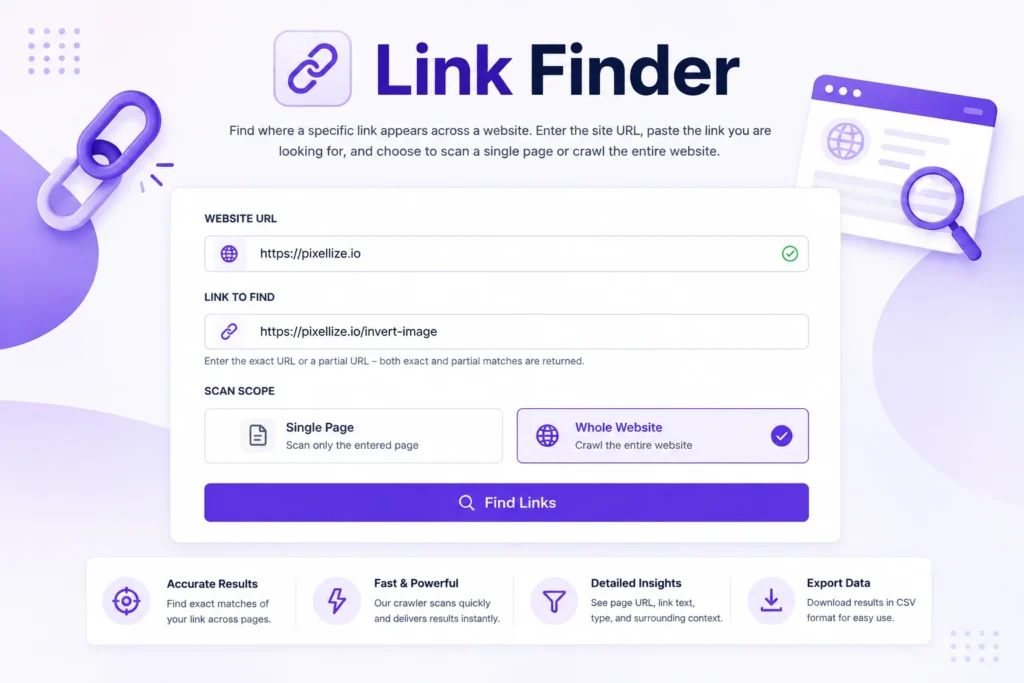
Copy any URL into the address bar on a site you don’t own and you see one page, nothing more. But every page on that site links to dozens of others, and finding all of them by hand takes hours. Whether you’re auditing internal links, checking where an outdated URL still lives, or mapping a competitor’s structure, this is where knowing how to find all links on a website quickly pays off. A free link finder (or URL finder) online like the Pixellize Link Finder handles it in your browser with no install, whether you want a full link search across a site or to extract links from a single URL, and there are four other methods worth knowing too.
This guide walks through all five, tells you when to use each, and ends with a comparison table so you can pick the right one in under 30 seconds.
A link finder online is a browser-based tool that scans a page or a whole site and returns every link it contains, with no install. The best link finders pull internal, external, and broken links, show the anchor text, and export to CSV. You can find all links on a page in seconds, or crawl up to 2,000 pages at once.
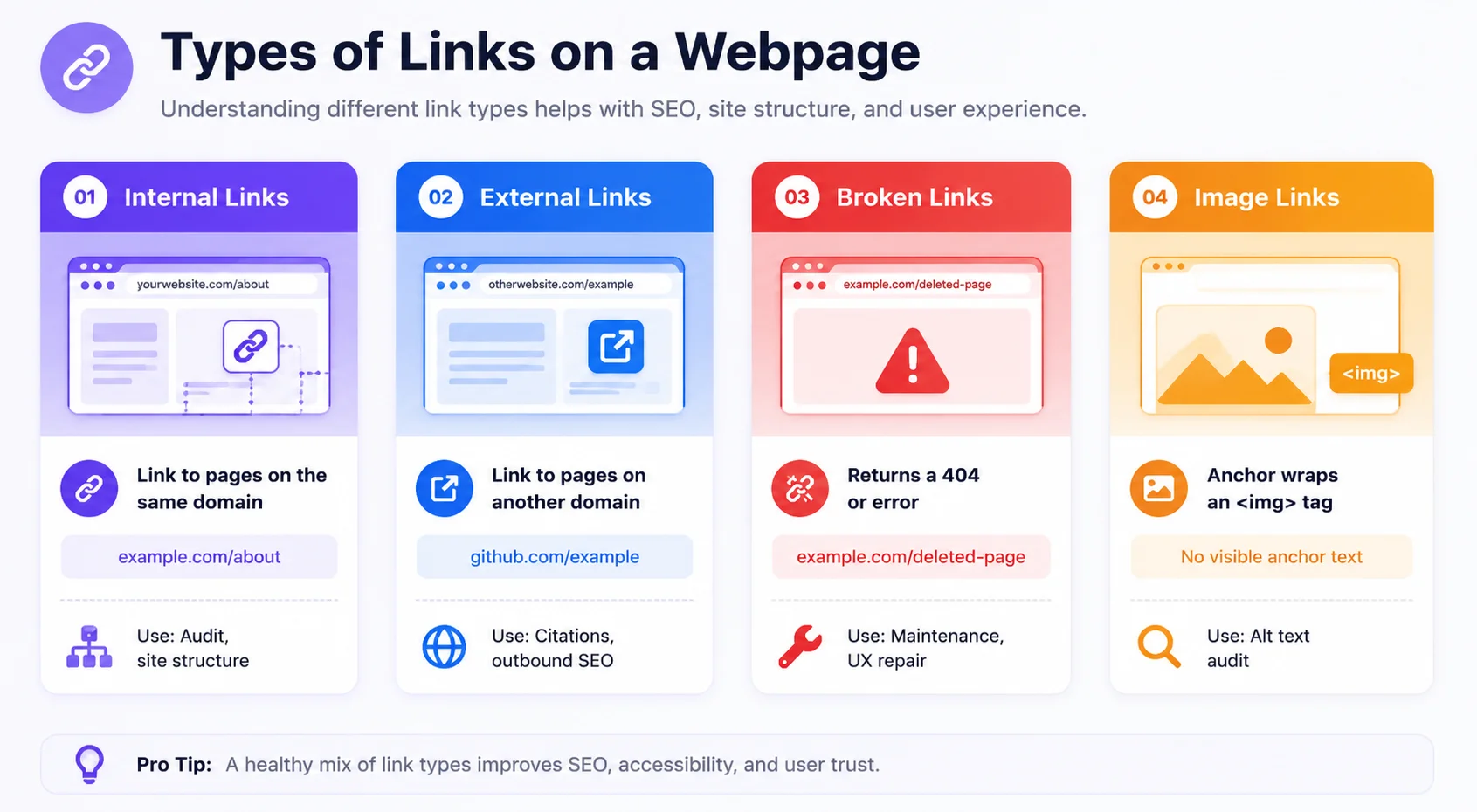
A link on a website is any anchor tag pointing to another URL. There are four types: internal links (same domain), external links (different domain), broken links (4xx or 5xx errors), and image links (anchors with no visible text). Most link extraction tools return all four, though some skip the anchor text and report only the raw href.
Here’s the thing: most people searching for “all links on a website” actually want to know where a specific URL appears, rather than a raw dump of every href. That’s a different job. A raw dump needs a crawler. Finding where one URL lives needs a link search. Keep that distinction in mind when picking your method below.
To run a link search, paste the site URL into a link finder online, type the link or domain you want to locate, and pick single page or whole site. The tool returns every page that matches, with its anchor text and link type. From there you extract the links from each URL to CSV or JSON.
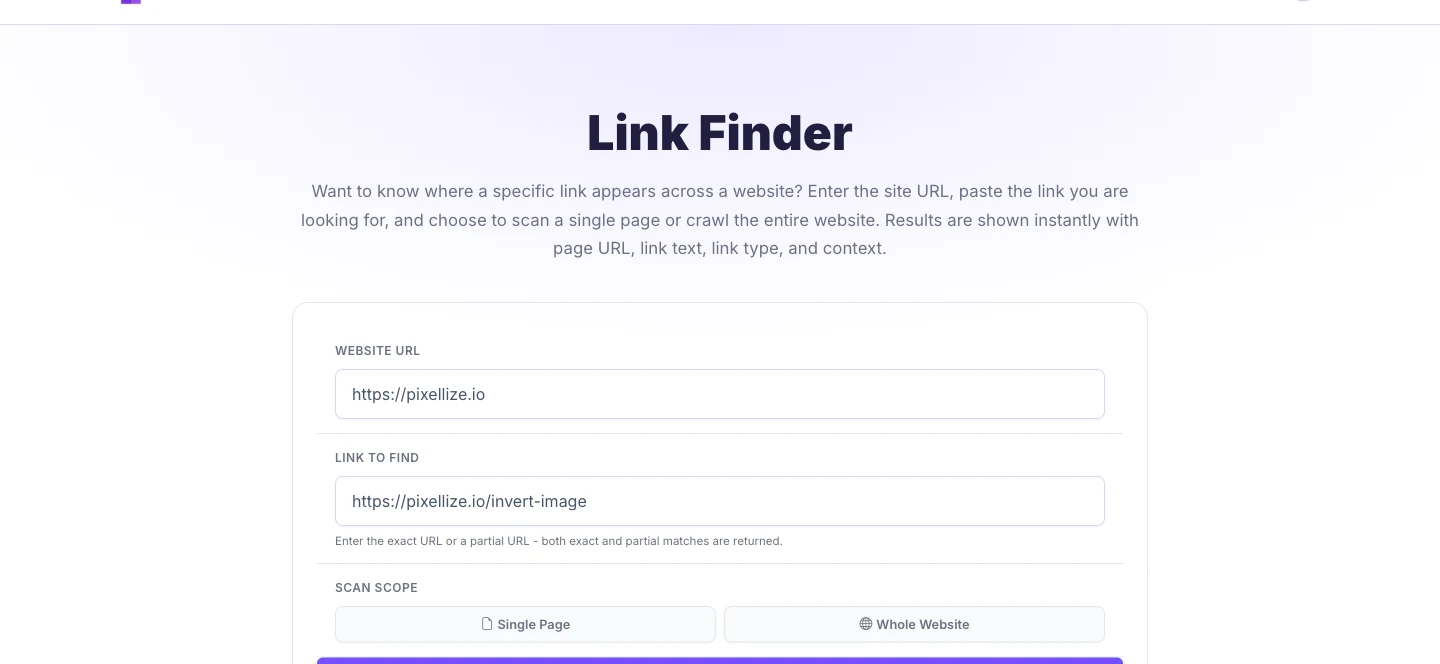
The Pixellize Link Finder is the fastest way to find all links on a website without downloading anything. Enter the site, paste the link you are searching for, pick Single Page or Whole Website, and it returns every matching page with anchor text, link type, and context. Whole-website mode crawls up to 2,000 pages automatically. Here is how to use it, step by step.
Paste the site URL in the first box and the link you want to track in the second. Use a full URL or a partial string, such as a bare domain, to catch every link pointing to it.
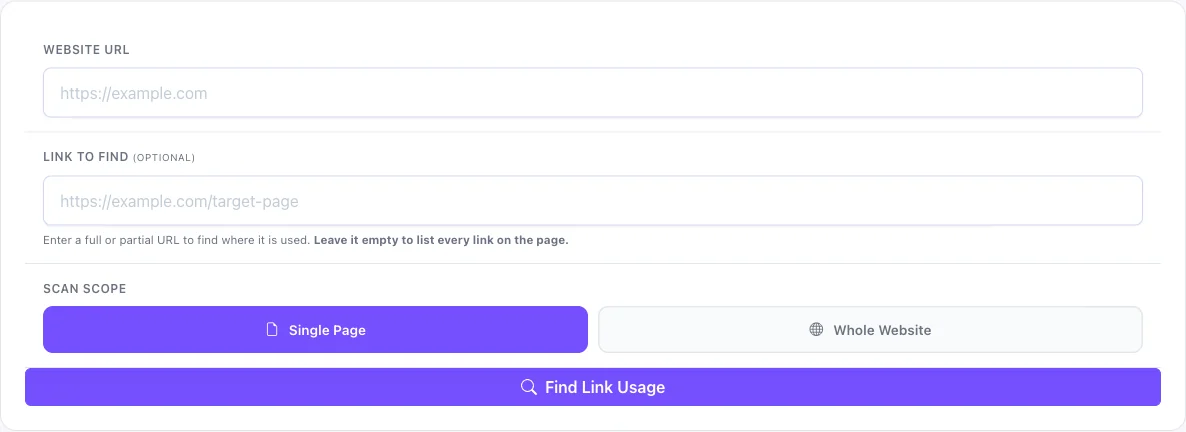
Single Page checks one URL in seconds. Whole Website crawls the full site, following internal links up to your page limit (2,000 by default). Pick a scope and click Scan. Exact and partial matches both work.
Results list every match with the page URL, anchor text, link type (internal or external), and surrounding context. Filter the table, then export the whole list as CSV or JSON for a spreadsheet or audit.
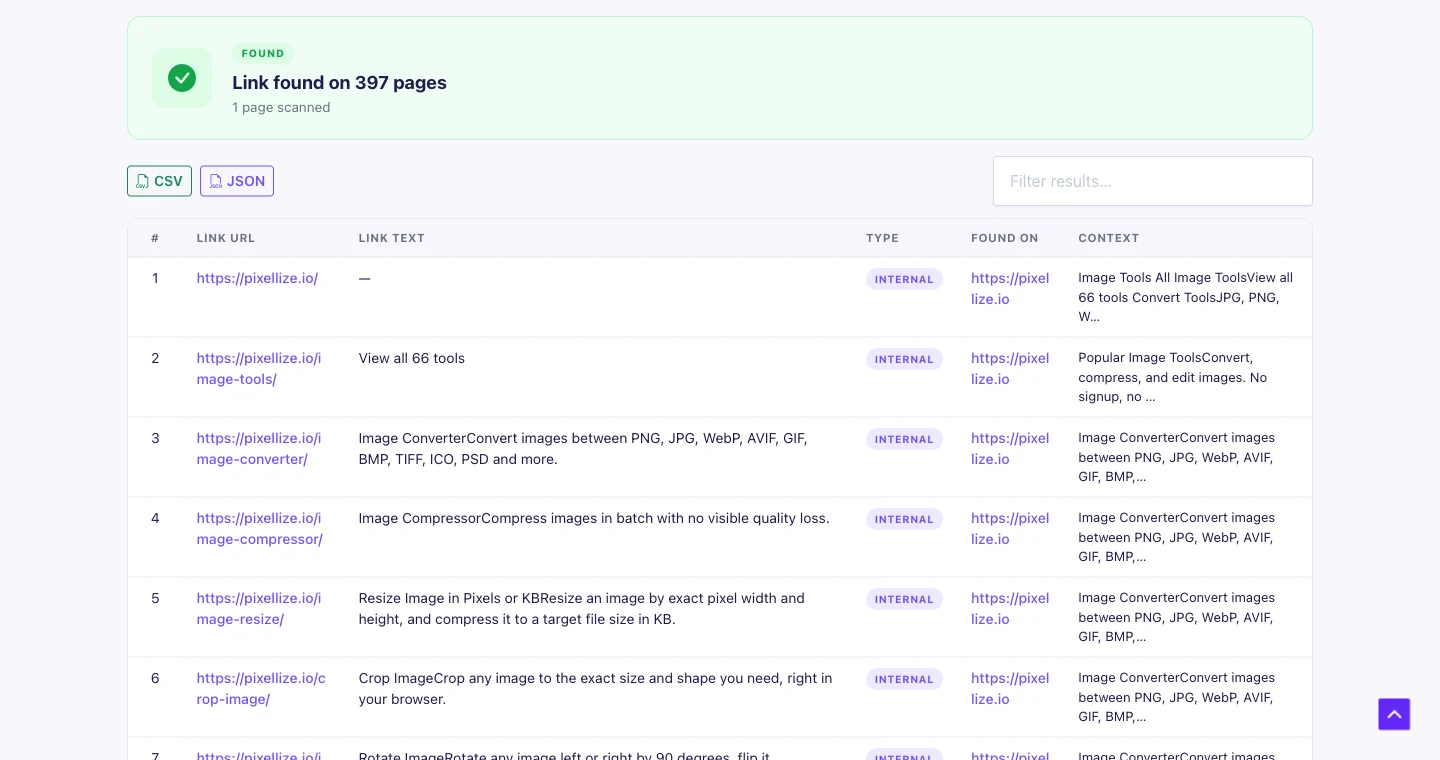
To extract all links from a URL online, paste the page or site URL into a link finder online, choose single page or whole site, and run the scan. It returns every href with its anchor text and link type, then exports to CSV or JSON. No install, no code, and it runs from any device.
A browser based link search like this beats copy-paste for two reasons. First, it catches links buried in menus, footers, and image anchors that are easy to miss by eye. Second, whole-site mode follows internal links across pages, so one scan maps an entire structure instead of one page at a time. If you only need the links on the page in front of you, the browser console in Method 2 does it in ten seconds; for a full link search across a site, a link finder online like Pixellize is the no-install option.
Every modern browser ships with a JavaScript console that can run a one-line query to extract all links from the current page. No install, no account. Open the console with F12 (Windows/Linux) or Cmd+Option+J (Mac), then paste this:
// List every href on the current page
[...document.querySelectorAll('a[href]')].map(a => a.href + ' | ' + a.innerText.trim()).join('
')
The output prints every absolute URL with its anchor text, separated by pipes. You can copy it straight to a spreadsheet. For internal links only, filter with .filter(a => a.hostname === location.hostname). For external links, flip the comparison.
The tradeoff: this works on the page currently loaded in your browser. It reads the live DOM, so JavaScript-rendered links are included, but you have to run it page by page. Usable for a quick audit of one URL, not a whole site.
Extensions like LinkMiner or Check My Links overlay the current page with link status indicators and let you export all hrefs with one click. They’re good for editors and content managers who want to check a page without opening dev tools. Keep in mind they only see what your browser renders, so they share the same single-page limitation as the console approach.
According to Chrome’s extension documentation, content-script extensions inject at page load and can query the DOM synchronously, which means they catch static links but may miss links injected by later async calls. For most standard websites, this is fine.
If you’re comfortable in Python, BeautifulSoup extracts every href from a page’s HTML in about 10 lines. Install the library with pip install requests beautifulsoup4, then:
import requests
from bs4 import BeautifulSoup

url = "https://example.com"
r = requests.get(url, timeout=10)
soup = BeautifulSoup(r.text, "html.parser")
links = [a['href'] for a in soup.find_all('a', href=True)]
print(f"{len(links)} links found")
for l in links:
    print(l)
The limitation: BeautifulSoup parses raw HTML. On sites that render links with JavaScript after the page loads, it misses them entirely. For those, you’d swap to Playwright or Selenium, which launch a real browser and execute JavaScript before extracting. That adds setup time but gets accurate results on modern React and Vue apps.
Python is the right choice when you need to process hundreds of pages, write results directly to a database, or chain link extraction into a larger scraping pipeline. For a one-off link search, the browser console or a Pixellize scan is faster.
HTTrack and wget are command-line tools that mirror websites locally, following every internal link they discover. Once the download completes, you can parse the local file tree for all hrefs using grep or any link parser. This is the slowest method but gives you the full site on disk.
# wget: mirror a site and extract all internal hrefs
wget --spider -r -nd --no-verbose -H -l 1 https://example.com 2>&1 | grep '^--' | awk '{print $3}'
Keep in mind wget does not execute JavaScript, so it misses dynamically-loaded links on modern single-page apps. HTTrack handles CSS and images well but has the same JavaScript gap. Use these tools when you specifically need a local copy of the site, rather than a link list. Our guide on how to download an entire website covers that side in more depth.
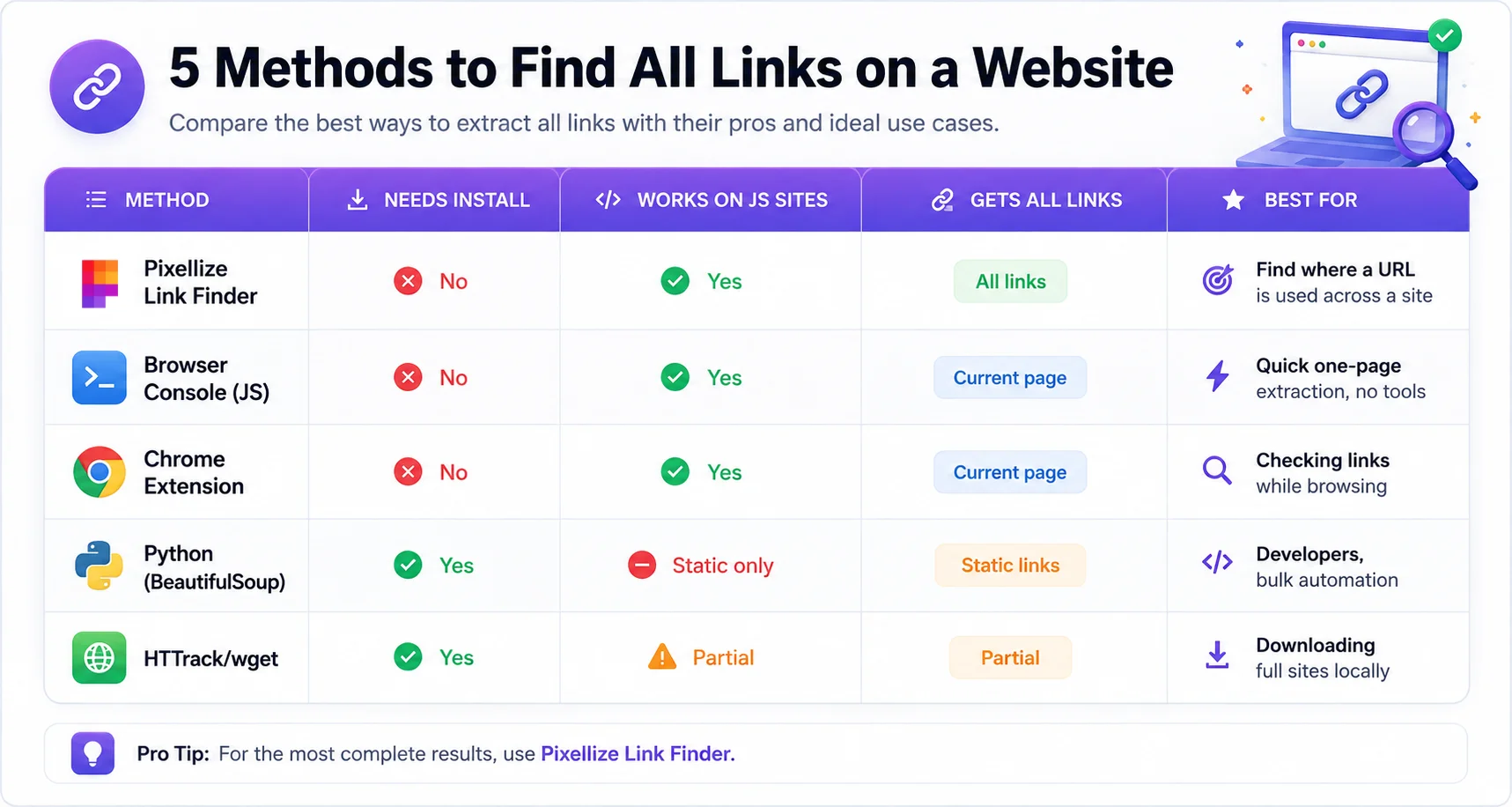
Pick based on scope. For a full-site audit without any install, a link finder online is the right tool: it crawls up to 2,000 pages and exports CSV or JSON. For a single-page spot check, the browser console takes 10 seconds. For automation across hundreds of pages, use Python. For an offline copy, use wget.
| Situation | Best method | Why |
|---|---|---|
| Find where a specific URL appears across a whole site | Pixellize Link Finder (online) | Crawls up to 2,000 pages, partial match, CSV/JSON export, no install |
| Quick check of one page | Browser console (JS) | Zero setup, runs in seconds, works on any device |
| Checking links while browsing daily | Chrome extension | Passive, always-on, visual status overlay |
| Bulk extraction, hundreds of pages | Python + BeautifulSoup | Programmable, fast, integrates into pipelines |
| Need offline copy + link list | HTTrack / wget | Downloads full site, then grep for hrefs |
An SEO internal-link audit has 3 specific goals: find orphan pages (no inbound internal links), find pages with too many outbound links (diluted authority), and find broken links that need fixing. The Pixellize link extractor handles the first two directly. Enter your own domain as both the website URL and the search URL to map which pages link where. Broken links need a separate pass with the broken link checker.
For a full audit workflow: run a link search on your domain to map internal link distribution, then cross-reference with your sitemap to spot pages that no internal link points to. According to Google’s crawling documentation, crawlers discover pages primarily through links, so orphan pages often don’t get indexed at all.
The Pixellize Link Finder online crawls up to 2,000 pages, returns internal and external links with anchor text, and exports to CSV or JSON. No install, no sign-up.
Open the Link FinderOnce you have the list, fix what is broken: see how to find broken links on a website. You don’t need to install software, write code, or create an account to find all links on a website. The Pixellize Link Finder online crawls up to 2,000 pages, returns internal and external links with anchor text and context, and exports to CSV or JSON in one click. It works on any site, from any device, with no signup.
That is how to find all links on a website: open the free Pixellize Link Finder, paste the site URL and the link you’re looking for, and run the scan. For a full SEO audit, pair this link finder online with the broken link checker and the image sitemap generator to cover every crawl signal at once.
Related: want to keep a single X thread instead of a whole site? See how to save a Twitter thread as a PDF.
A link finder online is a browser tool that scans a page or whole site and lists every URL it links to. The free Pixellize Link Finder is a good option: it crawls up to 2,000 pages, shows anchor text and link type, and exports to CSV or JSON, with no install or sign-up.
Open the page, press F12 to open the browser console, and run a one-line querySelectorAll on a[href] to list every link instantly. For a whole site rather than one page, use a link finder online like Pixellize, which crawls internal links and exports the results.
Paste the URL into a link finder online, choose single page or whole site, and run the scan. It returns every href with anchor text and link type, ready to export as CSV or JSON. Developers can also use Python with BeautifulSoup for bulk extraction.
Internal links point to pages on the same domain and pass authority between them. External links point to other domains. Broken links return a 4xx or 5xx error and hurt user experience and rankings. A good link search reports all three so you can audit each type.
Yes. Pixellize Link Finder is free with no sign-up and runs in your browser. The browser developer console is also free for single pages, and Python with BeautifulSoup is free for developers who want bulk extraction.
Pixellize whole-site mode crawls up to 2,000 pages in one run, following internal links automatically. For a single page it returns results in seconds. Larger sites can be split by section or handled with a Python crawler.
A link search finds where a specific URL or domain appears across a website. Instead of dumping every href, you give the tool a target link and it returns each page that links to it, with the anchor text and link type. It is the fastest way to audit internal links or track where an old URL is still referenced.
Founder and CEO of Pixellize.io, building AI-powered web tools and digital products with a focus on user experience and automation. M.Sc. Zoology, working at the intersection of technology, data analytics, and life sciences.