
Open Graph Checker
Check any URL for Open Graph and Twitter Card meta tags, and see exactly how the page will look when shared on Facebook, LinkedIn, and X. No Facebook login needed. Free and instant.
Reads Open Graph and Twitter Card tags, scores them, and shows a live Facebook and X preview. Nothing is stored.
How to Check Open Graph Tags
Paste Your URL
Enter the full address of the page you want to check and click Check Open Graph.
Read the Score
See whether the required og:title, og:description, and og:image tags are all present.
Preview the Cards
Look at the Facebook and X previews to confirm the title, description, and image look right.
Fix and Re-check
Add any missing tags on your page, then run the check again to confirm the card is complete.
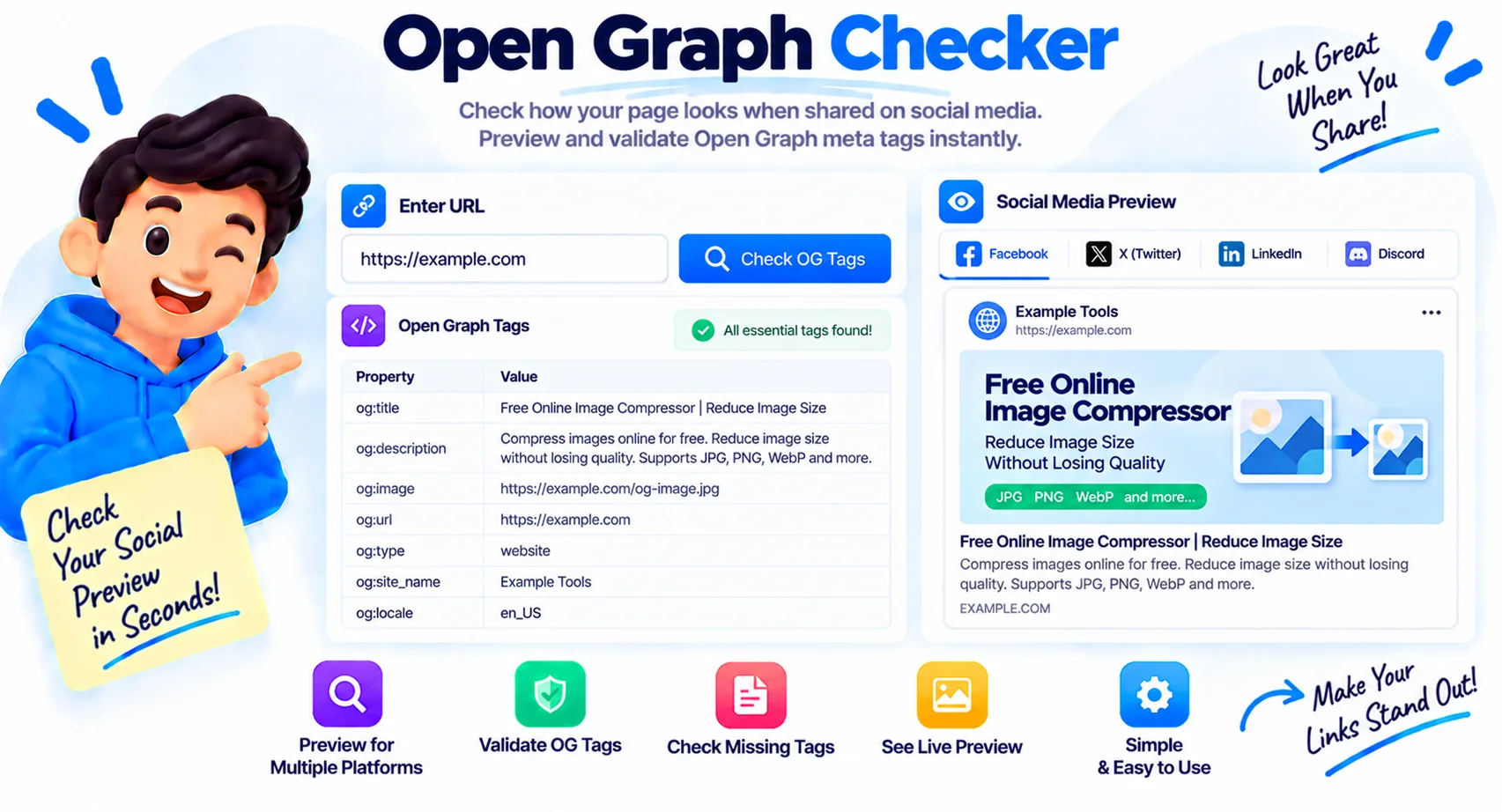
Preview Every Social Card Before You Publish
A wrong Open Graph image can turn a launch post into a blank box or a low-resolution thumbnail across every platform. This Open Graph checker pulls every OG and Twitter Card tag from any URL and shows the exact preview Facebook, LinkedIn, and X will render, so you catch a missing image, a stale title, or a broken description before the post goes live, not after.
What an Open Graph checker does
You paste a URL and the tool fetches the page the way a social crawler does, then reads its meta tags. It shows the Open Graph and Twitter Card values, a score for the required tags, a Facebook-style and an X-style preview, and a list of anything missing. Because it fetches server-side, it works on any public page, and unlike Facebook’s own Sharing Debugger it does not ask you to log in.
The Open Graph tags that matter
A handful of tags do the heavy lifting. These are the ones to get right on every shareable page.
| Tag | What it does |
|---|---|
| og:title | The headline shown on the social card |
| og:description | The one or two lines under the title |
| og:image | The preview image, the most important tag for clicks |
| og:url | The canonical URL the share should point to |
| og:type | The content type, usually website or article |
| og:site_name | Your site or brand name |
The right Open Graph image size
Use an image that is 1200 by 630 pixels, a 1.91:1 ratio, kept under about 5 MB as a JPG or PNG. Give og:image an absolute URL that starts with https, not a relative path, or platforms will fail to load it. A correctly sized image is what turns a plain link into a large, clickable card.
Fixing common Open Graph problems
The usual culprits are easy to spot here. If the image does not show, check that og:image is an absolute URL and the file is publicly reachable. If a platform still shows an old title or image, its cache is stale, so re-scrape the URL in that platform’s own debugger. And if og:url does not match your canonical link, shares may point to the wrong page, which this checker flags so you can align them.
Why Use Our Open Graph Checker?
Check Any Public URL
Paste a link and the tool fetches the page server-side, the way a social crawler reads it.
OG and Twitter Tags
Extracts every Open Graph and Twitter Card meta tag and lists them with their values.
Facebook and X Preview
See a Facebook-style card and an X card rendered from the actual tags, image included.
Required-Tag Score
A quick score shows whether og:title, og:description, and og:image are all present.
Missing-Tag List
Any required tag that is absent is flagged, so you know exactly what to add.
Image and Dimensions
Shows the og:image plus its width, height, and type so you can confirm the size is right.
No Facebook Login
Unlike the official Sharing Debugger, you can check any URL without signing in to anything.
Instant and Free
Results appear in a second or two, with no signup and no limit on how many URLs you check.
Similar Tools
More SEO tools you might find useful.
Frequently Asked Questions
Common questions about Open Graph meta tags and social sharing.
What is an Open Graph checker?
An Open Graph checker fetches a web page and reads its Open Graph and Twitter Card meta tags, then shows how the link will appear when shared on social media. It helps you confirm the title, description, and image are set before you post.
What are Open Graph tags?
Open Graph tags are pieces of HTML in a page head that tell social platforms how to display a shared link. Facebook created the protocol, and LinkedIn, X, WhatsApp, Slack, and others use it too.
Which Open Graph tags are required?
The three that matter most are og:title, og:description, and og:image. og:url and og:type are strongly recommended, and og:site_name adds your brand name. This tool scores a page on the required three.
What is the ideal og:image size?
1200 by 630 pixels, a 1.91:1 ratio, under about 5 MB, as a JPG or PNG. Use an absolute https URL for og:image, since relative paths often fail to load on social platforms.
Do Open Graph tags help SEO?
Not directly as a ranking factor, but they raise click-through rates from social shares by making links look richer and more trustworthy. More clicks and shares can help your content indirectly.
Why is my Open Graph image not showing?
Usually the og:image URL is relative instead of absolute, the file is not publicly reachable, or the platform cached an older version. Fix the URL, make sure the image loads in a browser, and re-scrape it in the platform's own debugger.
Do I need a Facebook account to use this?
No. This checker fetches the page for you, so you can inspect any public URL without logging in. The official Facebook Sharing Debugger requires a Facebook account; this one does not.
Is this Open Graph checker free?
Yes, it is completely free with no signup and no limit on how many URLs you check. Enter a link and get the tags, score, and previews in seconds.