
How to Download Instagram Profile Picture Full Size (HD)
Tap someone's Instagram profile picture and Instagram gives you a tiny circle, sometimes not even a full view. There is no built-in…
Read article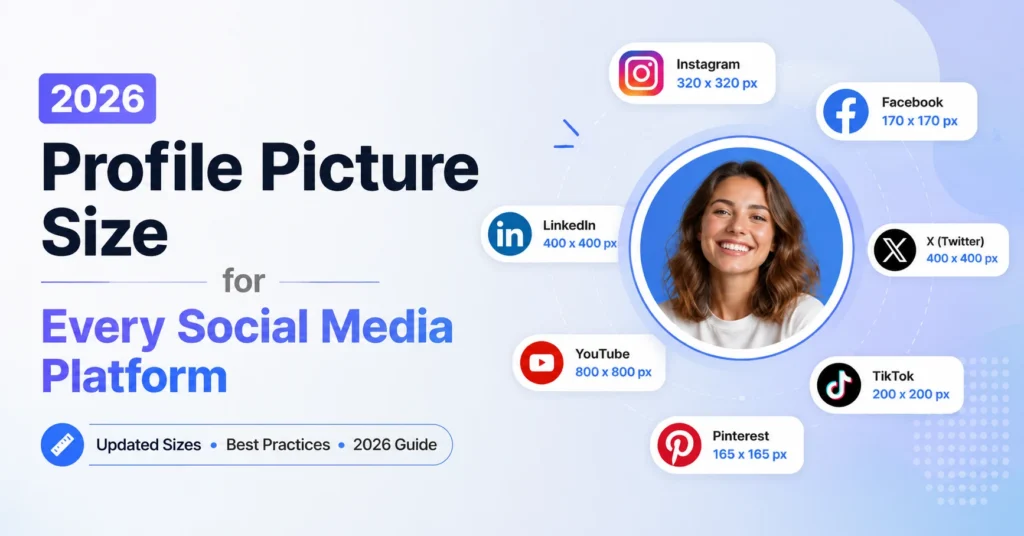
Every social network shows your profile photo at a slightly different size. LinkedIn wants 400 by 400 pixels minimum. X allows a 2 MB file. Discord renders avatars at 128 pixels in chat lists but stores them larger. Facebook crops everything into a circle but stores a square. The same photo usually works on each platform, but if it gets uploaded at the wrong dimensions or aspect ratio, your face ends up cropped, blurry, or off-center.
This guide lists the current 2026 profile picture size for every major social media platform, explains why the numbers are different, and points to a free in-browser tool that exports the right size for each one in a single click.
The best profile picture size for all social media is 512 by 512 pixels (512×512). It works on every major platform listed below without quality loss, and downscales cleanly to LinkedIn (400), Instagram (320), Facebook (170), and Discord (128).
| Platform | Recommended size | Aspect ratio | Max file size |
|---|---|---|---|
| 400 x 400 to 1024 x 1024 | 1:1 (square, shown as circle) | 8 MB | |
| X (Twitter) | 400 x 400 | 1:1 (shown as circle) | 2 MB |
| 320 x 320 | 1:1 (shown as circle) | 30 MB | |
| 320 x 320 upload, 170 x 170 display | 1:1 (shown as circle) | 4 MB | |
| Discord | 512 x 512 (128 min) | 1:1 (shown as circle) | 10 MB |
| Slack | 512 x 512 | 1:1 (rounded square) | 1 MB |
| YouTube | 800 x 800 | 1:1 (shown as circle) | 4 MB |
| TikTok | 200 x 200 (720 x 720 best) | 1:1 (shown as circle) | 20 MB |
| 280 x 280 | 1:1 (shown as circle) | 10 MB | |
| Snapchat | 320 x 320 | 1:1 (shown as circle) | 5 MB |
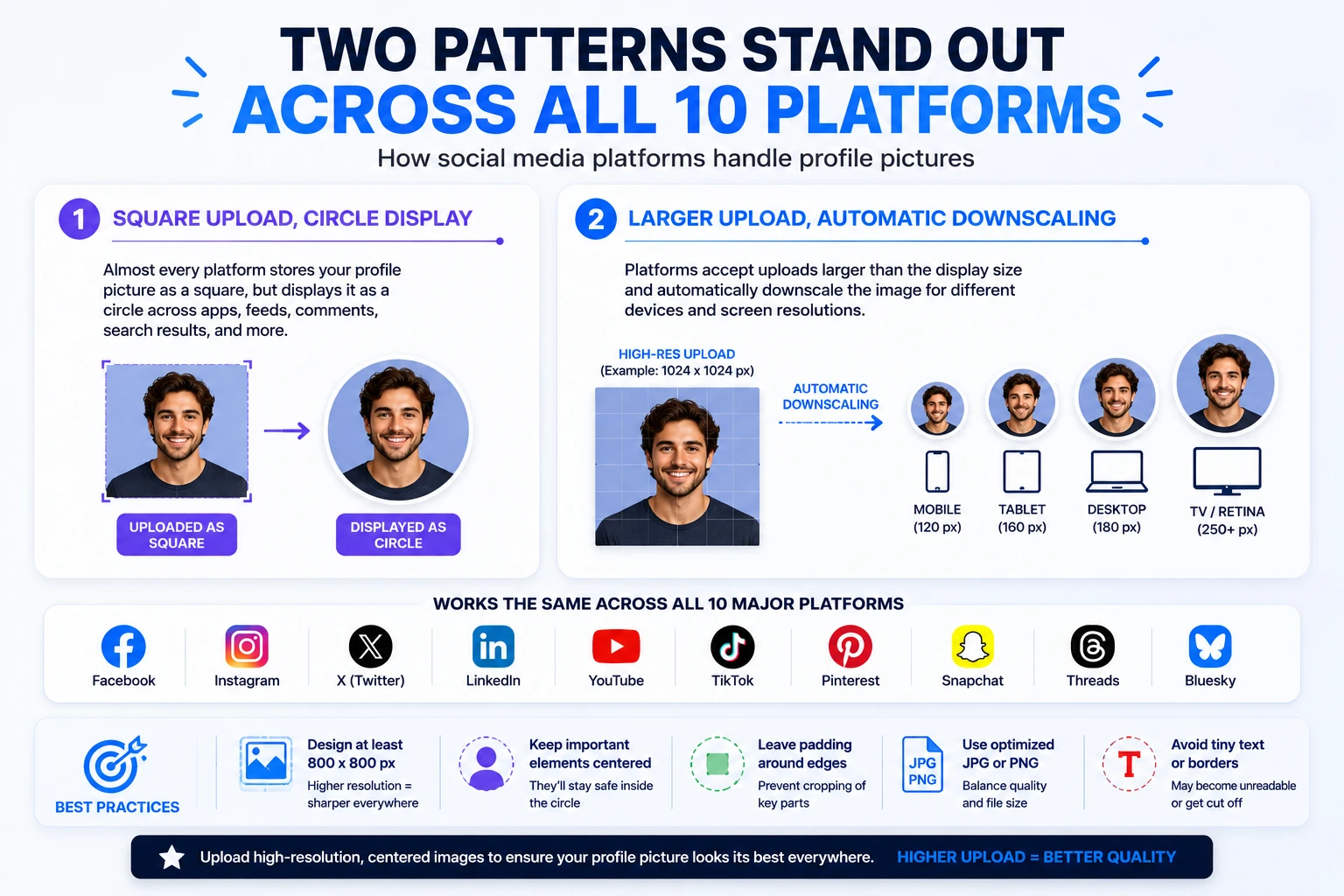
Two patterns stand out across all ten platforms. Almost every one stores the image as a square but displays it as a circle. And almost every one accepts a larger upload than its display size, then downscales on the fly. Uploading at the high end of the range keeps the image sharp on retina screens.
LinkedIn profile picture size is 400 by 400 pixels (400×400) at the minimum, 1024 by 1024 recommended for retina displays. Maximum file size is 8 MB.
LinkedIn accepts profile pictures from 400 by 400 pixels at the minimum up to 7680 by 4320 pixels at the maximum, with a file size cap of 8 MB. The most-cited 2026 recommendation is 1024 by 1024 pixels, which gives you headroom for retina display on every device including modern MacBooks. LinkedIn publishes the full spec in its official image specifications help article. JPG and PNG are both accepted.
The picture is shown as a circle across the platform: on your profile, in the feed, in search results, and in messaging. Even though the file is stored as a square, every surface clips it to a round shape, so anything in the corners of the upload gets hidden.
The face should fill roughly 60 percent of the frame. If you take a phone selfie and upload it as-is, you usually have too much background around your head, and the circular crop hides any detail in the corners. Center the face, keep eyes near the top third of the frame, and leave a small margin around the head.
JPG at 90 percent quality works for almost any LinkedIn headshot, the file lands well under the 8 MB cap and stays sharp on retina screens. Switch to PNG only if your photo has transparent corners or hard-edged graphics like a logo behind your face. PNG preserves the edges but doubles the file size for the same image.
Uploading at less than 400 by 400 pixels gets your photo stretched and blurry on retina. Wearing the same color as your background makes your head float. Selfies taken at arm length tend to put the face too low in the frame, leaving the top half of the circle empty after the LinkedIn crop. The fix is to keep the image at 1024 by 1024, contrast the shirt from the wall, and center the eyes at the top third of the upload.
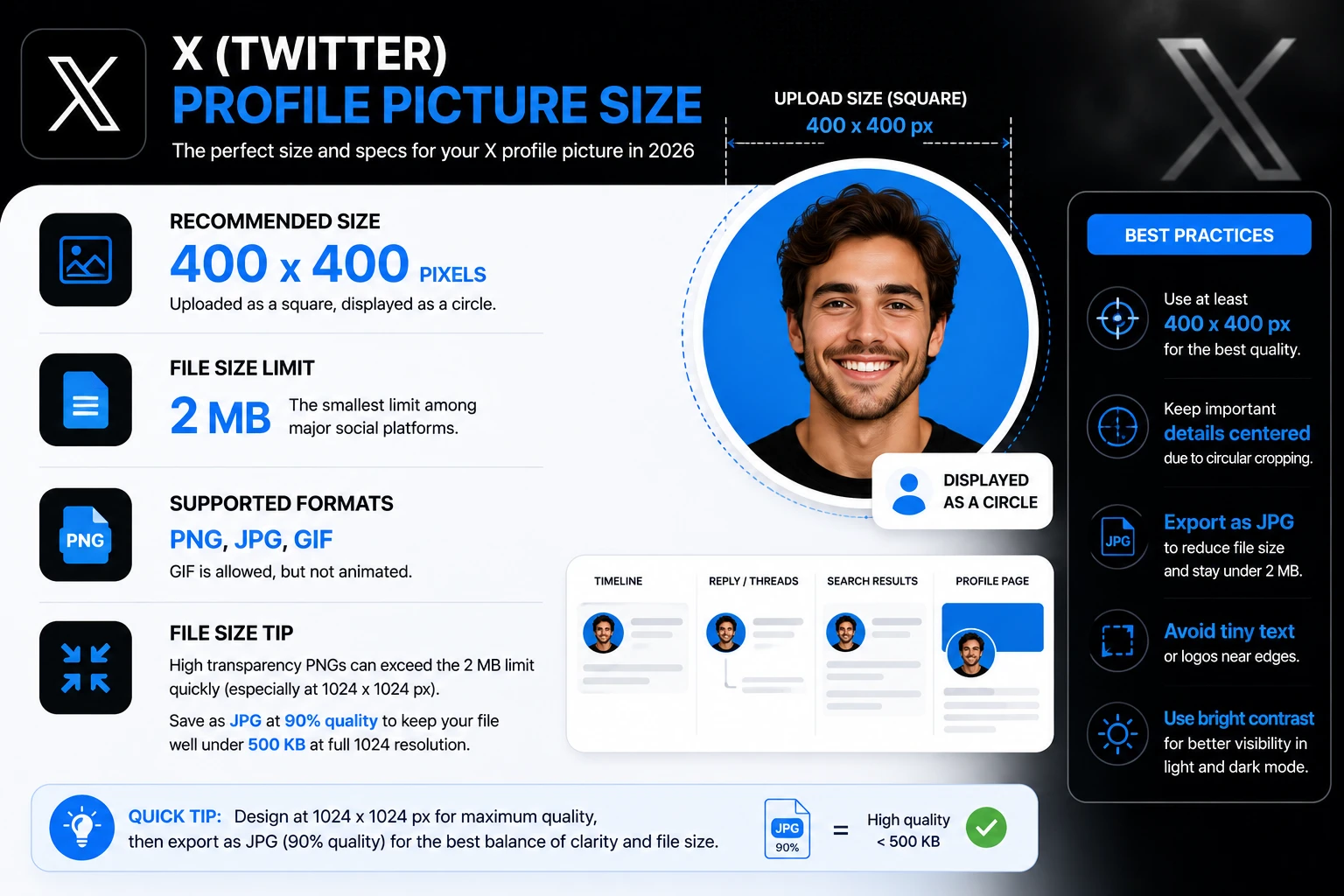
X profile picture size, also known as Twitter profile picture size, is 400 by 400 pixels (400×400) with a 2 MB file size cap.
X uses 400 by 400 pixels as the standard upload size. Like LinkedIn, the file is stored as a square but rendered as a circle in feeds, threads, and search results. PNG and JPG are accepted. GIF is allowed but not animated, animated avatars require X Premium.
The 2 MB cap is the smallest of the major platforms. If you compress a 1024 by 1024 PNG with high transparency, you can hit the cap quickly. Saving as JPG at 90 percent quality usually keeps the file well under 500 KB at full 1024 resolution.
X passes every upload through a server-side compressor before storing it. A 1024 by 1024 PNG uploaded at 700 KB usually comes out at around 80 KB after the compressor, with visible quality loss. Upload at the largest size that still respects the 2 MB cap, X scales down once, instead of compressing a small upload multiple times across its display sizes.
If your X profile photo looks soft in the timeline, the upload was almost certainly under 400 by 400 pixels. Re-export from the original source at 1024 by 1024 as a JPG, save at 90 percent quality, and upload again. The X cache can take 5 to 10 minutes to refresh after a new upload, hard-refresh the page or check from a different browser to confirm the new version.
Instagram profile picture size is 320 by 320 pixels (Instagram profile picture size 320), displayed as a 110 by 110 pixel circle on the mobile app.
Instagram stores profile pictures at 320 by 320 pixels and displays them at 110 by 110 pixels in your profile header on mobile. The image is rendered as a circle everywhere on the app. Upload at exactly 320 by 320 or a higher 1:1 square like 720 by 720. Instagram will downscale either way, but starting from a sharper source keeps detail visible on the small mobile display.
One quirk worth noting: Instagram does not let you edit your profile picture from the web. You have to use the iOS or Android app to upload it. The web view only lets you choose an existing photo from a previous upload.
Facebook profile picture dimensions are 320 by 320 pixels at upload, displayed at 170 by 170 on desktop and 196 by 196 on mobile.
Facebook recommends an upload of 320 by 320 pixels. The actual display sizes are smaller: 170 by 170 on desktop and 196 by 196 on mobile. Meta covers the full guidance in its profile picture help article.
Like every other major social network, the photo is shown as a circle in feeds and posts. In your profile header, it can appear as a rounded square depending on the layout version Facebook serves. Both versions clip the corners, so keep your face centered.
Because the displayed size is small, busy backgrounds or text-on-image profile pictures get illegible quickly. A face on a solid background reads better at 170 pixels than a logo or wordmark. Save text-heavy images for your cover photo instead.
Facebook keeps an internal cache of every profile picture at multiple sizes (50, 100, 170, 320, 480, and the original) and serves whichever fits the surface you are on. A 320 by 320 upload becomes six derived files behind the scenes. Uploading larger than 320 does not improve the small displays, but it does keep the profile-header version sharp on retina laptops.
Discord avatar size is 512 by 512 pixels recommended, with 128 by 128 as the minimum. Maximum file size is 10 MB.
Discord avatars display at 128 by 128 pixels in most surfaces, but the recommended upload size is 512 by 512 pixels for crisp display on high-DPI screens. The maximum file size is 10 MB. Discord supports animated GIF avatars for Nitro subscribers, but standard accounts get a single static PNG or JPG.
Discord servers also have a separate server icon, which is a different concept. The server icon uses 512 by 512 minimum and represents the entire community, not an individual member.
Slack profile picture size is 512 by 512 pixels with a 1 MB file size cap, displayed as a rounded square in conversations and lists.
Slack uses 512 by 512 pixels as the recommended profile picture upload, with a 1 MB file size cap. The image is shown as a rounded square in conversations and lists, not as a true circle. As long as your face is centered with comfortable margins, the rounded crop does not cut anything off.
The 1 MB cap is tight if you upload a PNG. JPG at 85 percent quality usually works for any source up to 1024 by 1024 pixels.
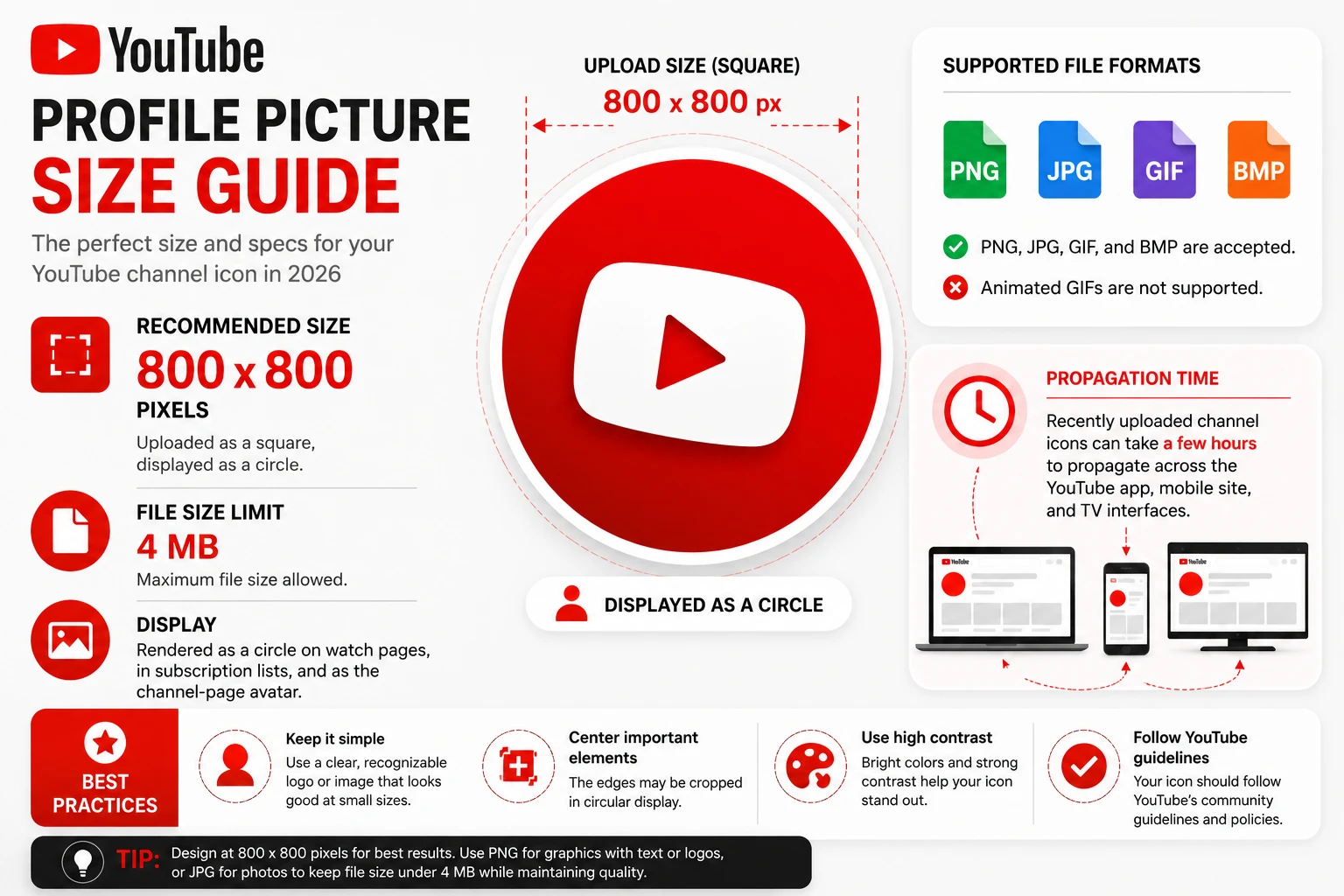
YouTube channel icon size, also called the YouTube profile picture, is 800 by 800 pixels with a 4 MB file size cap.
YouTube channel icons are 800 by 800 pixels with a 4 MB file size cap. PNG, JPG, GIF, and BMP are accepted, but animated GIFs are not supported. The icon is rendered as a circle on watch pages, in subscription lists, and as the channel-page avatar.
Recently uploaded channel icons can take a few hours to propagate across the YouTube app, the mobile site, and TV interfaces. If your new icon shows on desktop but not on a TV, that is the propagation delay, not a corrupted upload. Wait six hours before re-uploading.
YouTube does not support animated channel icons for standard accounts. Even if you upload a GIF, only the first frame is rendered. The watch page, the subscription list, and the channel page all show a still image. If you want motion in your YouTube identity, use the channel banner (2560 by 1440) instead, the banner area supports video on watch.
A wordmark logo at 800 by 800 looks legible on a channel page but turns to mush at the 24-pixel sizes YouTube uses in suggested-video carousels. Use a face, a single bold icon, or a high-contrast monogram. Test your channel icon at 48 pixels in a graphics app before uploading, that is roughly the size where viewers decide whether to click your suggested video.
TikTok PFP size is 200 by 200 pixels at the minimum, 720 by 720 recommended for high-quality display on every device.
TikTok accepts profile pictures as small as 20 by 20 pixels and recommends 200 by 200 as the working minimum. For better quality on every device including tablets and TVs, upload at 720 by 720. The image is shown as a circle on the For You feed, comments, and your profile page. TikTok also allows a short profile video, which is a different feature from the static profile picture.
Pinterest profile picture size is 280 by 280 pixels recommended, with 165 by 165 as the minimum.
Pinterest requires a minimum of 165 by 165 pixels for the profile picture, with 280 by 280 recommended for sharper display. The picture is rendered as a circle at the top of your profile page. Pinterest accepts JPG and PNG.
Snapchat profile picture dimensions are 320 by 320 pixels (320×320), displayed as a circle in chats and the friends list.
Snapchat uses 320 by 320 pixels for the Bitmoji or photo that appears as the user avatar. The image renders as a circle in chats, friends list, and the camera screen. Most Snapchat users rely on their Bitmoji, which the app auto-renders at the correct size, but you can also upload a static photo.
The sizes are not random. Each platform was built at a different time, on a different layout, for a different primary device. LinkedIn started on desktop in 2003 and has kept retina-friendly larger uploads as the standard. Instagram launched on iPhone in 2010 and locked everything to small square thumbnails. Twitter optimized around 200 pixel avatars in 2007 and has only doubled to 400 in recent years.
Platforms also handle compression differently. Instagram aggressively re-encodes uploads, Discord stores at full resolution and downscales in the browser, YouTube re-renders the avatar through several intermediate sizes for the app, mobile site, and TV interfaces. Uploading at the highest recommended size for each network is the only way to keep your photo sharp across all of them.
You can crop and resize each version manually in Photoshop, GIMP, or a phone app, but that means re-exporting every time you change your photo. A faster path is the Pixellize Profile Photo Maker, a free in-browser tool with platform presets for each of the ten networks above. Drop in any photo, the AI extracts your face, pick LinkedIn or X or Instagram from the size dropdown, and download a PNG at the exact dimensions that platform expects. No upload, no signup, no watermark.
The tool also lets you replace the background if your original photo has a busy backdrop or one that does not match your brand. Pick white, black-and-white, blur, or any custom color. The face stays sharp, only the background changes. The processing happens with an on-device AI model, the image never leaves your browser.
The right size only matters if the photo itself works. A few patterns trip up most people no matter which platform they are uploading to:
This is only about the profile picture, the small square avatar that displays next to your posts and messages. Each platform also has banner, cover, and post image sizes, which are different specifications entirely:
The post also does not cover group or business page logos, channel art for streaming overlays, or app icons. Those use different ratios and we will cover them in separate guides.
Profile picture size is not a one-number question. Each platform has its own minimum, recommended, and maximum, and each one renders the file at a different display size on phones, desktops, and apps. The two universal rules are square aspect ratio and face fills around 60 percent of the frame. After that, upload at the largest recommended size for each network and let the platform downscale.
Whenever you need to export a face photo at exact dimensions for any of the platforms above, the free Pixellize Profile Photo Maker has each preset built in. Drop in a photo, pick the platform, download the PNG. The image never leaves your browser.
A 512 by 512 pixel square works on every major social network listed in this guide. Most platforms will downscale a 512 file to their target display size without visible loss. If you only have time to make one file, 512 by 512 is the safest bet.
No. Upload a square. Every platform that shows the avatar as a circle does the circular crop on its own. You only need to make sure your face is centered with enough margin so it stays inside the circle after crop.
Almost always because the original was smaller than 400 by 400 pixels. LinkedIn stretches small uploads, which adds blur. Re-upload at 1024 by 1024 to fix.
JPG at 85 to 95 percent quality is the standard for photos of faces. It keeps file size small without visible loss. PNG is better when the photo has transparent areas around your face, or when you have flat-color backgrounds that need sharp edges.
Yes, if you export at the largest required size, which is 1024 by 1024 for LinkedIn. Every smaller platform will accept and downscale that file. The only exception is X, which has a 2 MB file size cap that forces you to use JPG at high resolution rather than PNG.
Every two years is the common professional recommendation, sooner if your appearance changes significantly with new glasses, different hair, or different facial hair. Recruiters and contacts expect to recognize you in person.
No. The same square file works on platforms that display as a circle. Keep the face centered, leave a small margin around the head, and the platform circular crop will not cut anything important off.

Founder and CEO of Pixellize.io, building AI-powered web tools and digital products with a focus on user experience and automation. M.Sc. Zoology, working at the intersection of technology, data analytics, and life sciences.