
Schema Markup Generator
Build valid JSON-LD structured data for articles, products, FAQs, local businesses, and more. Fill a short form, watch the markup update live, then copy it into your page. Free, no signup, fully in your browser.
How to use the schema markup generator
Choose a Schema Type
Pick the type that matches your page, such as Article, Product, LocalBusiness, or FAQ.
Fill in the Details
Complete the plain-English fields. The JSON-LD updates live and flags any required field.
Copy the Markup
When the status reads valid, copy the code or download it. Keep the script tag on or off as needed.
Paste and Test
Add it to the head of your page, then check it with Google's Rich Results Test to confirm eligibility.
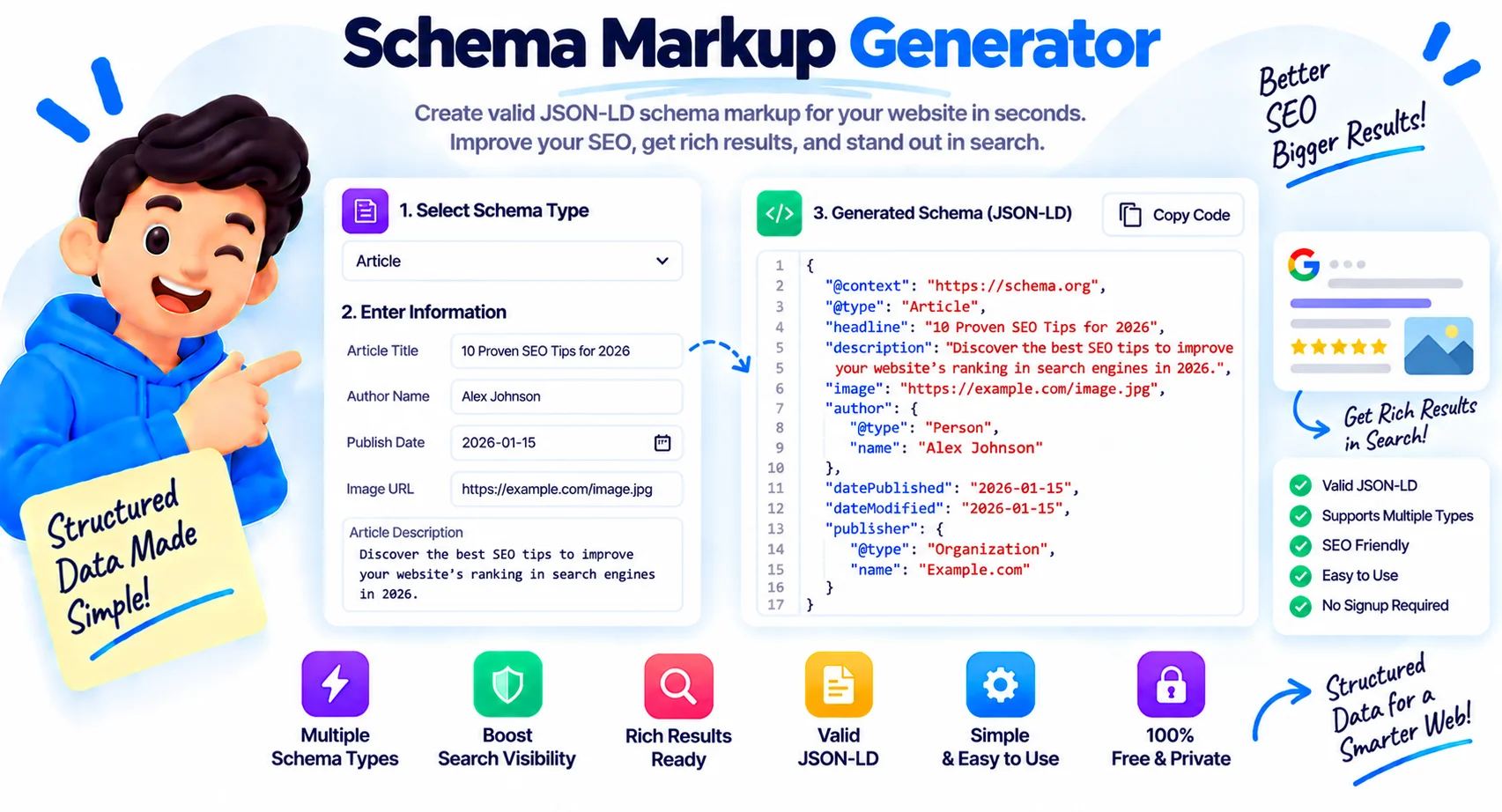
Help Search Engines Understand Your Pages
Search engines read your pages as plain text, but they rely on structured data to know what that text actually means. Structured data spells out that a block is a product with a price, an article with an author, or a business with an address and opening hours. This schema markup generator builds that code for you from a short form, with no coding and nothing to install.
What a schema markup generator does
You pick a schema type, fill in plain-English fields, and the tool writes the matching JSON-LD as you type. Empty fields are dropped automatically, so the output stays clean and valid, and required fields are flagged until you fill them. When the status reads valid, you copy the code and paste it into your page. Everything runs in your browser, so nothing you enter is uploaded.
The schema types you can generate
This tool covers the types most sites need: Article for blog posts and news, Organization and LocalBusiness for companies and shops, Person for author and profile pages, Product for store listings with price and rating, FAQ for question-and-answer sections, Breadcrumb for navigation trails, Event for dated happenings, and WebSite for your whole site with an optional search box. FAQ and Breadcrumb use repeatable rows so you can add as many items as you need.
JSON-LD versus Microdata, and where the code goes
There are two common ways to add structured data: JSON-LD, a single script block, and Microdata, attributes mixed into your HTML. Google recommends JSON-LD because it is self-contained and easy to maintain, which is what this tool outputs. Paste the generated script into the head of your page, or anywhere in the body, and it works the same. The wrap-in-script toggle adds or removes the surrounding script tag to match where you are pasting.
Does schema guarantee rich results?
No, and it is worth being clear about this. Valid schema makes a page eligible for rich results, the star ratings, FAQ drop-downs, and breadcrumbs you see in search, but Google decides whether to show them. Always test your markup with Google’s Rich Results Test and the Schema.org Validator after adding it, since eligibility depends on including the properties Google requires for each type.
Why Use Our Schema Markup Generator?
9 Schema Types
Article, Organization, LocalBusiness, Person, Product, FAQ, Breadcrumb, Event, and WebSite in one tool.
Live JSON-LD Output
The markup rebuilds as you type, so you see the exact code you will paste with no button to press.
Required-Field Check
A status badge flags any required field until it is filled, so you never copy incomplete markup.
Clean, Valid Output
Empty fields are dropped automatically, so the JSON-LD stays tidy and free of blank properties.
Wrap in Script Toggle
Add or remove the surrounding script tag to match wherever you are pasting the code.
Repeatable Rows
FAQ and Breadcrumb schemas let you add as many questions or trail items as you need.
Copy or Download
Copy the JSON-LD to your clipboard or save it as a .json file in one click.
Runs in Your Browser
Your details are turned into markup on your device. Nothing is uploaded, logged, or stored.
Similar Tools
More SEO tools you might find useful.
Frequently Asked Questions
Common questions about JSON-LD and structured data.
What is a schema markup generator?
A schema markup generator builds structured data code that tells search engines what your page is about. You fill a form and it outputs valid JSON-LD you can paste into your site, with no coding required.
Is this schema generator free?
Yes, it is completely free with no signup and no limits. Everything runs in your browser, so your details stay on your device and nothing is uploaded.
Which schema types does it support?
Nine of the most-used types: Article, Organization, LocalBusiness, Person, Product, FAQ, Breadcrumb, Event, and WebSite. FAQ and Breadcrumb support multiple rows for as many items as you need.
What is the difference between JSON-LD and Microdata?
JSON-LD is a single self-contained script block, while Microdata is attributes mixed into your HTML. Google recommends JSON-LD because it is easier to add and maintain, and it is what this tool outputs.
Where do I put the schema code?
Paste the JSON-LD script into the head of your page. It also works in the body. If your platform strips script tags, turn off the wrap-in-script toggle and add the tag through your SEO plugin or template.
Does schema markup guarantee rich results?
No. Valid schema makes a page eligible for rich results like star ratings and FAQ drop-downs, but Google decides whether to show them. Include the properties Google requires and test the result to improve your chances.
How do I validate my schema?
After pasting the markup, run it through Google's Rich Results Test to see which rich results it qualifies for, and the Schema.org Validator to check the syntax. Both are free and take seconds.
Is my data uploaded anywhere?
No. The whole tool runs in your browser with JavaScript. The details you type are turned into markup on your device and are never sent to a server, logged, or stored.