
SEO Checker
Run a full on-page SEO audit on any URL in seconds. 40+ checks across 9 categories, an overall score, prioritized issues, and per-check fixes. Free, instant, no signup and no email.
How to Run an SEO Audit
Paste a URL
Enter the full address of the page you want to audit and click Analyze.
Read the Score
See the overall SEO score and how each of the 9 categories performed.
Fix Priority Issues
Start with the red priority list, then work through the per-category checks.
Re-run and Confirm
After making changes, run the audit again to confirm the score went up.
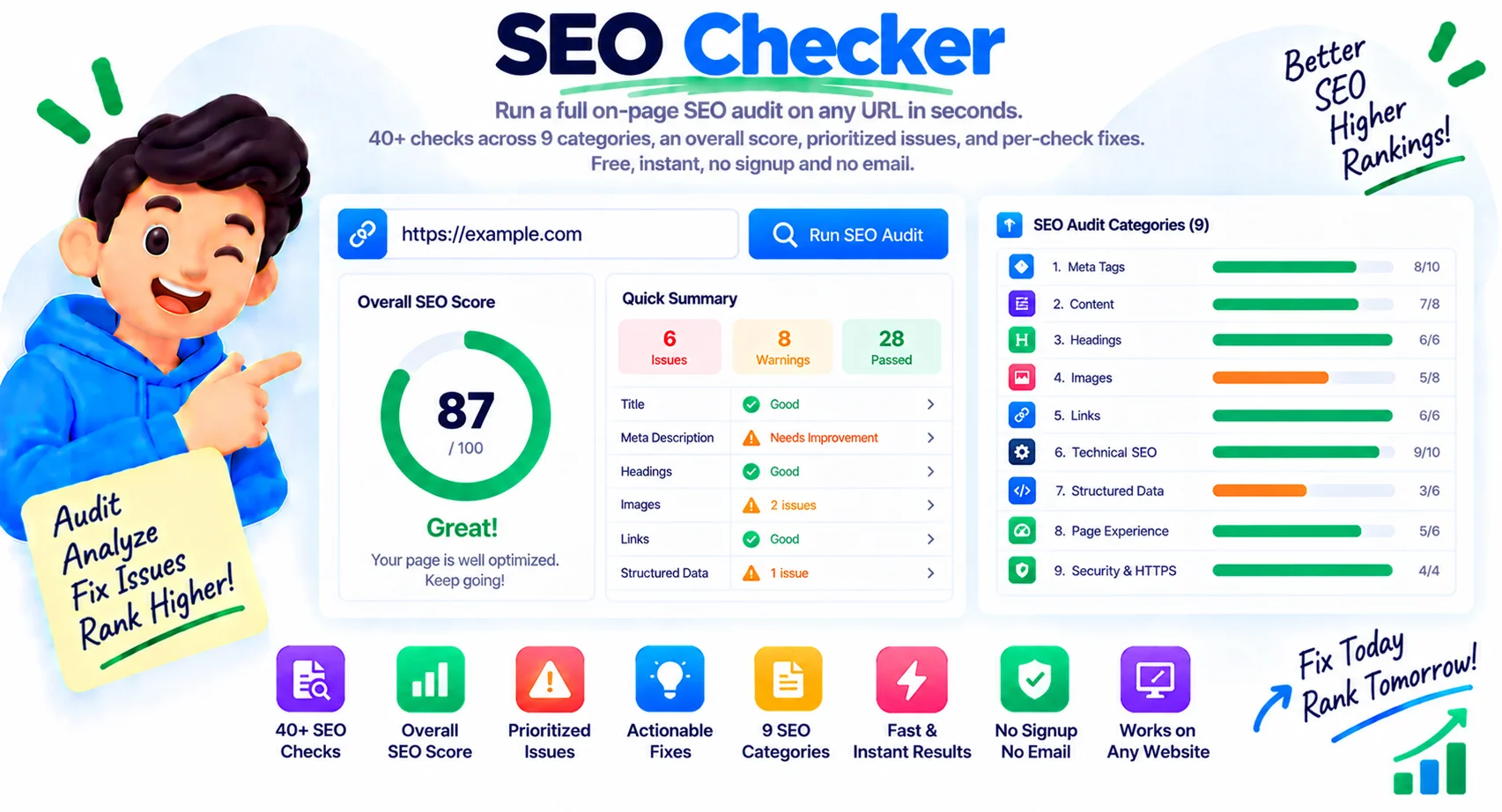
A Full SEO Audit From a Single URL
An SEO checker scans a page and tells you what is helping and hurting its search performance, then rolls it into one score. Paste a URL and this tool runs more than 40 on-page checks across 9 categories, flags the issues that matter most, and explains how to fix each one. It is free and instant, with no signup and no email, so you can check a page right now.
What an SEO checker does
The tool fetches your page the way a search engine would, reads the HTML, and runs each check against SEO best practice. You get an overall score out of 100, a per-category breakdown, a list of priority issues to fix first, and page facts like HTTP status, response time, page size, word count, images, and links. Every check comes with a short note on what it found and why it matters.
The 9 categories it audits
Each check falls into one of nine areas, so a low score points you straight to the problem.
- Meta tags — title, description, canonical, robots, and charset
- Headings and content — one H1, heading order, word count, readability
- Images — alt text, dimensions, lazy loading, modern formats
- Links — internal and external counts, nofollow ratio, broken-link risk
- Technical SEO — HTTPS, viewport, structured data, compression, speed
- Crawlability — robots.txt, XML sitemap, language, canonical self-reference
- Security headers — HSTS, X-Frame-Options, content security policy
- Social and metadata — Open Graph and Twitter card tags
- Content quality — depth, keyword focus, and top terms on the page
What your SEO score means
| Score | What it means |
|---|---|
| 90 to 100 | Strong. Only minor tweaks left, keep it up |
| 70 to 89 | Good. A few fixable issues are holding you back |
| 50 to 69 | Needs work. Several important checks are failing |
| Below 50 | Critical. Fix the red priority issues first |
On-page audit versus a full site crawl
This checker audits one page at a time, which is exactly what you want when writing or fixing a specific URL. It does not crawl your whole site or track rankings over time, the way a paid platform like Semrush or Ahrefs does. Use this to get any page clean and scoring well, and reach for a full crawler when you need a site-wide inventory of every URL.
Why Use Our SEO Checker?
40+ Checks, 9 Categories
Meta, headings, images, links, technical, crawl, security, social, and content, all in one pass.
Overall SEO Score
A single 0-100 score with a per-category breakdown, so you know exactly where a page stands.
Priority Issues First
The biggest problems are pulled to the top as a fix-these-first list, not buried in a long report.
Page Facts at a Glance
HTTP status, response time, page size, word count, images, and links, shown up front.
Keywords and Anchors
See the top keywords on the page and how internal anchor text is distributed.
Technical and Security
Checks HTTPS, structured data, compression, and security headers most quick tools skip.
Instant, No Signup
Results in a few seconds with no account and no email, unlike most SEO platforms.
Any Public URL
Audit your own pages or a competitor's, as many times as you like.
Similar Tools
More SEO tools you might find useful.
Frequently Asked Questions
Common questions about the SEO checker.
What is an SEO checker?
An SEO checker scans a web page and reports how well it follows search-engine best practices, then gives it a score. This one runs 40+ on-page checks across 9 categories and lists the issues to fix, with no signup.
What does the SEO checker check?
It covers meta tags, headings and content, images, links, technical SEO, crawlability, security headers, social tags, and content quality, plus page facts like HTTP status, speed, size, word count, and link counts.
What is a good SEO score?
90 to 100 is strong, 70 to 89 is good with a few fixes left, 50 to 69 needs work, and below 50 is critical. Aim for 90 plus on the pages that matter most, and always clear the red priority issues first.
Is this SEO checker free?
Yes, completely free with no signup and no email required. Most SEO platforms gate their audit behind an account, but you can run this one instantly and as many times as you want.
How do I improve my SEO score?
Fix the red priority issues first, since they carry the most weight, then work down the failing checks by category. Common wins are adding a meta description, giving images alt text, fixing the heading order, and speeding up the page.
Does it crawl my whole website?
No. It audits one page at a time, which is ideal when writing or fixing a specific URL. For a site-wide inventory of every page, use a full crawler like Semrush or Ahrefs alongside this tool.
How often should I check a page?
Re-check whenever you publish or edit a page, and audit your most important pages every quarter. Fixing issues as they appear keeps small problems from piling up into a big score drop.
Can I check any URL?
Yes, any public page, including a competitor's. It is a fast way to see how a page is built and what SEO choices are behind it, then apply the same best practices to your own.