
How to Read Binary Code: A Beginner Guide With Examples
A string like 01001000 01101001 looks like noise until you know the trick, and then it reads as plainly as this sentence.…
Read article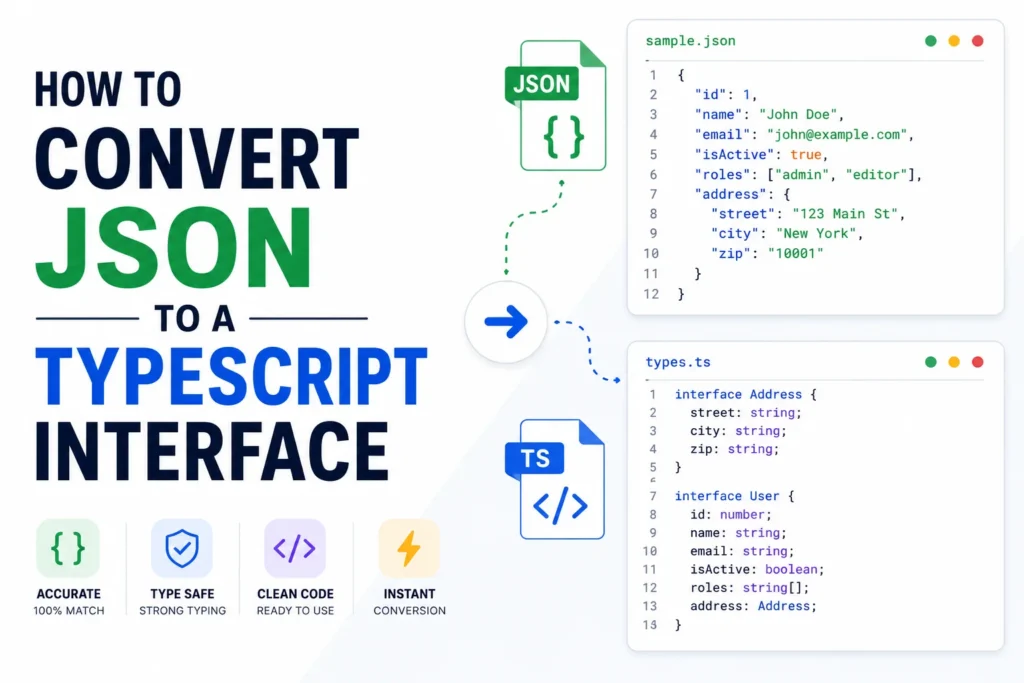
You hit an API, get back a blob of JSON, and now TypeScript is red-underlining every property because it has no idea what shape the data is. Typing it by hand is tedious and easy to get wrong, especially once the JSON nests three levels deep.
Knowing how to convert JSON to a TypeScript interface saves that busywork and catches typos before they ship. This guide covers the manual method, when to reach for a tool, and how the free JSON to TypeScript converter from Pixellize turns a pasted response into clean interfaces in a second.
You convert JSON to a TypeScript interface so the compiler knows the exact shape of your data. It then flags a mistyped key, a missing field, or a wrong type before the code runs, and your editor gives you autocomplete on every property. Without it, the response is typed as any and every safety check is off.
An interface is a contract. It tells TypeScript exactly what fields an object has and what type each one is, so the compiler flags a mistyped key or a wrong type before you run the code.
Without it, an API response is just any, and any switches off every safety check TypeScript gives you. Autocomplete stops working, refactors get risky, and a renamed field slips through to production. Define the shape once and the editor guides you the rest of the way.
To convert JSON to a TypeScript interface, map each JSON value to its type. A string becomes string, a number becomes number, true or false becomes boolean, an array becomes a typed array, and a nested object becomes its own interface. For a small object you write it by hand, and for anything larger a converter does it in seconds.
Every conversion comes down to this handful of rules. Once they click, the manual method is just applying them line by line, and a tool like Pixellize applies them for you.
| JSON value | TypeScript type | Example |
|---|---|---|
| “Ana” | string | name: string |
| 42 | number | age: number |
| true / false | boolean | active: boolean |
| [“a”, “b”] | string array | tags: string[] |
| { … } | a new interface | address: Address |
| null | optional or union | note?: string |
For a small, flat object, hand-writing is quick and teaches you the mapping. Take this response.
{
  "name": "Ana",
  "age": 30,
  "isSubscriber": true
}
Apply the mapping and you get a matching interface.
interface User {
  name: string;
  age: number;
  isSubscriber: boolean;
}
Keep in mind this only stays pleasant while the object is small. The moment it nests or repeats, hand-typing turns into a chore, and that is where a tool earns its place.
The fastest path needs no install. Open the Pixellize JSON to TypeScript converter, paste your JSON on the left, and the typed interfaces appear on the right as you type. It runs in your browser, so an API response with real data never leaves your machine.
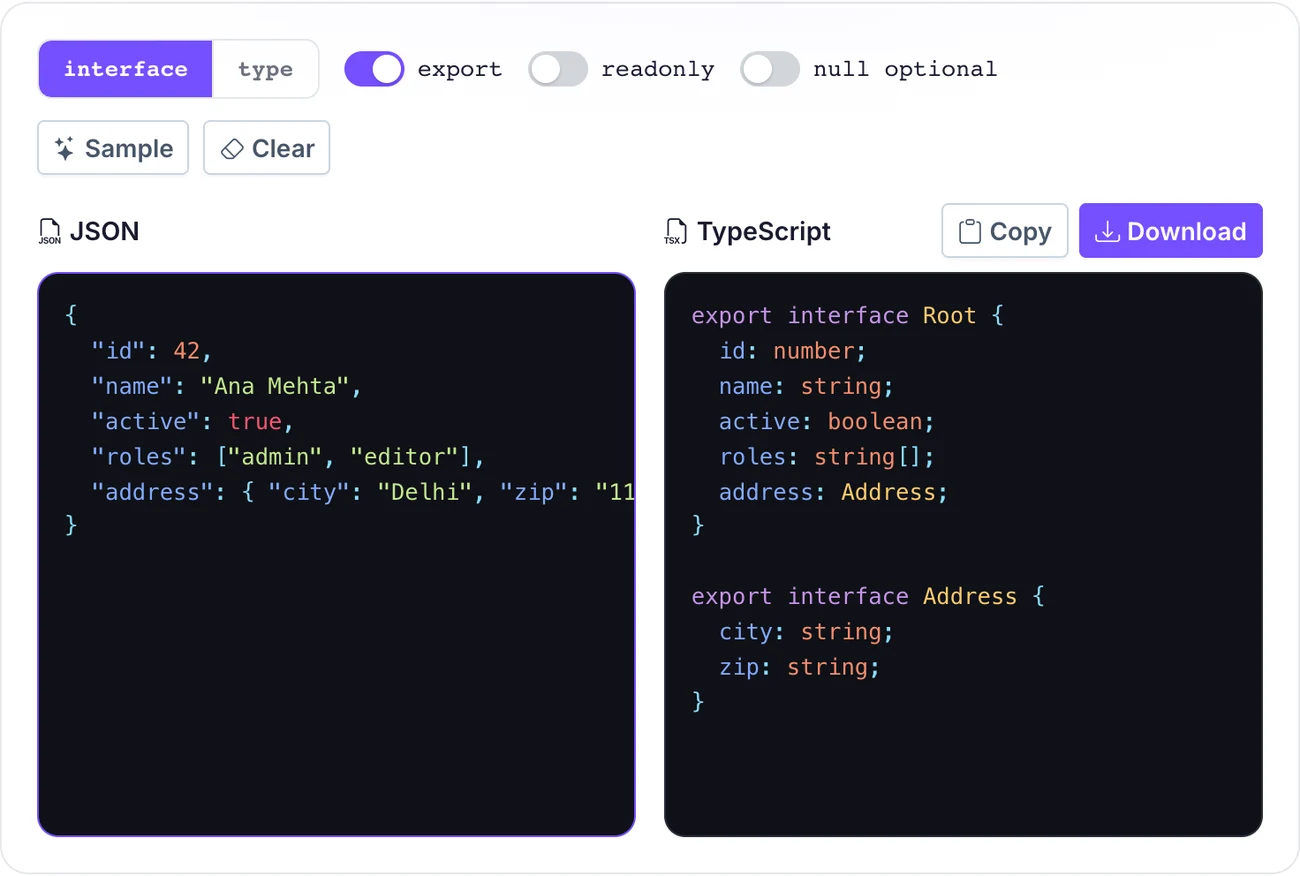
You can switch between an interface and a type alias, toggle the export keyword, mark fields readonly, and treat nulls as optional. Then copy the result or download a .ts file. It is the option I use for any response past a couple of fields, because the tool handles the nesting I would otherwise get wrong.
Once you know how to convert JSON to a TypeScript interface, an editor extension keeps you in the flow without a browser tab. If you live in an editor, an extension keeps you there. The popular JSON to TS extension converts whatever JSON is on your clipboard into interfaces with a shortcut, Shift plus Ctrl plus Alt plus V on Windows, or Shift plus Cmd plus Alt plus V on a Mac.
The tradeoff is setup and trust. You install a third-party extension and paste data through it, which some teams avoid for sensitive payloads. A browser tool that runs locally, like the Pixellize converter, sidesteps that while staying just as fast.
This is the part quick tutorials skip, and it is where hand-typing breaks down. When a JSON object contains another object, that inner object becomes its own interface, and the outer one references it by name.
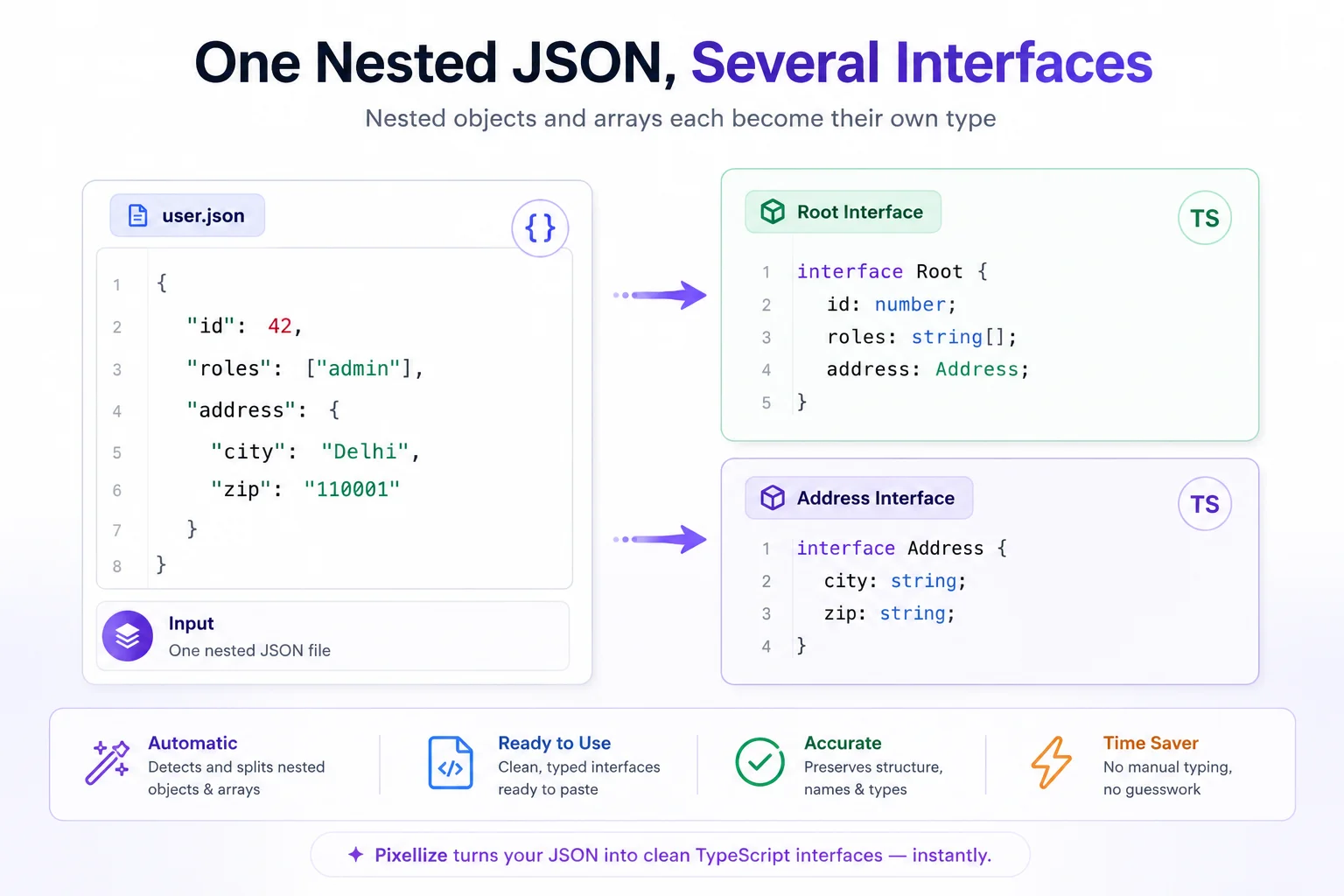
Arrays follow the same idea. A list of strings is string[], and a list of objects becomes an array of a generated interface, like items: Item[]. Pixellize walks the whole tree and names each level for you, so a deeply nested payload comes out as a tidy set of interfaces instead of one giant unreadable type.
Real work rarely starts with a tidy three-field object. You call an endpoint, get back a page of nested data, and need a type for the whole thing before you can touch it. This is the moment to convert JSON to a TypeScript interface with a tool rather than by hand, because a large response has repeating shapes and optional fields that are easy to miss.
The workflow is short. Copy the JSON response from your network tab, paste it into the Pixellize converter, and read the generated interfaces. If a field can be missing, flip the null-optional toggle so those keys get a question mark. Copy the result into a types file, import it where you fetch, and the response is typed end to end. Pixellize keeps the naming consistent, so the same Address or Item interface is reused instead of duplicated.
Think of it like scaffolding. The tool puts up the structure in a second, and you spend your time on the parts that actually need judgment, like which fields are truly optional.
string | null, or an optional, so the compiler makes you check it.Hand-writing is worth doing once so the mapping sticks. After that, knowing how to convert JSON to a TypeScript interface without the busywork just means pasting the response into a converter and letting it handle the nesting, arrays, and naming for you. The free Pixellize JSON to TypeScript tool does it in your browser with nothing uploaded, so you can type an API response and get back interfaces you can paste straight into your project. Pair it with the JSON formatter when the payload is messy, or the JSON to CSV tool when you need a table instead.
Map each JSON value to a type: strings become string, numbers become number, booleans become boolean, arrays become typed arrays, and nested objects become their own interface. For anything past a few fields, paste the JSON into a converter like the Pixellize tool and it generates the full set instantly.
For a quick, private conversion with no install, a browser tool is best because the data never leaves your device. The Pixellize JSON to TypeScript converter handles nested objects and arrays, lets you switch between interface and type, and exports a .ts file.
Give each nested object its own interface and reference it by name from the parent. For example, an address object inside a user becomes an Address interface, and the User interface has address of type Address. A converter names and links every level for you automatically.
Both work for shaping JSON. Interfaces are the common choice for object shapes because they can be extended and merged, while type aliases are handy for unions and primitives. Most JSON to TypeScript tools let you pick either, so use whichever your codebase prefers.
Mark a field that can be missing as optional with a question mark, like note?: string. For a field that is present but can be null, use a union such as string | null. This forces the compiler to make you check the value before you use it.
It depends on the tool. Converters that run entirely in your browser, like the Pixellize one, never upload the JSON, so real data stays on your machine. Avoid tools that send your payload to a server when the response contains anything private.

Founder and CEO of Pixellize.io, building AI-powered web tools and digital products with a focus on user experience and automation. M.Sc. Zoology, working at the intersection of technology, data analytics, and life sciences.