
How to Create an Image Sitemap (Step by Step)
Learn how to create an image sitemap, write the XML, and submit it in Google Search Console so Google finds and indexes…
Read articleA step-by-step fix for the "excluded by noindex tag" status: find the page, remove the noindex at its real source, and get it indexed again.

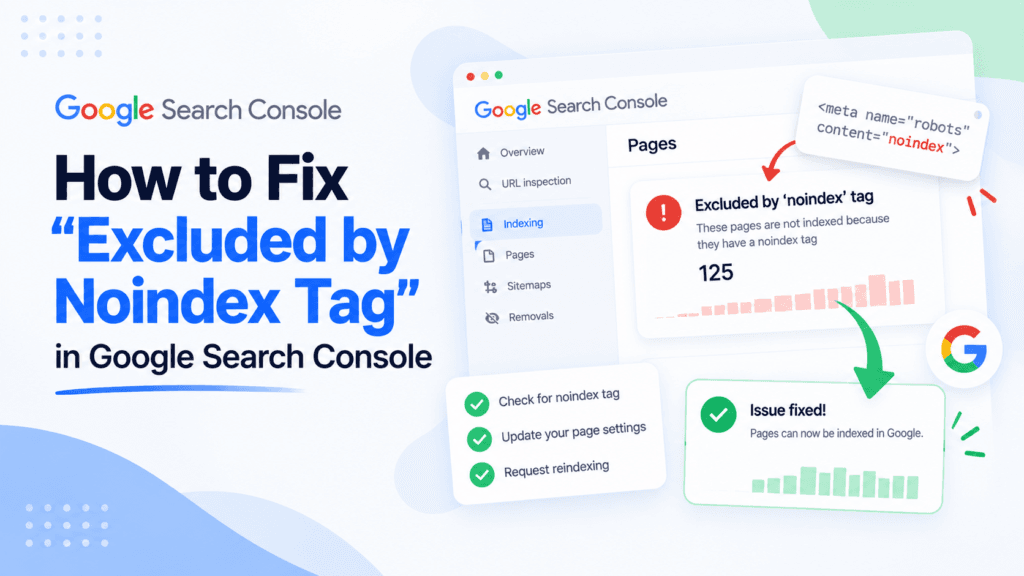
You submitted a page for indexing, waited a week, and Google still will not show it. Open the Page indexing report and there it is: Excluded by ‘noindex’ tag. That one line means Google crawled the page, found a noindex directive, and did exactly what it was told. The page is fine. A single instruction is keeping it out of search. This guide walks through finding every page hit by the “excluded by noindex tag” status, removing the directive at its real source, and confirming the page is clear with the free Pixellize noindex checker.
noindex directive and left the page out of the index on purpose.X-Robots-Tag header.Excluded by noindex tag is a Google Search Console status that appears when Googlebot crawls a URL, finds a noindex directive, and keeps the page out of its index. It is not a crawl error or a penalty. Google reached the page without trouble. It simply obeyed an instruction to stay out of search results, which is exactly what a noindex directive tells it to do.
Here is the part that trips people up. This status is only a problem when the noindex was a mistake. Plenty of pages should carry it: thank-you pages, internal search results, tag archives, cart and checkout, staging duplicates. If one of those shows up in the report, nothing is broken. The trouble starts when a real page you want ranking, a product, a blog post, a service page, ends up on that list by accident.
A noindex looks like this in the page HTML, inside the <head>:
<meta name="robots" content="noindex, follow">It can also arrive as an HTTP response header, which never shows up when you view the page source. That version catches good developers off guard, and we cover it below.
Before you touch anything, sort the excluded pages into two piles. Removing a noindex from a page that earned it can flood Google with thin or duplicate URLs and dilute the pages you care about. So spend two minutes here first. It saves a mess later.
| Page type | Keep the noindex? | Why |
|---|---|---|
| Blog post, product, service, landing page | Remove it | These are the pages that should rank. An accidental noindex here is the real bug. |
| Internal search results, faceted filters | Keep it | Near-infinite thin URLs that waste crawl budget and add no search value. |
| Thank-you, confirmation, cart, checkout | Keep it | No search intent, and you do not want them found cold by strangers. |
| Thin tag or date archives | Usually keep it | Often duplicate the same posts. Index only if the archive has unique value. |
| Staging or development copies | Keep it (and block the whole staging site) | Duplicate content you never want competing with production. |
If the page belongs in the “remove it” row, keep going. If it belongs in a “keep it” row, mark it resolved in your head and move on. That is not an error to chase.
When the tag is on a page by mistake, it almost always traces back to one of four sources. I have debugged all four on real client sites, and the header one below cost me the better part of an afternoon the first time.
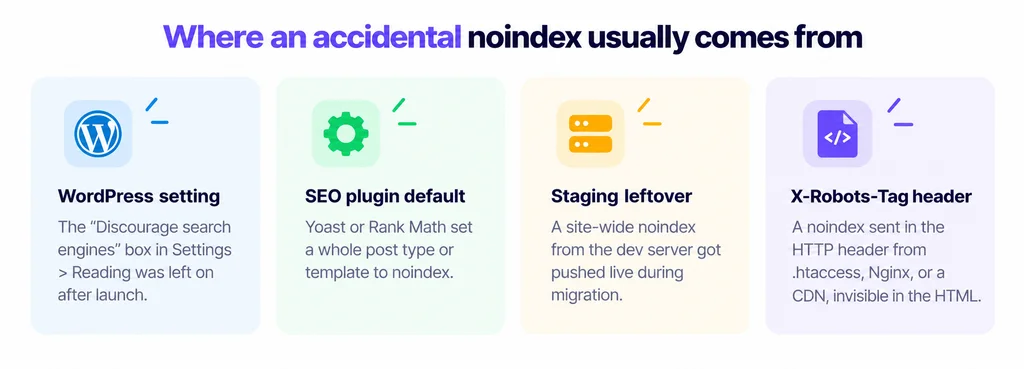
.htaccess, an Nginx rule, or a CDN. It is invisible in the HTML, which is exactly why it hides so well.Search Console gives you the full list in a few clicks. Do this before editing anything so you know the real scope of the excluded by noindex tag issue.
Keep the exported list handy. After you fix the source, you will paste these URLs back into Search Console to request a recrawl, and into the Pixellize noindex checker to confirm the tag is gone.
Match the fix to the source you found. Do not guess. Editing the wrong layer leaves the directive in place and sends you in circles.
Go to Settings, Reading, uncheck “Discourage search engines from indexing this site,” and save. This is the fastest fix and the most common one on a freshly launched site. If your whole site vanished from Google at once, check this box first.
For a single page, edit it, open the SEO plugin panel, and set it to index (in Yoast, “Allow search engines to show this page?” set to Yes). For a whole post type, the switch lives under the plugin’s content-type settings: Yoast under Content Types, Rank Math under Titles & Meta. Flip the type back to index and every page of that type clears at once.
If the HTML looks clean but the page still will not index, the directive is in the response header. Check it with curl:
curl -sI https://example.com/your-page/ | grep -i x-robots-tagIf you see X-Robots-Tag: noindex, hunt down the rule that sets it. On Apache it is a line in .htaccess or a vhost. On Nginx it is an add_header directive. On some stacks a CDN or reverse proxy injects it. Remove the rule, deploy, and check the header again. The Pixellize noindex checker reads both the meta tag and the header, so it flags this case the HTML-only tools miss.
| Directive location | Where to look | Visible in “View Source”? |
|---|---|---|
| Meta robots tag | Page <head>, or your SEO plugin | Yes |
| X-Robots-Tag header | .htaccess, Nginx config, CDN, app code | No, header only |
The usual cause is robots.txt blocking the same URL. When a page is disallowed in robots.txt, Google cannot crawl it, so it never sees that you removed the noindex, and the page stays out. This is the single trap that keeps a fix from working, and almost no guide mentions it.
Think of it like this. A noindex is a note taped to the front door saying “do not list this house.” Robots.txt is a locked gate at the end of the driveway. If you unlock the door but leave the gate locked, the mail carrier never reaches the door to read that the note is gone. Google is the same. It has to crawl the page to notice the directive changed.
So before you request indexing, confirm the URL is crawlable. Run it through the Pixellize robots.txt checker and make sure it is not disallowed. If it is, remove the disallow rule, wait for Google to recrawl, and only then does the removed noindex register. Fix the gate before you fret about the door.
A change is not done until you can prove it. Two quick checks confirm the excluded by noindex tag status will clear on the next crawl.
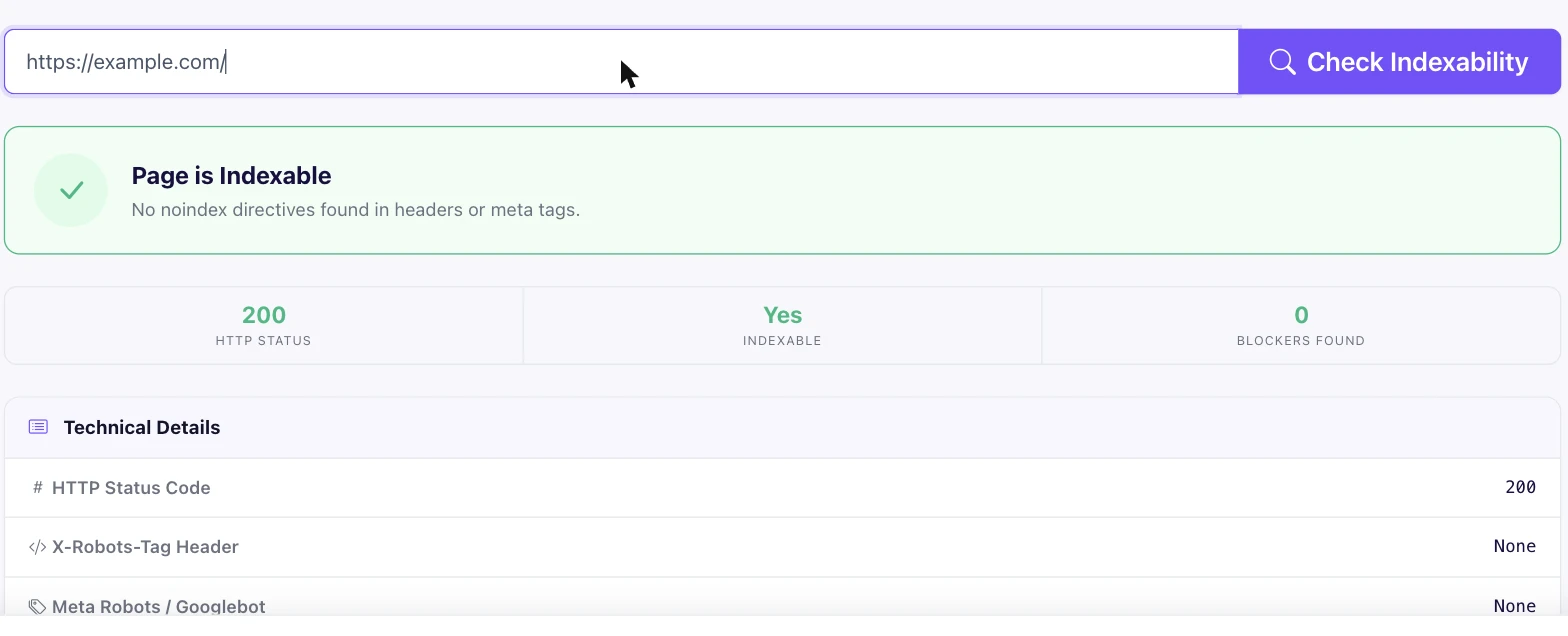
Validation is not instant. Google reprocesses the batch over several days, and the report flips to “Passed” once it recrawls. In my experience a handful of important URLs inspected by hand move within a day or two, while the full batch validation takes a week. Do not re-submit every few hours. It does not speed anything up.
<meta name="robots" content="noindex">.curl -sI URL | grep -i x-robots-tag for a header noindex.Paste a link and Pixellize reads the meta robots tag and the X-Robots-Tag header, then tells you plainly whether Google can index it.
Open the noindex checkerThe excluded by noindex tag status is one of the friendlier things Search Console will tell you, because the fix is usually a single toggle once you find the right layer. Sort the pages, remove the directive at its source, clear robots.txt out of the way, then verify and request indexing. Start now: grab one stuck URL, run it through the Pixellize noindex checker, and you will know in seconds whether the tag is really gone. From there it is just a recrawl away from ranking again.
It means Googlebot crawled the URL, found a noindex directive, and kept the page out of its index on purpose. It is not a crawl error or a penalty. The page loaded fine. Google simply obeyed an instruction to stay out of search results, whether that instruction was intended or added by mistake.
No. It is only a problem when the noindex was accidental. Many pages should carry it, such as cart, checkout, thank-you pages, internal search results, and thin tag archives. It becomes an error only when a page you want ranking, like a blog post or product, ends up on the excluded list.
In Google Search Console, open Indexing, then Pages. Scroll to the "Why pages aren't indexed" section and click the "Excluded by 'noindex' tag" row. You will see every affected URL, and you can export the full list with the button in the top right corner.
A noindex lives in one of three places: the meta robots tag in the page head, an SEO plugin setting like Yoast or Rank Math, or the X-Robots-Tag HTTP response header. The header version never shows in View Source, so check it with a curl request or a checker that reads response headers.
Usually robots.txt is blocking the same URL. If the page is disallowed in robots.txt, Google cannot crawl it, so it never sees that you removed the noindex. Unblock the URL in robots.txt first, wait for a recrawl, and then the removed noindex will register.
It takes several days to about a week. After you remove the noindex, use Request Indexing on key URLs and Validate Fix on the batch in Search Console. A few hand-inspected URLs often update within a day or two, while full batch validation runs over roughly a week.
Founder and CEO of Pixellize.io, building AI-powered web tools and digital products with a focus on user experience and automation. M.Sc. Zoology, working at the intersection of technology, data analytics, and life sciences.