
YouTube Shorts Thumbnail Download: Save Any Cover Free
Right-click a YouTube Short and there is no save option, just a share sheet. So when you need the cover image, maybe…
Read articleDownload a YouTube thumbnail in HD in seconds: paste the video link into a free tool, or build the maxresdefault image URL yourself. No app, no watermark.

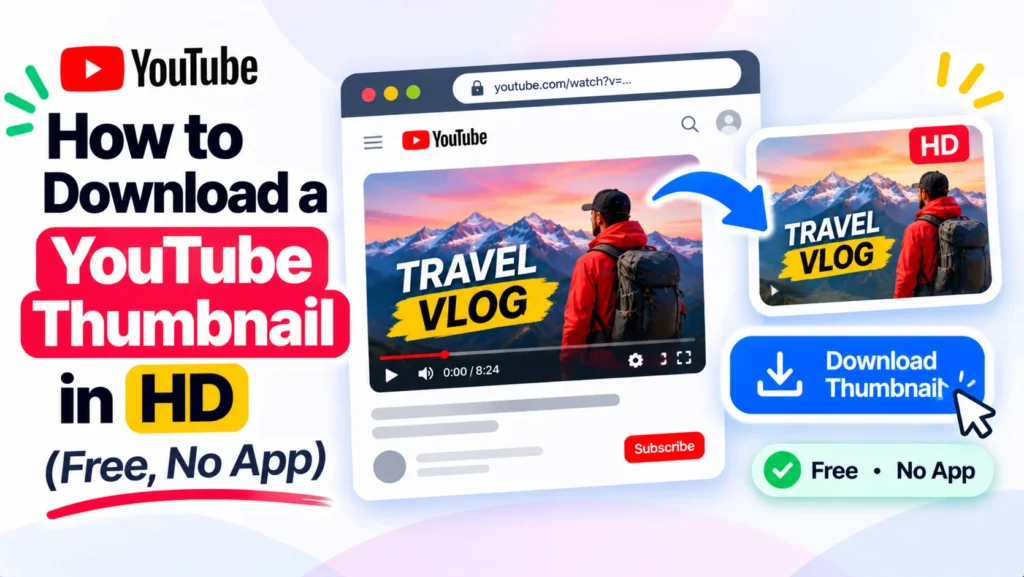
You found a video with a title card worth saving. Maybe for a blog post, a swipe file of good designs, or a reference for your own channel. Learning how to download a YouTube thumbnail takes about ten seconds once you know where YouTube keeps the image. Every uploaded video has a public set of thumbnails at fixed sizes, and you can grab any of them free. The quickest route is a tool like the Pixellize YouTube Thumbnail Downloader, and below I rank five free ones, plus the manual tricks for when you want no tool at all.
maxresdefault at 1280×720, saved as a JPG.img.youtube.com/vi/VIDEO_ID/maxresdefault.jpg.maxresdefault sometimes returns a blank or 404. Fall back to sddefault.A downloader does the URL work for you. Paste the video link, pick a size, and save, with the file exactly as YouTube hosts it. No account and no watermark. Here is each step with the Pixellize YouTube Thumbnail Downloader on screen.
Copy the video link from the address bar or the Share menu, then paste it into the box and press Get Thumbnails. Watch links, Shorts links, and youtu.be short links all work.

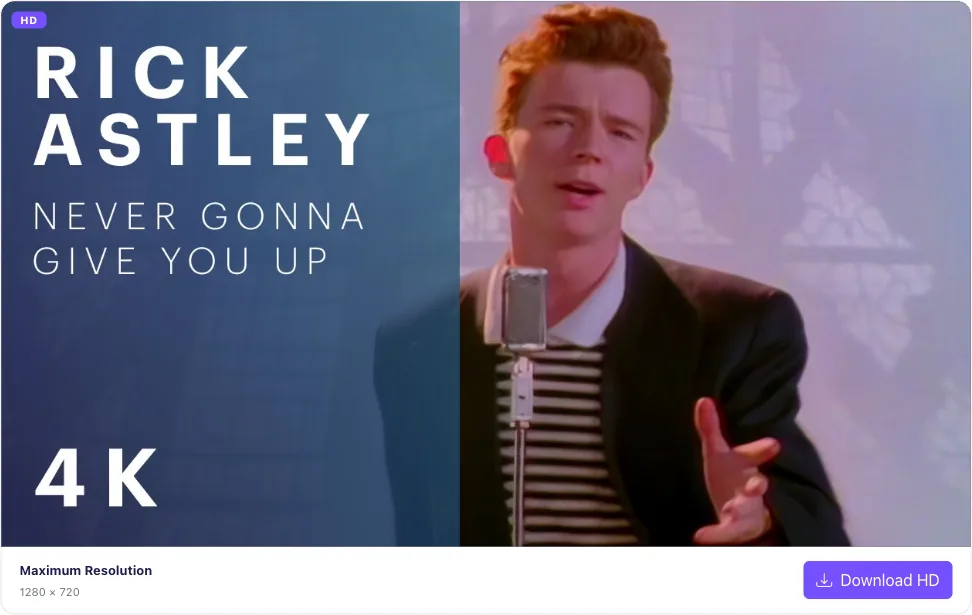
The tool reads the video ID, checks each size, and lays them out: the HD 1280×720 version in the big card, then the high, standard, medium, and default sizes below. If a video has no HD thumbnail, the top card falls back to the largest size it does have.

Click Download on the card you want. The HD card at the top gives you the full 1280×720 JPG; the smaller cards cover every other size. The file saves straight to your device, with no watermark added.
A thumbnail downloader really only needs to nail three things: pull every size a video has, keep your file private, and get out of the way with no signup, watermark, or ad wall. I ranked five free online tools on exactly that. Pixellize sits at the top because it does all three and runs entirely in your browser; the rest each trade one of those off.
| Tool | Type | Best for | Watch out for |
|---|---|---|---|
| Pixellize | Free in-browser tool | Every size, privacy, zero friction | Cannot fetch private or deleted videos |
| YouTube Thumbnail Grabber | Single-purpose site | A fast one-off grab | Barebones, no extras |
| vidIQ | Creator growth suite | People already on vidIQ | Funnels toward paid plans |
| youtubethambnail.in | Free downloader | HD grabs on mobile | “4K” is usually an upscale |
| TubePilot | AI YouTube toolkit | Downloader plus AI metadata tools | AI features need a signup |
The Pixellize YouTube Thumbnail Downloader is the one I reach for first, because it wins on the three things that matter. Privacy: it runs entirely in your browser, so the image is pulled straight from YouTube to your device and nothing routes through a middle server. Coverage: paste any link format (regular video, Shorts, live stream, share link, embed, mobile, or YouTube Music) and it reads the 11-character video ID, then lays out every stored size at once, the HD 1280×720 version in a large card with the standard, high, medium, and default sizes below.
It also runs the maxresdefault fallback automatically, so when a video has no custom HD thumbnail you still get the largest size it does have instead of a broken image. No friction: no signup, no watermark, no ad wall between you and the file, free and unlimited, and it works the same on a phone as on a desktop. The one thing it cannot do is grab private, unlisted, or deleted videos, because YouTube does not serve those thumbnails publicly to any tool. For a clean, private, every-size grab, nothing on this list beats it.
YouTube Thumbnail Grabber is a lightweight, single-purpose site: paste a link, preview the thumbnail, and download it in a couple of clicks, with no signup. It covers the common sizes and does the job without fuss. It is barebones by design, so there are no channel tools, batch grabbing, or size comparison, which is exactly the point if all you want is one image, fast.
vidIQ is a full creator growth suite, and the thumbnail downloader is a free entry point into it. If you already lean on vidIQ for keyword research, SEO scores, and competitor tracking, grabbing a thumbnail without leaving the dashboard is genuinely convenient. The trade-off is that the free tool is a front door to paid plans, so expect nudges to upgrade along the way.
youtubethambnail.in is a free, India-focused downloader that lists HD and 4K-labeled options and works fine on mobile. Treat the 4K label with care: YouTube serves most thumbnails at 1280×720, so a bigger file here is an upscale, not extra detail. Smaller tool sites like this also tend to pack more ads around the download button, so watch where you click.
TubePilot is an AI YouTube toolkit, and the downloader sits next to its title, tag, description, and idea generators. It fits well if you want to grab a reference thumbnail in the same place you draft the rest of a video’s metadata. The basic downloader is free, but the AI features sit behind a signup, so it is more tool than you need for a plain image grab.
You do not need any site to save a thumbnail. These methods pull the same files straight from YouTube.
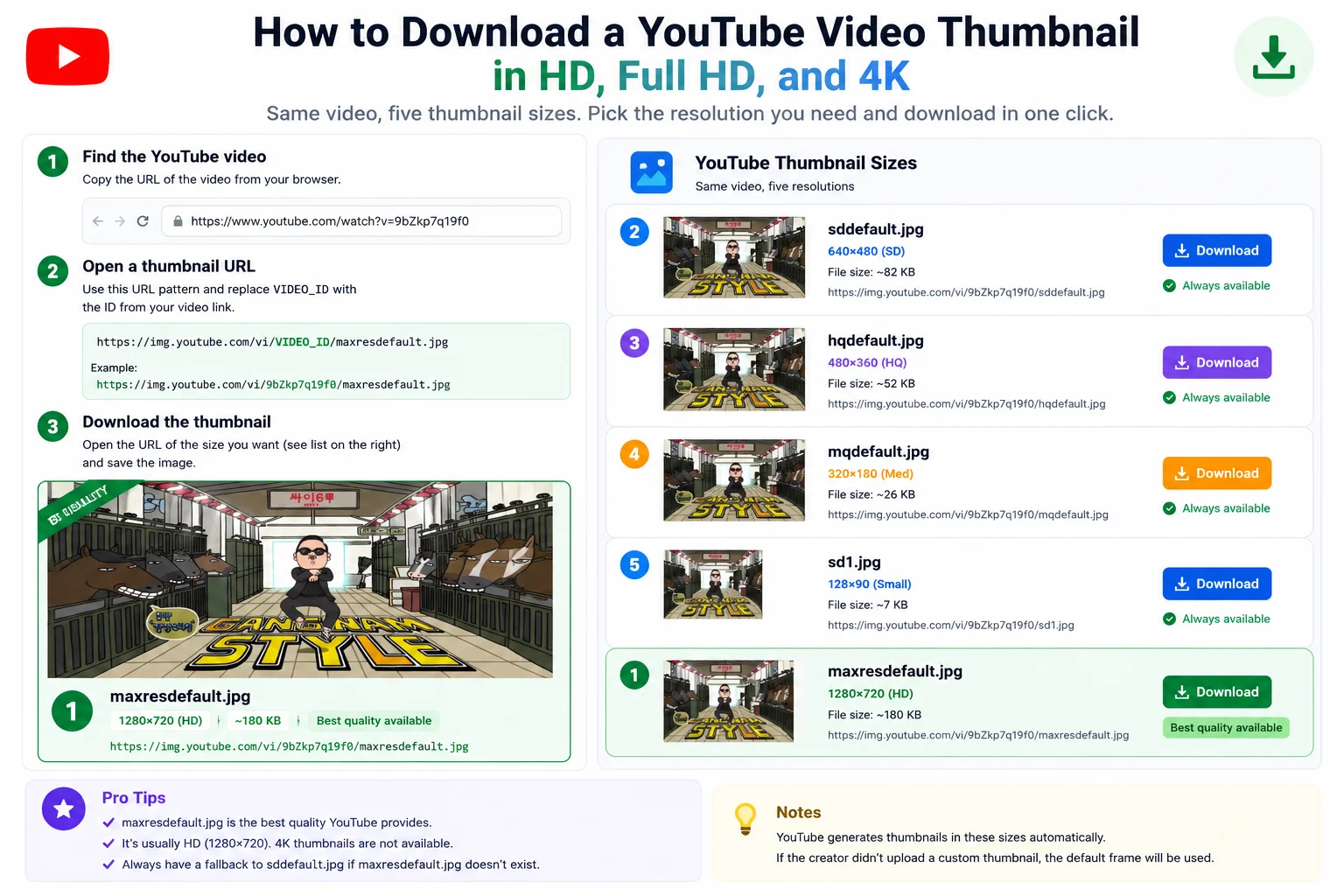
Here is the thing: YouTube serves every thumbnail from a predictable address, so you do not strictly need a tool. Take the video ID (the string after watch?v=, for example dQw4w9WgXcQ) and drop it into this pattern:
https://img.youtube.com/vi/VIDEO_ID/maxresdefault.jpgOpen that in your browser, then right click and save. Swap maxresdefault for another size name if you need something smaller. The image host also answers at i.ytimg.com/vi/VIDEO_ID/..., which is the same file. Best for a single image when you do not want to open anything else. The catch: maxresdefault returns a 404 on some videos, so you may have to fall back to sddefault yourself.
Open the video page, press F12 for dev tools, switch to the Network tab, filter for “Img”, and reload. Look for a request to img.youtube.com/vi/..., right click it, and choose Open in new tab, then save the image. Best for when you are already inspecting the page. It is slower than the direct URL, so it mostly helps when the URL pattern fails or you are debugging something else.
Save this as a browser bookmark. Click it on any YouTube watch page and it opens the maxresdefault thumbnail in a new tab, ready to save:
javascript:(function(){var m=location.href.match(/(?:v=|youtu\.be\/|shorts\/|embed\/)([\w-]{11})/);if(m){window.open('https://img.youtube.com/vi/'+m[1]+'/maxresdefault.jpg','_blank');}else{alert('Not a YouTube video URL');}})();Best for regular grabbing without opening a separate tool. It is a one-time setup, and you still fall back manually when maxresdefault is missing.
The official API returns thumbnail URLs inside the video resource. The request is:
GET https://www.googleapis.com/youtube/v3/videos?part=snippet&id=VIDEO_ID&key=API_KEYThe JSON snippet.thumbnails object holds up to five sizes (default, medium, high, standard, maxres), each with a URL, width, and height. Best for automated work at scale, like analyzing every thumbnail across a channel. It needs a Google Cloud project, an API key, and it spends quota on each call (10,000 units a day by default, 1 unit per video lookup).
One honest note on resolution: YouTube added 4K thumbnail support in 2024 for TV displays, but the publicly downloadable file still tops out at 1280×720 for most videos. When a downloader advertises a “4K” save, that is usually upscaling, not a native 4K image from YouTube. The API is the only route to the original high-resolution metadata.
YouTube generates the same five sizes for most videos. Pick by where the image will live: the HD one for a blog header, a small one for a list. Only maxresdefault is conditional; the rest are always there.
| Name | Size (px) | Always available? | Best for |
|---|---|---|---|
maxresdefault | 1280×720 | Only if the creator uploaded HD | HD headers, design reference |
sddefault | 640×480 | Yes | Standard use, safe fallback |
hqdefault | 480×360 | Yes | Cards and previews |
mqdefault | 320×180 | Yes | Small thumbnails |
default | 120×90 | Yes | Tiny list icons |
Keep in mind that these are the original images, not upscales. A 1280×720 thumbnail is as sharp as YouTube stores it, so if you need it larger for a print or a banner, resize with care and expect some softness. The Pixellize Bulk Image Resizer is useful when you have several thumbnails to bring to one size.
Every method above needs the 11-character video ID. YouTube has at least seven URL formats that all carry the same ID, so it helps to know where to look in each one.
youtube.com/watch?v=VIDEO_ID, the standard desktop linkyoutu.be/VIDEO_ID, the share linkyoutube.com/shorts/VIDEO_ID, a Shorts URLyoutube.com/embed/VIDEO_ID, the embed iframe URLyoutube.com/v/VIDEO_ID, the old player URLm.youtube.com/watch?v=VIDEO_ID, the mobile URLmusic.youtube.com/watch?v=VIDEO_ID, the YouTube Music URLThe ID is always exactly 11 characters and uses letters, numbers, hyphens, and underscores. If you script downloads, this one line pulls the ID out of any of those formats:
const id = url.match(/(?:v=|youtu\.be\/|shorts\/|embed\/|\/v\/)([\w-]{11})/)?.[1];To download a YouTube thumbnail in HD, grab the maxresdefault version, which is 1280×720. Paste the video link into a downloader and choose the largest size, or open img.youtube.com/vi/VIDEO_ID/maxresdefault.jpg and save it. That is the highest resolution YouTube keeps for a standard video.
The maxresdefault file only exists when the creator uploaded a custom thumbnail at 1280×720 or larger, so a large share of videos return a 404 at that path. Older uploads, auto-generated covers, and many Shorts skip it. That missing file is the single most common reason a thumbnail download quietly fails.
The fix is a fallback chain: try maxresdefault.jpg first, drop to sddefault.jpg if it 404s, then hqdefault.jpg, which almost always exists. The Pixellize YouTube Thumbnail Downloader runs this chain for you and shows the highest size actually available, so you never have to test each URL by hand.
Yes. A Shorts link uses the same video ID as a normal video, so the same thumbnail URLs work. Paste the youtube.com/shorts/VIDEO_ID link into the downloader, or swap the ID into the image URL pattern. You get the same set of sizes up to 1280×720.
One quirk: a Shorts cover looks portrait (9:16), but the file YouTube serves on the public image host is still landscape 16:9 with padding. The native portrait frame is not downloadable through the public URL, only through the Data API. For saving Shorts covers specifically, see the YouTube Shorts thumbnail download guide.
Even though the images sit on a public host with no login, they are still the creator’s work. YouTube’s Terms of Service keep copyright with the uploader, so what you do with the file matters more than how you got it. Here is a plain split by risk.
When in doubt, ask. Most creators are happy to allow non-competitive use if you reach out by email or a comment. YouTube’s own thumbnail guidelines and the YouTube API thumbnail reference cover how these images are generated and served.
img.youtube.com/vi/VIDEO_ID/maxresdefault.jpgimg.youtube.com/vi/VIDEO_ID/sddefault.jpgimg.youtube.com/vi/VIDEO_ID/hqdefault.jpgwatch?v=, shorts/, or youtu.be/.People grab thumbnails for a few practical reasons. Bloggers and journalists want a clean cover image when they embed or write about a video. Creators study the top results in their niche to see which titles and faces pull clicks, so they build a reference folder of covers that worked. Designers pull a handful as a mood board before making their own. And anyone running a resource page just wants the image at a known size, without a messy screenshot and crop.
This is where a downloader earns its keep. Instead of building each address by hand, the Pixellize YouTube Thumbnail Downloader lists every size for a video at once, so you compare the HD and standard versions side by side and grab the right one. For a single image the manual URL is quicker. For comparing sizes, or saving several from different videos, the Pixellize tool is the calmer path. Either way the file is the original YouTube JPG, untouched.
The steps are the same on a phone. Open the video in the YouTube app, tap Share, and copy the link. Paste it into the Pixellize YouTube Thumbnail Downloader in your mobile browser, pick a size, and the JPG saves to your photos or downloads folder. On an iPhone you may need to long press the preview and choose Save Image, which caught me out the first time. Knowing how to download a YouTube thumbnail on mobile matters, because that is where most people watch in the first place, and it means you never have to move to a laptop for a quick save.
Now you know how to download a YouTube thumbnail five ways: paste the link into a tool, build the maxresdefault URL by hand, pull it from the Network tab, use a bookmarklet, or call the Data API. For a quick one-off, the URL trick is fastest. For previewing every size at once and saving in a click, the Pixellize YouTube Thumbnail Downloader is the easiest option. Planning your own cover next? Check the exact YouTube thumbnail size for every video type, and while you are working with a video, the YouTube Tags Extractor and the Timestamp Link Generator are handy companions.
Paste a link, preview every size, download the HD JPG. Free, no sign up.
Open the YouTube Thumbnail DownloaderThat is how to download a YouTube thumbnail, free and in any size. Saving video clips instead of still images? See how to download Facebook videos as an MP4.
The highest common size is maxresdefault at 1280x720, saved as a JPG. YouTube generates it only when the uploaded thumbnail is large enough, so a few older videos top out at sddefault (640x480) instead.
That video has no 1280x720 thumbnail, usually because it is old or was uploaded at low resolution. Switch to sddefault (640x480) or hqdefault (480x360), which almost every video has.
The thumbnail is the creator's copyrighted work. Saving one to study a design or plan your own is normal, but reposting it as your own video cover or selling it can infringe copyright. Use it for reference and credit the source.
Yes. A Shorts link carries the same video ID as a normal video, so the same thumbnail URLs and downloaders work. Paste the shorts link or drop the ID into the image URL pattern.
YouTube serves thumbnails as JPG files. When you download one, you get the JPG exactly as YouTube hosts it, with no re-compression or watermark added by the tool.
No. A browser is enough. The Pixellize YouTube Thumbnail Downloader runs on any device, and the manual image URL works in any browser too. There is nothing to install and no account to create.
Founder and CEO of Pixellize.io, building AI-powered web tools and digital products with a focus on user experience and automation. M.Sc. Zoology, working at the intersection of technology, data analytics, and life sciences.