
How to Fix “Excluded by Noindex Tag” in Google Search Console
Seeing "Excluded by noindex tag" in Google Search Console? Find the page, remove the noindex at its real source, clear robots.txt, and…
Read articleRedirect chains slow your pages and leak ranking signal. Learn how to fix a redirect chain step by step, and trace every hop free with Pixellize.

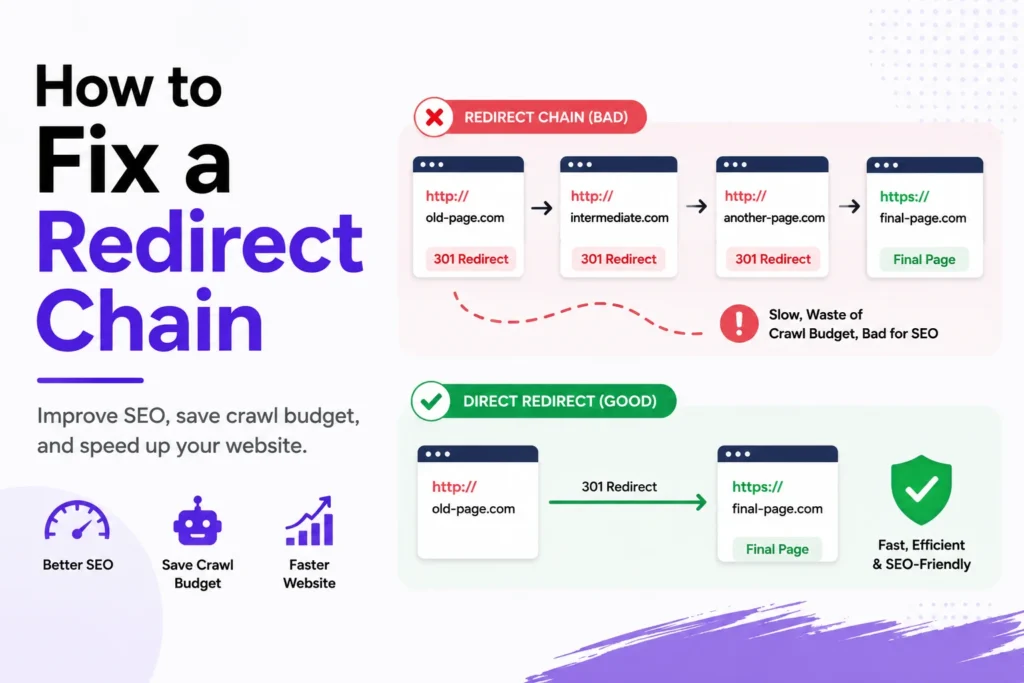
A link should take one hop to reach its page. When it takes three or four, you have a redirect chain, and it quietly drains rankings and slows every visit. Learning how to fix a redirect chain is one of the fastest technical SEO wins you can ship in an afternoon. This guide walks you from spotting every hop to collapsing the path down to a single clean 301. Before you start, you can trace any URL free with the Pixellize Redirect Chain Checker.
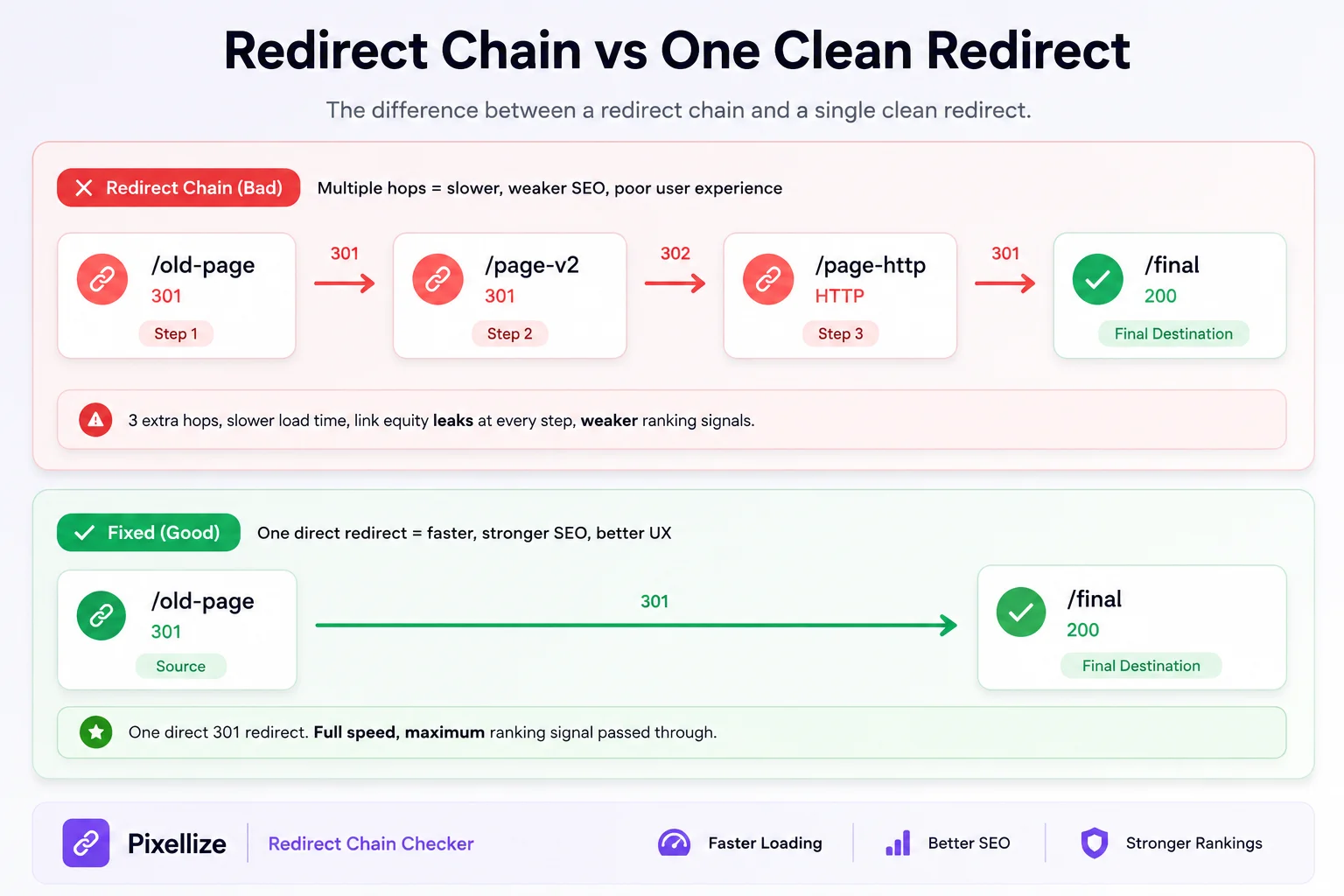
A redirect chain is a series of redirects that a browser or crawler has to follow before it reaches the final page. Instead of URL A going straight to the live page, A points to B, B points to C, and only then does C load. Every hop is a separate round trip to the server.
Here is the thing: chains almost never get built on purpose. They pile up over time. You move a page once during a redesign, then again during an HTTP to HTTPS upgrade, then a third time when the URL structure changes. Each rule stacks on the last, and nobody notices until a checker lays the whole path out.
A redirect chain moves forward through several URLs and eventually reaches a real page. A redirect loop never gets there, because a URL points back to one already in the path, so the browser cycles until it gives up with a “too many redirects” error. A chain wastes speed and link equity. A loop takes the page down completely.
Yes, redirect chains hurt SEO in three ways. Each hop passes less link equity to the final page, so ranking signal leaks at every step. Each hop also adds load time, which drags on Core Web Vitals. And long chains waste crawl budget, so Googlebot may stop following before it reaches your page.
Google confirms that it follows up to ten redirect hops per crawl attempt, and that redirects beyond that can be treated as an error, per Google Search Central. A page stuck at the end of a long chain can end up crawled late or not at all. For visitors, every extra hop is another network round trip before anything renders, which is exactly the kind of delay web.dev flags as avoidable.
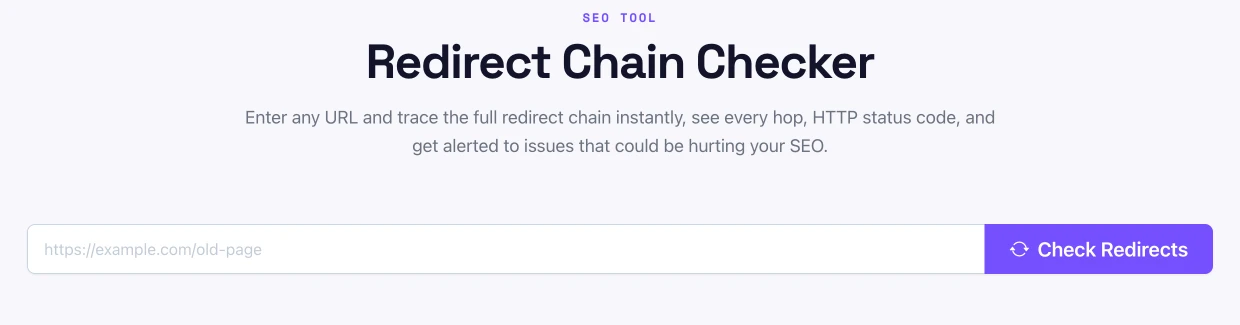
You cannot fix what you cannot see, so start by tracing the full path for the affected URL. You have three practical options, from fastest to most thorough.
| Method | Best for | Cost |
|---|---|---|
| Pixellize Redirect Chain Checker | Checking one URL or spot-checking a few, fast | Free, in browser |
| Screaming Frog / Sitebulb | Auditing thousands of URLs at once | Free tier, then paid |
| curl / Chrome DevTools | Debugging live while in the terminal | Free, built in |
Whichever you pick, write down the full path: the first URL, every intermediate URL, and the final destination with its status code. That map is what you fix against.
The fix is simple once you can see the chain: make the first URL jump straight to the final page. With the hops mapped in Pixellize, here is how to fix a redirect chain from start to finish.
This caught me out the first time: I fixed the redirect rule but forgot the internal links, so the site kept sending users through the old hop even though the rule was clean. Update both.
One redirect is ideal, and you should treat anything past three hops as a problem to fix. Google follows up to ten hops in a single crawl before it stops, and browsers error out near twenty. Every hop beyond the first adds latency and bleeds link equity, so shorter is always better.
WordPress chains usually come from a redirect plugin holding old rules on top of new ones. The fix lives inside that plugin, not in the theme.
Keep in mind that some hosts and CDNs add their own redirects. If a chain survives after you clean the plugin, check your host panel and CDN rules too. Pixellize keeps its own tools client side for this reason, so a check never adds another hop of its own.
Prevention is cheaper than cleanup. Before you add a new redirect, check whether the source URL is already the target of an older one. If it is, point the old rule at your new destination instead of stacking a fresh hop on top.
Paste a URL and see every hop, status code, and warning, free and in your browser.
Redirect chains are easy to miss and easy to fix. Trace the path, point the first URL straight to the final page, update your internal links, and re-check until you see a single 301. Do that after every migration and you protect both your speed and your rankings. When you need to know how to fix a redirect chain again, start by tracing it with the free Pixellize Redirect Chain Checker, then collapse every hop down to one.
A redirect chain is two or more redirects between the first URL and the final page, so a request passes through several hops (A to B to C) before it loads. Chains form over time from stacked redirects after migrations, HTTPS upgrades, and URL changes.
Yes. Redirect chains hurt SEO because each hop passes less link equity, adds load time, and wastes crawl budget. Google follows up to ten hops per crawl attempt, so a page at the end of a long chain can be crawled late or missed.
One redirect is ideal, and anything past three hops should be fixed. Google follows up to ten hops before it stops, and browsers error out near twenty. Every extra hop adds latency and leaks ranking signal, so shorter is always better.
Paste the URL into a free redirect chain checker like the Pixellize Redirect Chain Checker. It follows every hop and shows each status code in your browser, with no download or signup, so you can trace the full path before you fix it.
A redirect chain moves forward through several URLs and reaches a real page. A redirect loop points back to a URL already in the path, so the browser cycles until it fails with a too many redirects error. A chain slows a page, a loop breaks it.
Open your redirect plugin, find the old URL, and edit its target to point straight to the final destination, then delete the intermediate rules. Clear your cache and CDN, then re-check the URL to confirm one clean 301 hop.
Founder and CEO of Pixellize.io, building AI-powered web tools and digital products with a focus on user experience and automation. M.Sc. Zoology, working at the intersection of technology, data analytics, and life sciences.