
How to Compress PDF Without Losing Quality, Step by Step
Shrink any PDF without making it blurry. Plain-language guide to lossy vs lossless, the right quality setting for every use case, and…
Read article
Someone emails you a report, you double-click it, and your computer just shrugs. No Microsoft Word, no obvious way in, and the file sits there ending in .docx like a locked door. It happens on new laptops, on Chromebooks, on phones, and on any machine where Office was never installed. The good news: you do not need to buy anything. This guide shows you how to open a DOCX file without Word, using free methods that take under a minute, starting with one that never uploads your file. You can open a DOCX file online in your browser and read it right away.
| Method | Best for | Install? | Edit or view |
|---|---|---|---|
| In-browser DOCX viewer | Reading fast, keeping it private | No | View |
| Google Docs | Editing and sharing | No (needs account) | Both |
| LibreOffice / WPS Office | Full offline editing | Yes | Both |
| WordPad (Windows) | A quick look on Windows | Built in | Both (basic) |
| Apple Pages (Mac) | Mac users | Built in / free | Both |
| Phone (viewer or Google Docs app) | Reading on the go | App optional | Both |
A DOCX file is a Microsoft Word document saved in the Open XML format Word has used since 2007. It will not open when your computer has no app set to read it, which is common on devices without Microsoft Office. The file itself is fine, your machine just needs any Word-compatible reader.
Here is the part most people miss: a DOCX is actually a small ZIP package with the text, images, and formatting inside. That is why renaming it to .zip sometimes shows a folder of files. You do not need to do that to read it, but it explains why the format is so portable. Any of the tools below can unpack and display it for you.
The quickest route is a browser viewer that opens the document on your device. The free Pixellize DOCX Viewer does exactly this. You pick the file, it renders as real pages with a thumbnail rail, and nothing leaves your computer. There is no account, no install, and no watermark. This caught me off guard the first time, since most “online” tools quietly upload your file to a server first.
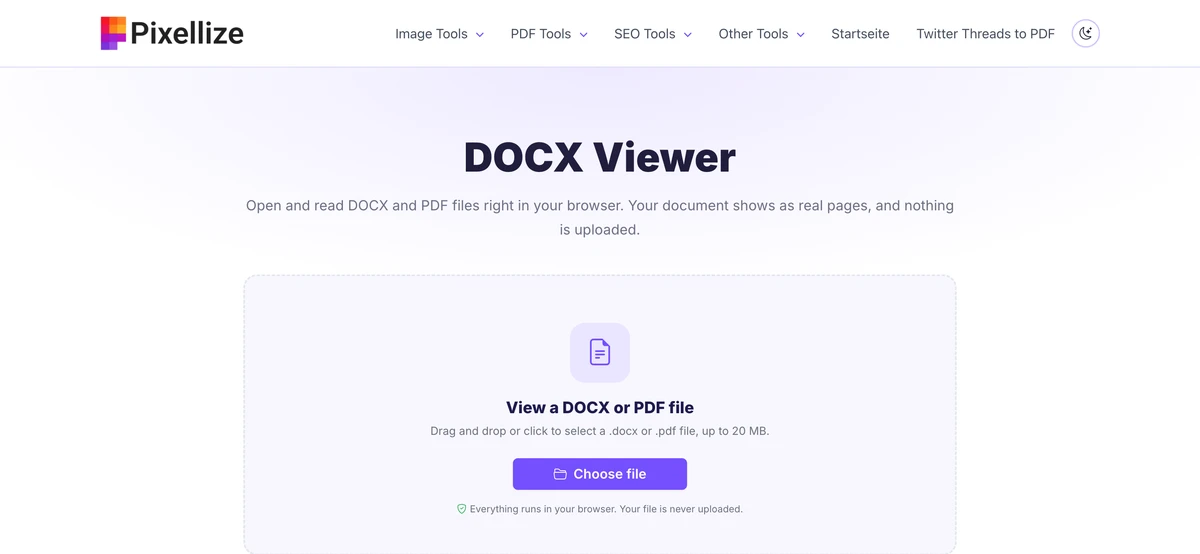
Because the file stays on your device, this is the method to use for anything private, like a contract or a medical letter. The tradeoff is that it is built for reading, not heavy editing. When you only need to view a DOCX file online, that is usually all you want. Pixellize also handles PDFs in the same window, so a mixed folder of files is no problem.
Google Docs opens and edits DOCX for free, and it is the best pick when you need to change the text and send it back. You will need a free Google account. Keep in mind that the file does upload to your Google Drive, so skip this one for anything sensitive and use the Pixellize viewer instead.
If you open Word files often and want to work offline, install a free office suite. All three below read and edit DOCX and cost nothing.
One honest caveat: heavy formatting like complex tables or tracked changes can shift slightly when a non-Word app renders it. For most letters, resumes, and reports you will not notice a thing.
Windows has shipped with WordPad for years, and it opens DOCX without any download. Right-click the file, choose Open with, then WordPad. It is perfect for a quick read. Do know that WordPad drops advanced formatting, so use it to check content, not to preserve a polished layout. Microsoft began retiring WordPad on the newest Windows builds, so if it is missing, fall back to the Pixellize browser viewer above.
To open a DOCX file on a phone, use a browser viewer or a free app. On both Android and iPhone you can load the Pixellize DOCX Viewer in your mobile browser and read the file in seconds, or install the free Google Docs app, which opens and edits Word files on the go.
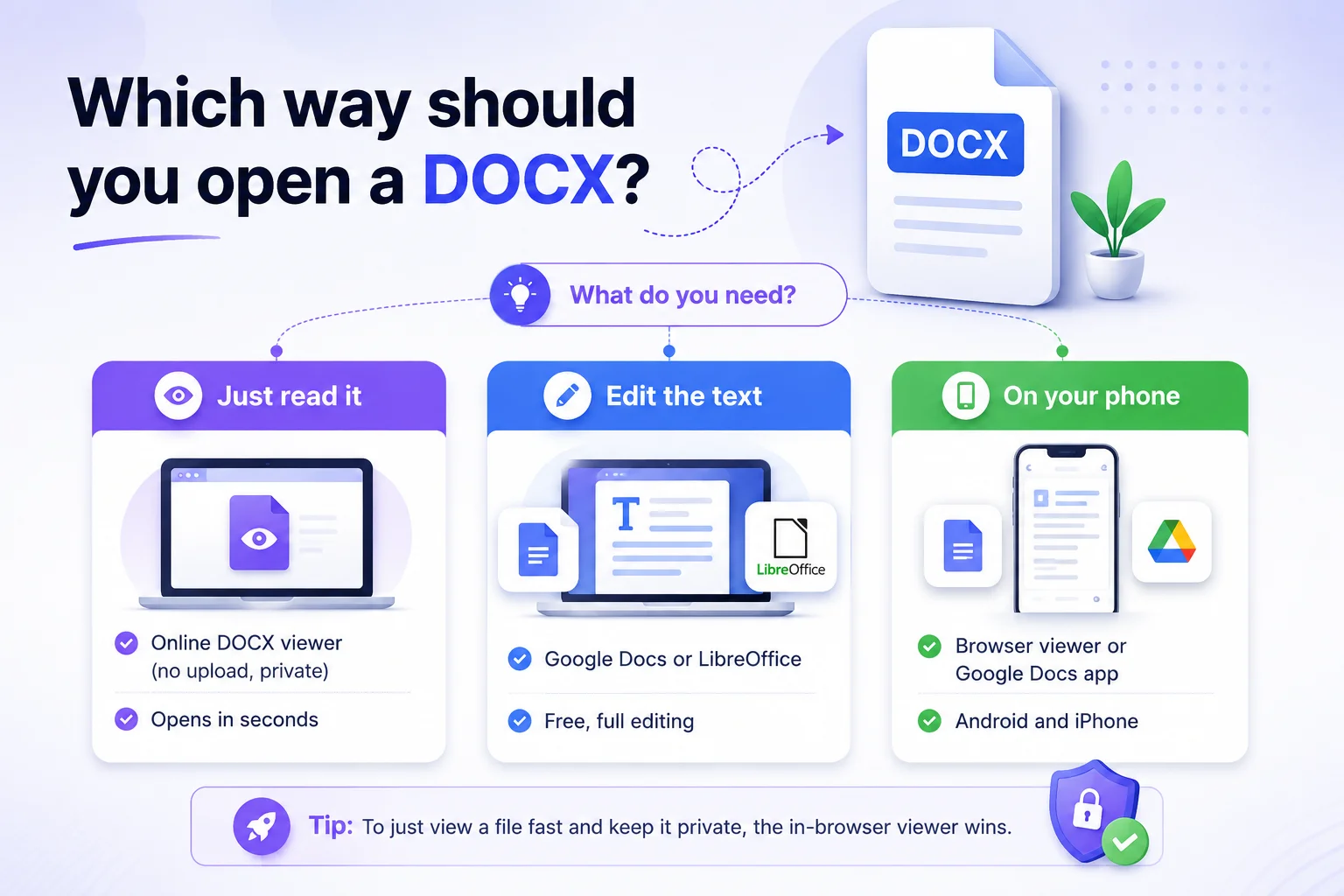
Match the tool to the job. If you only need to read the document, a browser viewer is fastest and keeps the file private. If you need to change the words and send it back, Google Docs or LibreOffice give you full editing. On a phone, the viewer or the Google Docs app both work well.
A few issues trip people up more than the rest. Here is how to clear them fast.
Read any Word file or PDF right in your browser, private and free, with Pixellize.
Open the DOCX ViewerYou do not need to install Office to read a Word document. The simplest way to open a DOCX file without Word is a browser viewer that keeps the file on your device, and Pixellize gives you that for free with no sign up. When you need to edit, Google Docs and LibreOffice are solid free choices, and every phone can handle a DOCX too. Bookmark the Pixellize DOCX Viewer so the next time a .docx lands in your inbox, that locked door opens in one click. Now you know how to open a DOCX file without Word, whatever device you are on.
No. A DOCX file opens in many free tools without Microsoft Word, including an in-browser viewer, Google Docs, LibreOffice, WPS Office, Apple Pages, and WordPad on Windows. Word is only one of many apps that can read the format.
Open a browser-based DOCX viewer, click Choose file, and select your .docx. The Pixellize DOCX Viewer reads it on your device as pages and never uploads it, so it works for free with no account and no install.
Yes. On Android and iPhone you can open a browser viewer and read the file in seconds, or install the free Google Docs app. Most email apps also preview a .docx attachment when you tap it.
Be cautious. A DOCX can carry macros, so avoid enabling editing or macros on files from people you do not trust. A view-only in-browser viewer that does not run macros is the safer way to check what a file contains.
A DOCX is really a ZIP package of XML, so renaming it or opening it in the wrong app can reveal that structure. Open it in a DOCX viewer or Google Docs instead and it displays as a normal document.
Yes. Google Docs, LibreOffice Writer, WPS Office, and Apple Pages all edit DOCX for free and can save back to .docx. A simple browser viewer is view-only, so pick an editor when you need to change the text.

Founder and CEO of Pixellize.io, building AI-powered web tools and digital products with a focus on user experience and automation. M.Sc. Zoology, working at the intersection of technology, data analytics, and life sciences.