
How to Create an Image Sitemap (Step by Step)
Learn how to create an image sitemap, write the XML, and submit it in Google Search Console so Google finds and indexes…
Read articleFind all pages on a website in minutes: seven free methods, from a Google site search to a full crawl, so you never miss a URL before an audit or migration.


You inherit a site with a few hundred pages and no documentation. Where do you even start? Learning how to find all pages on a website is the first move in almost every audit, migration, or content cleanup. Miss a batch of URLs and you ship a redesign with broken links, orphaned blog posts, and thin pages Google still remembers. The good news: you can list every URL a site publishes in about five minutes, using free methods you already have access to. A crawler like the Pixellize Link Finder handles the heavy lifting when a site is large.
site: search is the fastest peek, but it only shows pages Google has indexed./sitemap.xml is the most complete list a site publishes about itself.There is no single button that returns every URL, so knowing how to find all pages on a website means layering a few of them. Each method sees the site from a different angle, so the trick is knowing which one answers your question. Here is how the three quickest options compare before we walk through all seven.
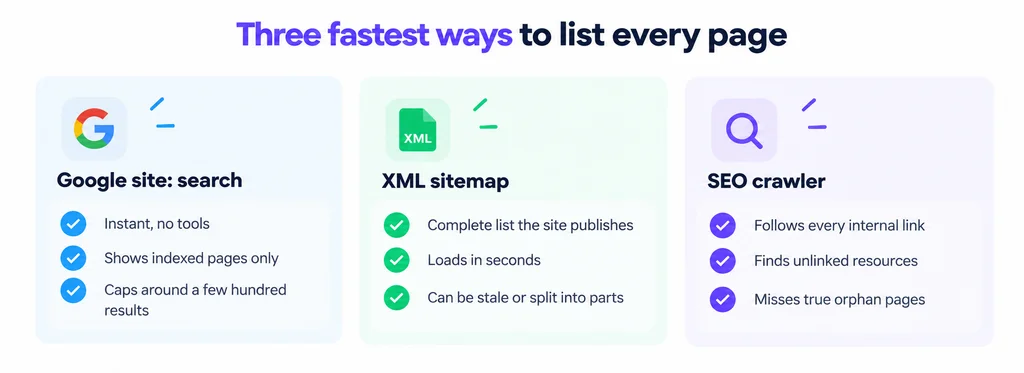
| Method | What it finds | Best for | Limit |
|---|---|---|---|
Google site: | Indexed pages | A quick estimate | Caps near a few hundred |
| XML sitemap | Pages the site declares | A clean starting list | Can be stale or partial |
| Crawler | Every linked page | Full audits | Misses orphan pages |
| Search Console | Real indexed set | Sites you own | Owner access only |
| Server logs | Every requested URL | Finding orphans | Needs server access |
Type site:example.com into Google and hit enter. You get a rough list of every page Google has indexed for that domain, and the result count near the top is a quick size estimate. Narrow it with site:example.com/blog to see one section, or add a keyword to find pages on a topic.
Keep in mind what this misses. The site: operator only shows indexed pages, so anything blocked, brand new, or dropped from the index never appears. Google also caps how many results it will page through, usually a few hundred, so a large site returns a sample, not the full set. Treat it as a first glance, not the final answer. Google documents the operator in its search operators reference.
Most sites publish a sitemap at example.com/sitemap.xml or example.com/sitemap_index.xml. This file is the site’s own list of the URLs it wants search engines to know about, so it is often the cleanest place to start. Open it in a browser and you will see every URL, sometimes split across child sitemaps for posts, pages, and products.
Sitemaps have two catches. They can go stale when a plugin fails to regenerate them, and they only include what the site chose to list, so a page left out on purpose will not show. If you do not know where the sitemap lives, the Pixellize Sitemap Finder checks the common locations and the robots.txt file for you. Building one from scratch? The XML Sitemap Generator creates a valid file in a click. Google explains the format in its sitemap documentation.
Before you trust a single sitemap, open example.com/robots.txt. Near the bottom, most sites list one or more Sitemap: lines. Larger sites often run several sitemaps, one per content type, and robots.txt is where they all get declared. This one file can point you to lists you would never have guessed by typing URLs.
This caught me off guard the first time I audited an e-commerce site. The main sitemap looked small, but robots.txt pointed to four more, and the product sitemap alone held over 12,000 URLs. Always read robots.txt first.
A crawler starts at the homepage and follows every internal link, page after page, until it has mapped the whole site. This is the method that catches pages missing from the sitemap, as long as something links to them. It is the closest thing to a true “find all URLs on a website” answer for a site you do not own.
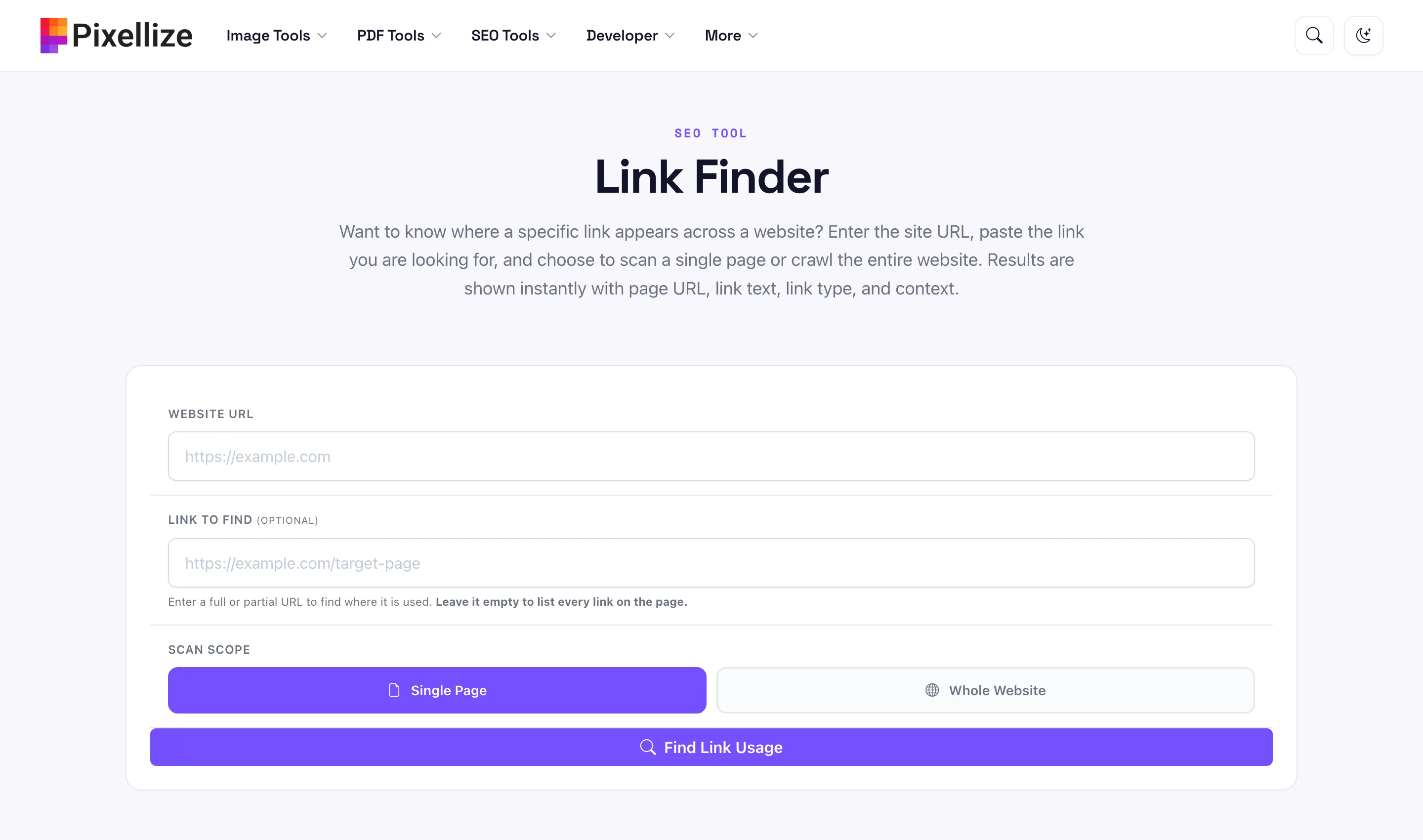
The Pixellize Link Finder does exactly this in the browser. Paste the site URL, leave the “link to find” box empty, and pick Whole Website. It crawls the pages, lists every link it reaches with the page URL, link text, and link type, and you can export the result. Point it at a single target URL instead, and it turns into a website page finder that shows every page linking to that one address, which is how you audit internal links or track down a stray reference before a migration.
No install, no login. Crawl a whole site and export the URLs.
Open the Link FinderIf you own the site, Search Console is the most honest source. The Pages report under Indexing shows every URL Google has indexed, plus the ones it skipped and why. Export the table and you have the real set, not an estimate. The URL Inspection tool then confirms the status of any single page.
Search Console often surfaces pages you forgot existed: old tag archives, stray parameter URLs, staging pages that leaked into the index. That is the point. You cannot fix what you cannot see, and this report shows the pages that are actually competing for your crawl budget.
An orphan page has no internal links pointing to it, so a crawler never reaches it. Two sources still see these pages. Google Analytics lists every URL that received a visit, and your server access logs record every request the server answered, human or bot. Cross-reference either against your crawl and the leftovers are your orphans.
Logs take more effort to read, but they are the only method that shows a URL nothing links to and nobody submitted. On a large site, that gap is where dead pages and forgotten landing pages hide.
When you have admin access, the content management system already holds the full list. WordPress, the platform that runs Pixellize, shows every entry under Pages and Posts, and most platforms let you export a CSV of all content. This is the fastest complete answer for a site you control, and it includes drafts and private pages the public methods never see.
You can find every page on a website free using three steps. Open the XML sitemap at /sitemap.xml for the declared list, run a site: search on Google for the indexed set, then crawl the site with the free Pixellize Link Finder to catch pages the sitemap missed. Together these three cover almost every public URL at no cost.
Pages missing from the sitemap show up in three places. A crawler finds them if any internal link points to them, Google Search Console lists them if they were ever indexed, and server logs or Google Analytics reveal true orphan pages that nothing links to. Compare each source against the sitemap and the extra URLs are what it left out.
Three errors trip people up. First, trusting a single method: the site: operator alone will undercount a large site badly. Second, ignoring child sitemaps declared in robots.txt, which is where most of the URLs often live. Third, forgetting that a crawler cannot reach orphan pages, so a clean crawl does not mean you found everything. Before a migration, check that no important URL is a dead end with the Pixellize Broken Link Checker.
site: search.Knowing how to find all pages on a website comes down to layering a few free methods instead of trusting one. Start with the sitemap and robots.txt for the declared list, add a site: search for the indexed view, then crawl to fill the gaps. If you own the site, Search Console and your CMS close the loop. When you need the crawl done in seconds without installing anything, the Pixellize Link Finder lists every page a site reaches and lets you export the lot. Run it before your next audit and you will not ship a redesign with URLs you never knew were there.
Open the XML sitemap at /sitemap.xml. It is the site's own list of URLs and loads in seconds, so it is the fastest single source. For a size estimate, a Google site: search is quicker still, though it only counts indexed pages.
Yes. The sitemap, a Google site: search, and a web crawler all work on any public site without ownership. You only need owner access for Google Search Console and the CMS, which show private and unindexed pages the public methods cannot reach.
Orphan pages have no internal links, so crawlers miss them. Google Search Console lists them if they were indexed, and server access logs or Google Analytics reveal URLs that received traffic. Compare those against your crawl and the leftovers are the hidden pages.
No. A site: search shows only pages Google has indexed, and it caps results near a few hundred. New, blocked, or de-indexed pages never appear. Use it for a quick estimate, then confirm with the sitemap and a crawl for the full list.
Count the URLs in your XML sitemap for the declared number, or check the Pages report in Google Search Console for the indexed count. A crawler gives the linked total. The three rarely match exactly, which is normal and worth investigating.
Yes. The Pixellize Link Finder crawls a whole site in the browser and lists every link with no install or login. The Pixellize Sitemap Finder locates the sitemap for you, and both are free to use for any public website.
Founder and CEO of Pixellize.io, building AI-powered web tools and digital products with a focus on user experience and automation. M.Sc. Zoology, working at the intersection of technology, data analytics, and life sciences.