
Broken Link Checker Online Free
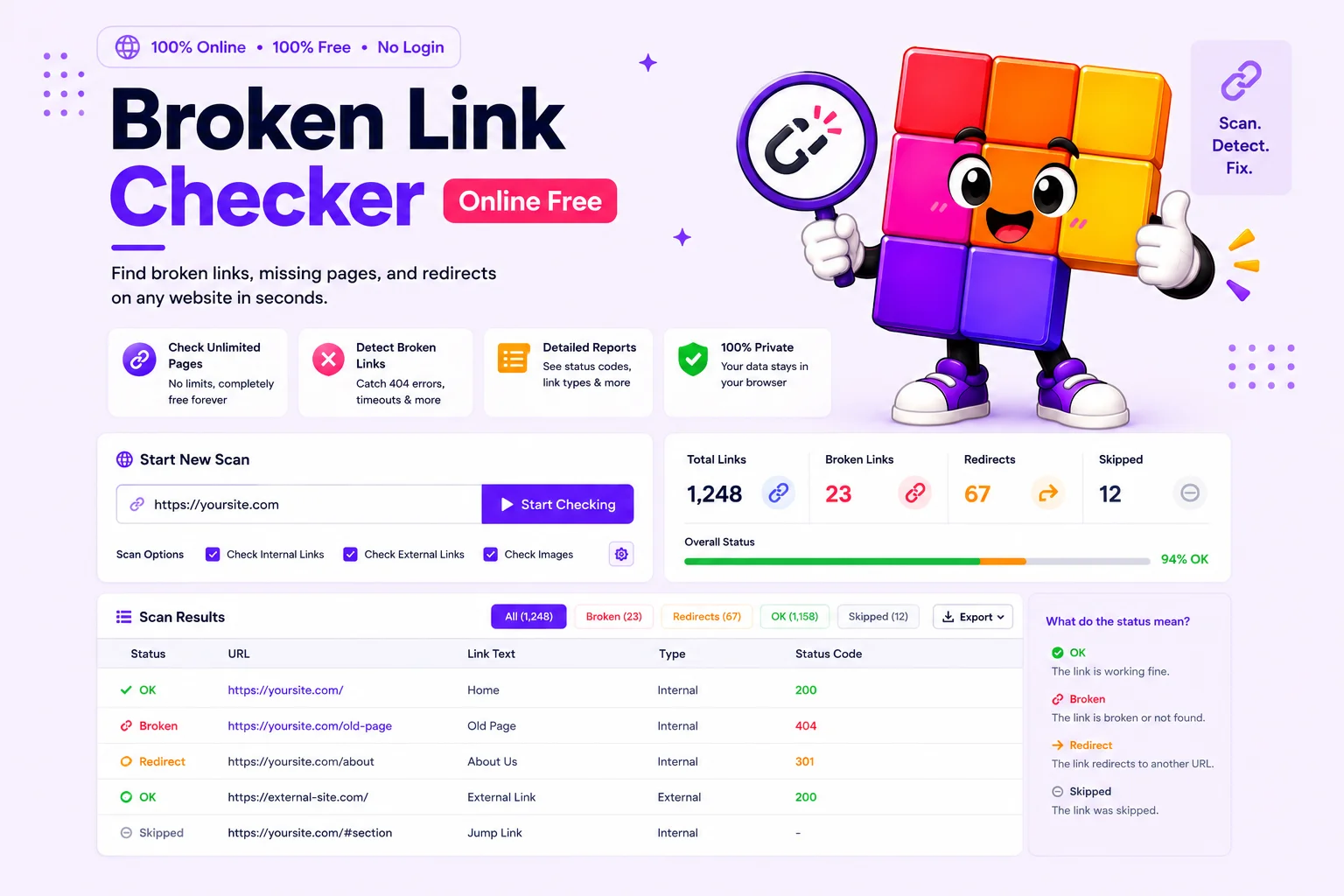
The Pixellize Broken Link Checker finds every dead link on a page or an entire website. Paste a URL, choose single page or whole-site mode, and watch the live crawl as we collect every <a href> (including externals) and HEAD-check it for 4xx/5xx responses. Export the broken-link report as CSV or JSON.
How to Find Broken Links on a Website
Enter Your URL
Paste any webpage URL into the input field.
Watch the Live Crawl
Watch the live crawl as the tool checks every internal and external link.
Review & Export
Review broken 404 links with status codes and export as CSV.
How the Broken Link Checker Catches 404s That Hurt User Trust
A free broken link checker is the fastest way to catch the 404s that quietly leak visitors and link equity. The checker crawls your site, follows internal and external links, and outputs a CSV of every URL returning 404, with the source page and anchor text showing exactly where the link sits.
Use it after every redesign and after big content imports where old shortcodes sometimes survive in post content. Broken external links matter too. When a third-party page goes dark, every internal page that pointed at it becomes a bad-experience anchor for both visitors and Google.
Dead links rarely come alone. Run the broken image checker in the same session, images break for the same reasons links do, and the redirect chain checker catches links that technically work but bounce through three hops first. For the full workflow on a WordPress site, the guide on auditing broken links and images walks through fixing what these scans find.
Why Use Our Broken Link Checker?
Single Page or Whole Site
Check one landing page before a campaign, or crawl the entire site through its internal links. Same tool, one toggle.
Internal and External Links
Every anchor gets checked, your own pages and the third-party sites you point at. Dead external links hurt trust just as much.
Fast Parallel Checks
Unique URLs are HEAD-checked in parallel, so a full-site scan finishes in minutes while you watch the progress live.
Anchor Text Included
Each result shows the link's anchor text and source page, so you can find the exact spot to fix without hunting through the HTML.
Real Status Codes
See the actual HTTP response, 404, 410, 500, timeouts, not just a vague broken flag. Redirect responses are followed, not misreported.
CSV and JSON Export
Download the full report for a ticket, a client, or a diff against last month's scan.
Similar Tools
More SEO tools you might find useful.
Frequently Asked Questions
Common questions about checking websites for broken links.
How does this broken link checker actually work?
Phase 1 fetches each crawled page server-side and parses the HTML with DOMDocument to extract every <a href>, internal and external, along with its anchor text. Phase 2 sends a HEAD request to each unique URL with an 8-second timeout. Any HTTP response 4xx or 5xx, network failure, or zero-response is flagged as a broken link. The tool runs entirely in your browser plus a stateless server-side fetch, no account required.
Do broken links hurt SEO rankings on Google?
Yes, in three measurable ways. First, broken internal links waste crawl budget and leave orphaned pages, so Googlebot revisits less of your useful content. Second, every 404 in your sitemap or internal navigation is a soft signal that the site is unmaintained, which is one of the Quality Rater Guideline checkpoints. Third, broken outbound links to authoritative sources weaken the topical authority signal Google uses for E-E-A-T evaluation. Sites with under 1% broken-link ratio rank better than sites with 5%+, holding all other factors equal. Run a broken link checker monthly to keep the ratio low.
How often should I check my website for broken links?
Monthly for sites that publish weekly. Quarterly for static sites that change rarely. Also run an on-demand scan immediately after these four events: a site migration (new domain or new hosting), a bulk content import, a major theme or page-builder change, and any third-party plugin uninstall that touched the content. Save each month CSV and diff against the previous month. New 404s appearing in the diff almost always trace back to a specific change you can revert or fix at the source.
What HTTP status codes does the broken link checker flag as broken?
Any response that is not a 200 (OK), 201 (created), 204 (no content), or 3xx (redirect that ultimately resolves to 200). Specifically flagged: 400 Bad Request, 401 Unauthorized, 403 Forbidden, 404 Not Found, 410 Gone, 451 Unavailable for Legal Reasons, 500 Internal Server Error, 502 Bad Gateway, 503 Service Unavailable, 504 Gateway Timeout. Network-level failures (DNS lookup failed, TCP reset, TLS handshake failed) are also reported as broken with the specific error message attached.
What is the page limit for a whole-site scan?
Whole-site mode is capped at 100 pages per scan to keep results fast and avoid surprising the target server with a sudden crawl burst. Most blogs and small business sites fit comfortably under that limit. For very large sites, run the tool on each section URL separately (for example, /blog/ first, then /products/, then /docs/), or use a desktop crawler like Screaming Frog for a single end-to-end audit. The CSV export merges across multiple scans cleanly.
Why are some external links flagged as broken even though they work in the browser?
Some sites block automated user agents, require cookies, or only respond to GET requests with a full browser fingerprint. Cloudflare-protected sites in particular often return 403 or 503 to plain HEAD requests even when a regular browser loads them fine. Treat external 403 and 503 results as suspect rather than definitive: open the URL in a real browser to verify. The internal-link results are reliable because your own server responds consistently regardless of user agent.
Is this better than the Broken Link Checker WordPress plugin?
They solve different problems. The WP plugin runs continuously inside your admin via WP-Cron, which monitors over time but adds load to every cron tick and can slow large sites. The Pixellize tool runs on demand from outside your site, with no impact on your hosting and no plugin to maintain. For most agencies and freelancers running audits across many client sites, an external tool is more practical. For solo bloggers who want passive monitoring of their own site, the WordPress plugin is a better fit. Use both for the strongest coverage.
What is the difference between a broken link and a 404 error?
A 404 is one type of broken link, the most common one. The full set of broken links includes 4xx client errors (404 Not Found, 403 Forbidden, 410 Gone), 5xx server errors (500 Internal Server Error, 502 Bad Gateway, 503 Service Unavailable), and network-level failures (DNS resolution failed, connection timed out, TLS handshake failed). A complete broken link checker reports all of these, not just 404s. The Pixellize tool flags every category with the specific status code or error message attached, so you can prioritize fixes correctly.
How do I fix the broken links the tool finds?
Three patterns cover 95 percent of cases. First, an internal link to a moved or deleted page: update the link or add a 301 redirect from the old URL to the new one. Second, an internal link with a typo: fix the typo in the source post content. Third, an external link to a site that went down: either replace the link with an alternative authoritative source or remove the link and rephrase the sentence. Process the CSV in priority order, top-traffic pages first. Search Console organic landings make a useful priority list.
Is my data stored when I use the broken link checker?
No. The crawl runs entirely server-side per request, no database write, no logging of URLs you submit, no account required. The CSV and JSON exports are generated client-side from the result data and saved straight to your downloads folder. Your scan history is not persisted anywhere on our servers, so each scan starts clean. The tool is safe to use on internal staging URLs, password-protected sites you have access to, and other sensitive contexts.