
Campaign URL Builder: Make UTM Tracking Links Free
Add UTM tags to any link so Google Analytics shows exactly where your traffic came from. Fill the fields, watch the link build live, and copy it. Nothing you type is stored.
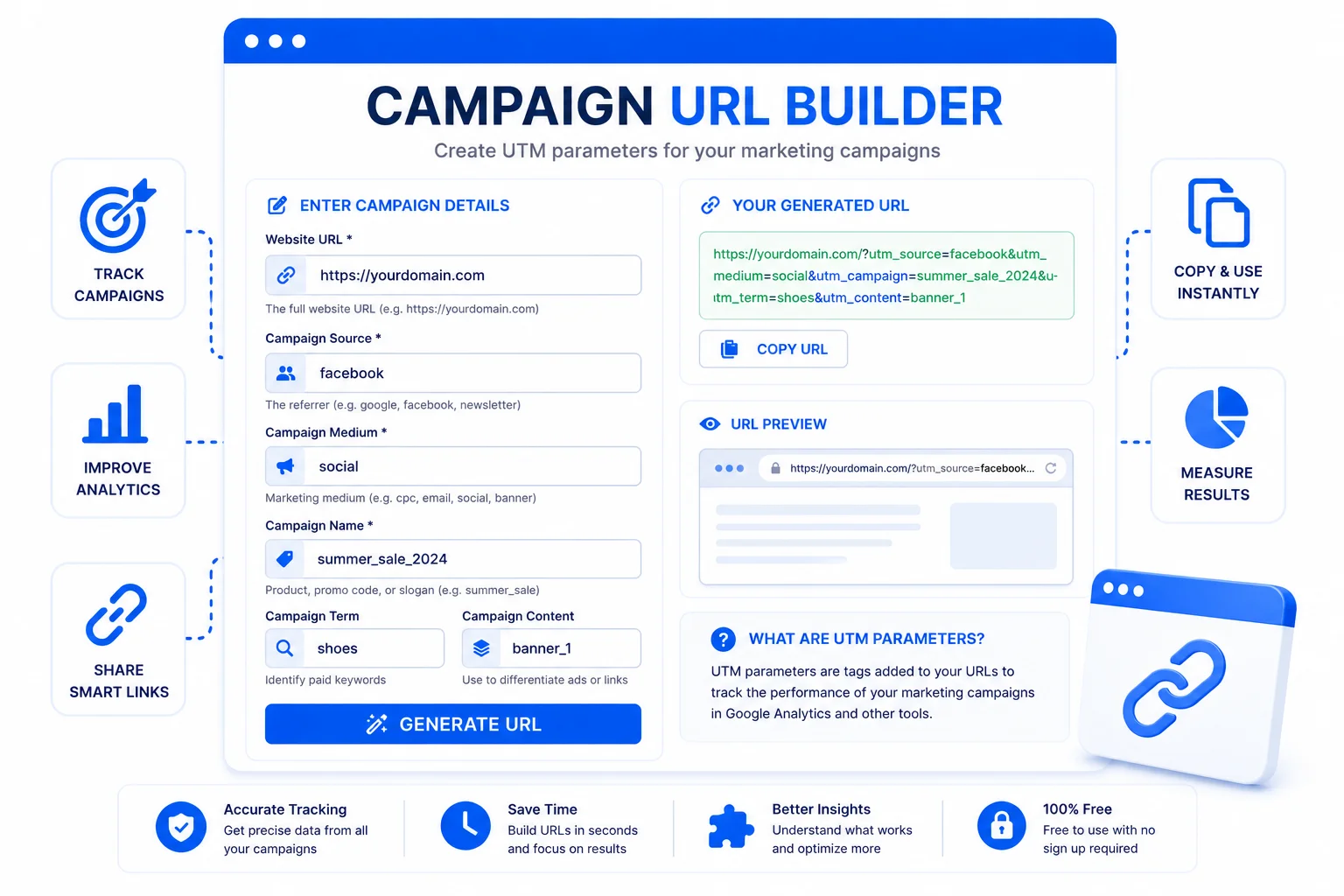
How to Build a UTM Campaign URL
Paste Your Link
Drop in the page URL you are promoting, your homepage, a product page, a blog post, anything.
Fill the Campaign Fields
Set the source, medium, and campaign name at least. Term and content are optional, for ads and A/B tests.
Copy the Tracked Link
The full UTM link builds live as you type. Copy it, then use it in your email, ad, or social post.
Know Which Link Actually Brought the Visitor
Without UTM tags, Analytics lumps a lot of traffic into a vague “direct” or “referral” bucket, and you never learn which email, post, or ad actually worked. UTM tags fix that. They are small labels you add to the end of a link, and when someone clicks, Analytics records exactly where they came from: the newsletter, the Instagram bio, the paid ad, the specific campaign. Suddenly you can see what to do more of.
The three that matter most are source (where the link lives, like newsletter or facebook), medium (the type, like email or cpc), and campaign (the specific push, like summer_sale). Term and content are extras, term for the paid keyword, content to tell two versions of the same ad apart. Keep the values lowercase and consistent, because Analytics treats Facebook and facebook as two different sources, which splits your reports and hides the real numbers.
This builder handles the fiddly part, correct encoding, so a campaign name with a space does not break the link. Building links for a QR poster? Pair it with the QR code generator. Sending the link by email? The mailto link generator helps, and the URL encoder is handy when you need to check how a value was encoded.
Why Use This Campaign URL Builder
Live Preview
The tracked link builds as you type, so you catch a wrong value before it ever reaches an email or ad.
Correct Encoding
Spaces and special characters get encoded properly, so the link never breaks and Analytics reads every value cleanly.
Works With Every Analytics Tool
UTM tags are a standard, so the links work in Google Analytics 4, Adobe Analytics, Matomo, and anything else that reads them.
Nothing Is Stored
Everything runs in your browser. Your URLs and campaign names never touch a server, which matters for unreleased launches.
Test in One Click
Open the finished link straight away to confirm it lands on the right page before you send it out.
Free, No Signup
No account, no limits. Build one link or fifty for a big campaign.
Similar Tools
More SEO tools you might find useful.
Frequently Asked Questions
Common questions about UTM tagging and using this builder.
What is a campaign URL builder?
A campaign URL builder adds UTM tags to a link so analytics tools can tell exactly where a visitor came from. You enter the page URL plus a source, medium, and campaign name, and it outputs one tracked link you can paste into an email, ad, or social post. This one shows the link build live and encodes it correctly.
What is each UTM parameter for?
Source is where the link lives (newsletter, facebook). Medium is the channel type (email, cpc, social). Campaign is the specific push (summer_sale). Term is the paid keyword, and content separates two versions of the same ad. Source, medium, and campaign are the three you should always fill.
Should I use lowercase or mixed-case values?
Lowercase, always, and keep it consistent. Analytics treats Facebook and facebook as two separate sources, so mixing cases splits one channel across several rows in your reports and makes the numbers look smaller than they are. Pick a lowercase convention and stick to it across every link.
Do UTM tags affect my SEO?
No. UTM tags are only read by analytics tools, and search engines ignore them for ranking. To avoid duplicate-content confusion, use UTM links for campaigns (emails, ads, social) rather than for internal links between your own pages, and make sure your canonical tags point to the clean URL.
Will this overwrite existing UTM parameters on my URL?
Yes. If the link you paste already has UTM parameters, the builder replaces them with the new values you enter, so you never end up with two conflicting sources on one link. Paste a clean URL when you can for the tidiest result.
Are my URLs and campaign names stored anywhere?
No. The whole tool runs in your browser, so the links and campaign names you type never leave your device. That matters when you are preparing links for a product that has not launched yet.
Should I shorten the resulting UTM link?
For emails and documents it does not matter, the long link works fine. For printed material, a QR code, or a spoken URL, shortening makes it cleaner, and the UTM tags still get recorded because the short link redirects to the full tracked URL.